Claude Code ↔ Codex CLI in Practice: Session Handoffs, Community Bridges and Known Gotchas
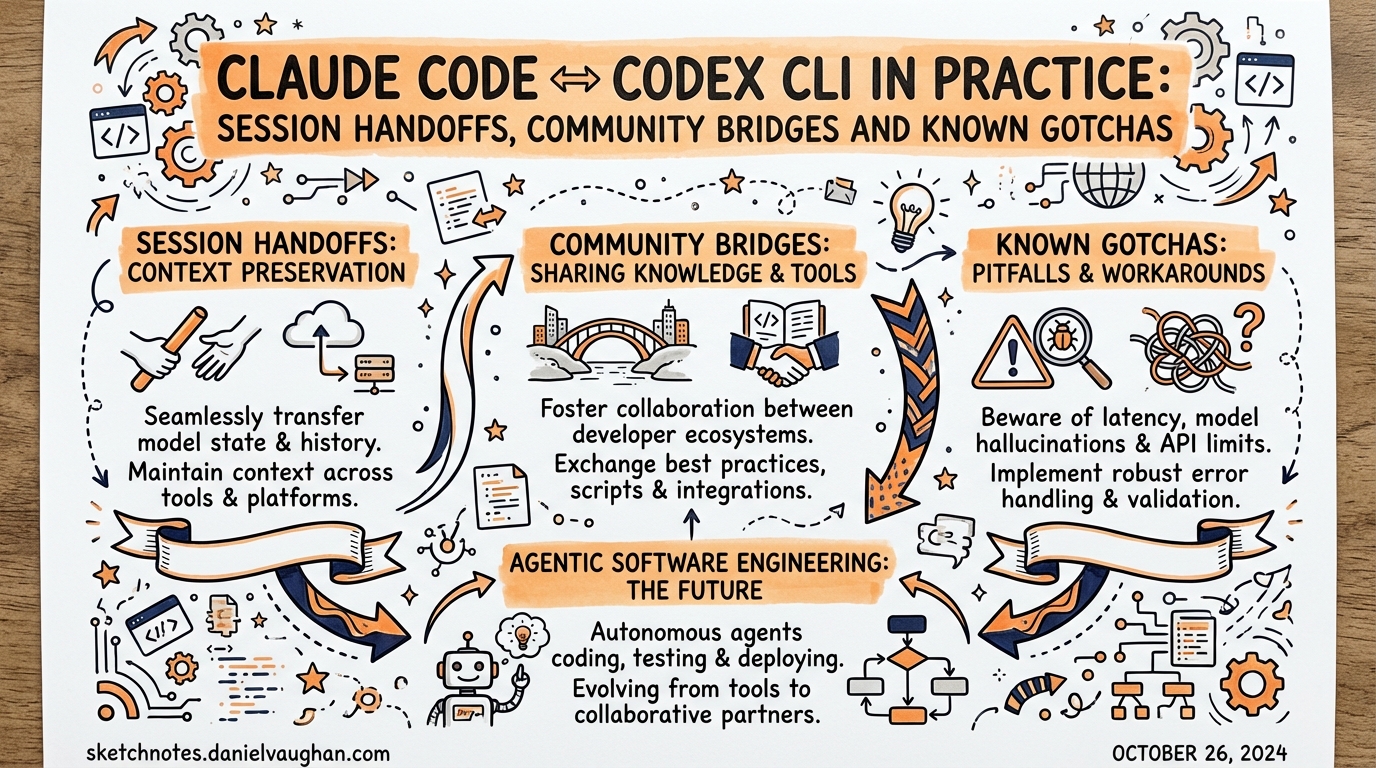
Claude Code ↔ Codex CLI in Practice: Session Handoffs, Community Bridges and Known Gotchas
The theory of bidirectional MCP integration between Claude Code and Codex CLI is compelling: each tool acts as both client and server, delegating to the other based on their complementary strengths. The practice is messier. The official codex mcp-server has had a persistent conversation-tracking bug that makes multi-turn sessions non-functional out of the box; the Claude Code Channels push mechanism changed how “bidirectional” can be implemented; and a community of third-party bridges has grown up to paper over the gaps.
This article is the practical companion to the architecture overview. It covers the conversationId issue in detail, documents the workarounds, surveys the major community bridge projects, and gives you concrete session-handoff patterns that actually work in 2026.
The conversationId Problem
When Codex CLI runs as an MCP server, it exposes two tools: codex() to start a new conversation, and codex-reply() to continue one. codex-reply() requires a conversationId parameter. The problem: codex() does not return this ID in its response.1
This bug was reported across at least five separate GitHub issues spanning September 2025 through December 2025:2
| Issue | Title | Reported |
|---|---|---|
| #3712 | Missing conversationId of Codex MCP Server | Sep 2025 |
| #4651 | codex mcp no return conversationId | Oct 2025 |
| #5660 | Codex MCP tool responses omit conversation metadata | Oct 2025 |
| #8388 | codex-reply tool cannot work: no conversationId returned |
Dec 2025 |
| #8580 | MCP Server: codex-reply tool missing conversationId | Dec 2025 |
The practical effect: codex-reply() is documented but effectively unusable unless you retrieve the session ID by parsing filenames in ~/.codex/sessions/YYYY/MM/DD/rollout-{timestamp}-{SESSION_ID}.jsonl.3 This is fragile and relies on filesystem side-effects, not the MCP protocol.
The Official Fix: structuredContent.threadId
OpenAI’s response, documented in the current Codex MCP developer docs, is to return the thread ID in structuredContent rather than the top-level content field:4
{
  "id": 1,
  "jsonrpc": "2.0",
  "result": {
    "content": [{"text": "Done.", "type": "text"}],
    "structuredContent": {
      "threadId": "019b4087-c66f-7f93-8e19-f26a7b79cd90",
      "model": "gpt-5.1-codex",
      "reasoningEffort": "medium"
    }
  }
}
Modern MCP clients that support structuredContent can extract threadId from there. Older clients continue to receive only content — a backward-compatible fallback.4 The proposed code-level fix in codex-rs/mcp-server/src/codex_tool_runner.rs captures the SessionConfiguredEvent when starting a conversation and threads conversationId through to TaskComplete handling.3
If you are running a recent version of Codex CLI (post-v0.50.0), check whether structuredContent.threadId is present in the tool call response before assuming the old workarounds are necessary.1
Extracting the Thread ID from Claude Code
When calling codex() from a Claude Code session, you need to capture the structured content. In practice, Claude Code receives the full tool result including structuredContent. Instruct Claude Code explicitly:
After calling codex(), extract the threadId from the structuredContent field of the
tool result. Use it in all subsequent codex-reply() calls for this task.
This is a prompt-level instruction, not a config-level fix. The reliability of structuredContent propagation depends on your Codex CLI version.
Community Workarounds and Bridges
Because the official codex-reply multi-turn path has been unreliable, several community projects have built their own session management layers on top.
tuannvm/codex-mcp-server: Session Management Wrapper
This MCP server wraps the official Codex CLI but replaces the native conversation-ID mechanism with its own in-process session store.56
Architecture:
graph LR
    CC[Claude Code] -->|MCP tool call| TMS[tuannvm/codex-mcp-server]
    TMS -->|session lookup| SM[(In-memory\nSession Store)]
    TMS -->|codex resume / codex| CX[Codex CLI\nsubprocess]
    CX -->|stdout| TMS
    TMS -->|result + sessionId| CC
Session store characteristics:
- UUID-based session IDs (client-supplied or generated)
- 24-hour TTL with automatic expiry
- Maximum 100 concurrent sessions
- Uses native
codex resume <conversation-id>when available; falls back to context-building when not6
Installation and Claude Code .mcp.json:
{
  "mcpServers": {
    "codex": {
      "type": "stdio",
      "command": "npx",
      "args": ["-y", "codex-mcp-server"],
      "env": {
        "OPENAI_API_KEY": "${OPENAI_API_KEY}"
      }
    }
  }
}
Tool call with session continuity:
{
  "tool": "codex",
  "arguments": {
    "prompt": "Add error handling to the auth service",
    "sessionId": "auth-refactor-sprint-42",
    "model": "gpt-5.1-codex",
    "reasoningEffort": "high"
  }
}
Passing the same sessionId on subsequent calls continues the conversation. Setting resetSession: true clears the history and starts fresh within the same session identifier.5
When to use this over the official server: Use tuannvm/codex-mcp-server when you need reliable multi-turn Codex sessions from Claude Code and are not confident your Codex CLI version has the structuredContent.threadId fix. The session TTL and 100-session cap are intentional resource limits; for production pipeline use, ensure you are not accidentally accumulating stale sessions.
claude-codex-bridge: Symmetric Bridge with Loop Prevention
claude-codex-bridge is an npm package that installs itself as an MCP server for both tools simultaneously, creating a symmetric arrangement where each can call the other.7
Installation:
npm install -g claude-codex-bridge
The loop-prevention mechanism — BRIDGE_DEPTH:
When Claude calls Codex via the bridge, the bridge sets BRIDGE_DEPTH=1 in the subprocess environment. If Codex subsequently tries to call back through the bridge to Claude, the bridge inspects the environment variable and blocks the call when BRIDGE_DEPTH >= 2.7 This prevents unbounded recursive delegations.
flowchart TD
    User -->|task| CC[Claude Code]
    CC -->|codex_call BRIDGE_DEPTH=1| Bridge
    Bridge -->|spawn| CX[Codex CLI]
    CX -->|tries claude_call| Bridge
    Bridge -->|BRIDGE_DEPTH≥2 — BLOCKED| X([blocked])
    CX -->|returns result| Bridge
    Bridge -->|result| CC
Configuration in .mcp.json (Claude Code side):
{
  "mcpServers": {
    "claude-codex-bridge": {
      "type": "stdio",
      "command": "claude-codex-bridge",
      "args": ["--claude"]
    }
  }
}
Configuration in ~/.codex/config.toml (Codex side):
[mcp_servers.claude-codex-bridge]
command = "claude-codex-bridge"
args = ["--codex"]
startup_timeout_sec = 20
tool_timeout_sec = 180
Limitation: The loop-prevention depth of 2 means you cannot have Claude→Codex→Claude chains. If your workflow genuinely requires three-hop delegation, you need to restructure it so intermediate results are passed as tool arguments rather than as live calls.
codex-claude-bridge: Channels-Based Push/Pull
This project takes a different architectural approach, exploiting Claude Code’s Channels feature — a mechanism that lets MCP servers push messages into a running Claude Code session without the session having made a tool call.8
sequenceDiagram
    participant Codex CLI
    participant Bridge
    participant Claude Code Session
    Codex CLI->>Bridge: send_to_claude(prompt)
    Bridge->>Claude Code Session: push via Channel
    Note over Bridge: holds connection open
    Claude Code Session->>Bridge: reply via pending tool result
    Bridge->>Codex CLI: tool call returns response
From Codex’s perspective this is a standard blocking MCP tool call. From Claude’s perspective it is a channel notification that arrives mid-session. The bridge handles the routing and exposes a real-time web UI showing the full conversation between both agents.8
Key limitation: The symmetry is partial. Claude can respond immediately to a pending Codex request (because the connection is held open), but Claude-initiated messages to Codex still follow the standard poll/request model. True bidirectional push exists only when Codex initiates.8
ai-cli-mcp: Multi-Model Parallel Execution
Rather than focusing on Claude↔Codex specifically, ai-cli-mcp exposes all three major CLI agents (Claude Code, Codex CLI, Gemini CLI) as tools within a single MCP server.9
# ~/.codex/config.toml — using ai-cli-mcp to reach both Claude and Gemini
[mcp_servers.ai-agents]
command = "npx"
args = ["-y", "ai-cli-mcp"]
startup_timeout_sec = 30
tool_timeout_sec = 300

[mcp_servers.ai-agents.env]
ANTHROPIC_API_KEY = "${ANTHROPIC_API_KEY}"
OPENAI_API_KEY    = "${OPENAI_API_KEY}"
GEMINI_API_KEY    = "${GEMINI_API_KEY}"
All three agents run asynchronously: when Codex (or Claude, or Gemini) calls a sub-agent, execution happens in a background process and control returns immediately. The calling agent can issue another sub-agent invocation in parallel without waiting.9
This is useful for “heterogeneous review” workflows — running the same code change through Claude (for architectural reasoning), Codex (for implementation correctness), and Gemini (for a third perspective) in parallel, then synthesising results.
Session Handoff Patterns
Session handoff is the challenge of preserving relevant context when transferring a task between tools mid-stream. The MCP channel passes a single string prompt; it does not carry session memory, open files, or tool history.
Pattern 1: Explicit Artifact Handoff
The most reliable pattern treats each tool invocation as stateless and uses filesystem artifacts as the shared state.10
flowchart LR
    CC1[Claude Code\nPlanning Session] -->|writes PLAN.md| FS[(Workspace)]
    FS -->|PLAN.md in prompt context| CX1[Codex CLI\nExecution Session]
    CX1 -->|writes RESULT.md| FS
    FS -->|RESULT.md in prompt context| CC2[Claude Code\nReview Session]
Claude Code writes its analysis or plan to a file. The codex() call includes that file path in the prompt so Codex reads it into context. Codex writes its output to a result file. Claude Code reads that file to proceed. No MCP session IDs are required — the handoff medium is the filesystem.
Prompt template for the Codex call:
Read PLAN.md in the current directory.
It contains the refactoring strategy for the auth module.
Implement the changes exactly as specified.
Write a brief RESULT.md summarising what was changed and any deviations.
Pattern 2: Session ID Relay via Tool Result
When you need Codex to maintain conversational context across multiple sub-tasks within a single Claude Code session, use the threadId/conversationId returned in the first codex() call to chain subsequent codex-reply() calls.4
Claude Code session:
  1. calls codex("Set up the migration scaffold") → captures threadId=abc123
  2. calls codex-reply(abc123, "Now write migration 001_add_users_table")
  3. calls codex-reply(abc123, "Write migration 002_add_posts_table")
  4. calls codex-reply(abc123, "Write the rollback procedures for both migrations")
Codex carries full conversation history across steps 2–4, so it can reference the scaffold from step 1 without re-reading files. This only works reliably on Codex CLI versions that include structuredContent.threadId in tool responses.
Instruction to Claude Code (in AGENTS.md or in-session):
When calling the codex MCP tool:
1. Always capture threadId from structuredContent in the first codex() result
2. Use codex-reply(threadId, ...) for all follow-up calls within the same task
3. Start a new codex() call for unrelated tasks
Pattern 3: Summarised Context Injection
When crossing from a long Claude Code session to a fresh Codex invocation, compress context into a structured summary rather than including full transcript history.
# Pseudocode for a Claude Code hook or pre-codex step
summary = claude_code.summarise("""
  Current task: Migrating the billing module to Stripe v5
  Files modified so far: billing/stripe_client.py, billing/webhooks.py
  Open issue: webhook signature validation fails for test events
  Next step: Fix the test event handling in stripe_client.py
""")
codex_prompt = f"""
CONTEXT:
{summary}

TASK:
Fix the webhook signature validation for Stripe test events in billing/stripe_client.py.
The issue is in the verify_signature() function — test events use a different header format.
Write the fix and update the test in tests/test_stripe_client.py.
"""
Codex receives a compact, structured context block rather than a sprawling transcript. This avoids context window pressure on the Codex side and keeps the prompt focused on the task at hand.
Choosing the Right Integration Approach
flowchart TD
    Start([Need Claude↔Codex integration]) --> Q1{Need multi-turn\nCodex sessions?}
    Q1 -->|No| Official[Use official codex mcp-server\nwith artifact handoff pattern]
    Q1 -->|Yes| Q2{Codex CLI ≥ v0.50\nwith threadId fix?}
    Q2 -->|Yes| ThreadId[Use official codex mcp-server\ncapture threadId from structuredContent]
    Q2 -->|No / Unsure| Wrapper[Use tuannvm/codex-mcp-server\nfor managed session store]
    Q1 -->|Need symmetric push| Channels[Use codex-claude-bridge\nfor Channels-based push/pull]
    Official --> Done([Implemented])
    ThreadId --> Done
    Wrapper --> Done
    Channels --> Done
| Scenario | Recommended approach |
|---|---|
| One-shot Codex tasks from Claude Code | Official codex mcp-server + artifact handoff |
| Multi-turn Codex sessions, modern CLI | Official server + structuredContent.threadId |
| Multi-turn Codex sessions, older CLI | tuannvm/codex-mcp-server |
| Codex needs to push tasks to Claude | codex-claude-bridge (Channels-based) |
| Symmetric, loop-safe cross-calling | claude-codex-bridge (npm) |
| Parallel heterogeneous AI review | ai-cli-mcp |
Version and Compatibility Notes
codex mcp-servermode requires the Rust-based Codex CLI (post-TypeScript rewrite). The legacy TypeScript implementation does not include it. Verify withcodex --version.11structuredContent.threadIdsupport was added after the v0.50.0 release cycle. ⚠️ The exact version is not pinned in the public changelog; test with your installed version.tuannvm/codex-mcp-serverrequires Codex CLI v0.50.0+ for native resume functionality; older versions use context-rebuilding fallback.5- Claude Code’s
claude mcp serveis available from Claude Code v1.0+. The--dangerously-skip-permissionsflag must be run once interactively to grant headless operation rights beforemcp servewill work non-interactively.12 - Claude Code Channels (used by
codex-claude-bridge) is a feature introduced in 2025; verify it is present in your Claude Code version before relying on the push architecture.8
Citations
Citations
- OpenAI. “Model Context Protocol — Codex.” https://developers.openai.com/codex/mcp
- GitHub, openai/codex. Issue #8580 — conversationId missing. https://github.com/openai/codex/issues/8580
- GitHub, openai/codex. Issue #8388 — codex-reply unusable. https://github.com/openai/codex/issues/8388
- GitHub, openai/codex. Issue #5660 — conversation metadata omitted. https://github.com/openai/codex/issues/5660
- OpenAI. “Use Codex with the Agents SDK.” https://developers.openai.com/codex/guides/agents-sdk
- tuannvm. “Codex MCP Server — Session Management Docs.” https://docs.tuannvm.com/codex-mcp-server/docs/session-management
- tuannvm. “Codex MCP Server — API Reference.” https://docs.tuannvm.com/codex-mcp-server/docs/api-reference
- LobeHub. “claude-codex-bridge MCP Server.” https://lobehub.com/mcp/user-claude-codex-bridge
- abhishekgahlot2. “codex-claude-bridge on GitHub.” https://github.com/abhishekgahlot2/codex-claude-bridge
- mkXultra. “ai-cli-mcp on GitHub.” https://github.com/mkXultra/claude-code-mcp/
- Anthropic. “Connect Claude Code to tools via MCP.” https://code.claude.com/docs/en/mcp
-
OpenAI. “Model Context Protocol — Codex.” OpenAI Developers. https://developers.openai.com/codex/mcp ↩ ↩2
-
GitHub Issues, openai/codex. #3712, #4651, #5660, #8388, #8580 — “conversationId not returned by codex MCP server.” https://github.com/openai/codex/issues/8580 · https://github.com/openai/codex/issues/8388 · https://github.com/openai/codex/issues/5660 · https://github.com/openai/codex/issues/4651 · https://github.com/openai/codex/issues/3712 ↩
-
GitHub, openai/codex. “MCP Server: codex-reply tool missing conversationId in response — Issue #8580.” https://github.com/openai/codex/issues/8580 ↩ ↩2
-
OpenAI. “Use Codex with the Agents SDK — Multi-turn MCP sessions.” OpenAI Developers. https://developers.openai.com/codex/guides/agents-sdk ↩ ↩2 ↩3
-
tuannvm. “Session Management Implementation Guide.” Codex MCP Server Docs. https://docs.tuannvm.com/codex-mcp-server/docs/session-management ↩ ↩2 ↩3
-
tuannvm. “API Reference.” Codex MCP Server Docs. https://docs.tuannvm.com/codex-mcp-server/docs/api-reference ↩ ↩2
-
LobeHub. “claude-codex-bridge MCP Server listing.” https://lobehub.com/mcp/user-claude-codex-bridge ↩ ↩2
-
abhishekgahlot2. “codex-claude-bridge: Bidirectional bridge between Claude Code and OpenAI Codex CLI.” GitHub. https://github.com/abhishekgahlot2/codex-claude-bridge ↩ ↩2 ↩3 ↩4
-
mkXultra. “ai-cli-mcp: MCP server to run Claude, Codex, and Gemini CLI agents.” GitHub. https://github.com/mkXultra/claude-code-mcp/ ↩ ↩2
-
OpenAI. “Building Consistent Workflows with Codex CLI and the Agents SDK.” OpenAI Cookbook. https://developers.openai.com/cookbook/examples/codex/codex_mcp_agents_sdk/building_consistent_workflows_codex_cli_agents_sdk ↩
-
OpenAI. “Codex CLI Configuration Reference.” https://developers.openai.com/codex/config-reference ↩
-
Anthropic. “Connect Claude Code to tools via MCP.” Claude Code Documentation. https://code.claude.com/docs/en/mcp ↩