Beyond Code: Codex CLI for File Automation, Image Processing and Browser Tasks
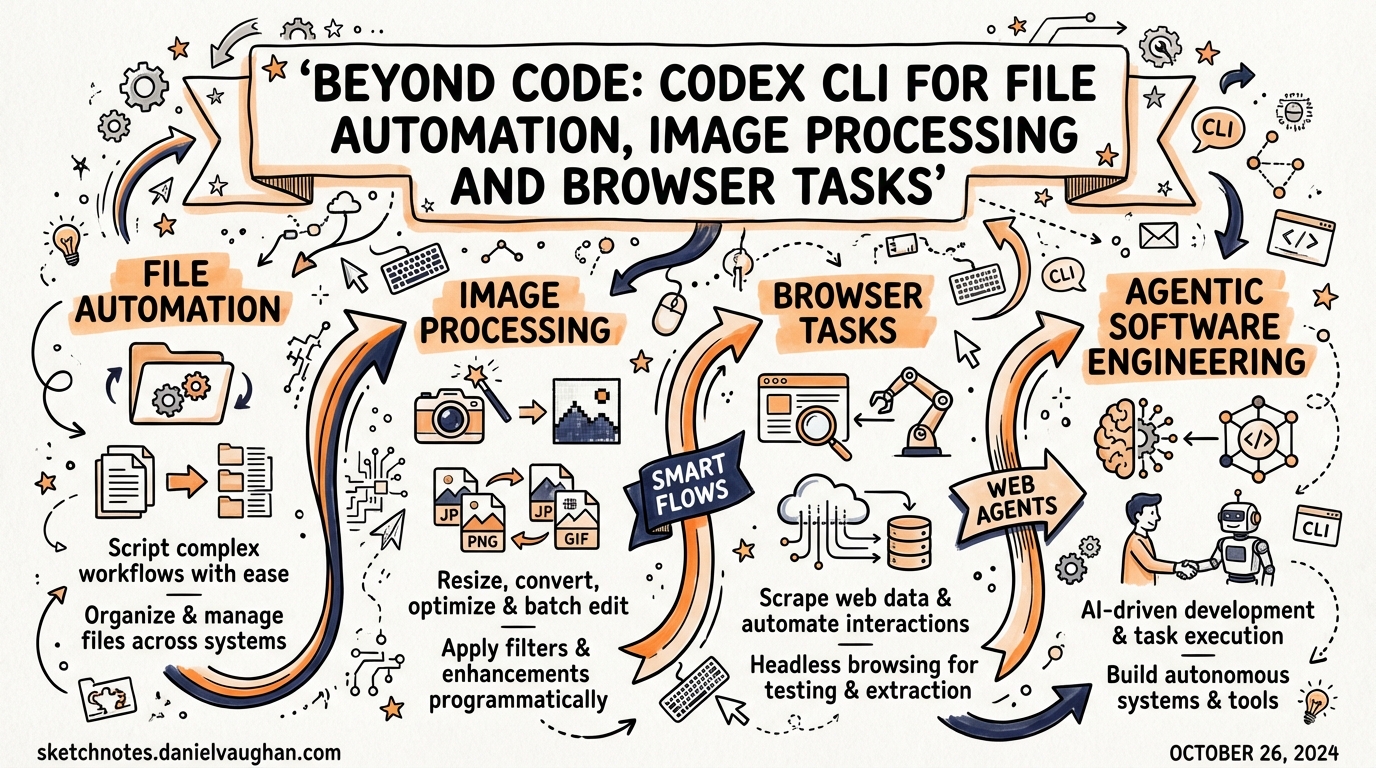
Beyond Code: Codex CLI for File Automation, Image Processing and Browser Tasks
Most teams treat Codex CLI purely as a coding assistant — you give it a ticket, it produces a pull request. That framing undersells it. The same codex exec primitive that drives CI/CD pipelines can handle file manipulation, image-aware tasks, scheduled maintenance, and full browser automation via Playwright. This article works through each category with concrete configuration and concrete commands.
The Automation Primitive: codex exec
codex exec is the non-interactive twin of the interactive TUI.1 It accepts a prompt, executes any necessary shell commands, writes or edits files according to its sandbox policy, and exits with a meaningful exit code. That makes it composable with cron, GitHub Actions, GitLab CI, and plain shell scripts.
# One-shot task, results written to a file
codex exec "Summarise all TODO comments in this repo and output a markdown report" \
  --approval-policy read-only \
  -o todo-report.md

# Consume JSONL events downstream
codex exec "Identify the three largest source files and suggest refactors" \
  --json | jq 'select(.type == "assistant_message")'
Key flags you need to know2:
| Flag | Purpose |
|---|---|
--approval-policy |
read-only, workspace-write, danger-full-access |
--json / --experimental-json |
Emit newline-delimited JSON events for downstream piping |
--output-last-message -o |
Write the assistant’s final message to a file |
--output-schema |
Validate the final response against a JSON Schema |
--ephemeral |
No session files written to disk |
--skip-git-repo-check |
Allow execution outside a Git repository |
The --output-schema flag is particularly useful for file automation: you can request structured JSON output that a downstream script can parse reliably without having to parse prose.3
File Automation Use Cases
Changelog and Release Prep
A common pattern is wiring codex exec into a pre-release CI job:
codex exec \
  "Read CHANGELOG.md and the git log since the last tag. Produce a concise release summary in Keep a Changelog format and update CHANGELOG.md in place." \
  --approval-policy workspace-write \
  --profile release-prep
Profiles (defined in ~/.codex/config.toml) let you pin a model, reasoning effort, and approval policy for a specific workflow, so the same command is reproducible across machines.4
Bulk File Manipulation
codex exec isn’t limited to code files. It can read any text file and execute shell commands. For repetitive file tasks — renaming a directory tree, stripping metadata from a batch of files, converting a folder of CSVs to Parquet — describe the task and set workspace-write:
codex exec \
  "Find every CSV in ./data/raw/, convert each to Parquet using pandas, save to ./data/parquet/, and print a summary of row counts." \
  --approval-policy workspace-write \
  --skip-git-repo-check
Codex writes the conversion script, runs it, and reports. You don’t author the boilerplate; you review the diff and the summary.
Structured Output for Downstream Scripts
When you need to feed Codex output into another tool, --output-schema enforces a JSON contract:
# schema.json
{
  "type": "object",
  "properties": {
    "files": { "type": "array", "items": { "type": "string" } },
    "total_issues": { "type": "integer" }
  },
  "required": ["files", "total_issues"]
}

codex exec "Scan for files containing hardcoded secrets" \
  --output-schema schema.json \
  -o findings.json
The exit code is non-zero if the schema validation fails or if Codex determines the task could not be completed — so automation scripts can gate on it reliably.3
Image Inputs: Multimodal Tasks
Codex CLI accepts images attached to the first message via the -i / --image flag.2 You can pass a single path, repeat the flag, or use a comma-separated list:
codex exec \
  -i mockup.png,current-screenshot.png \
  "Compare these two images. List the UI elements present in mockup.png that are missing or visually different in current-screenshot.png."
Practical use cases where image input pays off:
- Visual regression descriptions — attach before/after screenshots and get a human-readable diff description for a PR comment.
- Design-to-code gap analysis — attach a Figma export and the current rendered component to identify implementation gaps without running a pixel-diff tool.
- Diagram understanding — attach an architecture diagram and ask Codex to produce a corresponding Mermaid representation or verify it against the codebase.
- Error screenshot triage — attach a screenshot of a failing test report or a UI error state; Codex can propose a fix without you having to transcribe the error text.
Image history survives session resumption as of v0.117.0, meaning resumed codex exec runs retain the images from the original session.5
flowchart LR
    A[Image files\n-i flag] --> B[codex exec]
    B --> C{Task type}
    C -->|Analysis| D[Written report\n-o flag]
    C -->|Code change| E[File edits\nworkspace-write]
    C -->|Structured data| F[JSON output\n--output-schema]
Browser Automation via Playwright MCP
Codex CLI has no built-in browser. You wire one in via Model Context Protocol. Microsoft’s @playwright/mcp server is the standard approach.6
Adding Playwright MCP
Either use the CLI:
codex mcp add playwright -- npx -y @playwright/mcp@latest
Or add it directly to ~/.codex/config.toml:
[mcp_servers.playwright]
command = "npx"
args    = ["-y", "@playwright/mcp@latest"]
startup_timeout_sec = 30
tool_timeout_sec    = 60
enabled             = true
Once configured, Codex automatically starts the MCP server when a session begins and can invoke browser tools through it.7
Connecting to an Existing Browser Session
For workflows that require authenticated sessions (internal dashboards, staging environments behind SSO), install the Playwright MCP Bridge extension in Chrome or Edge. The extension issues a token you add to your config:
[mcp_servers.playwright.env]
PLAYWRIGHT_MCP_EXTENSION_TOKEN = "your-token-here"
This connects the MCP server to your existing browser profile, so you don’t need to handle login flows in automation.8
A Practical Browser Task
codex exec \
  "Navigate to https://my-staging-app.internal/dashboard.
   Log in using the credentials in STAGING_CREDS env vars.
   Extract the top 10 rows from the 'Recent Orders' table.
   Save the result as orders.json." \
  --approval-policy workspace-write \
  --skip-git-repo-check
Playwright MCP gives Codex access to the page’s accessibility tree rather than raw HTML or screenshots, which is both more reliable for navigation and more token-efficient than passing full DOM content.6
MCP vs Playwright CLI: Token Economics
A meaningful trade-off exists in 2026: typical browser automation tasks consume approximately 114,000 tokens via MCP versus 27,000 tokens via the @playwright/cli approach — roughly a 4× difference.9
flowchart TD
    A[Browser task] --> B{Agent has\nfilesystem access?}
    B -->|Yes| C[@playwright/cli\nvia shell + SKILL\n~27k tokens]
    B -->|No| D[Playwright MCP\n~114k tokens]
    C --> E[Lower cost\nFaster runs]
    D --> F[Richer introspection\nStateful loops]
The CLI route saves accessibility snapshots and screenshots to disk as files rather than streaming them through the model’s context window. If you have filesystem access (which codex exec always does), prefer the CLI approach for high-frequency tasks and reserve MCP for exploratory automation where you need Codex to reason over page structure iteratively.9
Playwright as a Codex SKILL
The Playwright skill on agentskills.io wraps @playwright/cli as a SKILL.md, making browser automation available with lazy-loaded metadata.10 When installed, Codex loads only the skill’s brief description until it needs the full browser automation interface — avoiding the constant token overhead of having MCP tools in every turn’s schema.
# ~/.codex/config.toml — install the playwright skill
[[skills]]
source = "https://agentskills.io/skills/playwright"
Scheduled Maintenance Patterns
Combining codex exec with the Mac app’s Automations feature (or a simple cron job on Linux) enables genuinely autonomous maintenance:
# crontab example — nightly dependency audit
0 2 * * * /usr/local/bin/codex exec \
  "Run npm audit. For any high-severity vulnerabilities, open an issue in GitHub using the gh CLI with a summary and proposed fix version." \
  --approval-policy workspace-write \
  --profile nightly-audit
For more complex schedules with retries and monitoring, the Automations tab in the Mac desktop app provides a UI wrapper over the same exec semantics, with a task history and configurable retry behaviour.1
Session Resumption for Long Tasks
Long-running file processing tasks can be split across sessions using codex exec resume:
# Start a large migration
codex exec "Migrate all Python 2-style print statements to Python 3 across ./legacy/" \
  --approval-policy workspace-write

# Continue if interrupted
codex exec resume --last "Continue from where you left off"
Resumed runs retain the original transcript, plan history, and approvals, so Codex has full context without you having to re-explain the task.3
When NOT to Use codex exec for These Tasks
codex exec is not always the right tool. Avoid it for:
- Binary file transformations at scale — e.g., bulk video transcoding. Use dedicated tools and invoke them from a script Codex generates rather than having Codex manage the loop.
- Real-time event-driven automation — Codex has no native event loop. Use webhooks into a proper queue system and invoke
codex execas a handler. - Tasks requiring human sign-off mid-execution —
execis designed for unattended runs. If your workflow needs human checkpoints, use the interactive TUI with hooks instead.
Summary
Codex CLI’s utility extends well beyond code generation. The combination of codex exec for unattended file operations, the -i flag for image-aware tasks, and Playwright MCP (or the more token-efficient CLI alternative) for browser automation makes it a credible general-purpose automation engine. The key discipline is choosing the right sandbox policy and understanding the token cost trade-offs — particularly the 4× difference between MCP and CLI-based browser control.
Citations
-
[Non-interactive mode – Codex CLI OpenAI Developers](https://developers.openai.com/codex/noninteractive) -
[Command line options – Codex CLI OpenAI Developers](https://developers.openai.com/codex/cli/reference) -
[Features – Codex CLI OpenAI Developers](https://developers.openai.com/codex/cli/features) -
[Model Context Protocol – Codex OpenAI Developers](https://developers.openai.com/codex/mcp) -
How do I get Codex to use the browser? – OpenAI Developer Community ↩
-
Playwright MCP: Setup, Best Practices & Troubleshooting – TestCollab ↩ ↩2