Codex CLI Automatic Code Review: PR Integration and Pre-Commit Workflows
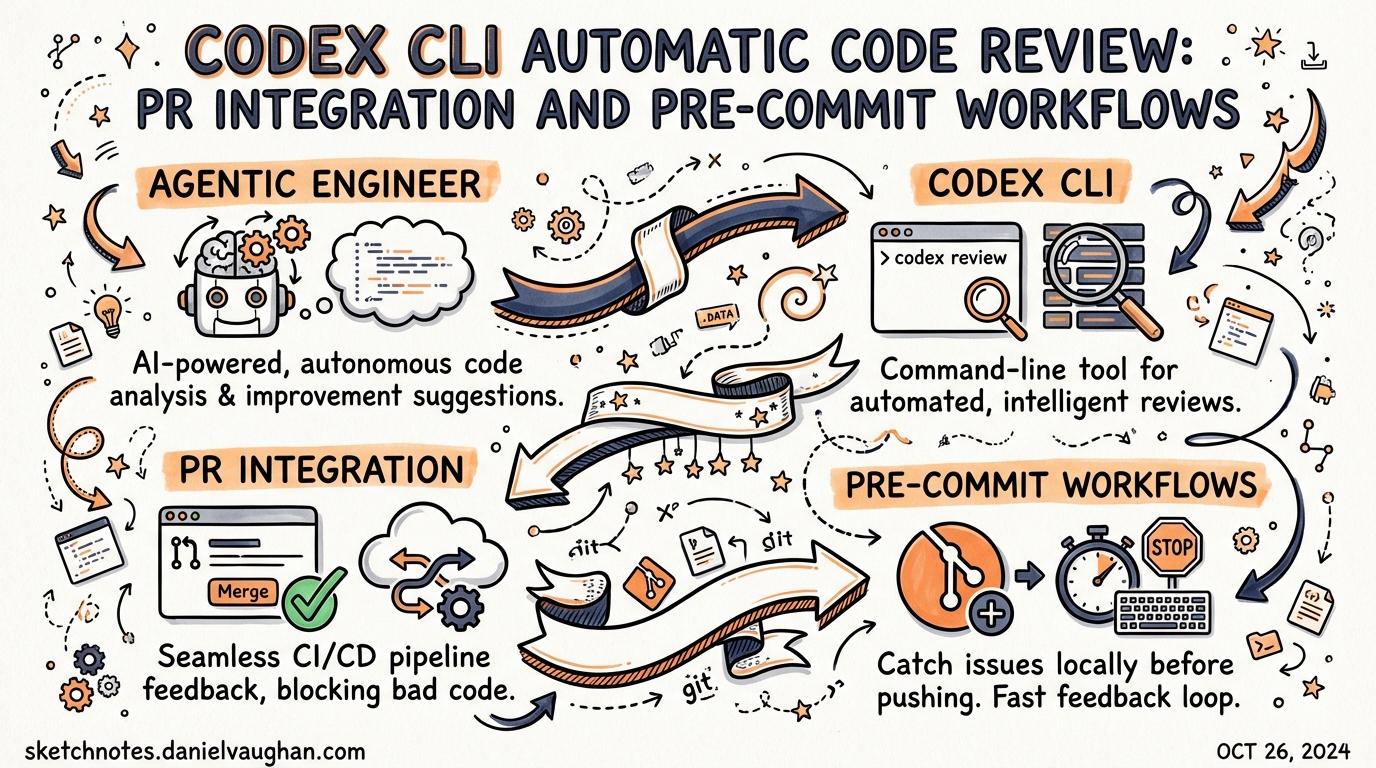
Codex CLI Automatic Code Review: PR Integration and Pre-Commit Workflows
Code review is where most AI coding tools stop short. Codex CLI closes the loop by providing automated review at every stage of the Git workflow: in the terminal before you commit, on pull requests via the GitHub cloud interface, and inside CI/CD pipelines through openai/codex-action. This article covers all three surfaces, the configuration knobs that make each useful, and how AGENTS.md ties your team’s standards to every review automatically.
The Two Review Surfaces
Codex’s review capability lives in two distinct places, and they serve different purposes:
graph LR
    A[Local terminal] -->|/review command| B[Pre-commit / local diff review]
    C[GitHub PR] -->|@codex review comment| D[Cloud-hosted PR review]
    E[CI runner] -->|codex exec + schema| F[Structured pipeline review]
    B --> G[Findings in session transcript]
    D --> H[Inline PR comments]
    F --> I[JSON findings → SCM API]
The local /review command is read-only and non-destructive — it never touches your working tree.1 The GitHub cloud review posts structured inline comments to your pull request the same way a human reviewer would.2 The CI path combines codex exec with structured JSON output to power programmatic comment publishing across any SCM.
Local Review: The /review Command
Within an active Codex CLI session, typing /review opens a preset menu offering four review modes:1
| Mode | What it analyses |
|---|---|
| Branch comparison | Diff between your current branch and a chosen base; Codex finds the merge base automatically |
| Uncommitted changes | Staged, unstaged, and untracked modifications — the “last check before commit” |
| Commit review | A specific SHA or recent commit from the log |
| Custom instructions | Any of the above with a focused prompt (e.g., “focus on accessibility regressions”) |
All modes produce a separate turn in your session transcript, which means you can re-run review as you iterate and compare successive findings side-by-side. Reviews do not modify the working tree.1
Configuring the Review Model
By default, /review uses whatever model the current session is running. You can pin a different model for all reviews by setting review_model in ~/.codex/config.toml:1
[model]
model = "gpt-5.3-codex"
review_model = "gpt-5.3-codex"   # override for /review sessions
This is useful if you run lightweight interactive sessions on a fast model but want the heavier reasoning model for review passes, or vice versa.
Pre-Commit Integration
The “uncommitted changes” mode maps directly to a pre-commit workflow. The recommended pattern is to run a Codex review in --sandbox=read-only mode as a git pre-commit hook, blocking the commit if critical findings are reported.3
Shell Hook Pattern
Create .git/hooks/pre-commit (or add to your pre-commit config):
#!/usr/bin/env bash
set -euo pipefail

echo "Running Codex review on staged changes..."

# Run Codex in headless, read-only mode with a focused prompt
codex exec \
  --sandbox=read-only \
  --approval-mode=full-auto \
  "Review only the staged changes in this repository. Report P0 (critical) and P1 (important) issues only. Exit 1 if any P0 issues are found, exit 0 otherwise." \
  2>&1

EXIT_CODE=$?

if [ "$EXIT_CODE" -ne 0 ]; then
  echo "Codex review found critical issues. Commit blocked."
  exit 1
fi
For a pre-commit framework configuration:
# .pre-commit-config.yaml
repos:
  - repo: local
    hooks:
      - id: codex-review
        name: Codex code review
        entry: codex exec --sandbox=read-only --approval-mode=full-auto
        args:
          - "Review staged changes. Report P0 security and correctness issues only. Fail if any found."
        language: system
        pass_filenames: false
        stages: [pre-commit]
Structuring Review Output for Automation
For hooks that need to parse Codex findings programmatically, use --output-schema to force structured JSON output:4
# Generate the schema file once
cat > codex-review-schema.json << 'EOF'
{
  "type": "object",
  "properties": {
    "findings": {
      "type": "array",
      "items": {
        "type": "object",
        "properties": {
          "title":            { "type": "string", "maxLength": 80 },
          "body":             { "type": "string" },
          "confidence_score": { "type": "number", "minimum": 0, "maximum": 1 },
          "priority":         { "type": "integer", "minimum": 0, "maximum": 3 },
          "code_location": {
            "type": "object",
            "properties": {
              "filepath":   { "type": "string" },
              "line_range": {
                "type": "object",
                "properties": {
                  "start": { "type": "integer" },
                  "end":   { "type": "integer" }
                }
              }
            }
          }
        }
      }
    },
    "verdict": { "type": "string" }
  }
}
EOF

# Use in a hook or pipeline
codex exec \
  "Review staged changes for correctness and security." \
  --output-schema codex-review-schema.json \
  | jq '.findings[] | select(.priority == 0)'
Priority values run 0–3, where 0 is critical (P0) and 3 is a suggestion.4 A hook that blocks on any priority == 0 finding gives you a reliable CI-style gate locally.
AGENTS.md Review Guidelines
Codex automatically searches your repository for AGENTS.md files and applies any ## Review guidelines section it finds.2 The closest AGENTS.md to each changed file wins, so you can layer guidance from repository root down to individual packages:
## Review guidelines

- Do not log PII or user-identifiable data at any log level.
- Every new HTTP route must be wrapped in the authentication middleware.
- Treat typos in public-facing documentation as P1.
- Flag any use of `eval()` or `exec()` as P0.
- Reject direct SQL string concatenation; require parameterised queries.
On GitHub, Codex displays only P0 and P1 findings by default.2 If you want lower-severity items surfaced — code style, documentation gaps — explicitly escalate them in your AGENTS.md (“Treat inconsistent naming as P1”). This keeps the signal-to-noise ratio under your control rather than accepting the platform default.
Place package-specific rules deeper in the tree. A payments/AGENTS.md with PCI-DSS-specific review rules overrides the root for all files under payments/, without affecting other directories.
GitHub PR Integration
Manual Reviews
On any pull request, comment @codex review to trigger a review. Codex reacts with 👀, reads the entire PR including dependencies and tests, and posts inline comments.2 For one-off focus without changing your permanent configuration:
@codex review for security regressions
@codex review for performance bottlenecks in the data layer
The focus instruction scopes that single review without modifying AGENTS.md or any persistent settings.2
Automatic Reviews
Enable Automatic reviews in Codex settings to have Codex review every PR automatically on open, without requiring a comment.2 This is the right default for teams that want coverage on every merge attempt.
sequenceDiagram
    participant Dev as Developer
    participant GH as GitHub
    participant Codex as Codex Cloud

    Dev->>GH: Opens pull request
    GH->>Codex: PR opened event
    Codex->>GH: Reads PR diff + AGENTS.md
    Codex->>GH: Posts inline review comments (P0/P1)
    Dev->>GH: Addresses findings
    Dev->>GH: Requests re-review
    GH->>Codex: @codex review (manual trigger)
    Codex->>GH: Posts updated review
CI/CD: openai/codex-action
For repositories not using GitHub’s cloud Codex integration — GitLab, Jenkins, self-hosted GitHub Enterprise, or teams wanting explicit control over the runner environment — openai/codex-action provides the same capability inside your own CI pipeline.5
GitHub Actions Example
name: Codex PR Review

on:
  pull_request:
    types: [opened, synchronize]

permissions:
  contents: read
  pull-requests: write

jobs:
  review:
    runs-on: ubuntu-latest
    steps:
      - uses: actions/checkout@v4
        with:
          fetch-depth: 0       # full history for diff accuracy
          ref: $

      # Fetch base ref for diff comparison
      - run: git fetch origin $

      - name: Generate review schema
        run: |
          cat > review-schema.json << 'EOF'
          {
            "type": "object",
            "properties": {
              "findings": {
                "type": "array",
                "items": {
                  "type": "object",
                  "properties": {
                    "title":            { "type": "string" },
                    "body":             { "type": "string" },
                    "priority":         { "type": "integer" },
                    "confidence_score": { "type": "number" },
                    "code_location":    { "type": "object" }
                  }
                }
              },
              "verdict": { "type": "string" }
            }
          }
          EOF

      - name: Run Codex review
        id: codex
        uses: openai/codex-action@v1
        with:
          openai-api-key: $
          sandbox: workspace-write
          safety-strategy: drop-sudo     # revokes sudo before execution
          prompt: |
            Review the diff between origin/$ and HEAD.
            Focus on correctness, security, and performance.
            Follow any Review guidelines in AGENTS.md files.
          prompt-file: review-schema.json

      - name: Post review comments
        if: steps.codex.outputs.final-message != ''
        uses: actions/github-script@v7
        with:
          script: |
            const findings = JSON.parse('$').findings || [];
            for (const f of findings) {
              if (f.priority > 1) continue;   // P0 + P1 only
              await github.rest.pulls.createReviewComment({
                owner: context.repo.owner,
                repo: context.repo.repo,
                pull_number: context.issue.number,
                body: `**${f.title}** (P${f.priority}, confidence: ${(f.confidence_score * 100).toFixed(0)}%)\n\n${f.body}`,
                path: f.code_location?.filepath || '',
                line: f.code_location?.line_range?.end || 1,
                commit_id: '$'
              });
            }
Safety Strategy Options
The safety-strategy input controls what privileges Codex has on the runner:5
| Value | Behaviour | When to use |
|---|---|---|
drop-sudo (default) |
Revokes sudo before execution |
Public repos, shared runners |
unprivileged-user |
Runs under a non-admin account | Enterprise runners with stricter policies |
read-only |
Filesystem viewing only, no mutations | Pure review tasks — ensures no accidental writes |
unsafe |
No privilege reduction (Windows only) | Self-hosted Windows runners where isolation is external |
For code review specifically, read-only is the safest choice: Codex cannot modify the working tree even if a prompt injection attempts to force it.5
GitLab CI Example
GitLab has no direct equivalent to codex-action, so install the binary in before_script and call codex exec directly:4
codex-review:
  stage: test
  image: ubuntu:22.04
  before_script:
    - apt-get update -qq && apt-get install -y -qq curl jq
    - curl -fsSL https://cli.codex.openai.com/install.sh | sh
    - export PATH="$HOME/.local/bin:$PATH"
  script:
    - |
      codex exec \
        --sandbox=read-only \
        --approval-mode=full-auto \
        --output-schema review-schema.json \
        "Review the diff from $CI_MERGE_REQUEST_DIFF_BASE_SHA to HEAD.
         Report P0 and P1 issues only." \
        > review-output.json
    - |
      # Post findings to GitLab MR via API
      jq -r '.findings[] | select(.priority <= 1) |
        "**\(.title)**\n\n\(.body)"' review-output.json | \
      while IFS= read -r body; do
        curl -s --request POST \
          --header "PRIVATE-TOKEN: $GITLAB_API_TOKEN" \
          --data "body=$body" \
          "$CI_API_V4_URL/projects/$CI_PROJECT_ID/merge_requests/$CI_MERGE_REQUEST_IID/notes"
      done
  rules:
    - if: $CI_MERGE_REQUEST_IID
Putting It Together: A Layered Review Strategy
The three surfaces complement each other. A mature setup uses all three:
graph TD
    A[Developer writes code] --> B[Pre-commit hook\n/review on staged changes]
    B -->|P0 found| C[Block commit, fix locally]
    B -->|Clean| D[Commit and push]
    D --> E[PR opened on GitHub]
    E --> F[Automatic Codex review\nvia GitHub Cloud or codex-action]
    F -->|P0/P1 inline comments| G[Developer addresses feedback]
    G --> H[Re-review on push]
    H -->|Clean| I[Human review + merge]
The pre-commit layer provides fast, local feedback without waiting for CI. The PR layer provides the permanent record and inline line-level comments that become part of the code review history. The CI layer gives you cross-platform coverage and a parseable artefact (the JSON schema output) that feeds into dashboards, quality gates, or downstream automation.
Key Configuration Reference
| Setting | Location | Effect |
|---|---|---|
review_model |
~/.codex/config.toml |
Model used by /review command |
## Review guidelines |
AGENTS.md (any level) |
Team-specific rules applied to all reviews |
--output-schema <file> |
codex exec flag |
Forces structured JSON output for parsing |
safety-strategy: read-only |
openai/codex-action input |
Prevents filesystem mutation during CI review |
| Automatic reviews toggle | Codex cloud settings | Reviews every new PR automatically |
Citations
-
Codex CLI Features — /review command — Official documentation covering the four review modes, read-only behaviour, and
review_modelconfiguration key. ↩ ↩2 ↩3 ↩4 -
Use Codex in GitHub — Code Review — Official GitHub integration documentation covering
@codex review, automatic reviews, AGENTS.md## Review guidelines, P0/P1 priority levels, and one-off focus instructions. ↩ ↩2 ↩3 ↩4 ↩5 ↩6 -
How to Use Codex CLI for Code Review — Pre-commit workflow patterns and
--sandbox=read-onlyusage for blocking hooks. ↩ -
Build Code Review with the Codex SDK — Official OpenAI Cookbook guide covering the
--output-schemaflag, structured JSON findings schema (title, body, confidence_score, priority 0–3, code_location), and GitLab CI/Jenkins patterns. ↩ ↩2 ↩3 -
openai/codex-action — GitHub — Official GitHub Action source with full input reference:
safety-strategyoptions (drop-sudo, unprivileged-user, read-only, unsafe),sandboxmodes, and thefinal-messageoutput. ↩ ↩2 ↩3