Codex CLI for Frontend Development: React, TypeScript and Modern Toolchains
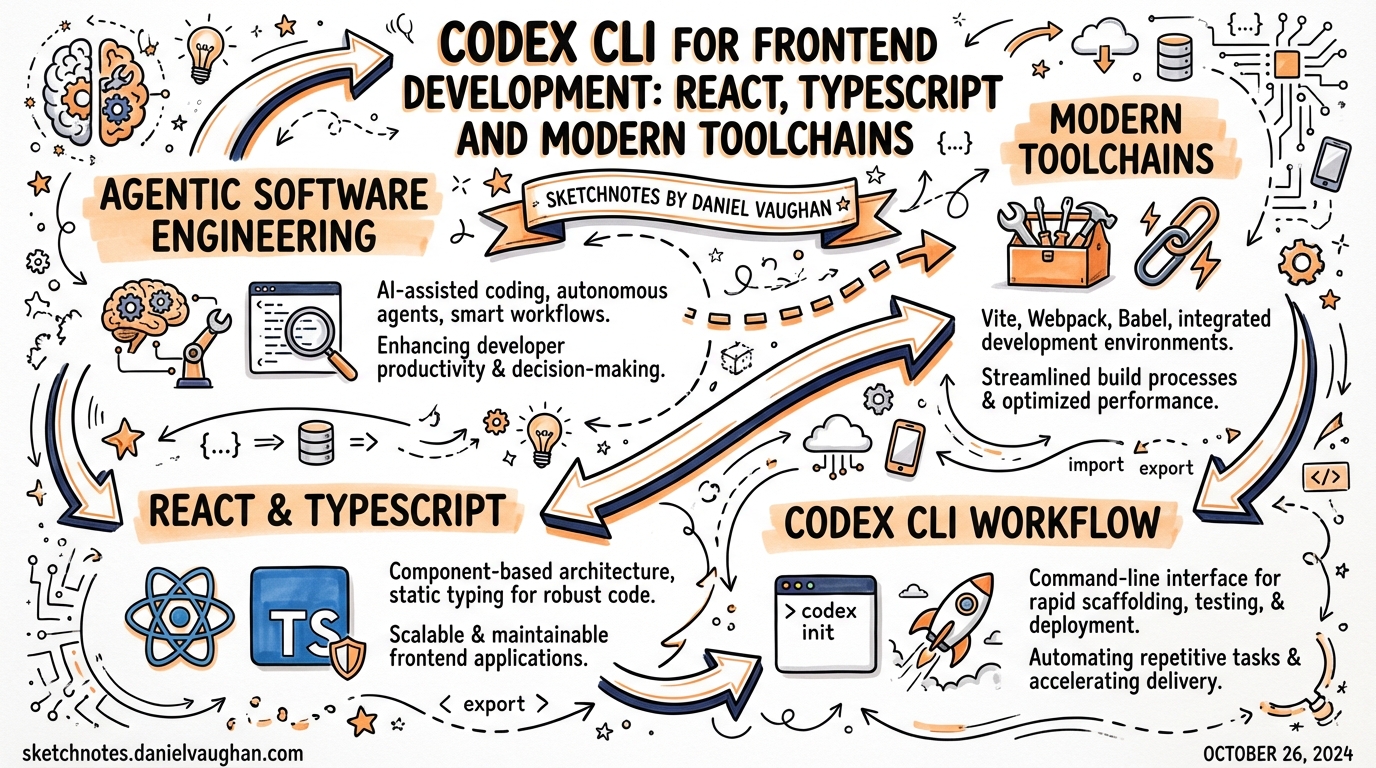
Codex CLI for Frontend Development: React, TypeScript and Modern Toolchains
Overview
Frontend development with Codex CLI requires deliberate configuration. Without it, Codex will make reasonable guesses — often the wrong ones. It might reach for npm when you use pnpm, generate class components when your team uses hooks, or write test assertions in Jest syntax when you’ve migrated to Vitest. With a well-tuned AGENTS.md and a handful of focused skills, Codex becomes a reliable frontend teammate rather than a well-meaning but unreliable autocomplete.
This article covers the full configuration surface for React/TypeScript projects: AGENTS.md conventions, Playwright integration for browser validation, component scaffolding patterns, and CI-grade quality gates.
Why Frontend is Different
Frontend codebases create specific challenges for AI agents:
- Toolchain sprawl — npm/pnpm/yarn, Vite/Next.js/Remix, Vitest/Jest/Playwright, Tailwind/CSS Modules/styled-components. The wrong default breaks everything.
- Component conventions vary widely — a team that uses shadcn/ui has different idioms than one using Radix Primitives directly.
- Visual correctness is hard to verify — an agent can’t see a rendered UI. Playwright bridges this gap.
- React version matters — React 18’s concurrent features (
startTransition,useDeferredValue) and the React 19 compiler change what patterns are appropriate.
Each of these is controllable via AGENTS.md.
The Frontend AGENTS.md
A well-specified AGENTS.md is the single highest-leverage configuration step. Move framework and tooling constraints out of prompts and into durable rules:
# AGENTS.md — Frontend (React/TypeScript)

## Stack
- React 19 with TypeScript strict mode
- Next.js 15 (App Router)
- Tailwind CSS v4
- shadcn/ui for component primitives
- Vitest + Testing Library for unit/integration tests
- Playwright for browser automation and visual verification
- pnpm (never npm install or yarn)

## Commands
- `pnpm dev` — development server (port 3000)
- `pnpm test` — Vitest unit tests
- `pnpm test:e2e` — Playwright end-to-end tests
- `pnpm build` — production build
- `pnpm lint` — ESLint + Prettier

## Architecture
- `/app` — Next.js App Router pages and API routes
- `/components/ui` — shadcn/ui primitives (do not modify, regenerate with CLI)
- `/components` — application components
- `/lib` — utilities, data fetching, server actions
- `/tests` — Vitest unit tests
- `/e2e` — Playwright tests

## Component Conventions
- Functional components only (no class components)
- Do NOT add useMemo/useCallback by default; trust the React Compiler
- Use `startTransition` for non-urgent state updates
- Prefer server components; use `"use client"` only when needed
- shadcn/ui components install via `pnpm dlx shadcn@latest add <component>`
- Export components as named exports (not default)

## TypeScript
- Strict mode is on — no `any`, no `@ts-ignore`
- Use `satisfies` for type narrowing, not casting
- All API response shapes must have explicit types

## Constraints
- Never modify files in `/components/ui` directly
- Never add `console.log` to production code
- Tailwind utility classes only — no inline styles, no CSS-in-JS

## Completion Criteria
- `pnpm build` passes with no errors
- `pnpm test` all pass
- No TypeScript errors (`pnpm tsc --noEmit`)
Playwright for Visual Verification
Playwright is the key to frontend quality with Codex. It allows Codex to:
- Navigate your running app — verify that a new page renders correctly
- Test interactions — click, type, submit forms, test keyboard navigation
- Check multiple viewports — mobile/desktop responsive breakpoints
- Capture screenshots — visually verify before/after states
GPT-5.4 can navigate rendered pages and inspect state, making longer autonomous frontend iterations possible when Playwright is available.
Setting up the Playwright Skill
Create .codex/skills/playwright-check.md:
---
name: playwright-check
description: Verify UI changes by running Playwright browser tests
---

# Playwright Check Skill

Run Playwright tests to visually verify this change works correctly:

1. Start the development server: `pnpm dev &`
2. Wait for it to be ready: `npx wait-on http://localhost:3000`
3. Run the relevant Playwright test file: `pnpm test:e2e --grep "<component>"`
4. If no test exists, create a minimal one that:
   - Navigates to the affected page
   - Asserts the key elements render
   - Checks for no console errors
5. Report the test outcome

Always run this after any component or page changes.
Invoke it as part of your prompt:
Add a search bar to the header, then use @playwright-check to verify it renders correctly on mobile and desktop viewports.
Component Scaffolding Patterns
Prompting for New Components
Structure component prompts to include all the context Codex needs:
Create a <DataTable> component for /components/DataTable.tsx

Requirements:
- Accepts generic T with columns: ColumnDef<T>[] and data: T[]
- Sortable columns (click header to sort, asc/desc)
- Pagination (10/25/50 rows per page)
- Loading skeleton state
- Empty state with custom message prop
- Uses shadcn/ui Table primitives
- Fully keyboard accessible (aria-sort, tabindex)
- TypeScript strict — no any

Write a Vitest test in /tests/DataTable.test.tsx covering: rendering, sorting, pagination, empty state.
Using a Scaffold Skill
For frequently-scaffolded items, encode the pattern in a skill:
---
name: new-component
description: Scaffold a new React component with test file
---

# New Component Skill

Create a new component following project conventions:
1. `/components/<Name>.tsx` — component with TypeScript props interface
2. `/tests/<Name>.test.tsx` — Vitest + Testing Library test covering core behaviour
3. Export via `/components/index.ts` (named export)
4. Follow AGENTS.md conventions (no class components, Tailwind only, etc.)
Handling Sensitive Areas (Design System, Auth, Payments)
Use approval mode to gate high-risk areas, while keeping suggest mode for routine feature work:
# .codex/profiles/frontend.toml
[profile]
name = "frontend"
description = "Frontend feature development"

[policy]
approval_mode = "auto-edit"
disallow_patterns = [
  "components/ui/**",   # shadcn primitives — never modify
  "lib/auth/**",        # authentication flows
  "app/api/payment/**" # payment routes
]
Run feature work with:
codex --profile frontend "add dark mode toggle to the settings page"
CI Integration for Frontend
Integrate Codex into your PR workflow to auto-fix linting issues and maintain component quality:
# .github/workflows/codex-frontend.yml
name: Codex Frontend Quality

on:
  pull_request:
    paths: ['app/**', 'components/**', 'lib/**']

jobs:
  codex-review:
    runs-on: ubuntu-latest
    steps:
      - uses: actions/checkout@v4
      - uses: pnpm/action-setup@v3
      - run: pnpm install
      - uses: openai/codex-action@v1
        with:
          prompt: |
            Review the changed frontend files in this PR.
            Check for:
            1. TypeScript errors (run pnpm tsc --noEmit)
            2. ESLint violations (run pnpm lint)
            3. Components that violate AGENTS.md conventions
            4. Missing test coverage for new components
            Fix any issues you find. Do not modify files in components/ui/.
          approval-mode: full-auto
          github-token: $
        env:
          OPENAI_API_KEY: $
Subagent Patterns for Frontend
With subagents GA (March 16, 2026), frontend work maps well to the explorer/worker pattern:
Build a new user settings page with avatar upload, display name editing, and email preferences.

Use subagents:
- Explorer: Read the existing auth layout, user model types, and API routes. Report the data shapes and layout constraints.
- Worker 1: Build the settings page UI components using the explorer's findings.
- Worker 2: Write the API route handlers and server actions.
- Worker 3: Write Playwright e2e tests covering the full settings flow.

Coordinate: Worker 1 and 2 can run in parallel after the explorer completes. Worker 3 runs after both workers finish.
This pattern keeps the main context clean and allows parallel development of frontend and backend concerns.
GPT-5.4 mini for Frontend Tasks
For cost optimisation in large frontend projects, use GPT-5.4 mini for:
| Task | Model |
|---|---|
| Large file read/analysis | gpt-5-codex-mini |
| Scaffolding boilerplate | gpt-5-codex-mini |
| Type checking (tsc output parsing) | gpt-5-codex-mini |
| Accessibility audit | gpt-5-codex-mini |
| Complex state management refactors | gpt-5-codex |
| Architectural decisions | gpt-5-codex |
# Quick scaffolding task — mini is fine
codex -m gpt-5-codex-mini "scaffold a new /app/notifications/page.tsx using the existing layout pattern"

# Complex refactor — use full model
codex -m gpt-5-codex "migrate the shopping cart from Context API to Zustand, updating all consumers and tests"
The Nimbalyst Workflow for Frontend
For parallel feature development across multiple components, Nimbalyst integrates well:
- Create a kanban board for your sprint
- Assign each component/page to a separate Codex session in its own git worktree
- Use visual diff approval to review component changes before merging
- Merge when tests pass across all worktrees
This avoids the context pollution of a single Codex session that knows about too many simultaneous changes.
Summary Checklist
□ AGENTS.md specifies: stack, package manager, test commands, component conventions
□ Playwright skill created for browser verification
□ Approval mode profiles configured (feature: auto-edit, design-system: suggest)
□ CI workflow runs Codex type-check + lint on PRs
□ GPT-5.4 mini for exploration/scaffolding; full model for complex changes
□ Subagent pattern used for features with parallel frontend + backend work
Published 2026-03-27 · Based on community patterns, official Codex docs, and research from Simon Willison’s experiments with GPT-5.4 frontend generation.