Desktop App vs CLI vs IDE Extension: Choosing Your Codex Interface
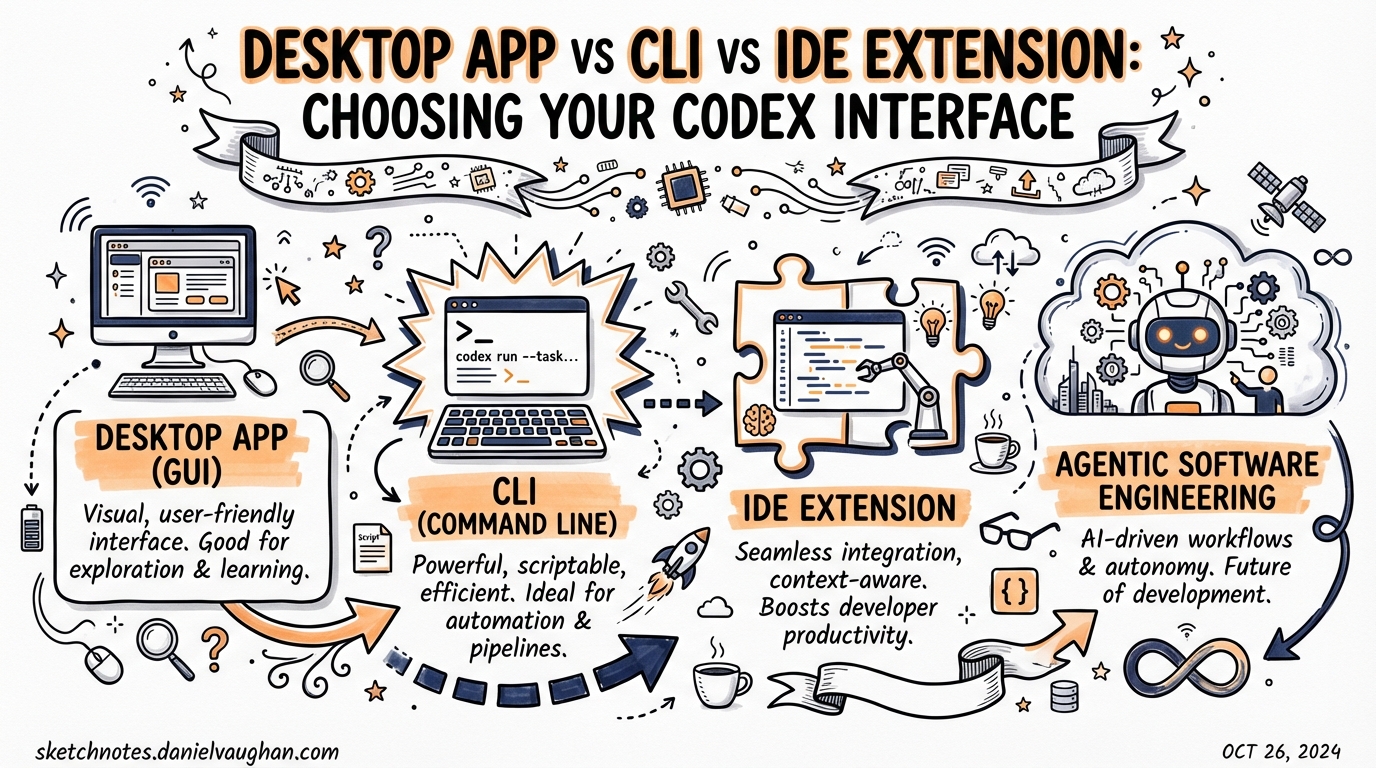
Desktop App vs CLI vs IDE Extension: Choosing Your Codex Interface
Codex ships as three distinct surfaces backed by the same intelligence: a terminal CLI, a desktop app, and an IDE extension. Each is a legitimate production tool — the question is not which is best in the abstract, but which fits your workflow, machine, and task type. This article works through that decision systematically.
The Three Surfaces at a Glance
As of March 2026 all three interfaces share the same underlying agent, model stack, configuration format (~/.codex/config.toml), and AGENTS.md file resolution — changes made in one context propagate to the others.1 The key differences are UI, approval surface, platform support, and the degree of IDE integration.
graph LR
    subgraph Shared Layer
        A[Agent Engine] --> B[config.toml]
        A --> C[AGENTS.md]
        A --> D[Skills / MCP]
    end
    B --> CLI[Codex CLI]
    B --> APP[Desktop App]
    B --> EXT[IDE Extension]
    CLI -->|Terminal| Dev1[Developer]
    APP -->|GUI + Worktrees| Dev2[Developer]
    EXT -->|Editor Sidebar| Dev3[Developer]
Codex CLI
The CLI is the original Codex surface, introduced in April 2025.2 It runs as a process in your terminal, accepts prompts interactively or via codex exec in non-interactive mode, and exposes the full configuration surface through command flags and config.toml.
When the CLI wins
CI/CD pipelines. codex exec integrates cleanly into GitHub Actions, Jenkins, and cron jobs. There is no GUI to dismiss and no approvals to click through — use --approval-mode full-auto with a sandboxed runner.3
Remote SSH sessions. The IDE extension is not available over SSH. The desktop app is a macOS/Windows GUI. The CLI is the only option when you are on a remote host, a headless server, or a production machine mid-incident.
Shell composability. Pipe output, chain with jq, redirect to files, wrap in scripts. The CLI is a Unix citizen; the other surfaces are not.
Transparency. Every tool call, approval prompt, and compaction event is visible in the terminal. For security-sensitive work or regulated environments where audit trails matter, the CLI’s verbosity is an asset.
Key CLI flags
# Run a task non-interactively, full sandbox, exit on completion
codex exec --approval-mode full-auto --model gpt-5.4 "Add error handling to api/handler.go"

# Force a specific reasoning effort
codex --model gpt-5.4-mini --reasoning-effort low "Rename variable foo to bar in utils.ts"

# Load a named profile from config.toml
codex --profile ci-review "Review PR diff for security issues"
CLI limitations
- No visual diff review — you read raw file output or run
git diffyourself - No native worktree management UI — you wire this up yourself with
git worktreecommands - Interactive multi-session work requires opening multiple terminal panes manually
Codex Desktop App
The desktop app launched on macOS on 2 February 2026,4 with Windows support following on 4 March 2026 with native PowerShell and Windows sandbox.5 It is not a code editor — OpenAI explicitly positions it as an orchestration layer, arguing that traditional IDEs are not the right tool for agentic multi-project workflows.6
Architecture: threads, projects, and worktrees
The app organises work into projects (one per codebase) and threads (conversation scopes within a project). Each agent thread gets its own isolated Git worktree, preventing merge conflicts when multiple agents modify overlapping files simultaneously.7
graph TD
    APP[Desktop App] --> P1[Project A]
    APP --> P2[Project B]
    P1 --> T1[Thread 1 — worktree branch/thread-1]
    P1 --> T2[Thread 2 — worktree branch/thread-2]
    P2 --> T3[Thread 3 — worktree branch/thread-3]
    T1 -->|Review + Merge| MAIN[main branch]
    T2 -->|Review + Merge| MAIN
What the app adds over the CLI
Visual diff review. Inline diffs with comment threads, no git diff invocation needed.
Native Git operations. Commit, push, and pull-request creation from within the interface.8
Automations. Scheduled tasks run in dedicated background worktrees with isolation unavailable in CLI workflows.8
IDE sync. When the Codex IDE Extension is open in the same project, the app auto-syncs and offers an “IDE context” option in the composer — the agent sees your currently viewed file without you explicitly referencing it.1
Voice input. Hold Ctrl+M in the composer to dictate prompts.8
Floating window. Detachable conversation threads that stay on top during active coding.
When the desktop app wins
- Parallel feature work: Managing three or four agent threads simultaneously, each on an isolated branch, and visually reviewing diffs before merging is the app’s primary use case
- Automations: Scheduled maintenance, daily digest generation, or nightly refactoring passes run cleanly as background worktree tasks
- Non-technical contributors: Product managers reviewing agent output or approving diffs benefit from the visual interface
Desktop app limitations
- No built-in editor. Quick code tweaks still require jumping to an IDE.4
- macOS/Windows only. Linux is not yet supported (as of March 2026). ⚠️
- Locked to OpenAI’s model stack. No routing to alternative models.4
IDE Extension
The IDE extension embeds Codex as a sidebar panel in VS Code and its forks (Cursor, Windsurf, and other VS Code-compatible editors). A separate JetBrains plugin supports IntelliJ, Rider, PyCharm, and WebStorm — it accepts ChatGPT login, API key, or JetBrains AI subscription.9
The VS Code extension is stable on macOS and Linux; Windows support is experimental as of this writing.9
Approval modes
The extension exposes three approval modes directly from the sidebar:9
| Mode | Behaviour |
|---|---|
| Chat | Conversational, no autonomous edits |
| Agent | Autonomous within working directory; network and external writes require approval |
| Agent (Full Access) | Maximum autonomy, equivalent to full-auto in the CLI |
Context shortcuts
Because the agent is embedded in your editor, file context is implicit. You can reference open files with @filename and drag images directly into the prompt (hold Shift in VS Code).10
Cloud delegation — offloading a large task to Codex servers while you continue editing — is built in. The extension tracks progress and surfaces the remote diff for local application, preserving conversation context throughout.10
When the IDE extension wins
- Tight edit-compile-test loops. The agent sees your cursor position and open buffers; prompts are shorter because the context is already there
- Inline review. Diffs appear where you are already looking, not in a separate window
- JetBrains shops. The only surface with native JetBrains support
- Transition from Copilot. Teams migrating from GitHub Copilot get the most familiar UX
IDE extension limitations
- Not available over SSH
- No worktree management UI — parallel sessions require coordinating manually
- Less suited to scripted, non-interactive batch work
Decision Framework
The flowchart below maps common decision points to the right surface:
flowchart TD
    Start([What are you doing?]) --> Q1{Need it in CI/CD\nor over SSH?}
    Q1 -->|Yes| CLI[Use CLI]
    Q1 -->|No| Q2{Running multiple\nparallel agents?}
    Q2 -->|Yes| APP[Use Desktop App]
    Q2 -->|No| Q3{Primarily\nin-editor flow?}
    Q3 -->|Yes| IDE[Use IDE Extension]
    Q3 -->|No| Q4{Quick script or\nfile batch task?}
    Q4 -->|Yes| CLI
    Q4 -->|No| IDE
Quick-reference table
| Scenario | Winner | Runner-up |
|---|---|---|
CI pipeline / codex exec |
CLI | — |
| Remote SSH debugging | CLI | — |
| Parallel feature branches | Desktop App | CLI + tmux |
| Scheduled automations | Desktop App | CLI + cron |
| Edit-compile-test loop | IDE Extension | CLI |
| JetBrains shop | IDE Extension | — |
| Visual diff review | Desktop App | IDE Extension |
| Security-sensitive audit | CLI | — |
| Linux host | CLI | IDE Extension |
Configuration is Shared — Start There
Because ~/.codex/config.toml and your project-level AGENTS.md files are read by all three surfaces, configure them first. Skills, MCP servers, profiles, and sandbox rules you define once are available everywhere.1 The per-surface choice then becomes a question of UX rather than capability.
# ~/.codex/config.toml — applies to CLI, desktop app, and IDE extension
[agent]
model = "gpt-5.4"
model_reasoning_effort = "medium"
approval_mode = "suggest"

[mcp.servers.github]
command = "npx"
args = ["-y", "@modelcontextprotocol/server-github"]

[profiles.ci]
model = "gpt-5.4-mini"
model_reasoning_effort = "low"
approval_mode = "full-auto"
The Multi-Surface Pattern
Most power users do not pick one interface — they use all three for different phases:11
- Exploration and planning — IDE Extension, where in-editor context makes scoping prompts fast
- Parallel execution — Desktop App, where multiple worktree threads run concurrently while you do other work
- CI validation — CLI via
codex exec, where the same agent runs headlessly against the merged result
The surfaces are not competing products; they are different views of the same agent, optimised for different workflow stages.
Citations
-
OpenAI Developers – Codex IDE Extension features (shared config, IDE sync): https://developers.openai.com/codex/ide/features ↩ ↩2 ↩3
-
OpenAI – Codex CLI original announcement, April 2025: https://openai.com/index/openai-codex/ ↩
-
Codex CLI –
codex execdocumentation and non-interactive mode: https://github.com/openai/codex ↩ -
Verdent AI – Codex App First Impressions 2026: https://www.verdent.ai/guides/codex-app-first-impressions-2026 ↩ ↩2 ↩3
-
devclass.com – Codex Windows app launch, 4 March 2026: https://www.devclass.com/development/2026/02/05/traditional-ides-not-the-right-tool-for-development-with-agentic-ai-openai-claims/4090132 ↩
-
devclass.com – OpenAI on traditional IDEs and agentic AI: https://www.devclass.com/development/2026/02/05/traditional-ides-not-the-right-tool-for-development-with-agentic-ai-openai-claims/4090132 ↩
-
Verdent AI – parallel agent worktree isolation: https://www.verdent.ai/guides/codex-app-first-impressions-2026 ↩
-
OpenAI Developers – Codex app features (Git integration, automations, voice): https://developers.openai.com/codex/app/features ↩ ↩2 ↩3
-
OpenAI Developers – Codex IDE extension overview and JetBrains support: https://developers.openai.com/codex/ide ↩ ↩2 ↩3
-
OpenAI Developers – IDE extension features (cloud delegation, @filename, image support): https://developers.openai.com/codex/ide/features ↩ ↩2
-
inventivehq.com – CLI vs IDE Extension vs Cloud comparison: https://inventivehq.com/blog/cli-vs-ide-vs-cloud-ai-coding ↩