Codex in Slack and Linear: Triggering Cloud Tasks from Collaboration Tools
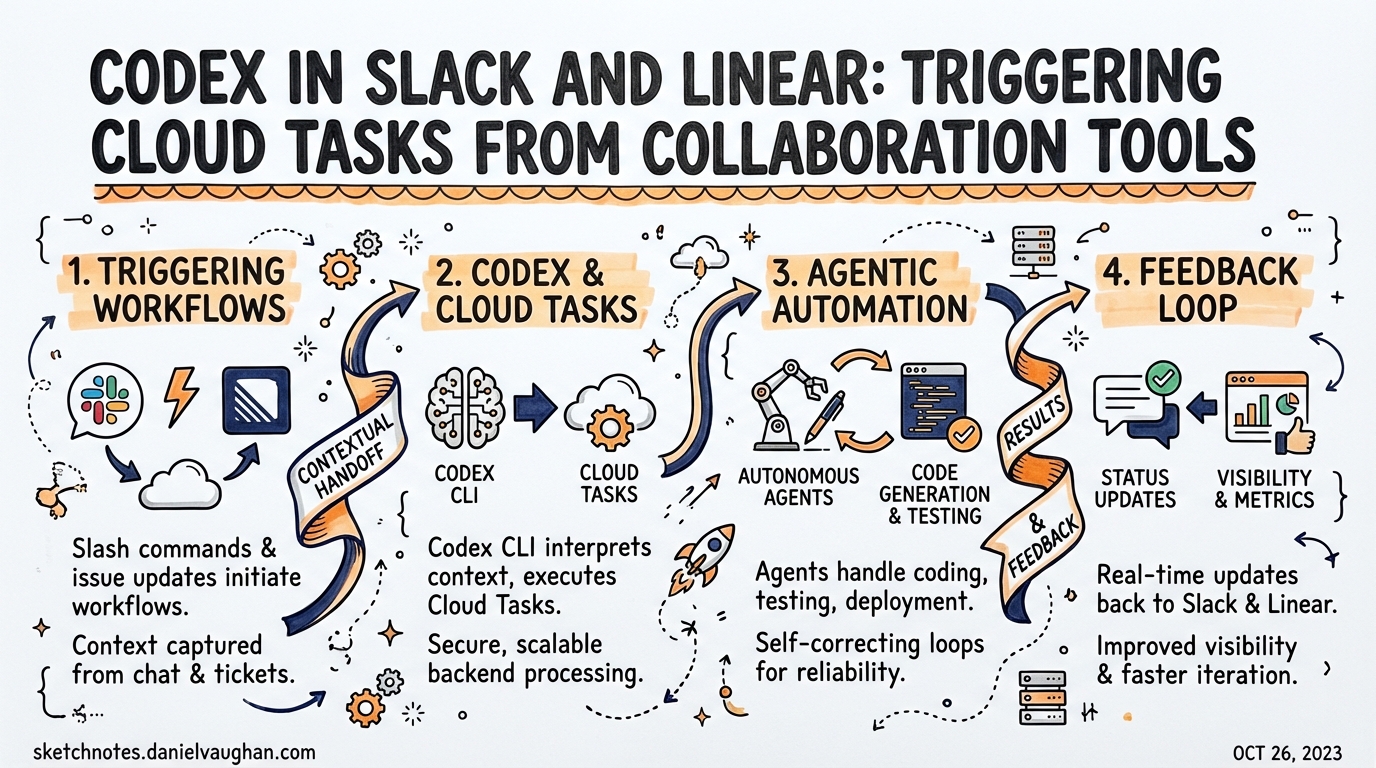
Codex in Slack and Linear: Triggering Cloud Tasks from Collaboration Tools
When OpenAI shipped Codex to General Availability in early 20261, the headline was a shift in where developers hand off work. Alongside the CLI and IDE extension, OpenAI launched native integrations with Slack and Linear, letting teams trigger autonomous cloud tasks without opening a terminal. This article covers the mechanics of both integrations, the underlying Cloud Environment model, the codex cloud CLI, and the enterprise admin controls you need before rolling this out at scale.
The Cloud Task Model
All three surfaces — Slack, Linear, and codex cloud — share the same execution substrate. When you trigger a task, Codex:
- Provisions (or resumes from cache) an isolated container based on a configured Cloud Environment2
- Checks out the target repository’s default branch
- Runs the agent loop: editing, testing, validating
- Surfaces a diff and a pull request link for review
Critically, the agent has no internet access by default during the execution phase — only during the setup script phase when dependencies are installed3. Traffic that is permitted routes through an HTTP/HTTPS proxy, limiting prompt injection via external content at runtime.
sequenceDiagram
    participant Dev as Developer
    participant Slack as Slack / Linear
    participant Codex as Codex Cloud
    participant Env as Cloud Environment
    participant GH as GitHub

    Dev->>Slack: @Codex fix the auth bug in myorg/backend
    Slack->>Codex: Trigger task with thread context
    Codex->>Env: Provision container (or resume from cache)
    Env->>GH: git checkout default branch
    Note over Env: Setup script runs (internet on)
    Note over Env: Agent phase (internet off)
    Env->>GH: Commits diff, opens PR
    Codex->>Slack: Reply with task link + summary
Cloud Environments
Before either integration works, you need at least one Cloud Environment — the spec Codex uses to build the container your agent runs in2.
An environment contains:
- A setup script — runs once on creation; install dependencies here (npm, pip, yarn, etc.)
- An optional maintenance script — runs when a cached container is resumed
- Environment variables — available for the full task duration
- Secrets — encrypted at rest, injected during setup only, then removed before the agent phase3
- A repo map — repositories the environment may access
Codex caches container state for up to 12 hours3, invalidating automatically if setup scripts, env vars, or secrets change. The base image is openai/codex-universal with common runtimes pre-installed4.
Codex in Slack
Setup
- Enable Codex Cloud Tasks in ChatGPT settings and connect GitHub
- Create at least one Cloud Environment scoped to your repository
- Install the OpenAI Codex Slack app from Codex settings
- Invite
@Codexto target channels (Slack prompts this on first mention)
Plan requirement: Plus, Pro, Business, Edu, or Enterprise. Tasks consume usage credits on Business and Enterprise plans5.
Triggering a Task
Mention @Codex in any channel or thread:
@Codex fix the null pointer in the payment processor — see the stack trace above
Codex reads thread history for context, so you rarely need to repeat what’s already there. To pin a specific repo:
@Codex implement the feature described here in myorg/backend-api
Codex reacts with 👀, then posts a task link and — unless an admin has disabled it — a summary of results5.
Environment Selection
Codex automatically picks the best-matching environment and defaults to the most recently used one if ambiguous5. If it picks the wrong repo, reply in-thread specifying the correct one, then re-mention @Codex.
Enterprise Admin Controls
Enterprise admins can disable “Allow Codex Slack app to post answers on task completion”5. With this off, Codex replies with a task link only — no generated content appears in the channel. Useful for regulated environments where LLM output must be reviewed before reaching public channels.
Codex in Linear
Setup
- Connect GitHub and create a Cloud Environment
- Install the Linear connector from Codex settings
- Mention
@Codexin any issue comment to authenticate your Linear account6
Enterprise workspaces require admin approval before the connector is available6.
Triggering Tasks
Direct assignment: Assign the issue to Codex like any team member. Progress updates appear in the Activity feed.
Comment mention:
@Codex implement the changes described in this issue in myorg/backend-api
Both methods produce the same outcome: a cloud task runs, updates post to the issue timeline, and a task link appears on completion6.
Automatic Triage Rules
The most operationally powerful feature: automated issue delegation.
- Settings → [Team] → Workflow → Triage → Create rule
- Set action to Delegate → Codex
Any issue matching the rule’s criteria that enters triage is automatically assigned to Codex6. Tasks run under the issue creator’s account.
flowchart LR
    NewIssue[New Issue Filed] --> Triage{Triage Rule Match?}
    Triage -- Yes --> Delegate[Assign to Codex]
    Triage -- No --> Human[Human Triage Queue]
    Delegate --> Task[Cloud Task Runs]
    Task --> Activity[Progress in Activity Feed]
    Activity --> PR[Task Link + PR Ready]
    PR --> Review[Human Reviews PR]
Good starting rules: issues labelled good-first-fix, filed against a sandbox repo, or auto-tagged as regressions with clear reproduction steps.
Environment Resolution
Codex resolves environments in order6:
- Explicit repo mention in the comment (
in myorg/backend-api) - Linear’s suggestion based on issue context
- Matching environment from the repo map
- Most recently used environment as fallback
- Error if no suitable environment exists
Local MCP Access
To give a local Codex session (CLI, app, IDE extension) access to Linear issues:
codex mcp add linear --url https://mcp.linear.app/mcp
Or add manually to ~/.codex/config.toml:
[mcp_servers.linear]
url = "https://mcp.linear.app/mcp"
Then authenticate:
codex mcp login linear
This is the local path for reading/writing Linear issues from a CLI session — separate from cloud task delegation6.
codex cloud CLI
For terminal-native developers, codex cloud exposes the same cloud task capability without switching to Slack or Linear7:
# Interactive TUI: browse and apply recent cloud tasks
codex cloud

# Submit a task to a specific environment
codex cloud exec --env ENV_ID "implement the new settings page"

# Best-of-N: 3 independent attempts, Codex returns the best
codex cloud exec --env ENV_ID --attempts 3 "fix the memory leak"

# List recent tasks (scriptable, exits non-zero on failure)
codex cloud list
Running codex cloud without arguments opens a picker and applies the most recent task’s diff to your local tree — useful for pulling cloud work back without leaving the terminal. --attempts 1–4 runs N independent executions and selects the best result7.
Choosing Your Surface
| Scenario | Surface |
|---|---|
| Task arises in Slack conversation | @Codex in thread |
| Bug already tracked in Linear | Assign to Codex or comment @Codex |
| Want best-of-3 attempts | codex cloud exec --attempts 3 |
| Overnight task, no terminal | Any cloud surface |
| Team member without dev environment | Slack or Linear |
Interactive iteration with /fork |
Local codex CLI |
| Embedding in pipeline or internal tool | codex cloud exec or TypeScript SDK |
Enterprise Rollout Notes
Access gating: Both integrations require workspace admin approval before users can enable them56. Plan this into your rollout — the apps cannot be self-served.
Secrets hygiene: Secrets are removed before the agent phase3. Do not store production credentials as environment variables if they shouldn’t be accessible during agent execution.
Triage scope: Start with a narrow triage rule (sandbox repo, specific label) and widen once you have confidence in output quality. Auto-assigning all inbound issues without filters is inadvisable.
Cost accounting: Cloud tasks triggered via Slack and Linear consume usage credits5. Track usage via the Codex analytics dashboard and set team budgets before enabling broad access.
Citations
-
OpenAI. “Codex is now generally available.” openai.com/index/codex-now-generally-available/ ↩
-
OpenAI Developers. “Codex Cloud Environments.” developers.openai.com/codex/cloud/environments ↩ ↩2
-
OpenAI Developers. “Cloud Environments — Container Management and Security.” developers.openai.com/codex/cloud/environments ↩ ↩2 ↩3 ↩4
-
OpenAI. “openai/codex-universal — Universal base image.” github.com/openai/codex-universal ↩
-
OpenAI Developers. “Use Codex in Slack.” developers.openai.com/codex/integrations/slack ↩ ↩2 ↩3 ↩4 ↩5 ↩6
-
OpenAI Developers. “Use Codex in Linear.” developers.openai.com/codex/integrations/linear ↩ ↩2 ↩3 ↩4 ↩5 ↩6 ↩7
-
OpenAI Developers. “Codex CLI Changelog.” developers.openai.com/codex/changelog ↩ ↩2