Migrating from Cursor to Codex CLI
Migrating from Cursor to Codex CLI
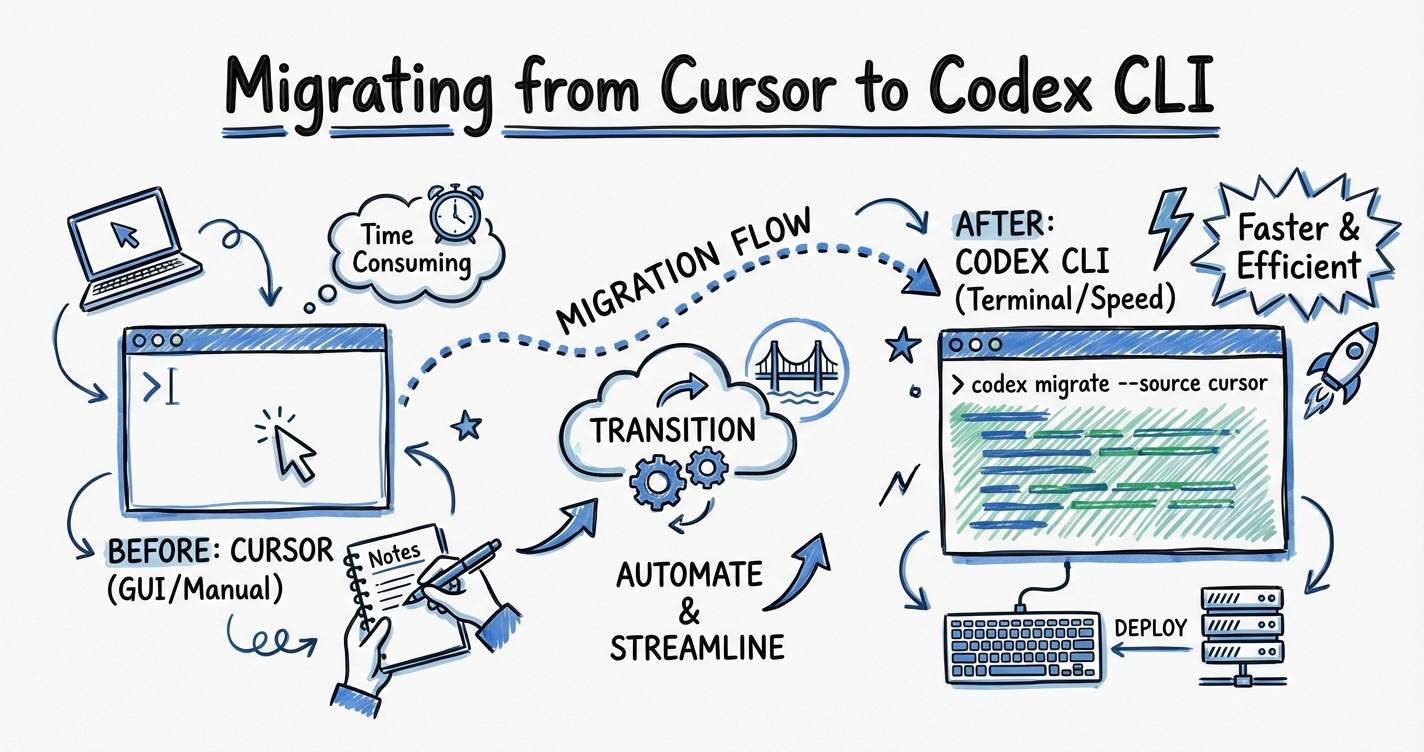
Cursor’s June 2025 pricing overhaul — replacing predictable 500-request plans with variable credit pools — sent a visible slice of its user base searching for alternatives.1 For developers already comfortable in the terminal, Codex CLI is the natural landing spot. But the migration isn’t just a config translation; it’s a paradigm shift from an IDE-augmentation model to a terminal-first agentic one. This guide covers both the mechanical steps and the conceptual adjustments.
Why Developers Are Moving
Cursor’s Pro plan now charges variable credit rates per API call rather than a fixed request count.2 At the $20/month tier, effective usage dropped to approximately 225 requests per month for Claude Sonnet-class work — down from the 500 requests the previous model implied.[^3] Tiers escalate to $60/month (Pro+) and $200/month (Ultra) for heavier users.
Beyond price, there’s a capability argument. Independent benchmarks found Codex CLI uses roughly 4× fewer tokens than comparable Claude Code workflows for the same task.3 On terminal-specific evaluations (Terminal-Bench 2.0), Codex scores 77.3% against Cursor’s Claude backend at 65.4%.4 The open-source codebase and zero-dependency Rust binary also appeal to teams with supply-chain restrictions.
That said, Cursor retains real advantages: local-first execution (your code never leaves your machine by default), a polished GUI editing loop, and model routing across Claude Opus 4.6, GPT-5.2, and Gemini 3 Pro.5 A hybrid approach — Cursor for interactive editing, Codex CLI for heavy agentic delegation — is the most common outcome, not a hard cut-over.
Config Translation: Rules → AGENTS.md
The Cursor rules landscape in 2026
Cursor’s legacy .cursorrules file (a single Markdown blob at the project root) is deprecated.6 The current format is a .cursor/rules/ directory of .mdc files — Markdown with YAML frontmatter, each scoped to a glob pattern and assigned one of four activation modes: Always, Auto Attached, Agent Requested, or Manual.7
A typical .cursor/rules/ directory might look like:
.cursor/rules/
  typescript.mdc       # Always — language conventions
  react-components.mdc # Auto Attached to *.tsx
  database.mdc         # Agent Requested
  api-patterns.mdc     # Auto Attached to src/api/**
Each .mdc file is recommended to be under 50 lines.8
AGENTS.md structure for Codex
Codex CLI reads AGENTS.md natively — OpenAI originated the format, which has since been placed under the Linux Foundation’s Agentic AI Foundation and adopted by Google, Anthropic, AWS, and others as a cross-tool standard.9 Over 60,000 open-source repositories already include one.10
The basic scope chain:
flowchart TD
    A["~/.codex/AGENTS.md\n(global personal defaults)"] --> B
    B["AGENTS.override.md\n(team-enforced, uneditable)"] --> C
    C["AGENTS.md\n(project root)"] --> D
    D["AGENTS.md\n(subdirectory)"] --> E["Agent receives merged context\n(deeper wins on conflict)"]
Codex walks from the Git root down to your current working directory, merging files at each level. Deeper files override shallower ones on conflict.11
Translating a Cursor rule set
A typical Cursor .mdc rule:
---
description: TypeScript conventions for this project
globs: ["**/*.ts", "**/*.tsx"]
alwaysApply: false
---
- Use `interface` not `type` for object shapes
- Prefer `const` assertions over enums
- All async functions must include error handling
- Import order: external → internal → relative
The equivalent AGENTS.md section:
## TypeScript Conventions

- Use `interface` not `type` for object shapes
- Prefer `const` assertions over enums
- All async functions must include error handling
- Import order: external → internal → relative
AGENTS.md does not have Cursor’s glob-scoped activation. The file is always read in full. To replicate scope, use subdirectory AGENTS.md files:
src/api/AGENTS.md     # API-specific rules
src/ui/AGENTS.md      # Component-specific rules
AGENTS.md             # Project-wide rules
For teams using Cursor alongside Codex, add .cursor/rules/*.mdc sources to your fallback filenames in ~/.codex/config.toml so Codex reads them without duplication:
[codex]
project_doc_fallback_filenames = ["AGENTS.md", "CLAUDE.md", ".cursorrules"]
⚠️ This reads the old-style .cursorrules as plain text; the YAML frontmatter from .mdc files will appear as verbatim content rather than being interpreted as metadata.
Workflow Changes
From autocomplete to delegation
Cursor’s core interaction model is synchronous: you type, the AI suggests, you accept or reject. Codex CLI’s is asynchronous: you delegate a task, the agent executes a sequence of tool calls, you review the diff.
sequenceDiagram
    participant Dev
    participant Cursor
    participant Codex

    Dev->>Cursor: Type code, accept inline suggestion
    Cursor-->>Dev: Immediate line/block completion

    Dev->>Codex: "Refactor all API handlers to use the new error class"
    Codex-->>Dev: Reads codebase, plans changes
    Codex-->>Dev: Applies diffs across N files
    Codex-->>Dev: Awaits approval (if not full-auto)
    Dev->>Codex: Approve / request changes
The practical adjustment: Codex rewards task-level prompts rather than line-level steering. Instead of guiding each suggestion, you describe the outcome and let the agent traverse the codebase. This matches the codex.exec non-interactive mode used in CI pipelines.
Approval policies
Cursor’s inline suggestions are implicitly safe — you see each change before it’s inserted. Codex operates on a configurable trust model:
[agent]
approval_policy = "unless-allow-listed"  # default — prompt for shell commands
# or
approval_policy = "on-failure"           # run freely, pause only on errors
# or
approval_policy = "never"                # fully autonomous (use with caution)
For interactive migration work, unless-allow-listed is the right starting point. You can approve-list specific safe commands as your trust in the agent grows:
[agent]
allow_listed_commands = ["cargo test", "npm test", "git diff", "rg"]
Context persistence
Cursor maintains a persistent chat thread within the IDE session. Codex CLI has explicit session management: threads are saved and can be resumed with codex resume --last or listed in the session picker. Use /fork mid-thread to branch a conversation without losing the original path.
For long-running tasks (legacy codebase migrations, multi-day refactors), the 4-file durable memory pattern provides persistence across sessions: a SPEC.md, a PLAN.md, a PROGRESS.md, and a NOTES.md — Codex reads these at session start and updates them as it works.12
What Cursor Still Does Better
Be honest about the trade-offs:
Real-time autocomplete. Cursor’s tab-completion and multi-line ghost text have no equivalent in Codex CLI. The Codex IDE extension (available in VS Code and Cursor itself) provides an agent panel alongside Cursor’s native autocomplete — the most common hybrid setup.13
Local-first privacy. Cursor’s basic operations run entirely on your machine with no network call. Codex CLI routes all inference through OpenAI’s API. For teams with strict data sovereignty requirements, this is a blocker without an on-premises OpenAI deployment.
Visual diff preview. Cursor shows inline diffs as the agent proposes changes. Codex CLI presents diffs for approval at the terminal, which is less visual but scriptable and CI-friendly.
Latency for small tasks. For a two-line fix, Cursor’s autocomplete is faster than dispatching a Codex task. Codex’s overhead pays off at the task level (refactors, feature implementations, test generation), not the keystroke level.
What Codex CLI Does Better
Parallelism. Codex can spawn multiple subagents simultaneously using spawn_agents_on_csv or path-based multi-agent addressing. Cursor’s agents are single-threaded within a session.14
Token efficiency. At API rates, the same workload costs approximately 4× more through Claude Code/Cursor API backends than through Codex’s gpt-5-codex models.3
Terminal-native tasks. Shell scripting, CI pipelines, Dockerfile generation, and system administration work align naturally with Codex’s execution model. Cursor’s IDE frame adds friction for pure-terminal workflows.
Hooks and automation. Codex’s hook system (PreToolUse, PostToolUse, SessionStart, PostTaskComplete) enables composable automation pipelines. Pre-commit cost alerts, approval gates, and Slack notifications are straightforward hook implementations with no Cursor equivalent.
Open source. The entire Codex CLI codebase (the Rust rewrite, codex-rs) is public and auditable.15 Cursor is proprietary.
The Hybrid Setup
The recommended 2026 pattern is not full migration but complementary deployment:
flowchart LR
    subgraph IDE["IDE Layer (Cursor)"]
        A[Inline autocomplete]
        B[Quick edits / fixes]
        C[Codex IDE extension panel]
    end

    subgraph Terminal["Terminal Layer (Codex CLI)"]
        D[Agentic refactors]
        E[Test generation]
        F[CI/CD pipelines]
        G[Multi-agent swarms]
    end

    A & B & C --> D
    C --> G
Install the Codex IDE extension in Cursor to access the agent panel without leaving your editor.13 The extension shares ~/.codex/config.toml and credentials with the CLI, so configuration is unified.
For teams on Cursor Pro, consider routing high-volume, repeatable tasks (documentation generation, test scaffolding, code review) to Codex CLI’s API key billing rather than burning Cursor credits.
Practical Migration Checklist
-
Audit your
.cursor/rules/directory. Identify rules that are always-on vs. glob-scoped. Always-on rules move directly toAGENTS.md. Glob-scoped rules move to subdirectoryAGENTS.mdfiles. -
Create
~/.codex/config.tomlwith your preferred model, approval policy, and any fallback filenames.[model] name = "gpt-5-codex" reasoning_effort = "medium" [agent] approval_policy = "unless-allow-listed" [codex] project_doc_fallback_filenames = ["AGENTS.md", "CLAUDE.md"] -
Write a global
~/.codex/AGENTS.mdfor personal style preferences that apply across all projects (formatting, commit conventions, language preferences). -
Run a low-stakes migration task — a single-file refactor or test generation job — to calibrate your approval policy and verify AGENTS.md content is being picked up correctly. Use
codex --show-contextto inspect what the agent is reading before it acts. ⚠️ Verify this flag is supported in your installed version. -
Install the Codex IDE extension in Cursor if you want agent access without leaving the editor. Configure it to use the same
config.toml. -
Migrate billing progressively. Keep Cursor credits for interactive work; use an OpenAI API key for agentic batch tasks where the 4× token efficiency advantage applies.
Citations
-
Cursor pricing overhaul community reaction — Cursor Pricing 2026: Hobby, Pro and Business plans compared ↩
-
Variable credit system details — [Cursor Pricing Explained 2026 Vantage](https://www.vantage.sh/blog/cursor-pricing-explained) -
4× token efficiency claim — Claude Code vs Codex CLI 2026: Which Terminal AI Coding Agent Wins? ↩ ↩2
-
Terminal-Bench 2.0 scores — Codex vs Cursor (2026): Terminal Agent vs AI IDE ↩
-
Cursor model routing — Claude Code vs Cursor vs OpenAI Codex: Which AI coding tool should you use in 2026? ↩
-
.cursorrulesdeprecation — fatih kadir akın on X ↩ -
.mdcformat and four activation modes — The Complete Cursor Rules Guide (2026) ↩ -
50-line
.mdcrecommendation — Elie Steinbock on X ↩ -
AGENTS.md Linux Foundation adoption — AGENTS.md: Complete Guide to AI Coding Agent Config Files ↩
-
60,000+ repositories with AGENTS.md — AGENTS.md: One File to Guide Them All ↩
-
Codex CLI AGENTS.md scope chain — Custom instructions with AGENTS.md – Codex ↩
-
4-file durable memory pattern — Evaluating Codex Agents: Evals, Long-Horizon Benchmarks, and the 4-File Pattern ↩
-
Codex IDE extension in Cursor — [IDE extension – Codex OpenAI Developers](https://developers.openai.com/codex/ide) -
Codex subagent parallelism — Codex CLI Subagents: TOML Format, Parallelism and spawn_agents_on_csv ↩
-
codex-rs open-source repository — openai/codex on GitHub ↩