Migrating from GitHub Copilot to Codex CLI
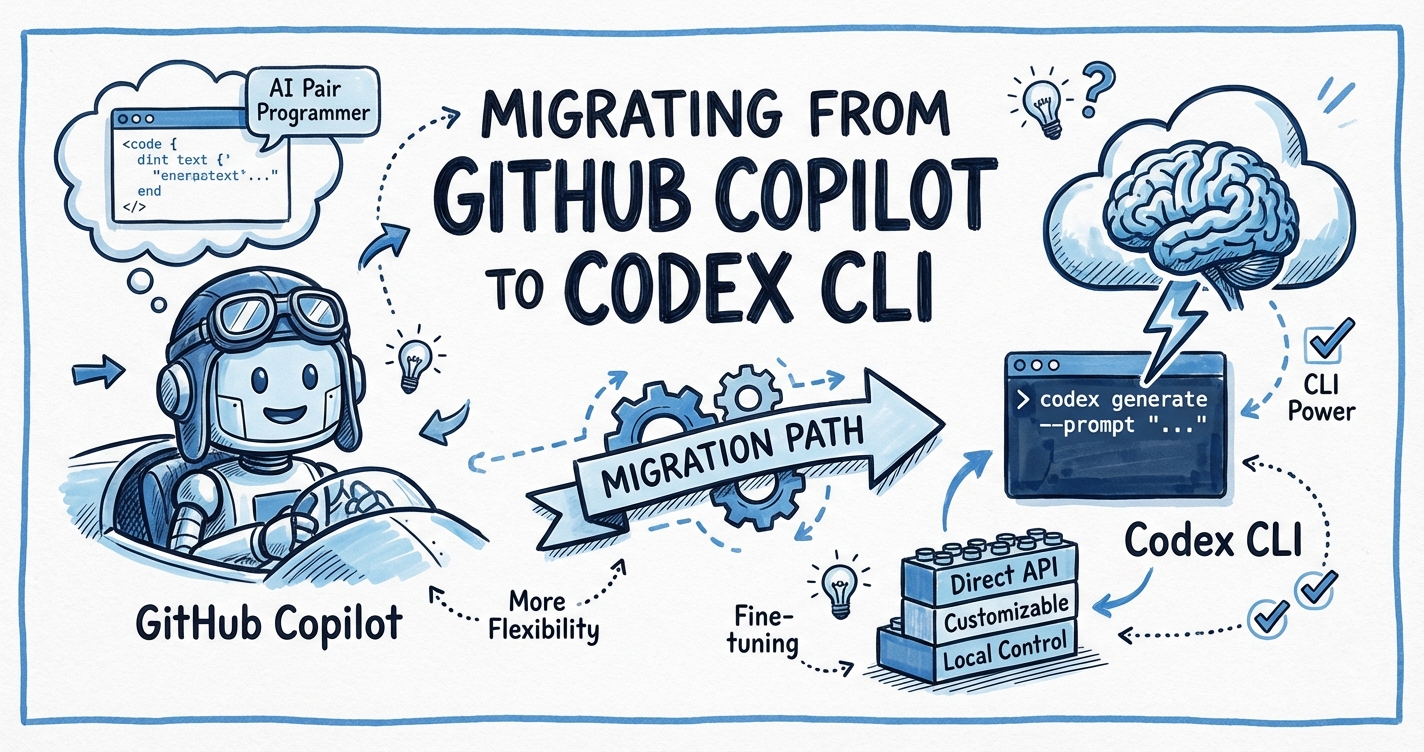
Migrating from GitHub Copilot to Codex CLI
Before we begin: there is a naming trap to navigate. In February 2026, GitHub launched GitHub Copilot CLI — a terminal-native agent built by GitHub and available to all paid Copilot subscribers.1 That is not the same product as OpenAI Codex CLI — the open-source, terminal-first agentic coding tool from OpenAI.2 This article is about switching your primary agentic workflow from the GitHub Copilot ecosystem (IDE extension + Copilot CLI + copilot-instructions.md) to OpenAI Codex CLI. Where the GitHub Copilot CLI changes the comparison, that is noted explicitly.
Why Consider the Switch?
GitHub Copilot has approximately 4.7 million paid subscribers.3 For most of those developers, Copilot functions primarily as an inline suggestion engine inside VS Code, JetBrains, or similar IDEs. The agentic capabilities — issue assignment, cloud tasks, Copilot CLI — came later and remain, for many teams, a partial upgrade grafted onto the original autocomplete experience.
Reasons teams investigate Codex CLI as an alternative or supplement:
- Open-source and auditable. Codex CLI is MIT-licensed and written in Rust.4 You can read, fork, and contribute to the full agent loop.
- Token efficiency. OpenAI claims Codex CLI is approximately four times more token-efficient than comparable agentic tools, meaning a given API budget goes further.5
- Terminal-first architecture. Codex CLI is designed for shell workflows from the ground up — no IDE required, deep
stdin/stdoutcomposability,codex execfor headless CI. - Sandbox security model. Codex CLI ships with Seatbelt (macOS), Landlock (Linux), and restricted tokens (Windows) as default isolation layers.6 Copilot CLI’s sandbox model is less granular.
- Hooks and lifecycle control. Codex CLI exposes
SessionStart,PreTool,PostToolUse,PostTaskComplete, anduserpromptsubmithooks that let you inject behaviour at every stage of the agent loop.7
The honest counter-argument: if your team’s workflow centres on GitHub issues, PRs, and Actions, Copilot’s native GitHub integration remains best-in-class. The /research command, fleet mode (/fleet), and background cloud delegation (& prefix) in Copilot CLI all have genuine advantages for GitHub-native teams.8 The recommended pattern is hybrid: Codex CLI for heavy local agentic work, Copilot for IDE autocomplete and GitHub-native tasks.
Step 1 — Translate Your Instruction Files
This is the lowest-friction migration step, and it frequently unlocks immediate compatibility with both tools simultaneously.
What you have
project/
└── .github/
    └── copilot-instructions.md   # your existing Copilot instructions
What to create
project/
├── AGENTS.md                     # primary cross-tool instructions
└── .github/
    └── copilot-instructions.md   # kept for Copilot IDE/CLI compatibility
AGENTS.md is now the cross-tool standard governed by the Agentic AI Foundation under the Linux Foundation.9 GitHub Copilot CLI reads it as primary instructions — with higher precedence than .github/copilot-instructions.md.10 OpenAI Codex CLI uses it natively. Cursor, Amp, Google Gemini CLI, and Factory also read it.
Migration rules:
.github/copilot-instructions.md content |
AGENTS.md equivalent |
|---|---|
| Language and framework conventions | Same — copy verbatim |
| Test runner expectations | Same — copy verbatim |
Copilot-specific @workspace references |
Remove — not valid in Codex CLI |
applyTo: path-scoped instructions |
Create nested AGENTS.md files in subdirectories instead |
<file> XML tags for file context |
Use plain Markdown — Codex CLI injects context from the working tree |
Path-scoped instructions in Copilot use frontmatter in separate .instructions.md files:11
---
applyTo: "src/api/**"
---
All API handlers must return typed Response objects.
In Codex CLI, move these to a subdirectory AGENTS.md:
project/
└── src/
    └── api/
        └── AGENTS.md   # "All API handlers must return typed Response objects."
The scoping behaviour is equivalent. Codex CLI walks the directory tree from the current working directory upwards and merges all AGENTS.md files it finds, with more-specific (closer) files taking precedence.12
Step 2 — Install Codex CLI
npm install -g @openai/codex
# or: curl -fsSL https://codex.openai.com/install.sh | sh
Set your API key — or if you use Copilot Pro+, the Codex VS Code extension can proxy model calls through your Copilot subscription.13
export OPENAI_API_KEY="sk-..."
Create .codex/config.toml at your project root. GPT-5.3-Codex is the current LTS model with support guaranteed through February 2027.14
[model]
name = "gpt-5.3-codex"           # LTS: supported through Feb 2027
reasoning_effort = "medium"

[sandbox]
network_disabled = true           # default; disable for web-search tasks

[features]
hooks = true
multi_agent = true
Step 3 — Rebuild Your Approval Policy
Copilot CLI offers a binary choice: interactive mode (approve each step) or autopilot mode (no approvals).15 Codex CLI provides a richer approval model with four named policies:
| Policy | Behaviour |
|---|---|
suggest |
Every tool call requires approval |
auto-edit |
File edits auto-approved; shell commands need approval |
auto-run |
All tool calls auto-approved within sandbox |
full-auto |
Fully autonomous; disables confirmation prompts |
For most migration scenarios, auto-edit is the sensible default — it matches Copilot CLI’s interactive mode for shell commands while removing friction for the file edits that dominate most tasks.
[policy]
default = "auto-edit"
You can also define per-command rules:
[policy.rules]
allow = ["git *", "npm test", "cargo build"]
deny  = ["rm -rf *", "curl * | sh"]
Step 4 — Migrate Hooks
If you use Copilot CLI’s pre/post task scripting (via .github/copilot-hooks/ or similar), Codex CLI hooks give you more structured control.
Example: Auto-format after every file edit
In Copilot CLI, this typically requires a wrapper script. In Codex CLI:
[hooks.PostToolUse]
command = "prettier --write \"$CODEX_TOOL_OUTPUT_PATH\" 2>/dev/null || true"
filter  = { tool = "write_file" }
Example: Post-task notification
[hooks.PostTaskComplete]
command = """
osascript -e 'display notification "Codex task complete" with title "Codex CLI"'
"""
Example: Block secrets leakage on prompt submit
[hooks.userpromptsubmit]
command = "grep -q 'sk-' <<< \"$CODEX_PROMPT\" && echo 'BLOCK: API key detected in prompt' && exit 1 || exit 0"
See the hooks deep dive article for the full event list and JSON protocol.
Step 5 — Rethink Memory and Context
Copilot CLI maintains repository memory — it learns conventions from previous sessions and stores them automatically.16 Codex CLI does not do this by default. Instead, you explicitly capture learnings in AGENTS.md or in a project-level MEMORY.md that you reference from AGENTS.md:
<!-- AGENTS.md -->
# Project Conventions

See [MEMORY.md](./MEMORY.md) for accumulated learnings from past Codex sessions.

## Core rules
- All new modules must have a corresponding test file.
- Use `pnpm` not `npm`.
This is a deliberate trade-off: Codex CLI’s context is explicit and version-controlled rather than implicit and agent-managed. You know exactly what the agent knows, and you can review and audit it in a PR.
Architecture Comparison
flowchart LR
    subgraph Copilot["GitHub Copilot Ecosystem"]
        IDE["IDE Extension\n(autocomplete)"]
        CopilotCLI["Copilot CLI\n(terminal agent)"]
        GH["GitHub.com\n(issues, PRs, Actions)"]
        IDE --> CopilotCLI
        CopilotCLI --> GH
    end

    subgraph Codex["OpenAI Codex CLI Ecosystem"]
        CCLI["Codex CLI\n(terminal agent)"]
        MCP["MCP Servers\n(Figma, Slack, etc.)"]
        SubA["Sub-agents\n(parallel workers)"]
        CCLI --> MCP
        CCLI --> SubA
    end

    Developer["Developer"] --> IDE
    Developer --> CCLI
    Developer --> GH
The recommended hybrid keeps Copilot for IDE autocomplete (Copilot has no competition for real-time inline suggestions) and Codex CLI for agentic tasks (multi-step, multi-file, CI pipelines).
What Codex CLI Does Not Replace
Be explicit about the gaps before committing to a migration:
- Inline autocomplete. Codex CLI has no IDE integration for line-by-line code suggestions. Keep Copilot (or GitHub Copilot in VS Code) for this.
- GitHub-native issue assignment. Assigning a GitHub Issue directly to the Copilot agent — which then opens a draft PR — is a Copilot-specific workflow that requires Copilot Pro+ or Enterprise.17 Codex CLI has
codex cloud execfor similar cloud tasks, but the GitHub issue → Codex agent → draft PR chain requires additional scripting. - Fleet mode. Copilot CLI’s
/fleetruns identical tasks across multiple sub-agents simultaneously for decision-convergence.18 Codex CLI achieves parallelism viaspawn_agents_on_csvand path-based sub-agent addressing, but the UX is more manual. - Automatic repository memory. As noted above, Codex CLI’s memory is explicit.
Enterprise Considerations
If you are migrating an enterprise team currently on Copilot Business or Enterprise:
| Concern | Copilot Enterprise | Codex CLI Enterprise |
|---|---|---|
| Managed policies | Agent Control Plane, admin-controlled model access | requirements.toml for org-wide config lockdown |
| RBAC | GitHub permissions model | SCIM-based RBAC with Compliance API |
| Audit logs | GitHub audit log | OpenTelemetry traces ([otel] section) |
| Data residency | Microsoft/GitHub data centres | Configurable via API base URL |
| IP indemnity | Copilot Business includes IP indemnity | No equivalent commitment from OpenAI |
For regulated environments, Codex CLI’s requirements.toml can enforce organisation-wide policy (model allowlists, network restrictions, approval policy minimums) in a way that can be committed to a central repo and audited.19
Migration Checklist
☐ Create AGENTS.md from .github/copilot-instructions.md content
☐ Migrate path-scoped instructions to nested AGENTS.md files
☐ Install Codex CLI and configure .codex/config.toml
☐ Set approval policy (start with auto-edit)
☐ Re-implement any post-task scripts as Codex hooks
☐ Create MEMORY.md for project conventions (replaces implicit Copilot memory)
☐ Verify test suite runs cleanly under codex exec
☐ Keep Copilot extension installed for IDE autocomplete
☐ Confirm enterprise policy compliance (requirements.toml if needed)
Citations
-
GitHub Changelog, “GitHub Copilot CLI is now generally available,” 25 February 2026. https://github.blog/changelog/2026-02-25-github-copilot-cli-is-now-generally-available/ ↩
-
OpenAI Codex CLI repository. https://github.com/openai/codex ↩
-
GitHub Copilot subscriber count widely cited in industry analyses; see Ryz Labs, “OpenAI Codex vs GitHub Copilot: Which AI Assistant Reigns Supreme in 2026?” https://learn.ryzlabs.com/ai-coding-assistants/openai-codex-vs-github-copilot-which-ai-assistant-reigns-supreme-in-2026 ↩
-
OpenAI Codex CLI open-source Rust rewrite. https://github.com/openai/codex ↩
-
OpenAI token efficiency claim (4× vs comparable tools). https://learn.ryzlabs.com/ai-coding-assistants/openai-codex-vs-github-copilot-which-ai-assistant-reigns-supreme-in-2026 ↩
-
Codex CLI sandbox security model (Seatbelt/Landlock/restricted tokens). See Codex CLI Approval Modes and Sandbox Security Model. ↩
-
Codex CLI hooks documentation. See Codex CLI Hooks Deep Dive. ↩
-
GitHub Changelog, features at GA including
/research, fleet mode, and background delegation. https://github.blog/changelog/2026-02-25-github-copilot-cli-is-now-generally-available/ ↩ -
AGENTS.md governance by Agentic AI Foundation / Linux Foundation. https://agents.md/ ↩
-
GitHub Changelog, “Copilot coding agent now supports AGENTS.md custom instructions,” 28 August 2025. https://github.blog/changelog/2025-08-28-copilot-coding-agent-now-supports-agents-md-custom-instructions/ ↩
-
GitHub Docs, “Adding custom instructions for GitHub Copilot CLI.” https://docs.github.com/en/copilot/how-tos/copilot-cli/customize-copilot/add-custom-instructions ↩
-
Codex CLI AGENTS.md scope chain and directory tree walking. See AGENTS.md Advanced Patterns. ↩
-
GitHub Changelog, “Claude and Codex now available for Copilot Business & Pro users,” 26 February 2026. https://github.blog/changelog/2026-02-26-claude-and-codex-now-available-for-copilot-business-pro-users/ ↩
-
GitHub Changelog, “GPT-5.3-Codex long-term support in GitHub Copilot,” 18 March 2026. https://github.blog/changelog/2026-03-18-gpt-5-3-codex-long-term-support-in-github-copilot/ ↩
-
Copilot CLI autopilot mode at GA. https://github.blog/changelog/2026-02-25-github-copilot-cli-is-now-generally-available/ ↩
-
Copilot CLI repository memory feature. https://github.blog/changelog/2026-02-25-github-copilot-cli-is-now-generally-available/ ↩
-
GitHub Copilot coding agent issue assignment (Copilot Pro+/Enterprise). See Codex as a GitHub Copilot Coding Agent. ↩
-
Copilot CLI fleet mode (
/fleetcommand). https://github.blog/changelog/2026-02-25-github-copilot-cli-is-now-generally-available/ ↩ -
Codex CLI enterprise
requirements.toml. See Codex Enterprise Admin Guide. ↩