Codex CLI for Jupyter Notebooks and Scientific Python
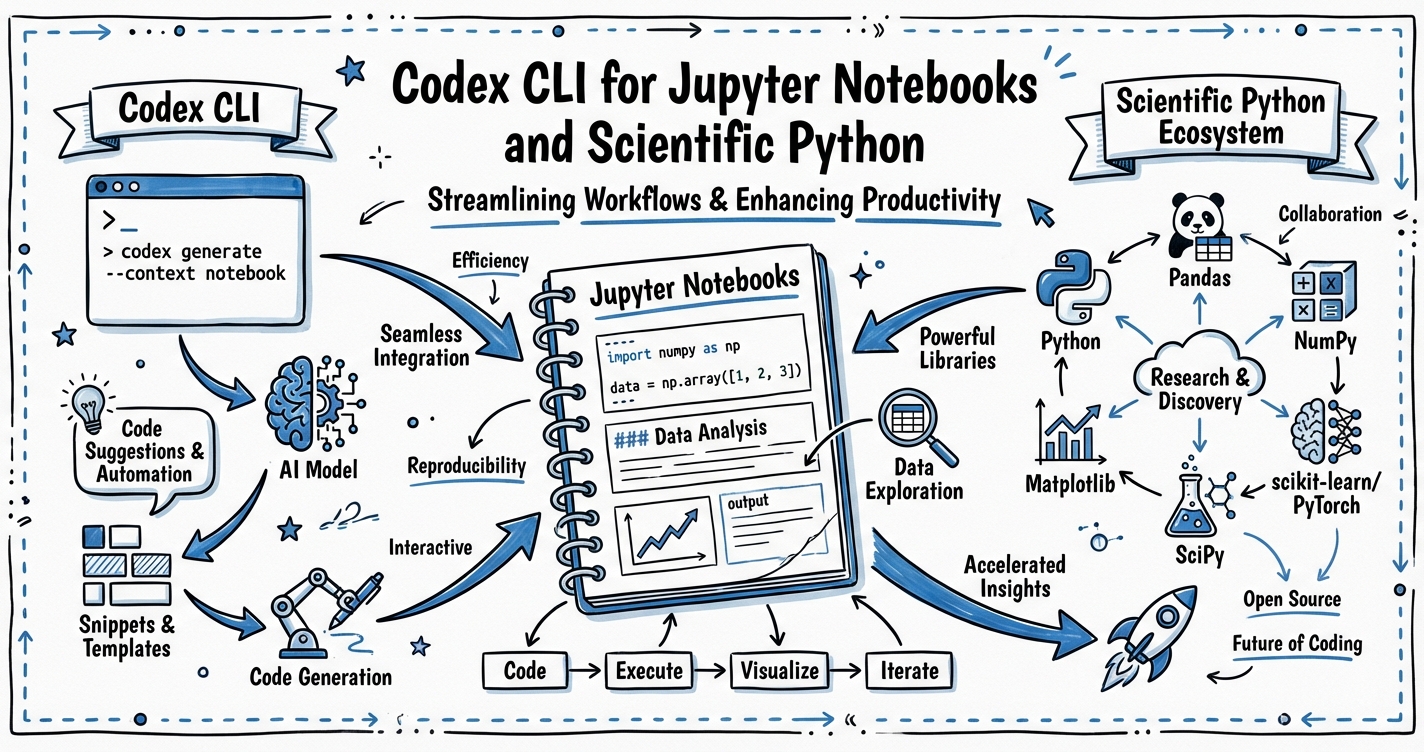
Codex CLI for Jupyter Notebooks and Scientific Python
Jupyter notebooks are the lingua franca of scientific Python, yet the .ipynb format is one of the environments where Codex CLI historically performs least reliably. The notebook file is JSON — cells nested inside a structured document — and Codex’s default file-editing tools were designed for plain text.1 The result is a subtle impedance mismatch: Codex can reason about notebook code perfectly well, but writing back to .ipynb files is error-prone.
This article covers the practical patterns that make Codex CLI genuinely useful for data science and scientific Python projects: the recommended .py-first workflow, the official jupyter-notebook Agent Skill, AGENTS.md conventions for notebook-centric repos, and parallel subagent patterns for data experiments.
The .ipynb Problem
Jupyter notebooks store code, markdown, and output together in a single JSON file. A typical cell looks like this:
{
  "cell_type": "code",
  "execution_count": null,
  "metadata": {},
  "outputs": [],
  "source": [
    "import polars as pl\n",
    "df = pl.read_parquet('data/events.parquet')\n",
    "df.head()"
  ]
}
Codex’s file-writing tools emit plain text. When a write operation corrupts the outer JSON structure — a trailing comma, a missing escape, a newline inside a string field — the notebook becomes unreadable.2 Community reports document data loss when Codex edits markdown cells, and invalid-format outputs when generating new notebooks.3
The practical upshot: treat .ipynb files as output artefacts, not source files. Do your development in .py, and only generate or render notebooks when the logic is finished.
The .py-First Workflow
The most reliable pattern is to keep runnable logic in Python modules and use notebooks purely for narration and output display.
data-project/
├── AGENTS.md
├── src/
│   ├── load.py          # data ingestion
│   ├── transform.py     # feature engineering
│   └── analyse.py       # analysis functions
├── notebooks/
│   └── eda.ipynb        # narrative wrapper around src/
└── reports/
    └── weekly.ipynb     # generated by CI via nbconvert
When you ask Codex to implement a new analysis step, it edits src/analyse.py. Once complete, the notebook imports from src/ and re-executes cleanly — no notebook JSON editing required.
Your AGENTS.md should make this contract explicit:
## Notebook conventions
- All analysis logic lives in `src/`. Notebooks are presentation layers only.
- Do NOT edit `.ipynb` files directly. Edit `src/` modules, then mention
  that the relevant notebook cells import from those modules.
- To create a new notebook, use the `jupyter-notebook` skill.
- To execute notebooks in CI, use `jupyter nbconvert --to notebook --execute`.
The jupyter-notebook Agent Skill
For cases where you genuinely need Codex to scaffold a new notebook, the official jupyter-notebook skill from openai/skills handles the JSON structure safely using bundled templates and a Python helper script.4
Install it in your project:
npx skills add https://github.com/openai/skills --skill jupyter-notebook
The skill (released February 1, 2026) provides two notebook archetypes:5
| Mode | Use when… |
|---|---|
| experiment | Exploratory, analytical, or hypothesis-driven work |
| tutorial | Instructional, step-by-step, or audience-facing content |
The helper at scripts/new_notebook.py loads a template (assets/experiment-template.ipynb or assets/tutorial-template.ipynb), sets the title cell, and writes a structurally valid .ipynb to output/jupyter-notebook/. The script depends only on the Python standard library — no notebook runtime required at scaffold time.
The skill also ships reference documentation: references/notebook-structure.md documents safe editing rules for the JSON format, and references/quality-checklist.md defines done criteria including top-to-bottom execution with no errors.
AGENTS.md Patterns for Scientific Python
Beyond notebook conventions, a well-tuned AGENTS.md will specify your preferred scientific Python stack. Polars has largely supplanted Pandas for performance-critical data work in 2026 — benchmarks show 30× speedups on large datasets, with lazy evaluation and multi-threaded execution enabling 10 million records in 2.3 seconds compared to 14.5 seconds in Pandas.6
## Scientific Python preferences
- Use **Polars** for all DataFrame operations. Import as `import polars as pl`.
- Use **Pandas** only when an external library requires it (scikit-learn, statsmodels).
  In that case, convert with `.to_pandas()` at the last possible moment.
- Use `uv` for environment management. Never use `pip install` directly.
- Store credentials in `.env`. Never hardcode them. Confirm `.env` is in `.gitignore`.
- Prefer **PyArrow** for Parquet I/O over `pd.read_parquet`.
- Use `polars.scan_parquet()` for datasets > 1 GB (lazy evaluation, no full load).

## Testing
- Data transformation functions in `src/` must have pytest unit tests in `tests/`.
- Use `polars.testing.assert_frame_equal` for DataFrame assertions.
- Run `uv run pytest` before marking any task complete.
The principle here — articulated by Max Woolf’s deep dive into agentic coding — is to add a rule to AGENTS.md every time the agent does something you dislike.7 Codex defaults to Pandas because it dominates training data; the explicit rule reliably overrides that default.
Workflow: From Prompt to Reproducible Notebook
flowchart TD
    A[Human: describe analysis goal] --> B[Codex: read AGENTS.md]
    B --> C{Scaffold needed?}
    C -- Yes --> D[jupyter-notebook skill\nnew_notebook.py from template]
    C -- No --> E[Edit src/ modules]
    D --> F[output/jupyter-notebook/\nexperiment.ipynb]
    E --> G[pytest: validate transforms]
    G -- pass --> H[Notebook imports from src/\nre-execute top to bottom]
    G -- fail --> E
    H --> I[nbconvert: render report HTML/PDF]
    F --> H
    I --> J[Artefact committed or shared]
Parallel Data Experiments with Subagents
When you have multiple independent analyses — say, feature-engineering variants for a model comparison — Codex subagents can run them concurrently. Create a coordinator task file:
# experiments.toml
[spawn_on_csv]
agents = [
  { prompt = "Run ablation: feature set A. Write results to output/experiment-a.json.", workdir = "." },
  { prompt = "Run ablation: feature set B. Write results to output/experiment-b.json.", workdir = "." },
  { prompt = "Run ablation: feature set C. Write results to output/experiment-c.json.", workdir = "." }
]
max_threads = 3
Each subagent runs in an isolated session with its own context, eliminating cross-contamination between experiment branches. The coordinator then aggregates output/experiment-*.json and writes a comparison table.
This pattern works best when:
- Each experiment is self-contained (reads shared data but writes separate outputs)
- Experiments take minutes, not seconds (spawning overhead is ~5s per agent)
- Results are structured JSON or Parquet, not side-effecting database writes
nbconvert Integration for CI Reports
For reproducible reporting, nbconvert executes notebooks headlessly and outputs HTML or PDF. Use it in CI to verify that your analytical notebooks run cleanly after each push:
# .github/workflows/notebooks.yml
- name: Execute notebooks
  run: |
    uv run jupyter nbconvert \
      --to notebook \
      --execute \
      --ExecutePreprocessor.timeout=600 \
      --output-dir=reports/ \
      notebooks/*.ipynb
If any cell raises an unhandled exception, nbconvert exits non-zero and fails the job. Combine with --allow-errors only in exploratory branches, never on main.
For PDF reports to stakeholders, chain HTML conversion and weasyprint:
uv run jupyter nbconvert --to html notebooks/weekly.ipynb
uv run weasyprint reports/weekly.html reports/weekly.pdf
Reference these output artefacts in your AGENTS.md so Codex knows what CI validates:
## CI validation
- `make test` runs pytest and executes notebooks via nbconvert.
- A passing CI run means: all unit tests green AND all notebooks execute top-to-bottom.
- If you edit a src/ module, re-run `jupyter nbconvert --execute` locally to confirm.
Known Limitations
Kernel state vs file state. Notebooks maintain in-memory kernel state that is invisible to Codex. If a notebook relies on variables set in an earlier session, Codex cannot reproduce that state. Your AGENTS.md should instruct agents to write notebooks that are always runnable from a fresh kernel (Kernel > Restart and Run All).
Large output cells. Notebooks with embedded images or large DataFrames in output cells balloon in size, consuming context budget. Instruct agents to strip outputs before committing:
uv run jupyter nbconvert --to notebook --ClearOutputPreprocessor.enabled=True \
  --output notebooks/clean.ipynb notebooks/analysis.ipynb
asyncio in Jupyter. The OpenAI Agents SDK Cookbook notes that Jupyter/IPython already runs an event loop, so asyncio.run() raises an error inside a notebook cell.8 Use await directly in notebook cells, or use nest_asyncio as a workaround when consuming SDK output inside a notebook.
Summary
| Concern | Recommendation |
|---|---|
Editing .ipynb files |
Use jupyter-notebook skill or avoid direct edits |
| DataFrame library | Polars (specify in AGENTS.md) |
| Environment management | uv (specify in AGENTS.md) |
| Logic location | src/ modules; notebooks are presentation layers |
| Parallel experiments | Subagent TOML with max_threads |
| CI validation | nbconvert --execute; fail on exceptions |
| Kernel state | Always runnable from fresh kernel |
The central insight: Codex is excellent at scientific Python when you treat it as a code-editor for .py files and a scaffolder for notebooks, rather than a notebook editor. Keep the logic in modules, keep the structure in version-controlled source, and use skills and nbconvert for the notebook surface.
Citations
-
OpenAI Community Forum, “Codex working with Jupyter notebook .ipynb files” — https://community.openai.com/t/codex-working-with-jupyter-notebook-ipynb-files/1260513 ↩
-
nbformat documentation, “The Jupyter Notebook Format” — http://ipython.org/ipython-doc/3/notebook/nbformat.html ↩
-
OpenAI Community Forum, ibid. — multiple user reports of data loss when Codex edits markdown cells. ↩
-
agentskills.so, “jupyter-notebook — Agent Skill by openai/skills” — https://agentskills.so/skills/openai-skills-jupyter-notebook ↩
-
agentskills.so, jupyter-notebook skill, created February 1, 2026 — see skill metadata at the above URL. ↩
-
Nerd Level Tech, “Mastering Python Data Analysis in 2026: From Pandas to Polars” — https://nerdleveltech.com/mastering-python-data-analysis-in-2026-from-pandas-to-polars ↩
-
Max Woolf, “An AI agent coding skeptic tries AI agent coding, in excessive detail” (February 2026) — https://minimaxir.com/2026/02/ai-agent-coding/ ↩
-
OpenAI Cookbook, “Building Consistent Workflows with Codex CLI & Agents SDK” — https://cookbook.openai.com/examples/codex/codex_mcp_agents_sdk/building_consistent_workflows_codex_cli_agents_sdk ↩