Codex CLI in Docker: Containerised Environments, Sandboxing and codex-universal
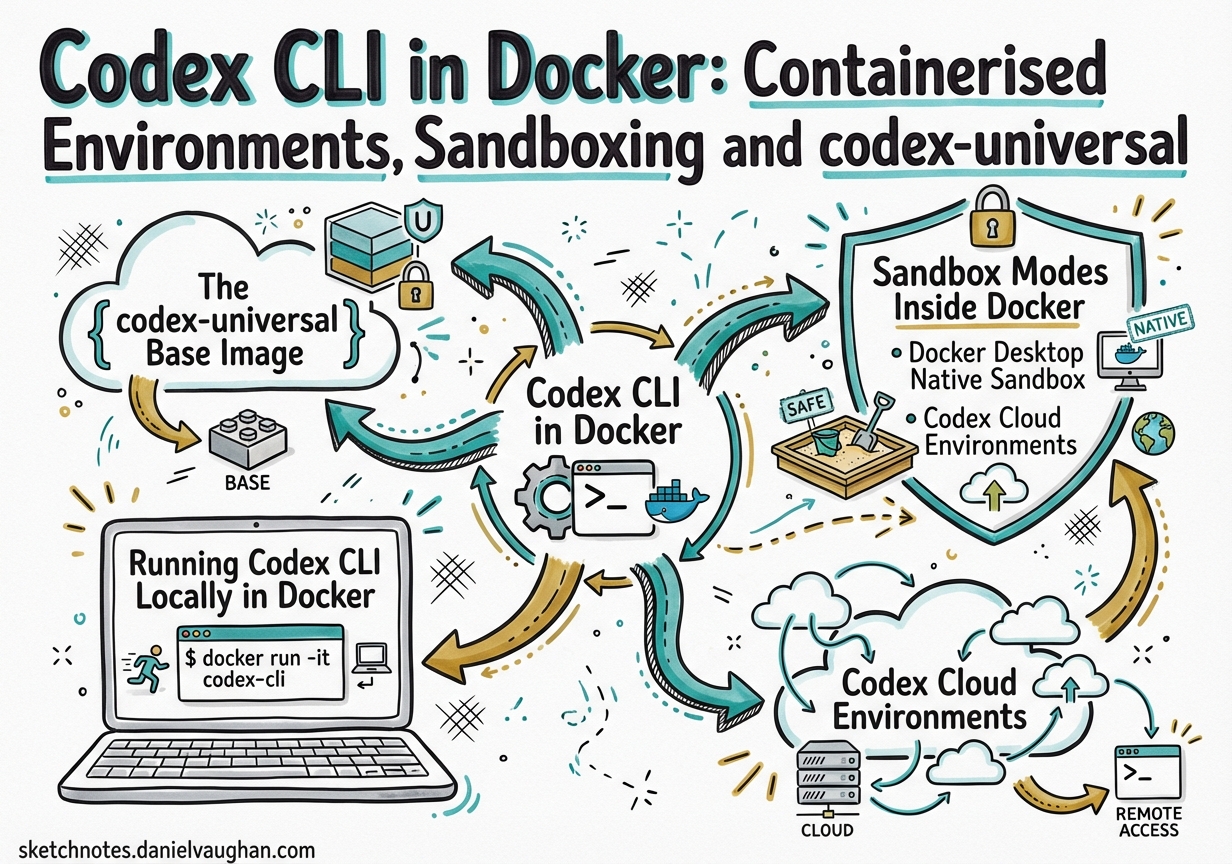
Codex CLI in Docker: Containerised Environments, Sandboxing and codex-universal
Docker and Codex CLI have a natural affinity: Docker solves the “it works on my machine” problem for human developers; Codex needs a reproducible, safe execution context that it can be given unrestricted access to without risking the host. The combination yields isolated, auditable, CI-compatible agentic workflows.
This article covers the full picture — from OpenAI’s official codex-universal base image through to community container patterns and cloud environment configuration.
The codex-universal Base Image
OpenAI ships a reference Docker image at openai/codex-universal that mirrors the environment Codex cloud tasks run in.1 It is built on Ubuntu 24.04 and pre-installs a comprehensive polyglot toolchain so that setup scripts do not spend time downloading compilers from scratch.
Languages pre-installed:
| Language | Versions available |
|---|---|
| Python | 3.10, 3.11, 3.12, 3.13, 3.14 (via pyenv) |
| Node.js | 18, 20, 22, 24 (via nvm) |
| Rust | 1.83.0 – 1.92.0 (ten versions via rustup) |
| Go | 1.22.12 – 1.25.1 |
| Java | 11–25 (amd64); 17–25 (arm64) |
| Ruby | 3.2.3, 3.3.8, 3.4.4 |
| PHP | 8.2 – 8.5 |
| Swift | 5.10, 6.1, 6.2 |
| Elixir/Erlang | Elixir 1.18.3 / Erlang 27.1.2 |
Also bundled: uv, poetry, pnpm, yarn, ruff, black, mypy, pyright, golangci-lint, clang-tidy, cmake, ninja-build, and Bazelisk.1
Pinning language versions with CODEX_ENV_*
Pass CODEX_ENV_* variables to select which version of each runtime is active:2
docker run --rm \
  -e OPENAI_API_KEY="$OPENAI_API_KEY" \
  -e CODEX_ENV_PYTHON_VERSION=3.12 \
  -e CODEX_ENV_NODE_VERSION=22 \
  -e CODEX_ENV_RUST_VERSION=1.87.0 \
  -e CODEX_ENV_GO_VERSION=1.23.8 \
  -v "$PWD":/workspace \
  ghcr.io/openai/codex-universal:latest \
  codex "run the test suite"
The image is built for linux/amd64 and linux/arm64, though only amd64 is used in production cloud tasks.1 On Apple Silicon, pass --platform linux/amd64 to use Rosetta emulation.
Running Codex CLI Locally in Docker
The simplest local setup mounts your project directory and forwards your API key:
docker run --rm -it \
  -e OPENAI_API_KEY="$OPENAI_API_KEY" \
  -v "$HOME/.codex":/root/.codex \
  -v "$PWD":/workspace \
  -w /workspace \
  ghcr.io/openai/codex-universal:latest \
  codex
Mounting ~/.codex persists OAuth tokens and configuration across container restarts, so you only run codex login once.3
For teams using config.toml, mount it read-only so all developers share the same base policy:
docker run --rm -it \
  -e OPENAI_API_KEY="$OPENAI_API_KEY" \
  -v "$HOME/.codex/config.toml":/root/.codex/config.toml:ro \
  -v "$PWD":/workspace \
  -w /workspace \
  ghcr.io/openai/codex-universal:latest \
  codex exec "generate API documentation"
Docker MCP Toolkit
Docker Desktop ships a curated catalogue of 220+ MCP servers via the Docker MCP Toolkit.4 Add server entries to config.toml using host.docker.internal as the DNS name. This gives Codex access to databases, REST APIs, and infrastructure tools without installing them locally.
Sandbox Modes Inside Docker
Codex’s native sandbox (Apple Seatbelt on macOS, Landlock/seccomp on Linux) is designed for host-level protection. Inside a Docker container, the container itself provides the isolation boundary — which means Codex’s OS-level sandbox frequently conflicts with the kernel capabilities available to a non-privileged container.5
The three sandbox modes
# ~/.codex/config.toml

# Read-only: inspects but cannot edit files or run commands without approval
sandbox_mode = "read-only"

# workspace-write (default for local work)
# Reads files, edits within the workspace, runs routine local commands
sandbox_mode = "workspace-write"

# danger-full-access: no filesystem or network restrictions
# Use this when the container IS the sandbox
sandbox_mode = "danger-full-access"
Inside a Docker container, the recommended pattern is danger-full-access combined with approval_policy = "never" — the container walls are your security boundary.56 This is equivalent to passing --dangerously-bypass-approvals-and-sandbox (or --yolo) at the command line:
docker run --rm \
  -e OPENAI_API_KEY="$OPENAI_API_KEY" \
  -v "$PWD":/workspace \
  -w /workspace \
  ghcr.io/openai/codex-universal:latest \
  codex --dangerously-bypass-approvals-and-sandbox exec "refactor the payment module"
Network isolation at the container level
By default, Codex disables network access even in danger-full-access mode. For tasks that need internet access (e.g., to fetch dependencies), pass a Docker network flag. Prefer a named bridge network over --network host in CI to keep firewall rules predictable.
Docker Desktop Native Sandbox
Docker Desktop ships a first-class Codex sandbox built on top of Docker’s sandbox template system.7 The command is:
docker sandbox run codex ~/my-project
This instantiates a fresh container from docker/sandbox-templates:codex, mounts the given workspace, and drops you into an interactive Codex session. Credentials are scoped per sandbox — each docker sandbox run is isolated from others. For one-shot automation:
docker sandbox run codex ~/my-project -- --dangerously-bypass-approvals-and-sandbox exec "generate OpenAPI spec from source"
The -- separator passes flags directly to Codex rather than to the sandbox run command.
Codex Cloud Environments
When submitting cloud tasks via the Codex web interface, every task runs inside a container derived from the universal image.2 The environment configuration lives in the Codex web settings and controls three layers:
flowchart TD
    A[Task submitted] --> B[Container created\nfrom universal image]
    B --> C{Cache hit?}
    C -- Yes --> D[Restore cached state\nRun maintenance script]
    C -- No --> E[Run setup script\nInstall dependencies]
    D --> F[Apply environment vars]
    E --> F
    F --> G[Agent loop runs\nno secrets available]
    G --> H[Results / diff]
Setup scripts vs maintenance scripts
Setup scripts run once when the cache is built — install heavy dependencies here:2
#!/usr/bin/env bash
# setup.sh — runs on cache build
pip install -r requirements.txt
npm ci
cargo build --release  # or pre-compile what's needed
Maintenance scripts run each time a cached container resumes — keep the cache fresh:2
#!/usr/bin/env bash
# maintenance.sh — runs on cache resume
git fetch origin
pip install --upgrade -r requirements.txt
Secrets vs environment variables
A critical distinction: environment variables are available throughout the full task (setup + agent phases), whereas secrets are encrypted at rest and removed before the agent phase starts.2 This means database passwords, signing keys, and third-party API tokens that should not be accessible to the agent go in secrets; runtime config the agent can read goes in environment variables.
Environment variables  ─── available to setup script + agent loop
Secrets               ─── available to setup script only (removed before agent)
Cache validity follows a 12-hour TTL and auto-invalidates on any change to setup script, maintenance script, environment variables, or secrets. On Business and Enterprise plans, caches are shared across users with environment access.2
Community Container Patterns
gnosis-container: 275+ MCP tools in one image
gnosis-container bundles Codex, an MCP tool registry, and a scheduler service into a single Docker image.8 A single PowerShell/Bash script builds and runs the stack:
# Default: sandboxed mode, requires approvals
./run.sh

# Full access inside Docker boundary
./run.sh -Danger

# Privileged for DNS/network access (Windows)
./run.sh -Danger -Privileged
Agents in this setup can self-schedule (write cron entries into the scheduler service), spawn sub-agents, and trigger on file drops. Sessions persist across container restarts by UUID, enabling long-running project workflows.
aibox: multi-account persistent environment
aibox targets macOS developers running Codex, Claude Code, and Gemini CLI side by side.9 Named volumes persist ~/.codex, ~/.claude, and SSH config across container restarts, while isolating credentials per account — useful when switching between personal and work OpenAI API keys.
Coder Registry module
The Coder Registry codex module (v4.3.1+) provides a Terraform-based setup for Codex in Coder workspaces — Docker or Kubernetes.10 For containerised workspaces, it sets sandbox_mode = "danger-full-access" automatically and injects the API key via a workspace parameter:
module "codex" {
  source         = "registry.coder.com/coder-labs/codex/coder"
  version        = "4.3.1"
  agent_id       = coder_agent.example.id
  openai_api_key = var.openai_api_key
  workdir        = "/home/coder/project"
  base_config_toml = <<-EOT
    sandbox_mode = "danger-full-access"
    approval_policy = "never"
    preferred_auth_method = "apikey"
  EOT
}
CI/CD Integration Pattern
Combining Docker with codex exec gives reproducible, auditable agentic CI steps. Use the container: field in GitHub Actions to run a job directly inside codex-universal — all language tooling is pre-installed, no setup time needed:11
jobs:
  review:
    runs-on: ubuntu-latest
    container:
      image: ghcr.io/openai/codex-universal:latest
      options: --user root
    steps:
      - uses: actions/checkout@v4
      - name: Run Codex review
        env:
          OPENAI_API_KEY: $
        run: |
          codex --dangerously-bypass-approvals-and-sandbox exec \
            "Review this PR for correctness and AGENTS.md adherence" \
            > review.json
      - uses: actions/upload-artifact@v4
        with:
          name: codex-review
          path: review.json
Security Considerations
Never run --dangerously-bypass-approvals-and-sandbox on your host. This flag should only appear in contexts where an external boundary (Docker container, Coder workspace, cloud task container) provides the isolation. If you see it in a local shell alias, that is a configuration error.
Avoid committing API keys into Docker images. Pass OPENAI_API_KEY via environment variables or Docker secrets — never bake it into a Dockerfile ENV instruction. Use a .env file excluded from version control and reference it via env_file in Compose.
Landlock/seccomp inside Docker: Codex’s native Landlock sandbox requires Linux ≥ 5.13 and specific kernel capabilities that most CI runners do not expose. In practice, danger-full-access is the only reliable choice inside containers.5
Summary
| Deployment | Sandbox mode | Isolation boundary |
|---|---|---|
| Local macOS host | workspace-write (default) |
Apple Seatbelt |
| Local Linux host | workspace-write (default) |
Landlock/seccomp |
| Docker container (local) | danger-full-access |
Docker container |
| Docker Desktop sandbox | danger-full-access |
Docker sandbox template |
| Codex cloud task | N/A (managed by OpenAI) | OpenAI cloud container |
| Coder workspace | danger-full-access |
Coder/k8s namespace |
| CI runner (GitHub Actions) | danger-full-access |
Actions runner container |
The codex-universal image is the canonical starting point for any containerised Codex workflow. Pin language versions via CODEX_ENV_*, keep secrets out of environment variables passed to the agent phase, and let the container boundary replace Codex’s native OS sandbox.
Citations
-
openai/codex-universal GitHub repository — base Docker image reference implementation. https://github.com/openai/codex-universal ↩ ↩2 ↩3
-
OpenAI Developers — Cloud environments documentation. https://developers.openai.com/codex/cloud/environments ↩ ↩2 ↩3 ↩4 ↩5 ↩6
-
ungb/codex-docker — discussion on OAuth token persistence. https://github.com/ungb/codex-docker ↩
-
Docker — Connect Codex to MCP Servers via Docker MCP Toolkit (October 2025). https://www.docker.com/blog/connect-codex-to-mcp-servers-mcp-toolkit/ ↩
-
OpenAI Developers — Codex sandboxing concepts. https://developers.openai.com/codex/concepts/sandboxing ↩ ↩2 ↩3
-
Vincent Schmalbach — How Codex CLI Flags Actually Work (Full-Auto, Sandbox, and Bypass). https://www.vincentschmalbach.com/how-codex-cli-flags-actually-work-full-auto-sandbox-and-bypass/ ↩
-
Docker Docs — Codex sandbox for Docker Desktop. https://docs.docker.com/ai/sandboxes/agents/codex/ ↩
-
DeepBlueDynamics/gnosis-container — Codex CLI in Docker with 275+ MCP tools. https://github.com/DeepBlueDynamics/gnosis-container ↩
-
zzev/aibox — Secure Docker sandbox for Claude Code, Codex & Gemini CLI. https://github.com/zzev/aibox ↩
-
Coder Registry — codex module (v4.3.1). https://registry.coder.com/modules/coder-labs/codex ↩
-
OpenAI Developers — Command line options reference (codex exec). https://developers.openai.com/codex/cli/reference ↩