Codex CLI Rules Engine: Starlark Policies, Smart Approvals, and the Guardian Subagent
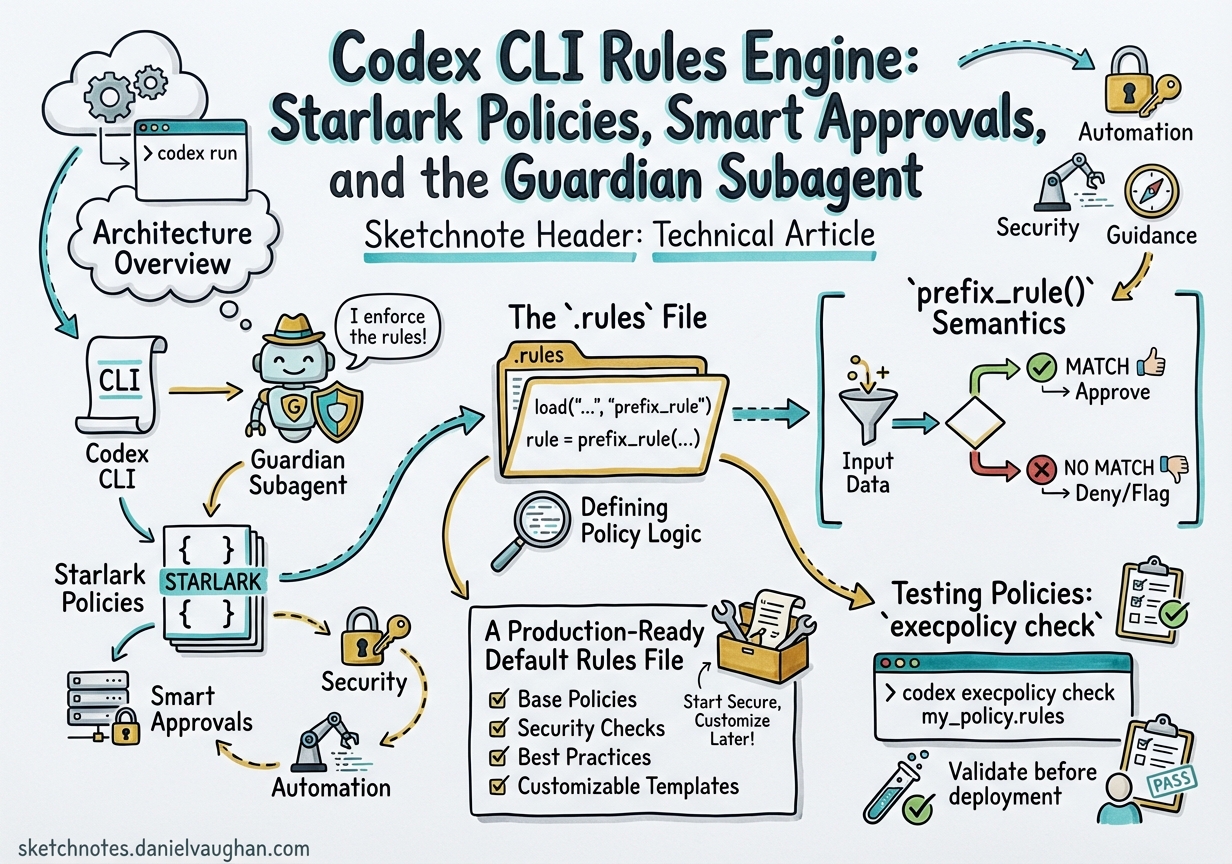
Codex CLI Rules Engine: Starlark Policies, Smart Approvals, and the Guardian Subagent
The approval-modes article in this collection covered the two-axis model of approval_policy and sandbox_mode. What it could only mention in passing was the Rules Engine underneath — a Starlark-based policy layer giving you surgical, per-command control over what Codex executes outside the sandbox. With the Smart Approvals guardian subagent reaching GA in March 2026, the rules system is now production-ready. This article covers the full stack: .rules file format, prefix_rule() semantics, the execpolicy check testing harness, and how Smart Approvals automates rule creation without removing human oversight.
Architecture Overview
Codex resolves approval decisions through three stacked layers:
flowchart TD
    CMD["Incoming command request"]
    SANDBOX["Sandbox mode check\n(read-only / workspace-write / danger-full-access)"]
    RULES["Rules Engine\n(prefix_rule resolution)"]
    SMART["Smart Approvals\nguardian subagent"]
    USER["Human TUI prompt"]
    EXEC["Execute"]
    BLOCK["Block / forbidden"]

    CMD --> SANDBOX
    SANDBOX -->|"Within bounds"| RULES
    SANDBOX -->|"Out of bounds"| USER
    RULES -->|"allow"| EXEC
    RULES -->|"forbidden"| BLOCK
    RULES -->|"prompt"| SMART
    SMART -->|"guardian approves"| EXEC
    SMART -->|"guardian escalates"| USER
The sandbox layer is a hard OS-level cap; the rules layer is a per-command policy table; Smart Approvals is an optional automation layer between the two.1
The .rules File
Rules live in Starlark files (.rules extension) under rules/ directories at each Team Config location.2 Codex scans every location at startup. The user-scope file is ~/.codex/rules/default.rules; repo-scope files sit under <repo>/.codex/rules/.
Why Starlark?
Starlark is a Python-like language designed specifically for configuration — deterministic, no filesystem side-effects, no I/O, hermetically sandboxed.3 It is a natural fit for policy evaluation: readable syntax, optional comments, no risk of arbitrary code execution during rule loading.
prefix_rule() Semantics
The sole public function in .rules files is prefix_rule(). It matches command argument prefixes — not regexes, not glob patterns — making the semantics easy to reason about and audit.4
Signature
prefix_rule(
    pattern    = [...],          # Required: list of string | [string, ...]
    decision   = "allow",        # Optional: "allow" | "prompt" | "forbidden"
    justification = "...",       # Optional: shown in approval prompts
    match      = [...],          # Optional: must-match examples (unit tests)
    not_match  = [...],          # Optional: must-not-match examples
)
Pattern Matching
Each element in pattern is either a literal ("view") or a union (["view", "list"]). The pattern is an exact prefix: it must match the first N arguments of the command in order.4
# Matches: gh pr view 7888
# Matches: gh pr view --repo openai/codex
# Does NOT match: gh pr --repo openai/codex view 7888  (flags before positional)
prefix_rule(
    pattern = ["gh", "pr", "view"],
    decision = "prompt",
    justification = "PR viewing allowed; prompts to avoid accidental bulk reads",
    match = [
        "gh pr view 7888",
        "gh pr view --repo openai/codex",
    ],
    not_match = [
        "gh pr --repo openai/codex view 7888",
    ],
)
Decision Precedence
When multiple rules match the same command, Codex applies the most restrictive decision:4
forbidden > prompt > allow
This means you can write a broad allow rule for git and a narrower forbidden rule for git push --force, and the forbidden rule will win for that specific case.
Shell Command Splitting
Codex uses a tree-sitter parser to safely split linear shell chains (&&, ||, ;, |) containing only plain words into individual commands, each evaluated separately against the rules.4 Scripts containing redirection, variable substitution, wildcards, or control flow are treated conservatively as a single ["bash", "-lc", "<script>"] invocation.
A Production-Ready Default Rules File
Below is a condensed version of the community-standard ~/.codex/rules/default.rules that covers safe read-only operations:5
# File/text inspection
prefix_rule(pattern = ["cat"],  decision = "allow")
prefix_rule(pattern = ["grep"], decision = "allow")
prefix_rule(pattern = ["rg"],   decision = "allow")
prefix_rule(pattern = ["diff"], decision = "allow")

# Git read ops
prefix_rule(pattern = ["git", "log"],   decision = "allow")
prefix_rule(pattern = ["git", "diff"],  decision = "allow")
prefix_rule(pattern = ["git", "show"],  decision = "allow")
prefix_rule(pattern = ["git", "blame"], decision = "allow")
prefix_rule(pattern = ["git", "branch", ["--list", "-l"]], decision = "allow")

# GitHub CLI read ops
prefix_rule(pattern = ["gh", "pr",    ["list", "view"]], decision = "allow")
prefix_rule(pattern = ["gh", "issue", ["list", "view"]], decision = "allow")

# Lockfile-respecting installs & test runners
prefix_rule(pattern = ["npm", "ci"],              decision = "allow")
prefix_rule(pattern = ["uv", "sync", "--frozen"], decision = "allow")
prefix_rule(pattern = ["cargo", "test"],          decision = "allow")
prefix_rule(pattern = ["pytest"],                 decision = "allow")
Testing Policies: execpolicy check
Before shipping a .rules file to a team, validate it with the built-in policy checker:4
codex execpolicy check --pretty \
  --rules ~/.codex/rules/default.rules \
  -- gh pr view 7888 --json title,body,comments
The --pretty flag outputs human-readable JSON showing the strictest decision and every matching rule. You can pass multiple --rules flags to simulate layered policy resolution — useful when combining user-scope rules with repo-scope overrides.
The match and not_match fields on each prefix_rule() call are validated at rule-load time; if an example in match does not actually match the pattern, Codex logs a warning. This makes .rules files self-documenting and partially self-testing.4
Smart Approvals and the Guardian Subagent
How Smart Approvals Works
When a command matches a prompt rule (or has no matching rule and the approval policy is on-request), Codex surfaces an approval prompt. In high-throughput agentic sessions, this generates interrupt fatigue. Smart Approvals, enabled by default since v0.115.0, reduces this by inserting a guardian subagent as an intermediate reviewer.6
sequenceDiagram
    participant Agent
    participant Rules as Rules Engine
    participant Guardian as Guardian Subagent
    participant User

    Agent->>Rules: execute "npm ci"
    Rules-->>Agent: decision = "allow"
    Agent->>Agent: runs without prompt

    Agent->>Rules: execute "gh pr merge 42"
    Rules-->>Agent: decision = "prompt"
    Agent->>Guardian: escalate for review
    Guardian->>Guardian: evaluate against context + session rules
    Guardian-->>Agent: approve
    Agent->>Agent: runs

    Agent->>Rules: execute "rm -rf /tmp/build"
    Rules-->>Agent: decision = "prompt"
    Agent->>Guardian: escalate for review
    Guardian->>User: escalate (high-risk)
    User-->>Guardian: approve / deny
    Guardian-->>Agent: decision
Enabling the Guardian
The approvals_reviewer config key controls who reviews prompt-decision requests:6
# config.toml
[profile.default]
approvals_reviewer = "guardian_subagent"   # or "user"
The deprecated guardian_approval = true field is still accepted and backfills approvals_reviewer = "guardian_subagent" automatically. Old configs preserve their behaviour without changes.6
ARC Escalations and MCP Approvals
Prior to PR #13860 (merged March 13, 2026), MCP tool approvals always bypassed the guardian and forced manual review. With the current release, ARC escalations flow into the configured reviewer — the guardian will handle routine MCP approvals and only escalate novel or high-risk requests to the user.6
Smart Rule Suggestions
When the guardian encounters a repeated prompt request, it may propose a prefix_rule for you to accept into default.rules. The TUI presents the suggested Starlark rule verbatim — review it carefully before accepting, particularly checking not_match examples to ensure the pattern is not over-broad.1
Enterprise Policy: requirements.toml
For ChatGPT Business and Enterprise deployments, admins layer requirements on top of user and repo rules via requirements.toml.7
# requirements.toml  (enforced; users cannot override)
[policy]
allowed_approval_policies = ["on-request", "untrusted"]
allowed_sandbox_modes      = ["workspace-write", "read-only"]

# Enforce a forbidden rule for destructive git ops
[[policy.rules]]
pattern    = ["git", "push", "--force"]
decision   = "forbidden"
justification = "Force-push blocked by org policy; use --force-with-lease"
Codex applies requirements in this order (first wins per field):7
- Cloud-managed requirements (ChatGPT Business / Enterprise, fetched at sign-in)
- MDM-deployed
requirements.toml(macOS managed preferences) - Repo-scope
requirements.toml - User-scope config
The /status slash command now shows an allowed_approval_policies, allowed_sandbox_modes, and rules summary so you can debug why an effective setting differs from what you put in config.toml.1
Layer Interaction Diagram
graph TD
    subgraph "Resolution order (first wins)"
        C1["☁️ Cloud-managed requirements\n(Enterprise)"]
        C2["💻 MDM requirements.toml"]
        C3["📁 Repo .codex/rules/\n+ requirements.toml"]
        C4["👤 ~/.codex/rules/default.rules"]
        C5["🔄 Runtime TUI approvals\n(persisted to default.rules)"]
    end

    C1 --> C2 --> C3 --> C4 --> C5
    C5 --> EFF["Effective policy"]
Practical Recommendations
Start with allow-list hygiene. Copy the community default.rules template5 as your baseline, then add project-specific prompt rules for anything that could affect shared infrastructure.
Use not_match as documentation. Every non-obvious prefix rule should have at least one not_match example. It doubles as a load-time regression test.
Pin approvals_reviewer for CI. In codex exec pipelines set approvals_reviewer = "user" paired with a complete allow-list — the guardian adds latency in non-interactive contexts without adding value.
Use requirements.toml for shared baselines. Commit it to <repo>/.codex/ with forbidden rules for destructive ops. Engineers can extend it locally but cannot weaken repo-level constraints.
Citations
-
OpenAI Codex Rules documentation — developers.openai.com/codex/rules ↩ ↩2 ↩3
-
OpenAI Codex Changelog v0.117.0 (26 March 2026) — developers.openai.com/codex/changelog ↩
-
Starlark language specification — github.com/bazelbuild/starlark/blob/master/spec.md ↩
-
Execution Policy and Approvals — Codex docs — zread.ai/openai/codex/14-execution-policy-and-approvals ↩ ↩2 ↩3 ↩4 ↩5 ↩6
-
Community example
~/.codex/rules/default.rules(Starlark, read-only ops) — gist.github.com/vertti/ce82aa9e2fe8679b82746294f61a4875 ↩ ↩2 -
GitHub PR #13860 — Add Smart Approvals guardian review across core, app-server, and TUI (merged March 13, 2026) — github.com/openai/codex/pull/13860 ↩ ↩2 ↩3 ↩4
-
OpenAI Codex Managed Configuration docs — developers.openai.com/codex/enterprise/managed-configuration ↩ ↩2