Codex CLI Session Analytics: Mining the JSONL Rollout Format
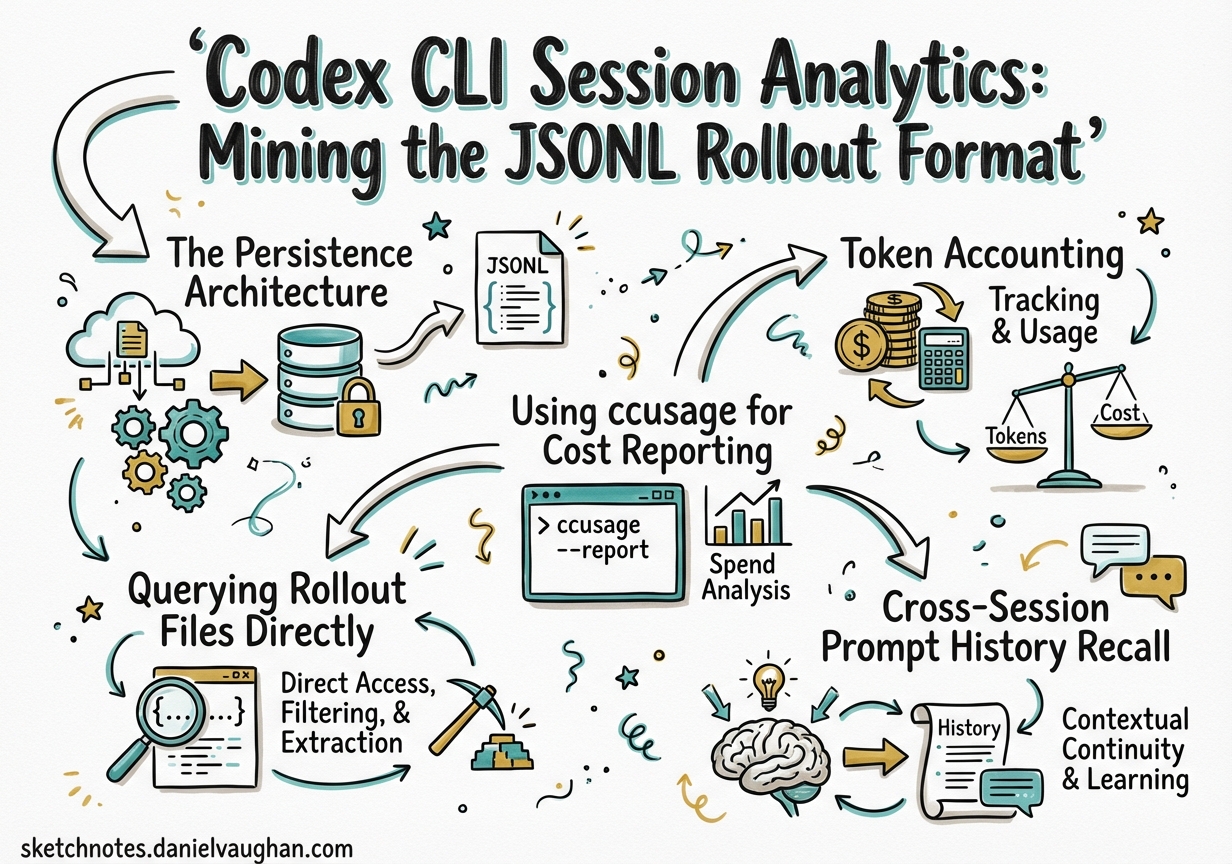
Codex CLI Session Analytics: Mining the JSONL Rollout Format
Every Codex CLI session leaves a trail. Since September 2025, the CLI has written a complete JSONL transcript of every turn, tool call, approval decision, and token-count event to ~/.codex/sessions/.1 Most developers ignore these files entirely. That’s a mistake — they’re the richest source of agent observability data you have, and an ecosystem of tools has grown up around them.
This article covers the rollout format in depth: its schema, how token accounting works, and how to build meaningful analytics on top of it — from a simple jq one-liner to a full cost dashboard.
The Persistence Architecture
Codex uses a two-layer persistence system:2
graph LR
    A[Codex Session] -->|each turn| B[RolloutRecorder]
    B -->|appends line| C["~/.codex/sessions/YYYY/MM/DD/rollout-UUID.jsonl.zst"]
    A -->|thread metadata| D["~/.codex/state_5.sqlite"]
    D -->|thread list, names, timestamps| E[Session Picker / codex resume]
    C -->|full event history| E
JSONL rollout files hold the complete conversation: every user message, every model response, every tool invocation, and every token-count event. They’re the source of truth for resumption and forking.3
SQLite (state_5.sqlite) is a lightweight index: thread IDs, creation times, display names, and working directories. It’s what powers the session picker when you run codex resume. A known edge case: if transport fails before the first turn completes, the SQLite row and rollout file are never created, so codex resume won’t find the session even though a session ID was displayed.4
File Format
Rollout files are zstandard-compressed JSONL (*.jsonl.zst). Each line is a RolloutLine — a thin envelope around a RolloutItem. The five RolloutItem variants are:
| Variant | Description |
|---|---|
SessionMeta |
First line of every file; session ID, model, start time, git context |
UserMessage |
The human turn (prompt text, attached images, sandboxed dir) |
ResponseItem |
A model response item: text delta, reasoning, or tool invocation |
EventMsg |
Infrastructure events: token_count, rate_limits, compaction |
ApprovalDecision |
Tool approval outcome: approved/denied, source (config vs. user) |
Not all EventMsg subtypes are persisted — only those needed for UI replay. token_count events are always written because they’re the only source of per-turn cost data.5
Token Accounting
The token_count payload uses a cumulative counter, not a per-turn counter:6
{
  "type": "event_msg",
  "payload": {
    "type": "token_count",
    "turn_context": { "model": "gpt-5-codex" },
    "input_tokens": 14823,
    "cached_input_tokens": 9400,
    "output_tokens": 387,
    "reasoning_tokens": 128
  }
}
To recover per-turn usage, subtract the previous token_count values from the current ones. This is the approach used by ccusage:7
turn_input     = current.input_tokens     − previous.input_tokens
turn_cached    = current.cached_input_tokens − previous.cached_input_tokens
turn_output    = current.output_tokens    − previous.output_tokens
turn_reasoning = current.reasoning_tokens − previous.reasoning_tokens
turn_context.model identifies which model was active — essential when a session mixes models (e.g., Spark for drafting, then gpt-5-codex for final reasoning).
⚠️ Sessions from before September 6, 2025 contain no
token_countevents and cannot be cost-analysed. Some builds from early September 2025 emittedtoken_countwithoutturn_context; those entries are skipped by tooling to prevent mispricing.8
Using ccusage for Cost Reporting
The @ccusage/codex package is the easiest way to get daily and monthly cost breakdowns from your rollout files:9
# One-off runs via npx
npx @ccusage/codex@latest daily
npx @ccusage/codex@latest monthly
npx @ccusage/codex@latest session

# Or install globally
npm install -g @ccusage/codex
codex-usage daily --since 2026-03-01 --until 2026-03-30
Sample output from daily:
Date        Input     Cached    Output    Cost
─────────── ───────── ───────── ───────── ──────
2026-03-28  1.2M tok  890K tok  143K tok  $4.12
2026-03-29    847K     612K      91K      $2.88
2026-03-30    203K     158K      24K      $0.71
The session subcommand groups by session_id — useful for identifying which long-running task burned the most tokens before you had max_tokens_per_session configured.
Model aliases like gpt-5-codex are resolved to canonical LiteLLM pricing entries automatically. Cached input uses cache-read pricing; uncached input uses standard rates.10
Querying Rollout Files Directly
For ad-hoc queries, zstd -d to decompress then pipe through jq. A few practical recipes:
Tool call frequency
zstd -d -c ~/.codex/sessions/2026/03/30/rollout-*.jsonl.zst \
  | jq -r 'select(.type=="event_msg") | select(.payload.type=="tool_call") | .payload.tool_name' \
  | sort | uniq -c | sort -rn
This reveals which tools your agent reached for most — a leading indicator of runaway shell loops or excessive read_file thrashing.
Approval decisions audit
zstd -d -c ~/.codex/sessions/**/*.jsonl.zst \
  | jq -r 'select(.type=="approval_decision") | [.payload.tool_name, .payload.outcome, .payload.source] | @tsv'
Outputs a TSV of every tool that was approved or denied and whether the decision came from config rules or the human operator. Useful for tightening smart_approvals rules after a review.
Reasoning token share by session
zstd -d -c ~/.codex/sessions/2026/03/30/rollout-*.jsonl.zst \
  | jq -s '
      [.[] | select(.type=="event_msg" and .payload.type=="token_count")]
      | last
      | (.payload.reasoning_tokens / .payload.output_tokens * 100 | round | tostring) + "% reasoning"'
High reasoning-token share (>40%) with low output means the model is doing lots of internal deliberation but not writing much — consider dropping reasoning_effort from xhigh to high.
Cross-Session Prompt History Recall
Version 0.117.0 (March 26, 2026) added persistent prompt history to the app-server TUI, recalled across sessions via the standard ↑/↓ arrow keys.11 The history is sourced from the UserMessage records in rollout files, giving you access to every prompt you’ve typed since the CLI was installed — not just the current session.
This makes the rollout archive double as a personal prompt library. Combined with codex-replay’s interactive session picker (described below), you can resurface the exact prompt that solved a problem six weeks ago.
The Third-Party Ecosystem
Several tools have emerged to make rollout files explorable without writing custom jq:
codex-replay
codex-replay converts rollout files into self-contained HTML replays:12
npx codex-replay ~/.codex/sessions/2026/03/30/rollout-abc.jsonl.zst -o replay.html
Features include:
- Interactive session picker that scans all local JSONL files and merges by
session_id - Filtering by time range (
--from/--to) - Hiding reasoning steps (
--no-reasoning) for sharing with non-technical stakeholders - Theming (
--theme oxide-blue) - Bookmarks for annotating key decision points (
--mark)
Running without arguments opens the picker — each row shows latest activity time, project directory, turn count, and a preview of the first user prompt.
Agent Sessions (macOS)
A native macOS app that reads the same rollout files, groups sessions by repository and working directory, and provides a searchable history UI with token analytics and git context. Useful when you want a persistent desktop view of agent activity without keeping a browser tab open.13
Codex History Viewer (VS Code)
A VS Code extension that surfaces session history directly in the sidebar, with search, tagging, and import/export. Fills the gap left by the VS Code Codex extension’s lack of a built-in session viewer.14
Codex Session MCP Skill
An MCP skill that exposes your session history to other agents:15
# config.toml
[[skills]]
name = "codex-session-history"
source = "mcpmarket/codex-session-history"
Lets a Codex session query previous sessions for context — effectively a memory layer built from actual agent history rather than summaries.
Privacy and the --ephemeral Flag
Rollout files contain file paths, prompts, code snippets, and anything pasted into the composer. Never commit ~/.codex/sessions/ to version control.
For sensitive work (client codebases, credential handling), use --ephemeral to suppress rollout file creation entirely:16
codex exec --ephemeral "rotate the staging API keys and update .env.example"
The session runs normally but leaves no local trace. Note that --ephemeral also disables codex resume for that session.
Schema Drift Monitoring
The rollout format evolves with each release. The Codex Session Format Check skill verifies whether a new codex version changes the schema in ways that would break tools like Agent Sessions or ccusage:17
# Run via the skill installer
codex "@codex-session-format-check verify"
It compares the live schema against a baseline and outputs a schema_diff report. Run this as part of your codex upgrade workflow before relying on analytics tooling that parses rollout files directly.
Architecture Summary
graph TD
    A[Codex CLI Session] -->|writes| B["JSONL rollout<br/>~/.codex/sessions/YYYY/MM/DD/"]
    A -->|indexes| C["SQLite state<br/>~/.codex/state_5.sqlite"]
    B --> D[ccusage<br/>cost reports]
    B --> E[codex-replay<br/>HTML replays]
    B --> F[Agent Sessions<br/>macOS viewer]
    B --> G[Codex Session Skill<br/>MCP memory layer]
    C --> H[codex resume<br/>session picker]
    B --> H
    style B fill:#1a1a2e,color:#e0e0e0
    style C fill:#1a1a2e,color:#e0e0e0
Practical Guidance
A few rules of thumb from working with rollout data at scale:
-
Set
max_tokens_per_sessionbefore your next long-running task. Without it, a single overnight job can produce rollout files exceeding 100MB uncompressed. -
Review approval decisions weekly. The audit query above takes under five seconds and will surface tools that are being approved automatically when they should require human oversight.
-
Use session cost data to tune model routing. If
sessionmode shows specific task types consistently burning 10× the expected tokens, that’s a signal to add a profile with lowerreasoning_effortor route to Spark. -
Don’t rely on rollout files as a backup system. The
.jsonl.zstformat is append-only and can be corrupted if the process is killed mid-write. Usecodex resume --lastto verify a session is readable before treating it as authoritative.
Citations
-
Token count events have been emitted since commit
0269096on September 6, 2025 — ccusage Codex guide, “Limitations” section ↩ -
Dual-layer persistence (JSONL + SQLite) — DeepWiki: Codex Session Management and Persistence ↩
-
Rollout files as source of truth for resume and fork — DeepWiki: Codex Session Management and Persistence ↩
-
SQLite/rollout not created on early transport failure — GitHub Issue #15870: Codex can print a session ID but fail to persist ↩
-
RolloutItemvariants and persistence policy — DeepWiki: Codex Session Management and Persistence ↩ -
token_countcumulative counter schema — ccusage Codex guide, “Data Processing” section ↩ -
Delta calculation for per-turn usage — ccusage Codex guide ↩
-
Pre-September 2025 sessions lack
token_count; early September builds missingturn_context— ccusage Codex guide, “Limitations” ↩ -
@ccusage/codexpackage — GitHub: ryoppippi/ccusage ↩ -
Model alias resolution and pricing formula — ccusage Codex guide ↩
-
Cross-session prompt history recall added in v0.117.0 — Codex CLI v0.117.0 release notes and OpenAI Codex Changelog ↩
-
codex-replayfeatures and usage — GitHub: zpdldhkdl/codex-replay ↩ -
Agent Sessions macOS app — described in search results from Codex CLI session history search ↩
-
Codex History Viewer VS Code extension — Visual Studio Marketplace: codex-history-viewer ↩
-
Codex Session History MCP skill — MCP Market: codex-session-history ↩
-
--ephemeralflag — OpenAI Codex non-interactive mode docs ↩ -
Codex Session Format Check skill — LobeHub: codex-session-format-check ↩