Codex CLI Thread Search and Session Management: Finding, Archiving and Replaying Work
Codex CLI Thread Search and Session Management: Finding, Archiving and Replaying Work
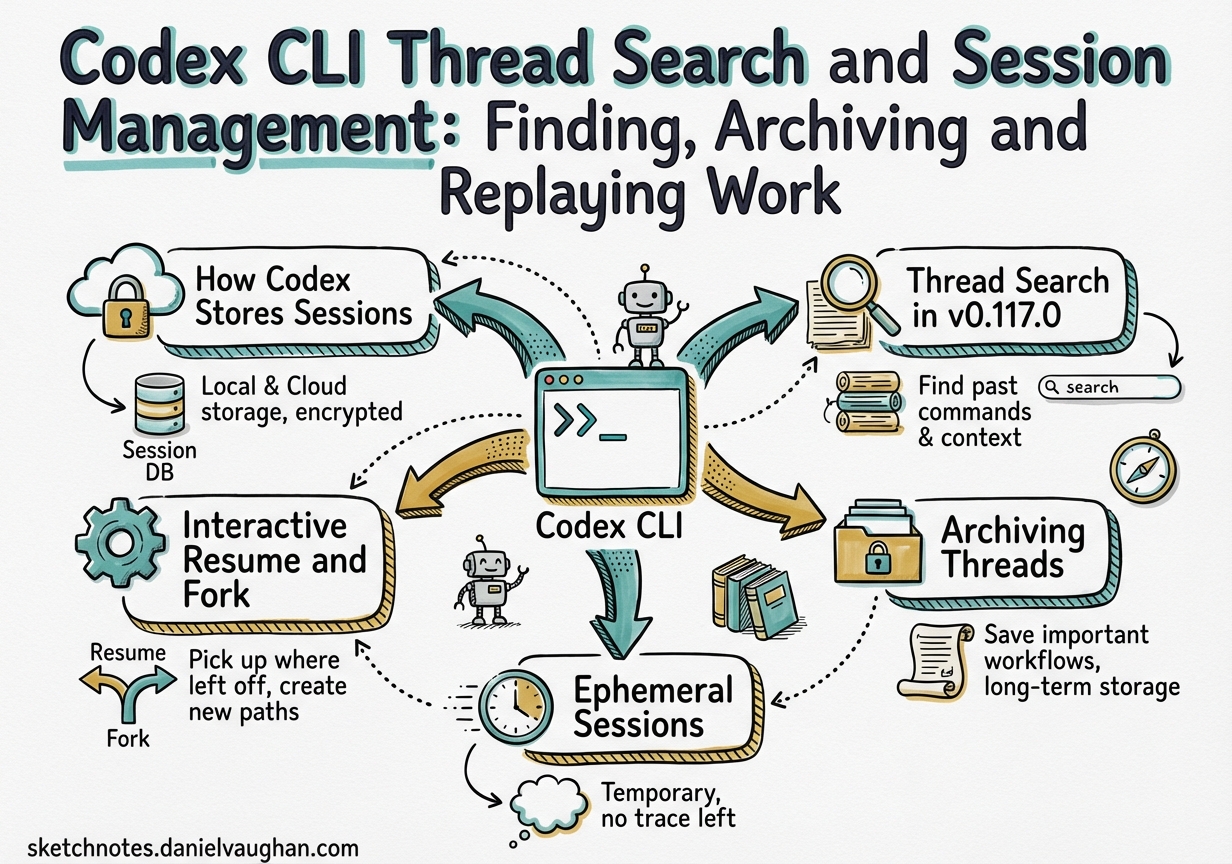
Codex CLI v0.117.0, released on 26 March 2026, promoted thread management from a hidden superpower to a first-class workflow.1 The headline features — searchable thread history with a sidebar shortcut, one-click archiving of all local threads, and synced settings between the desktop app and VS Code extension — sit on top of a robust persistence layer that most developers have never fully explored. This article maps that entire surface: storage internals, the CLI resume/fork commands, the app-server thread API, ephemeral sessions, and the third-party replay ecosystem.
How Codex Stores Sessions
Every non-ephemeral Codex session produces two independent artefacts:2
- A row in
~/.codex/state_5.sqlite— thread metadata: ID, title, model, working directory, creation and update timestamps, and archive status. - A JSONL rollout file under
~/.codex/sessions/— the full transcript, structured by year/month/day:~/.codex/sessions/2026/03/30/rollout-2026-03-30T14-22-07-<uuid>.jsonl.
Both must exist for codex resume to work cleanly. A known edge case (issue #15870) shows that a transport failure early in a session can cause Codex to surface a session ID before either artefact is written, leaving a dangling reference.3 The JSONL file is the authoritative transcript; the SQLite row is the search index.
flowchart LR
    A[codex session] -->|turn events| B["~/.codex/sessions/YYYY/MM/DD/rollout-UUID.jsonl"]
    A -->|metadata| C["~/.codex/state_5.sqlite"]
    C -->|search index| D[thread search / TUI picker]
    B -->|full transcript| E[codex resume / codex-replay]
Interactive Resume and Fork
The core CLI verbs for cross-session continuity are codex resume and codex fork.4
# Interactive picker — shows recent sessions from cwd
codex resume

# Skip the picker; jump straight to the most recent session
codex resume --last

# Include sessions from any working directory
codex resume --all

# Target a specific session by UUID
codex resume <SESSION_ID>
codex fork branches the current transcript into a new thread ID, leaving the original intact — useful for exploring risky refactors or comparing two approaches against the same context:4
codex fork --last          # fork most recent session
codex fork <SESSION_ID>    # fork a specific session
Inside the TUI, /resume opens the same interactive picker with inline search, and /fork branches in-session without exiting.
Non-Interactive Automation
codex exec resume enables scripted pipelines to continue the last session without human interaction:4
codex exec resume --last "Run the full test suite and summarise failures"
codex exec resume --all --json "What did we change in the auth module today?" \
  | jq '.content'
The --json flag emits a newline-delimited JSON event stream (thread.started → turn.started → item.completed → turn.completed), making these sessions trivially parseable in CI.5
Thread Search in v0.117.0
The v0.117.0 release added full-text thread search to the Codex desktop app: a sidebar shortcut surfaces the search pane, and keyboard shortcuts let you jump to recent threads without touching a mouse.1 Search filters against the SQLite metadata layer — thread titles, model, source kind (interactive/exec/realtime), working directory, and archive status — with cursor-based pagination for large histories.
The same search capability is exposed programmatically via the app-server’s thread/list endpoint:6
{
  "method": "thread/list",
  "params": {
    "searchTerm": "auth module",
    "cwd": "/workspace/my-project",
    "archived": false,
    "sortKey": "updated_at",
    "limit": 20
  }
}
Valid sortKey values are created_at (default, newest first) and updated_at. The response includes an opaque cursor token for pagination.
Archiving Threads
The one-click Archive All Local Threads feature in v0.117.0 moves every JSONL rollout for a project into an archived sub-directory, suppressing them from default thread/list results.1 This keeps the active thread list clean without deleting history.
Programmatically, the same operation is available via the app-server:6
{ "method": "thread/archive", "params": { "threadId": "abc-123" } }
{ "method": "thread/unarchive", "params": { "threadId": "abc-123" } }
To query archived threads explicitly, pass "archived": true to thread/list.
A practical pattern for project hygiene:
# Name a thread before archiving so it's findable later
# (via thread/name/set or the /title slash command in-session)
# Then bulk-archive via the UI sidebar at sprint close
Ephemeral Sessions
When privacy or a clean slate matters more than persistence, --ephemeral on codex exec prevents both the SQLite row and the JSONL file from being written:4
codex exec --ephemeral "Summarise the contents of ./secrets.env"
At the app-server level, thread/start and thread/fork accept ephemeral: true. When a thread is ephemeral, the server sets thread.path to null and thread.ephemeral to true in all responses. Attempting to resume an ephemeral session silently creates a fresh session rather than erroring — the ID changes, confirming no state was persisted.7
flowchart TD
    A{ephemeral: true?} -->|yes| B[in-memory only\nthread.path = null]
    A -->|no| C[SQLite row + JSONL rollout]
    B -->|resume attempt| D[new session created\nID changes]
    C -->|resume attempt| E[exact transcript restored]
Session Continuity Patterns
For long-running agentic work, a few patterns prevent context drift across sessions:
Checkpoint before exit. Before closing a session, ask Codex for a recap and next-steps list. When you resume, open with “Continue from your last checkpoint” — the full history is available, but the abbreviated summary keeps the first turn focused.
Use /compact proactively. The /compact slash command triggers asynchronous context compaction, summarising earlier turns in place. Codex can sustain sessions up to seven hours by auto-compacting when approaching context limits.8 For multi-day tasks, compact before archiving so the resumed session starts with a dense summary rather than a raw transcript.
Keep threads project-scoped. Sessions stored in ~/.codex/state_5.sqlite include the working directory. The --all flag on resume/fork ignores this filter; without it, codex resume only surfaces sessions from the current directory. Running codex resume from the project root is therefore a useful habit — you see only relevant sessions without the noise of unrelated work.
Name threads immediately. The /title slash command and the thread/name/set app-server RPC assign human-readable names that appear in the sidebar and the codex resume picker. Unnamed threads show only their UUID and the first user prompt, making large thread lists hard to scan.6
Replaying Sessions
The JSONL rollout format has spawned a growing ecosystem of visualisation tools.
codex-replay renders a single rollout file to a self-contained HTML page:9
codex-replay ~/.codex/sessions/2026/03/30/rollout-abc.jsonl -o replay.html \
  --mark "1:Kickoff" --mark "2:Auth fix" \
  --hide-reasoning
The interactive TTY picker (codex-replay --pick) scans ~/.codex/sessions/, displaying cwd, turn count, session kind, and a preview of the first user prompt.
Agent Sessions is a native macOS app that supports Codex CLI alongside Claude Code, Gemini CLI, and others — providing a unified session browser, archive/resume actions, and real-time rate limit monitoring.10
Codex History Viewer brings the same functionality into VS Code as an extension with browse, search, tag, and import/export support.11
Summary
The v0.117.0 thread search release crystallises a session management model that has been maturing since the Rust rewrite. The key primitives are stable: dual persistence in SQLite and JSONL, codex resume / codex fork for interactive continuity, codex exec resume for scripted pipelines, --ephemeral for throwaway runs, and a rich app-server API for tooling integrations. Thread search in the sidebar and bulk archiving make the model ergonomic at scale. The third-party ecosystem — codex-replay, Agent Sessions, CodexMonitor — fills the visualisation and analytics gap while native tooling matures.
Citations
-
Codex v0.117.0 Release Notes — OpenAI Codex Changelog — “Added search for past Codex app threads, including a sidebar shortcut and keyboard shortcuts for jumping to recent threads; added one-click option to archive all local threads in a project.” (2026-03-26) ↩ ↩2 ↩3
-
Codex CLI Session Persistence — Issue #15870: state_5.sqlite and rollout JSONL dual artefacts ↩
-
Codex can print a session ID but fail to persist any resumable local session artifacts after early transport failure — Issue #15870 ↩
-
Codex CLI Command Line Reference — codex resume, codex fork, codex exec, –ephemeral ↩ ↩2 ↩3 ↩4
-
Codex App Server README — thread/list, thread/archive, thread/name/set, thread/search ↩ ↩2 ↩3
-
Codex CLI exec mode experiments — ephemeral flag behaviour ↩
-
Codex CLI Features — /compact and automatic context compaction ↩
-
codex-replay — Turn Codex JSONL sessions into self-contained HTML replays ↩
-
Agent Sessions — macOS session browser for Codex CLI, Claude Code, Gemini CLI and more ↩
-
Codex History Viewer — VS Code extension for browsing and managing Codex CLI session history ↩