Codex CLI App Server: Remote Access, WebSocket Transport, and Headless Deployment
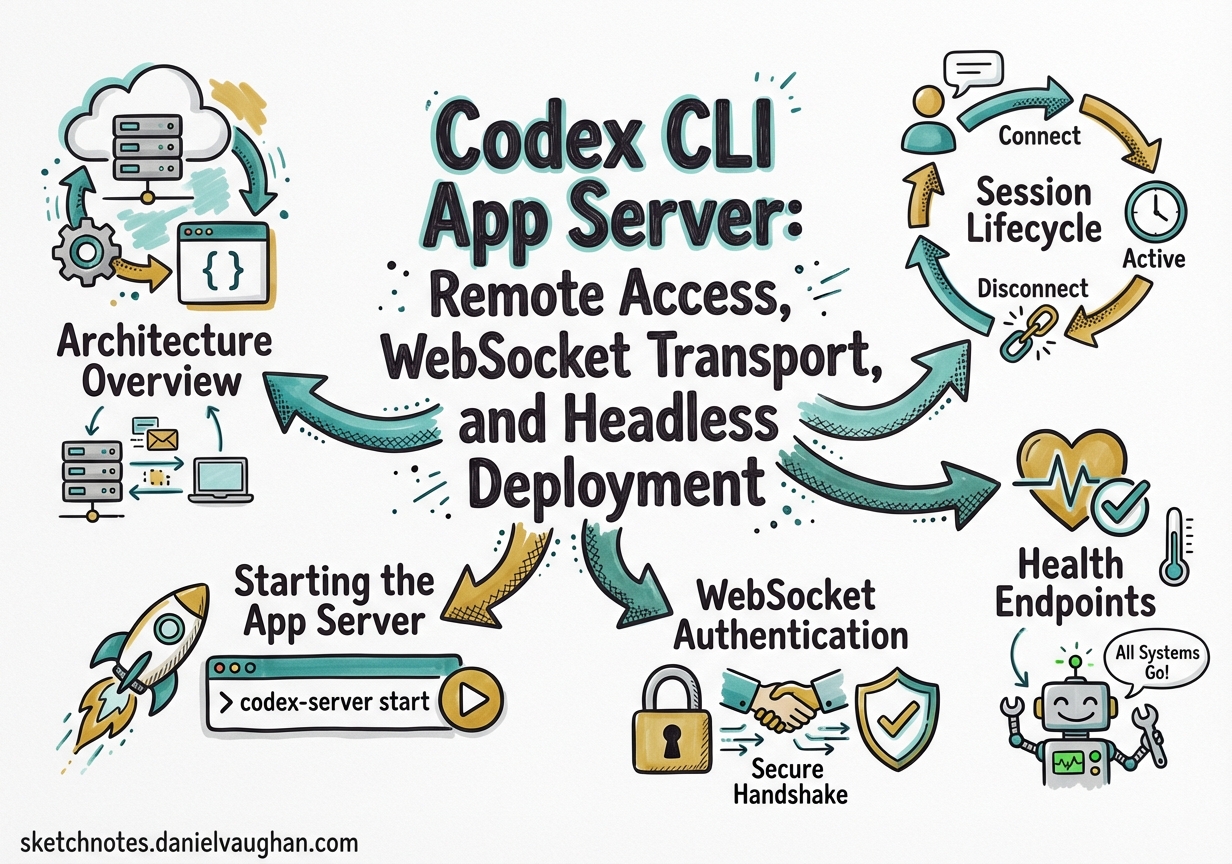
Codex CLI App Server: Remote Access, WebSocket Transport, and Headless Deployment
The Codex CLI is typically presented as a local terminal tool, but underneath its TUI sits a full JSON-RPC 2.0 server — the app-server — that powers the VS Code extension, the Codex desktop app, and any third-party client that speaks the protocol 1. With the March 2026 releases, the app-server gained WebSocket transport, bearer-token authentication, health endpoints, and remote TUI connectivity 2, turning Codex into something closer to a headless coding service than a simple CLI.
This article covers the app-server architecture, how to deploy it for remote access, and the security model you need to understand before exposing it beyond localhost.
Architecture Overview
The app-server is a Rust binary (codex app-server) that accepts bidirectional JSON-RPC 2.0 messages over one of two transports 1:
- stdio (default): newline-delimited JSON (JSONL) over stdin/stdout — stable and production-ready
- WebSocket (experimental): one JSON-RPC message per WebSocket text frame — suitable for remote and browser-based clients
The "jsonrpc":"2.0" envelope header is omitted on the wire for compactness 1. Messages follow the standard request/response/notification pattern:
// Request
{ "method": "turn/start", "id": 10, "params": { "threadId": "thr_123", "input": { "type": "userMessage", "message": "Refactor the auth module" } } }

// Notification (no id)
{ "method": "item/agentMessage/delta", "params": { "delta": "I'll start by..." } }
graph LR
    A[TUI Client] -->|stdio / JSONL| B[app-server]
    C[VS Code Extension] -->|stdio| B
    D[Remote TUI] -->|WebSocket| B
    E[Custom Client] -->|WebSocket| B
    B -->|OpenAI API| F[GPT-5.4 / Codex-Spark]
    B -->|Sandbox| G[Local Filesystem]
    B -->|MCP| H[MCP Servers]
Starting the App Server
The simplest invocation uses stdio:
codex app-server
For WebSocket transport, bind to an address:
codex app-server --listen ws://127.0.0.1:4500
This starts a WebSocket listener on port 4500, restricted to loopback 1. To bind to all interfaces (for remote access), use 0.0.0.0 — but never without authentication (see below).
Session Lifecycle
Every client connection follows a strict handshake 1:
initialize— sends client metadata and negotiates capabilitiesinitializednotification — signals readiness- All other requests are rejected until this handshake completes
{
  "method": "initialize",
  "id": 0,
  "params": {
    "clientInfo": {
      "name": "my-remote-client",
      "title": "Remote Codex Dashboard",
      "version": "1.0.0"
    },
    "capabilities": {
      "experimentalApi": true,
      "optOutNotificationMethods": ["item/agentMessage/delta"]
    }
  }
}
The response includes userAgent, codexHome, platformFamily, and platformOs — useful for clients that need to adapt behaviour to the host environment 1.
Thread Management
Once initialised, you manage conversations through threads:
| Method | Purpose |
|---|---|
thread/start |
Create a new conversation thread |
thread/resume |
Reopen an existing thread by ID |
thread/fork |
Branch from an earlier point (supports ephemeral: true for in-memory forks) |
thread/list |
Paginated thread history with filters (modelProviders, archived, searchTerm) |
thread/compact/start |
Trigger context compaction on a long thread |
thread/rollback |
Drop the last N turns |
Turn Control
Turns are the unit of work within a thread:
# Conceptual flow
turn/start → [stream: turn/started, item/*, turn/completed]
turn/steer  → inject input into an active turn
turn/interrupt → cancel a running turn
Each turn/start accepts per-turn overrides for model, approvalPolicy, sandbox, and personality ("friendly", "pragmatic", or "none") 1.
WebSocket Authentication
Loopback connections (ws://127.0.0.1:PORT) are appropriate for localhost and SSH port-forwarding workflows 1. Non-loopback listeners currently allow unauthenticated connections by default — a deliberate choice during the rollout phase, but one you should override immediately for any remote deployment 3.
Two authentication modes are available via the --ws-auth flag:
Capability Token
codex app-server \
  --listen ws://0.0.0.0:4500 \
  --ws-auth capability-token \
  --ws-token-file /etc/codex/ws-token
The token file contains a shared secret. Clients present it as Authorization: Bearer <token> during the WebSocket handshake 1.
Signed Bearer Token (HMAC JWT)
For production deployments, signed bearer tokens provide stronger guarantees:
codex app-server \
  --listen ws://0.0.0.0:4500 \
  --ws-auth signed-bearer-token \
  --ws-shared-secret-file /etc/codex/signing-key \
  --ws-issuer "my-org" \
  --ws-audience "codex-prod" \
  --ws-max-clock-skew-seconds 30
Clients must present an HMAC-signed JWT with matching iss and aud claims 1. Authentication is enforced before the JSON-RPC initialize message is processed, so unauthenticated clients never reach the agent.
Health Endpoints
When running in WebSocket mode, the same listener serves HTTP health probes 2:
| Endpoint | Response | Notes |
|---|---|---|
GET /readyz |
200 OK |
Returns OK once accepting connections |
GET /healthz |
200 OK |
Returns OK when no Origin header present |
Any request with Origin |
403 Forbidden |
Prevents browser-origin CSRF probes |
These are designed for Kubernetes liveness/readiness probes and load-balancer health checks.
Remote TUI Connection
The Codex TUI can connect to a remote app-server endpoint directly 4:
codex --remote ws://my-server:4500
Or with TLS:
codex --remote wss://codex.internal.example.com:4500
This is the pattern OpenAI envisions for keeping the agent close to compute resources — the heavy lifting runs on a server, whilst the TUI provides a lightweight local interface 5. Your laptop can sleep or disconnect; the server continues working, and the TUI resynchronises on reconnect.
Backpressure and Overload Handling
The app-server uses bounded queues between transport, processing, and outbound writes 1. When the request ingress queue saturates, the server rejects new requests:
{
  "error": {
    "code": -32001,
    "message": "Server overloaded; retry later."
  }
}
Clients should implement exponential backoff with jitter. This is particularly relevant for multi-client deployments where several TUI sessions or IDE extensions connect to the same app-server instance.
Approval Flow for Remote Clients
The app-server’s approval model carries directly to remote connections. When the agent attempts a file change or command execution, the server emits an approval request 1:
sequenceDiagram
    participant Client
    participant AppServer
    participant Agent
    Agent->>AppServer: Wants to run `rm -rf node_modules`
    AppServer->>Client: item/commandExecution/requestApproval
    Client->>AppServer: accept / decline
    AppServer->>Agent: Proceeds or aborts
    AppServer->>Client: serverRequest/resolved
Two approval types exist:
- Command execution: accept, decline, or
acceptWithExecpolicyAmendment(approve and update the policy for future similar commands) - File changes: accept or decline
This means remote Codex sessions maintain the same safety guarantees as local ones — the agent cannot bypass sandbox boundaries just because it’s running headless.
Deployment Patterns
Pattern 1: SSH Tunnel (Simplest)
Run the app-server on a remote machine with loopback binding, tunnel the port:
# On the server
codex app-server --listen ws://127.0.0.1:4500

# On your laptop
ssh -L 4500:127.0.0.1:4500 dev-server
codex --remote ws://127.0.0.1:4500
No authentication needed — the SSH tunnel handles it.
Pattern 2: Authenticated WebSocket (Team Access)
For shared development servers where multiple developers connect:
codex app-server \
  --listen ws://0.0.0.0:4500 \
  --ws-auth signed-bearer-token \
  --ws-shared-secret-file /etc/codex/team-key \
  --ws-issuer "dev-team" \
  --ws-audience "codex-shared"
Pattern 3: Containerised Headless Agent
In container deployments, stdio is tunnelled over the container runtime’s network connection 5:
# config.toml for headless operation
[agent]
approval_policy = "never"
sandbox = "workspace-write"

[model]
name = "gpt-5.4"
docker run -v /workspace:/workspace \
  -e OPENAI_API_KEY \
  codex-cli app-server --listen ws://0.0.0.0:4500 \
  --ws-auth capability-token \
  --ws-token-file /run/secrets/ws-token
Schema Generation
The app-server can generate TypeScript or JSON Schema definitions matching the exact protocol version 1:
codex app-server generate-ts --out ./schemas
codex app-server generate-json-schema --out ./schemas
This is invaluable for building custom clients — you get type-safe bindings for every request, response, and notification in the protocol.
Experimental: Realtime Sessions
The March 2026 releases added experimental realtime session support 2:
| Method | Purpose |
|---|---|
thread/realtime/start |
Begin a realtime audio/text session |
thread/realtime/appendAudio |
Stream audio input chunks |
thread/realtime/appendText |
Inject text into a realtime session |
thread/realtime/stop |
End the session |
This underpins the voice-coding features now available in the Codex desktop app, and the protocol is available to any app-server client.
Observability
For production deployments, structured logging is essential:
RUST_LOG=info LOG_FORMAT=json codex app-server --listen ws://0.0.0.0:4500
Setting LOG_FORMAT=json emits one structured trace event per line to stderr 1, suitable for piping into your existing log aggregation stack (Datadog, Grafana Loki, CloudWatch).
What’s Next
OpenAI has stated their intention to refactor the TUI itself to be an app-server client 5, completing the architecture where the server is the single source of truth and all interfaces — terminal, IDE, desktop app, mobile — are thin clients speaking JSON-RPC. The community is already building on this: the Remodex project enables iPhone-based remote control of Codex via an authenticated end-to-end encrypted channel 6, and the ai-sdk-provider-codex-app-server package brings the protocol into Vercel’s AI SDK ecosystem 7.
The app-server transforms Codex from a local tool into infrastructure. Whether you’re running headless agents in CI, sharing a powerful GPU server across a team, or building a custom coding interface, the protocol is there — documented, schema-generated, and open source.
Citations
-
OpenAI, “codex-rs/app-server/README.md,” GitHub, 2026. https://github.com/openai/codex/blob/main/codex-rs/app-server/README.md ↩ ↩2 ↩3 ↩4 ↩5 ↩6 ↩7 ↩8 ↩9 ↩10 ↩11 ↩12 ↩13 ↩14
-
OpenAI, “Codex Changelog,” OpenAI Developers, March 2026. https://developers.openai.com/codex/changelog ↩ ↩2 ↩3
-
OpenAI, “App Server – Codex,” OpenAI Developers, 2026. https://developers.openai.com/codex/app-server ↩
-
OpenAI, “Command line options – Codex CLI,” OpenAI Developers, 2026. https://developers.openai.com/codex/cli/reference ↩
-
OpenAI, “Unlocking the Codex harness: how we built the App Server,” OpenAI Blog, 2026. https://openai.com/index/unlocking-the-codex-harness/ ↩ ↩2 ↩3
-
Emanuele-web04, “Remodex: Remote Control for Codex,” GitHub, 2026. https://github.com/Emanuele-web04/remodex ↩
-
Vercel, “Community Providers: Codex CLI (App Server),” AI SDK, 2026. https://ai-sdk.dev/providers/community-providers/codex-app-server ↩