Codex CLI Profiles: Advanced Configuration Switching for Multi-Workflow Development
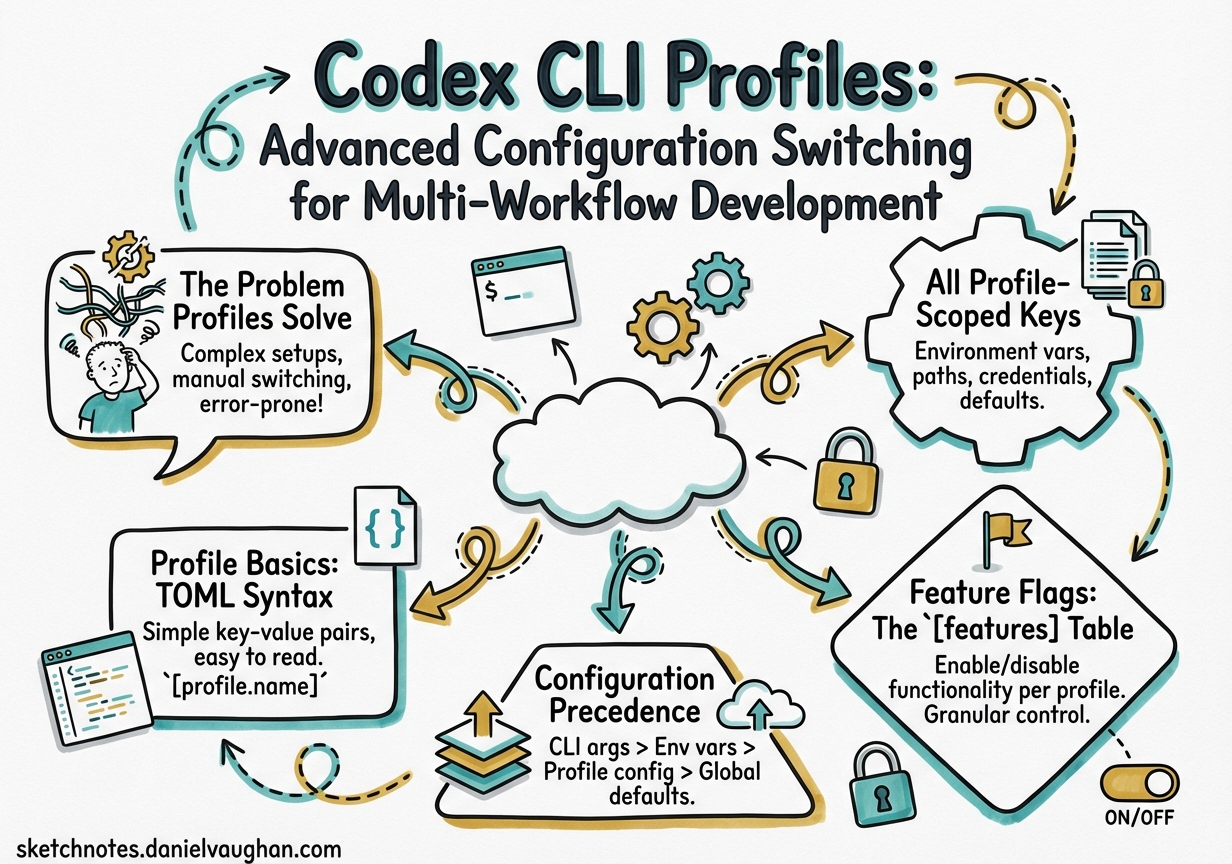
Codex CLI Profiles: Advanced Configuration Switching for Multi-Workflow Development
Most Codex CLI users maintain a single ~/.codex/config.toml and live with its trade-offs. A model that’s fast enough for quick edits may be underpowered for a deep code review. A sandbox policy tuned for interactive work may be too permissive for a headless CI run. The profiles system — experimental as of early 2026 — is the answer to this context-switching problem, letting you define named configuration presets and switch between them with a single flag.1
This article is a field guide for senior developers: what profiles actually control, how they compose with feature flags and project config, and what practical presets look like for real-world workflows.
The Problem Profiles Solve
A typical week involves at least three distinct Codex modes:
- Exploratory sprints: rapid iteration, cheap model, minimal approval friction
- Deep review: high reasoning effort, stricter sandbox,
gpt-5-codex-maxorgpt-5.4withxhigheffort - CI/headless automation: non-interactive,
--full-auto, ephemeral session, read-only sandbox
Without profiles, switching between these requires either multiple config files managed by hand, wrapper scripts that set environment variables, or — most commonly — just using the same settings for everything and accepting the cost/quality mismatch.2
Profiles give you named presets that override top-level config values. You can activate one with codex --profile ci and return to your default with codex alone.
Profile Basics: TOML Syntax
Profiles live under [profiles.<name>] tables in config.toml. The file can be your user-level ~/.codex/config.toml or a project-scoped .codex/config.toml. Both are valid; project-level overrides user-level for all keys outside a profile, but profiles themselves live in whichever file you define them.3
# ~/.codex/config.toml

# Top-level defaults
model = "gpt-5.4-mini"
model_reasoning_effort = "medium"
approval_policy = "on-request"
sandbox_mode = "workspace-write"

[profiles.sprint]
model = "gpt-5.4-mini"
model_reasoning_effort = "low"
approval_policy = "auto-approve-all"
sandbox_mode = "workspace-write"
personality = "pragmatic"

[profiles.deep-review]
model = "gpt-5.4"
model_reasoning_effort = "xhigh"
plan_mode_reasoning_effort = "xhigh"
approval_policy = "on-request"
sandbox_mode = "read-only"
personality = "none"

[profiles.ci]
model = "gpt-5.4-mini"
model_reasoning_effort = "medium"
approval_policy = "auto-approve-all"
sandbox_mode = "read-only"
web_search = "disabled"
analytics.enabled = false
Activate a profile:
# Single session override
codex --profile deep-review

# Or as a default (persists across sessions)
# Add to config.toml root:
# profile = "deep-review"
All Profile-Scoped Keys
The following keys can appear inside any [profiles.<name>] table.4 Not all top-level keys are profile-overridable — the list is narrower than the full config reference:
| Key | Type | Notes |
|---|---|---|
model |
string | Model slug — e.g. "gpt-5.4", "gpt-5.4-mini", "gpt-5-codex" |
model_reasoning_effort |
string | "minimal" | "low" | "medium" | "high" | "xhigh" |
plan_mode_reasoning_effort |
string | Separate effort level for Plan mode turns |
model_reasoning_summary |
string | "auto" | "concise" | "detailed" — controls reasoning trace verbosity |
model_verbosity |
string | "low" | "medium" | "high" — controls agent message length |
model_instructions_file |
path | Points to a .md system-instructions override for this profile |
model_catalog_json |
path | Profile-scoped model catalog; overrides the top-level value when both are set |
approval_policy |
string | "on-request" | "auto-approve-tools" | "auto-approve-all" |
sandbox_mode |
string | "read-only" | "workspace-write" | "danger-full-access" |
service_tier |
string | "flex" | "fast" |
personality |
string | "none" | "friendly" | "pragmatic" |
web_search |
string | "disabled" | "cached" | "live" |
oss_provider |
string | "lmstudio" | "ollama" — local provider for this profile |
tools_view_image |
bool | Enable/disable image viewing tool |
windows.sandbox |
string | Windows-only sandbox mode override |
analytics.enabled |
bool | Opt out of analytics for this profile (e.g. in CI) |
experimental_use_unified_exec_tool |
bool | Legacy exec tool toggle; prefer [features].unified_exec |
Note that mcp_servers, model_providers, and [otel] are not profile-overridable — they apply globally.4
Feature Flags: The [features] Table
Feature flags are separate from profiles but complement them. They live under [features] in config.toml and control experimental or optional capabilities for the entire session (not per-profile).5
[features]
shell_tool = true             # default: true (stable)
multi_agent = true            # default: true (stable)
unified_exec = true           # default: true on non-Windows (stable)
shell_snapshot = true         # default: true (stable)
personality = true            # default: true (stable)
fast_mode = true              # default: true (stable)
enable_request_compression = true  # default: true (stable)
skill_mcp_dependency_install = true  # default: true (stable)

# Experimental — opt-in explicitly
codex_hooks = false           # lifecycle hooks engine
smart_approvals = false       # guardian subagent routing
prevent_idle_sleep = false    # prevent macOS sleep during long turns
undo = false                  # undo support (stable but off by default)
apps = false                  # ChatGPT Apps/connectors
The codex features subcommand provides a CLI interface:
# List all flags and their current state
codex features list

# Enable a flag (writes to ~/.codex/config.toml)
codex features enable codex_hooks
codex features enable smart_approvals

# Disable a flag
codex features disable apps

# When using --profile, changes write to that profile's scope
codex --profile ci features enable smart_approvals
One flag worth highlighting: undo. It’s listed as stable but defaults to off, meaning most developers have never seen Codex’s undo capability. Enable it globally and you get a /undo command to roll back the last agent action — genuinely useful during exploratory sessions.5
Configuration Precedence
Understanding the full precedence stack prevents surprising overrides:6
flowchart TD
    A[CLI flags\ne.g. --model, --profile] -->|highest priority| B[Profile values\n~/.codex/config.toml\n profiles.name]
    B --> C[Project config\n.codex/config.toml]
    C --> D[User config\n~/.codex/config.toml]
    D --> E[System config\n/etc/codex/config.toml]
    E -->|lowest priority| F[Built-in defaults]
Two edge cases to be aware of:
-
model_catalog_jsonprecedence flip: When both the top-level config and the selected profile definemodel_catalog_json, the profile value wins. This is the only key where profile explicitly beats top-level within the same file.6 -
-c / --configone-off overrides: You can override any key for a single run without touching config files:codex --config model_reasoning_effort=xhigh "Review this PR" codex --config sandbox_mode=danger-full-access "Run the migration script"These are highest-priority and are not written to disk.
-
Profile + project config: A project’s
.codex/config.tomlapplies before the user profile, so a project can set a default profile withprofile = "ci"to ensure all team members use consistent settings when running Codex in that repo.
Practical Profile Patterns
The Sprint Profile
For rapid iteration where you want maximum throughput and minimum friction:
[profiles.sprint]
model = "gpt-5.4-mini"
model_reasoning_effort = "low"
approval_policy = "auto-approve-all"
sandbox_mode = "workspace-write"
personality = "pragmatic"
web_search = "cached"
model_verbosity = "low"
Run with codex --profile sprint or alias it in your shell:
alias cs='codex --profile sprint'
The Deep Review Profile
For thorough code review, architecture planning, or preparing a PR for a sensitive service:
[profiles.deep-review]
model = "gpt-5.4"
model_reasoning_effort = "xhigh"
plan_mode_reasoning_effort = "xhigh"
model_reasoning_summary = "detailed"
approval_policy = "on-request"
sandbox_mode = "read-only"
web_search = "live"
model_verbosity = "high"
personality = "none"
Pair with the /review command and a dedicated AGENTS.md section for review conventions:
codex --profile deep-review "/review --base main"
The CI Profile
For headless pipeline runs — maximise predictability, minimise cost and side effects:
[profiles.ci]
model = "gpt-5.4-mini"
model_reasoning_effort = "medium"
approval_policy = "auto-approve-all"
sandbox_mode = "read-only"
web_search = "disabled"
analytics.enabled = false
model_verbosity = "low"
In GitHub Actions:
- name: Codex code review
  run: |
    codex exec \
      --profile ci \
      --ephemeral \
      --full-auto \
      --json \
      "Review the diff against our coding standards" \
      | tee review.jsonl
The Local LLM Profile
For cost-zero local runs using Ollama or LM Studio:
[profiles.local]
oss_provider = "ollama"
model = "qwen2.5-coder:32b"
model_reasoning_effort = "medium"
approval_policy = "on-request"
sandbox_mode = "workspace-write"
web_search = "disabled"
analytics.enabled = false
Switch to it when working offline or prototyping tasks that don’t need frontier model quality.7
Profile-Scoped Instructions Files
The model_instructions_file key lets each profile load a different system instruction file. This is powerful for per-role context without bloating a single AGENTS.md:
[profiles.security-audit]
model = "gpt-5.4"
model_reasoning_effort = "high"
model_instructions_file = "~/.codex/instructions/security-audit.md"
sandbox_mode = "read-only"

[profiles.doc-writer]
model = "gpt-5.4-mini"
model_reasoning_effort = "low"
model_instructions_file = "~/.codex/instructions/technical-writer.md"
personality = "friendly"
Each instructions file is a Markdown file that prepends system context. You can maintain a library of persona files and swap them in per profile.
Limitations and Known Issues
IDE extension not supported: Profiles work only with the CLI. The VS Code, Cursor, and Windsurf extensions do not honour the --profile flag and always use top-level config values.1
Experimental status: The profile system may change between minor versions. The key list above reflects the configuration reference as of March 2026; new keys may become profile-overridable in future releases. Pin your Codex CLI version in CI if you rely on specific profile behaviour.
Feature flags are global: You cannot have codex_hooks = true in one profile and codex_hooks = false in another. Feature flags apply to the session regardless of which profile is active.
codex exec profile bug (fixed in v0.114.0+): Earlier versions of codex exec --profile did not correctly preserve profile-scoped settings when resuming a thread. This is resolved; upgrade if you see profile settings being ignored on resume.⚠️
Quick Decision Matrix
| Workflow | Profile | Model | Effort | Sandbox | Approvals |
|---|---|---|---|---|---|
| Rapid feature work | sprint |
gpt-5.4-mini | low | workspace-write | auto |
| Architecture review | deep-review |
gpt-5.4 | xhigh | read-only | on-request |
| CI pipeline | ci |
gpt-5.4-mini | medium | read-only | auto |
| Local/offline | local |
ollama/qwen | medium | workspace-write | on-request |
| Security audit | security-audit |
gpt-5.4 | high | read-only | on-request |
Summary
The profiles system is one of the more underused features in Codex CLI — partly because it’s experimental, partly because it’s spread across three separate documentation pages rather than having a single canonical guide. The investment in a small profile library (4–6 profiles covers most workflows) pays off immediately in reduced cognitive overhead when context-switching between tasks.
The --profile flag composes cleanly with all other CLI flags: codex --profile ci --ephemeral --full-auto "..." works exactly as expected. Add a project-level .codex/config.toml with profile = "ci" to ensure consistent behaviour across the team without each developer needing to remember to pass the flag.
Enable undo globally. You won’t regret it.
Citations
-
OpenAI Developers. “Advanced Configuration – Codex.” developers.openai.com/codex/config-advanced. Retrieved 2026-03-31. ↩ ↩2
-
OpenAI Developers. “Config Basics – Codex.” developers.openai.com/codex/config-basic. Retrieved 2026-03-31. ↩
-
OpenAI Developers. “Sample Configuration – Codex.” developers.openai.com/codex/config-sample. Retrieved 2026-03-31. ↩
-
OpenAI Developers. “Configuration Reference – Codex.” developers.openai.com/codex/config-reference. Retrieved 2026-03-31. ↩ ↩2
-
OpenAI Developers. “Features – Codex CLI.” developers.openai.com/codex/cli/features. Retrieved 2026-03-31. ↩ ↩2
-
OpenAI Developers. “Command Line Options – Codex CLI.” developers.openai.com/codex/cli/reference. Retrieved 2026-03-31. ↩ ↩2
-
Codex CLI GitHub Releases. “openai/codex Releases.” github.com/openai/codex/releases. Retrieved 2026-03-31. ↩