Codex CLI Agent Notifications: Desktop Alerts, Audio Chimes, and Multi-Agent Monitoring
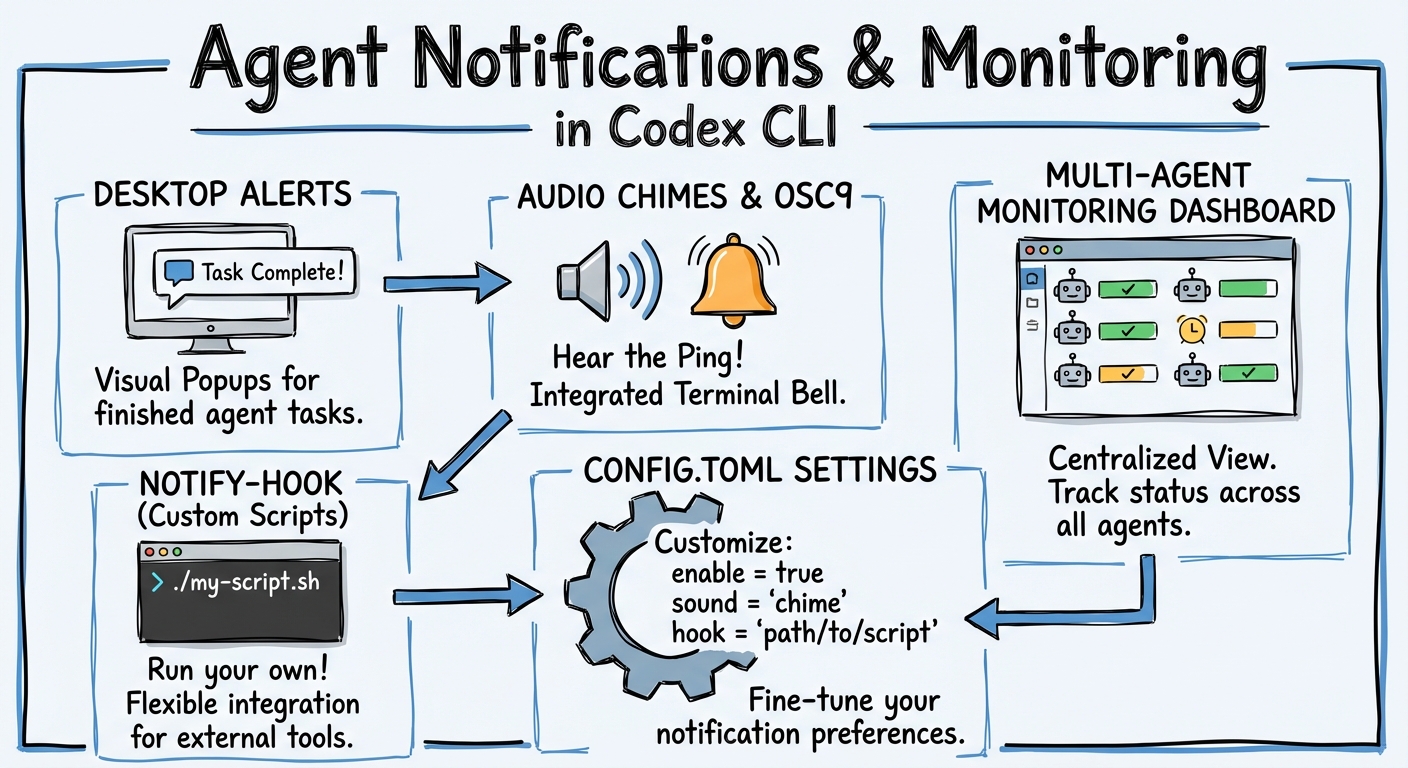
Codex CLI Agent Notifications: Desktop Alerts, Audio Chimes, and Multi-Agent Monitoring
When you run a single Codex CLI session in the foreground, you see everything happen in real time. The moment you start running agents in the background — multiple subagents, cloud tasks, or overnight automation — the question shifts from “what is the agent doing?” to “how do I know when the agent needs me?” The answer is the notification system: a combination of built-in TUI alerts, the notify hook, and a growing ecosystem of community tools that bridge the gap between terminal-bound agents and your desktop.
The Built-In Notification Layer
Codex CLI ships with two complementary notification mechanisms configured via config.toml1.
TUI Notifications
The [tui] section controls in-terminal alerts that fire when the TUI window is not focused:
[tui]
notifications = ["agent-turn-complete", "approval-requested"]
notification_method = "osc9"
The notifications key accepts either a boolean (true enables all events) or an array of specific event names2. As of April 2026, Codex supports two notification event types:
agent-turn-complete— fires when the agent finishes a turn and is waiting for inputapproval-requested— fires when the agent needs permission to execute a tool call
The notification_method key controls how the alert is delivered2:
| Method | Behaviour |
|---|---|
auto |
Codex picks the best available method for your terminal (default) |
osc9 |
Emits an OSC 9 escape sequence (\e]9;message\e\\) — supported by iTerm2, WezTerm, Windows Terminal, and VS Code’s integrated terminal |
bel |
Sends the ASCII bell character (\a) — universally supported but limited to an audible beep |
For most developers on macOS with iTerm2, osc9 is the correct choice. iTerm2 converts OSC 9 sequences into native macOS Notification Centre alerts3, giving you clickable banners that bring the terminal window to the foreground.
The notify Hook
The notify key is a root-level configuration that invokes an external command whenever a notification event fires1:
notify = ["/bin/bash", "/Users/you/.codex/hooks/notify.sh"]
Codex passes a JSON payload to the command via its arguments. The payload includes the event type and the last assistant message3. A minimal notification script for macOS using terminal-notifier looks like this:
#!/bin/bash
# ~/.codex/hooks/notify.sh
export PATH="/opt/homebrew/bin:/usr/local/bin:$PATH"

MSG=$(echo "$1" | jq -r '.["last-assistant-message"] // "Agent needs attention"' 2>/dev/null)
MSG="${MSG:0:220}"

terminal-notifier \
  -title "Codex CLI" \
  -message "$MSG" \
  -sound default \
  -activate com.googlecode.iterm2
Install terminal-notifier via Homebrew (brew install terminal-notifier) and make the script executable3. The JSON payload currently includes the last-assistant-message field, which gives you a preview of what the agent just said.
For Linux, replace terminal-notifier with notify-send:
#!/bin/bash
MSG=$(echo "$1" | jq -r '.["last-assistant-message"] // "Agent needs attention"' 2>/dev/null)
notify-send "Codex CLI" "${MSG:0:200}"
The Community Notification Ecosystem
The built-in system covers the basics, but the community has built a rich layer of tooling on top of it.
code-notify: Cross-Platform, Multi-Tool Notifications
code-notify (v1.7.3) is the most comprehensive notification tool, supporting Codex CLI, Claude Code, and Gemini CLI from a single installation4:
brew tap mylee04/tools && brew install code-notify
cn on codex    # Enable for Codex CLI
cn on claude   # Enable for Claude Code
cn on gemini   # Enable for Gemini CLI
It injects the appropriate hooks into each tool’s configuration automatically. Key features include sound alerts, voice announcements on macOS, project-scoped configuration via cnp commands, and custom alert type filtering4. The cn alerts command lets you choose which events trigger notifications — useful for suppressing routine turn-complete alerts whilst keeping approval-requested alerts active.
codex-notify-chime: Audio Feedback for Agent Turns
For developers who want audio cues without desktop banners, codex-notify-chime is a Rust utility that plays a pleasant chime on every agent notification5:
cargo install --path . # After cloning the repo
Configuration is a single line in config.toml:
notify = ["codex-notify-chime"]
Volume is configurable via ~/.codex/notify.toml:
volume = 0.6
The chime binary embeds its MP3 asset at compile time, so there are no external file dependencies5. Unknown event types still trigger the default sound, ensuring you never miss a new event type added in future Codex releases.
agent-notifications: Event-Rich Hook Management
The agent-notifications Rust crate (v0.4.7) provides the most granular control, supporting hooks for both Codex CLI and Claude Code with event-specific matchers6:
cargo install agent-notifications
anot init codex  # Interactive setup
Beyond the standard agent-turn-complete event, it can hook into PreToolUse, PostToolUse, SessionStart, SessionEnd, SubagentStop, and PreCompact events when used with compatible hook configurations6. This makes it particularly valuable for multi-agent monitoring — you can receive a notification when a specific subagent stops, not just when the parent agent completes a turn.
VS Code Integration
If you run Codex CLI inside VS Code’s integrated terminal, the Terminal Notification extension (by wenbopan) captures OSC 9 escape sequences and converts them into native system notifications7. Combined with the osc9 notification method, this gives you desktop alerts without any external scripts:
[tui]
notification_method = "osc9"
notifications = true
This works identically in Cursor and Windsurf, which share VS Code’s terminal emulator.
Multi-Agent Notification Patterns
When running multiple parallel agents, notification volume becomes a problem. Five agents completing turns simultaneously produce five near-simultaneous alerts — a recipe for notification fatigue.
Pattern 1: Approval-Only Notifications
Configure notifications to fire only when human input is required:
[tui]
notifications = ["approval-requested"]
This silences routine turn completions whilst ensuring you never miss an approval prompt that would block agent progress.
Pattern 2: Subagent Completion Aggregation
For multi-agent workflows using spawn_agents_on_csv or manual spawn_agent calls, configure the parent agent’s notify hook but not the subagents’. The parent receives a turn-complete event when all subagents finish, giving you a single notification for the entire batch8.
Pattern 3: cmux Visual Monitoring
For teams running five or more parallel agents, cmux (7.7K stars) provides a Ghostty-based macOS terminal with blue-ring agent notifications and PR-aware tabs9. Rather than individual desktop alerts, cmux gives you a visual dashboard showing which agents are active, which need attention, and which have completed — a fundamentally different approach to the notification problem.
flowchart LR
    A[Agent 1<br/>Turn Complete] --> N[Notification Layer]
    B[Agent 2<br/>Approval Needed] --> N
    C[Agent 3<br/>Turn Complete] --> N
    N -->|Single Agent| D[notify hook<br/>+ OSC 9]
    N -->|Multi-Agent| E[cmux HUD<br/>+ Blue Ring]
    N -->|CI/CD| F[OTel spans<br/>+ Grafana]
Practical Configuration
A production-ready notification setup for a developer running two to three parallel agents on macOS:
# ~/.codex/config.toml

# Desktop alerts via terminal-notifier
notify = ["/bin/bash", "/Users/you/.codex/hooks/notify.sh"]

[tui]
# OSC 9 for iTerm2/VS Code terminal alerts
notification_method = "osc9"
# Only alert on approval requests — turn-complete goes to notify hook
notifications = ["approval-requested"]
This splits the notification surface: approval prompts appear as inline TUI alerts (since you need to respond in the terminal anyway), whilst turn completions fire the external notify hook for desktop banners that you can dismiss or act on at your pace.
What Is Missing
The notification system has several known gaps as of April 2026:
- No subagent-specific events — the
notifyhook fires only foragent-turn-completeon the parent session. Subagent lifecycle events (SubagentStop, etc.) are available via the hooks engine (codex_hooks) but not via thenotifyconfig key6. - No cloud task notifications —
codex cloud exectasks do not trigger local notify hooks. Cloud task completion alerts require polling viacodex cloud listor using the Slack integration10. - No notification grouping — there is no built-in mechanism to batch or deduplicate notifications from rapid agent turns. Community tools like code-notify add basic rate-limiting but nothing sophisticated.