Codex CLI for Accessibility Auditing: WCAG Compliance Scanning, ARIA Remediation, and CI Enforcement Pipelines
Codex CLI for Accessibility Auditing: WCAG Compliance Scanning, ARIA Remediation, and CI Enforcement Pipelines
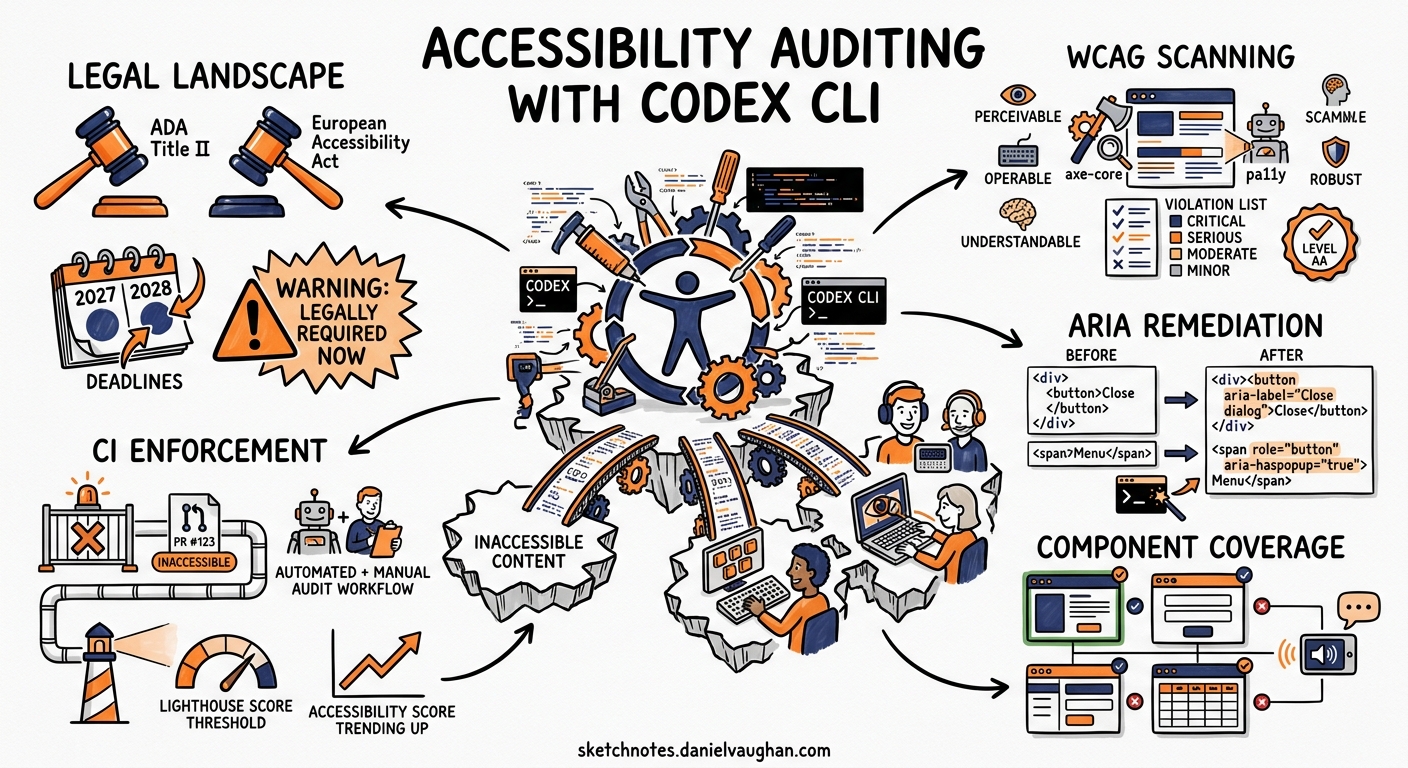
With ADA Title II now mandating WCAG 2.1 Level AA for US state and local government digital services — large entities by April 2027, smaller ones by April 2028 1 — and the European Accessibility Act applying from June 2025 2, accessibility compliance has shifted from “nice to have” to “legally required.” Automated scanners catch roughly 57% of WCAG issues 3, but fixing what they find still demands manual effort across hundreds of components. Codex CLI bridges that gap: it runs the scanners, interprets the violations, generates ARIA-correct remediation code, and enforces compliance in CI — all from the terminal.
This article covers a four-phase pipeline: encoding accessibility standards in AGENTS.md, running structured audits with codex exec, generating targeted fixes with a reusable skill, and wiring the lot into a GitHub Actions enforcement gate.
The Accessibility Agent Pipeline
flowchart LR
    A[AGENTS.md<br/>A11y Standards] --> B[Audit Phase<br/>axe-core + pa11y]
    B --> C[Remediation Phase<br/>ARIA Fix Generation]
    C --> D[Verification Phase<br/>Re-scan + Visual Check]
    D --> E[CI Gate<br/>GitHub Actions]
    E -->|Fail| C
    E -->|Pass| F[Merge]
The pipeline treats accessibility violations the same way a linting pipeline treats code style: scan, fix, verify, gate.
Phase 1: Encoding Accessibility Standards in AGENTS.md
Before Codex touches any component, it needs to know your project’s accessibility conventions. Encode these in your repository’s AGENTS.md file so every interactive and non-interactive session inherits them 4.
# .codex/AGENTS.md (relevant section)
## Accessibility Standards

### Target Compliance
- WCAG 2.1 Level AA minimum for all user-facing components
- WCAG 2.2 Level AA for new components (success criteria 2.4.11 Focus Not Obscured, 2.4.13 Focus Appearance, 3.3.7 Redundant Entry)

### ARIA Patterns
- Use native HTML semantics before ARIA — a `<button>` beats `<div role="button">`
- Every interactive element must be keyboard-operable (Enter and Space for buttons, Arrow keys for menus)
- Dynamic content changes require `aria-live` regions: `polite` for non-urgent, `assertive` for errors
- Form inputs must have associated `<label>` elements; `aria-label` only when visible labels are impossible

### Colour and Contrast
- Normal text: minimum 4.5:1 contrast ratio
- Large text (18pt or 14pt bold): minimum 3:1
- Focus indicators: minimum 3:1 against adjacent colours, 2px minimum thickness

### Testing Tools
- Primary: axe-core via @axe-core/cli (WCAG 2.1 AA tags)
- Secondary: pa11y-ci for page-level batch scanning
- Visual: Playwright screenshots with forced-colors media query for high-contrast mode verification
This context shapes every prompt Codex processes. When you ask it to fix a form component, it already knows to prefer native <label> over aria-label 5.
Phase 2: Structured Accessibility Auditing with codex exec
Single-Component Audit
For a targeted audit of a specific component:
codex exec "Run axe-core against the LoginForm component. \
  Start a local dev server, navigate to /login, execute axe-core \
  with --tags wcag2a,wcag2aa,wcag21aa,best-practice, and report \
  every violation with its WCAG success criterion, impact level, \
  affected HTML, and a suggested fix." \
  --sandbox workspace-write
Batch Audit with Structured Output
For larger projects, use --output-schema to produce machine-readable results 6:
{
  "type": "object",
  "properties": {
    "pages_scanned": { "type": "integer" },
    "total_violations": { "type": "integer" },
    "critical": { "type": "integer" },
    "serious": { "type": "integer" },
    "violations": {
      "type": "array",
      "items": {
        "type": "object",
        "properties": {
          "rule_id": { "type": "string" },
          "wcag_criterion": { "type": "string" },
          "impact": { "type": "string" },
          "file": { "type": "string" },
          "element": { "type": "string" },
          "fix_description": { "type": "string" }
        }
      }
    }
  }
}
codex exec "Audit all pages listed in sitemap.xml for WCAG 2.1 AA \
  violations using axe-core and pa11y. For each violation, identify \
  the source component file responsible." \
  --output-schema ./a11y-audit-schema.json \
  -o ./a11y-audit-results.json
The structured output feeds downstream tooling — dashboards, ticket creation scripts, or the remediation phase itself.
Combining axe-core and pa11y
Using both scanners in combination catches roughly 35% of known WCAG issues — each tool’s rule set overlaps but covers different edges 7. axe-core excels at DOM-level rule accuracy with fewer false positives, whilst pa11y-ci handles page-level batch scanning with HTML CodeSniffer rules that axe misses 8.
# Install both scanners
npm install -g @axe-core/cli pa11y-ci

# axe-core scan
axe http://localhost:3000/dashboard --tags wcag2aa --save axe-results.json

# pa11y-ci batch scan
pa11y-ci --config .pa11yci.json --json > pa11y-results.json
A pa11y-ci configuration file for your routes:
{
  "defaults": {
    "timeout": 30000,
    "standard": "WCAG2AA",
    "runners": ["axe", "htmlcs"]
  },
  "urls": [
    "http://localhost:3000/",
    "http://localhost:3000/login",
    "http://localhost:3000/dashboard",
    "http://localhost:3000/settings"
  ]
}
Phase 3: Agent-Driven ARIA Remediation
The a11y-remediator Skill
Package the remediation workflow as a reusable skill 9:
# .agents/skills/a11y-remediator/SKILL.md

## Trigger
When asked to "fix accessibility", "remediate a11y", or "fix WCAG violations"

## Inputs
- Audit results JSON (from axe-core or pa11y)
- Component file paths

## Workflow
1. Parse the violations JSON, grouping by component file
2. For each component, read the source and identify the violating elements
3. Apply fixes following this priority:
   a. Use native HTML semantics (replace `<div>` with `<button>`, `<nav>`, `<main>`)
   b. Add missing labels (`<label for="">`, `aria-label`, `aria-labelledby`)
   c. Fix contrast issues (update CSS custom properties, not inline styles)
   d. Add keyboard handlers (onKeyDown for Enter/Space on interactive elements)
   e. Add `aria-live` regions for dynamic content
4. Run axe-core against the modified component to verify the fix
5. If new violations appear, iterate (max 3 attempts)

## Constraints
- NEVER remove existing ARIA attributes without replacing them
- NEVER use `tabindex` values greater than 0
- NEVER suppress focus outlines without providing an alternative indicator
- Prefer CSS custom properties for colour changes to maintain theme consistency

## Output
- Modified component files with fixes applied
- Summary of changes per WCAG success criterion
Interactive Remediation Session
Feed the audit results into an interactive session:
cat a11y-audit-results.json | codex exec \
  "Using the a11y-remediator skill, fix all critical and serious \
  WCAG violations in the audit results. Group fixes by component. \
  After each component fix, re-run axe-core to verify." \
  --sandbox workspace-write
Codex reads each violation, locates the source component, and applies targeted fixes. A typical remediation for a missing form label:
// Before — axe rule: label (WCAG 1.3.1, 4.1.2)
<input type="email" placeholder="Email address" />

// After — native label association
<label htmlFor="email-input">Email address</label>
<input id="email-input" type="email" placeholder="Email address" />
For interactive widgets missing keyboard support:
// Before — axe rule: keyboard (WCAG 2.1.1)
<div className="dropdown-trigger" onClick={toggleMenu}>
  Options
</div>

// After — semantic element with keyboard handling
<button
  className="dropdown-trigger"
  onClick={toggleMenu}
  onKeyDown={(e) => {
    if (e.key === 'Enter' || e.key === ' ') {
      e.preventDefault();
      toggleMenu();
    }
  }}
  aria-expanded={isOpen}
  aria-haspopup="menu"
>
  Options
</button>
Phase 4: CI Enforcement Gate
GitHub Actions Workflow
Wire the audit into your CI pipeline so no inaccessible code reaches production 10:
# .github/workflows/a11y-gate.yml
name: Accessibility Gate

on:
  pull_request:
    paths:
      - 'src/components/**'
      - 'src/pages/**'
      - '**/*.css'
      - '**/*.scss'

jobs:
  a11y-audit:
    runs-on: ubuntu-latest
    steps:
      - uses: actions/checkout@v4

      - uses: actions/setup-node@v4
        with:
          node-version: '22'

      - name: Install dependencies
        run: npm ci

      - name: Start dev server
        run: npm run dev &
        env:
          PORT: 3000

      - name: Wait for server
        run: npx wait-on http://localhost:3000 --timeout 30000

      - name: Run axe-core audit
        run: |
          npx @axe-core/cli http://localhost:3000 \
            --tags wcag2a,wcag2aa,wcag21aa \
            --save axe-results.json \
            --exit

      - name: Run pa11y-ci audit
        run: npx pa11y-ci --config .pa11yci.json --json > pa11y-results.json

      - name: Fail on critical or serious violations
        run: |
          CRITICAL=$(jq '[.[] | .violations[] | select(.impact == "critical")] | length' axe-results.json)
          SERIOUS=$(jq '[.[] | .violations[] | select(.impact == "serious")] | length' axe-results.json)
          echo "Critical: $CRITICAL, Serious: $SERIOUS"
          if [ "$CRITICAL" -gt 0 ] || [ "$SERIOUS" -gt 0 ]; then
            echo "::error::$CRITICAL critical and $SERIOUS serious a11y violations found"
            exit 1
          fi

      - name: Upload audit artefacts
        if: always()
        uses: actions/upload-artifact@v4
        with:
          name: a11y-audit-results
          path: |
            axe-results.json
            pa11y-results.json
Codex-Powered Auto-Remediation in CI
For teams running Codex in CI via access tokens 11, add an auto-fix step:
      - name: Auto-remediate with Codex
        if: failure()
        env:
          CODEX_API_KEY: ${{ secrets.CODEX_ACCESS_TOKEN }}
        run: |
          codex exec "Fix all critical and serious WCAG violations \
            found in axe-results.json. Apply minimal, targeted fixes \
            following the a11y-remediator skill. Commit the fixes." \
            --sandbox workspace-write
⚠️ Auto-remediation in CI should be gated behind human review — Codex-generated ARIA fixes need manual verification for semantic correctness, particularly for complex widget patterns like comboboxes and tree views where ARIA authoring practices are nuanced 12.
Model Selection
| Task | Recommended Approach | Rationale |
|---|---|---|
| Batch page scanning | codex exec with low reasoning |
Mechanical — run tool, collect output |
| Violation triage and grouping | codex exec with --output-schema |
Structured extraction from scan results |
| Single-component ARIA fix | Interactive with medium reasoning | Needs DOM context and semantic judgement |
| Complex widget remediation | Interactive with high reasoning | ARIA widget patterns require careful state management |
| CI gate scripting | codex exec with low reasoning |
Deterministic pass/fail evaluation |
The Community Accessibility Agents
The Community Access project provides 79 specialised accessibility agents covering web, document (DOCX, XLSX, PDF, EPUB), and repository management 13. These agents install as Codex CLI skills with TOML-based role configuration, giving you specialist reviewers for ARIA validation, colour contrast enforcement, keyboard navigation patterns, and form accessibility — each encoding the relevant WCAG 2.2 success criteria.
For teams wanting a pre-built accessibility skill set rather than building their own, this framework provides a strong starting point.
Anti-Patterns
Suppressing violations instead of fixing them. Adding // axe-disable comments or filtering rules from the scan config hides problems without solving them. If a rule genuinely does not apply, document why in AGENTS.md.
Over-relying on aria-label instead of visible text. Screen reader users benefit from visible labels that sighted users also see. Use aria-label only when a visible label is genuinely impossible — not as a shortcut 5.
Fixing contrast by changing text colour alone. Contrast fixes must account for all states (hover, focus, active, disabled) and dark/light theme variants. Modify CSS custom properties at the theme level, not inline styles.
Running accessibility scans only on the homepage. WCAG compliance applies to every page a user can reach. Scan all routes listed in your sitemap, plus authenticated flows like dashboards, settings, and checkout.
Trusting automated scans as complete coverage. Automated tools catch roughly 35–57% of WCAG issues 37. Manual testing with screen readers (VoiceOver, NVDA) and keyboard-only navigation remains essential for the remaining 43–65%.
Known Limitations
- Sandbox network isolation: Codex’s default sandbox restricts network access. Scanning a locally-served app works, but scanning external URLs requires
--sandbox danger-full-accessor a pre-fetched HTML snapshot approach. --output-schemaand--resumeare mutually exclusive: structured audit output cannot be resumed 6.- Context window limits: large audit result files (100+ violations across dozens of pages) may exceed the context window. Chunk audits by page group or component directory.
- Semantic judgement gaps: Codex can fix mechanical ARIA issues (missing labels, roles, states) but struggles with subjective criteria like “meaningful sequence” (WCAG 1.3.2) or “consistent navigation” (WCAG 3.2.3), which require human assessment.
Citations
-
ADA.gov, “State and Local Governments: First Steps Toward Complying with the ADA Title II Web and Mobile Application Accessibility Rule,” https://www.ada.gov/resources/web-rule-first-steps/ ↩
-
European Commission, “European Accessibility Act,” Directive (EU) 2019/882, applicable from 28 June 2025, https://ec.europa.eu/social/main.jsp?catId=1202 ↩
-
Deque Systems, “axe-core: Accessibility engine for automated Web UI testing,” https://github.com/dequelabs/axe-core — axe-core documentation states automated scanning finds on average 57% of WCAG issues. ↩ ↩2
-
OpenAI, “Best practices – Codex,” https://developers.openai.com/codex/learn/best-practices ↩
-
W3C, “ARIA Authoring Practices Guide,” https://www.w3.org/WAI/ARIA/apg/ — “First Rule of ARIA Use: If you can use a native HTML element or attribute with the semantics and behaviour you require, do so.” ↩ ↩2
-
OpenAI, “Non-interactive mode – Codex,” https://developers.openai.com/codex/noninteractive ↩ ↩2
-
Abbott, “axe-core vs PA11Y,” https://github.com/abbott567/axe-core-vs-pa11y — combined tool approach catches approximately 35% of known WCAG issues. ↩ ↩2
-
Pa11y, “Pa11y: Your automated accessibility testing pal,” https://github.com/pa11y/pa11y ↩
-
OpenAI, “Features – Codex CLI,” https://developers.openai.com/codex/cli/features ↩
-
CivicActions, “Automated accessibility testing: Leveraging GitHub Actions and pa11y-ci with axe,” https://accessibility.civicactions.com/posts/automated-accessibility-testing-leveraging-github-actions-and-pa11y-ci-with-axe ↩
-
OpenAI, “Access tokens – Codex,” https://developers.openai.com/codex/enterprise/access-tokens ↩
-
W3C, “ARIA Authoring Practices Guide: Patterns,” https://www.w3.org/WAI/ARIA/apg/patterns/ ↩
-
Community Access, “Accessibility Agents: 79 specialists for Claude Code, Codex CLI, and GitHub Copilot,” https://github.com/Community-Access/accessibility-agents ↩