Codex Cloud vs Codex Local: When to Run in the Cloud
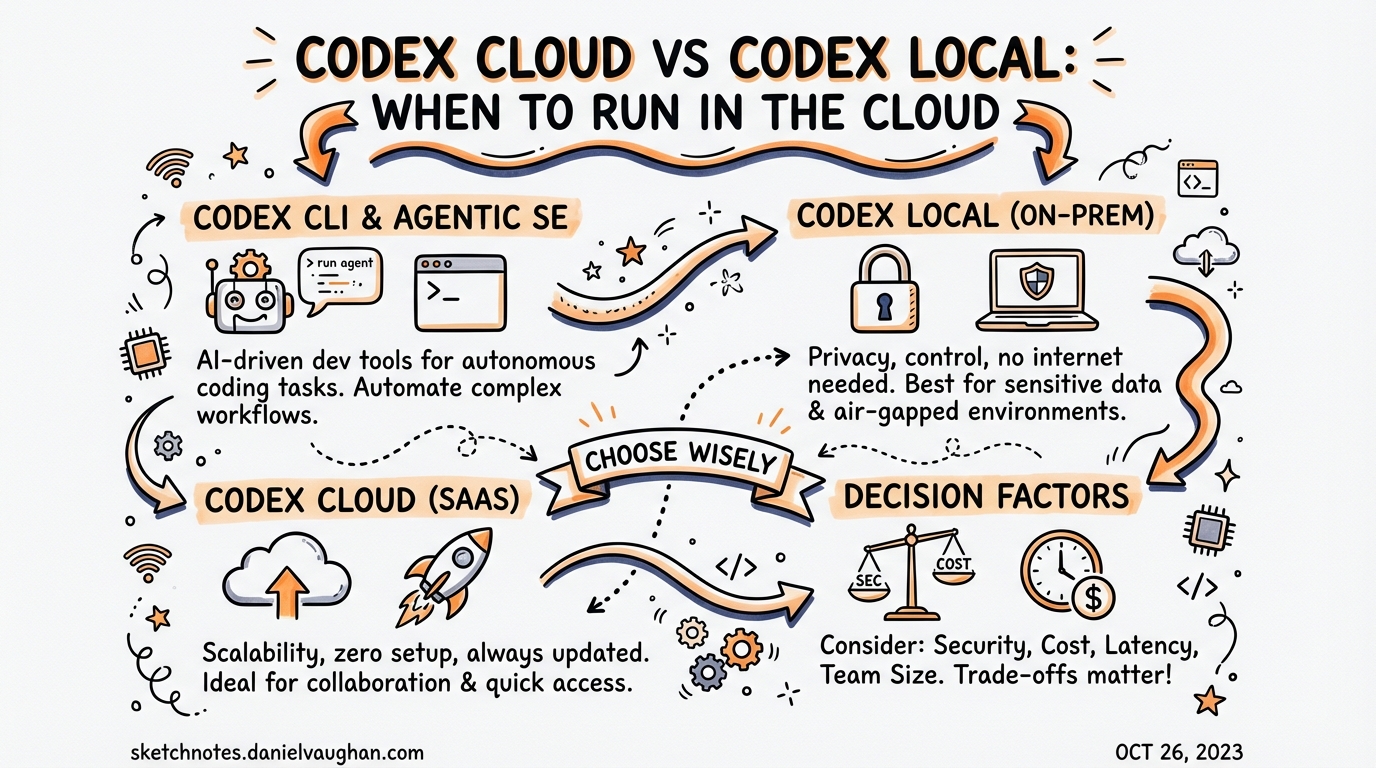
Codex Cloud vs Codex Local: When to Run in the Cloud
Codex ships as two distinct execution surfaces: a local CLI that runs code on your machine, and a cloud agent that provisions isolated containers in OpenAI’s infrastructure. Most teams reach for the CLI by default, but the cloud mode has a fundamentally different execution contract — and understanding when to switch changes how you architect agentic workflows.
This article breaks down the mechanics of each mode, the cost model that governs credit consumption, the codex cloud exec command surface, and the decision framework for choosing between them.
The Two Surfaces
Local (CLI)
The local CLI runs entirely on your machine.1 When you invoke codex in a terminal, the agent reads your working directory, edits files, and executes commands inside a sandboxed process scoped to that directory. The session is interactive by default — you see output in real time, approve or reject changes, and stay in the loop.
Key characteristics:
- Your local filesystem is the working directory
- OS-level sandboxing (Landlock on Linux, Seatbelt on macOS)
- Approval gates controlled by
--sandboxpolicy - Session state persisted in
~/.codex/sessions/ - Runs as long as your terminal stays open
Cloud (Codex Cloud)
Codex Cloud provisions an isolated container in OpenAI’s infrastructure for each task.2 The agent checks out your GitHub repository, runs dependency setup scripts, and executes code entirely inside that container. You are disconnected from the task by default — you submit it, go do something else, and collect the resulting diff when it’s done.
Key characteristics:
- Isolated container with a checkout of your GitHub repository
- 1–30 minute autonomous execution window3
- Internet access disabled by default during agent execution4
- Results delivered as a diff; apply locally with
codex apply - Accessible via chatgpt.com/codex, the CLI
codex cloudsubcommand, or Slack/Linear
The Cost Model
Credit consumption differs materially between the two modes. According to the official pricing page, a GPT-5.4 local task costs approximately 7 credits, while the equivalent cloud task costs approximately 34 credits — roughly a 5× premium for cloud execution.5
This makes sense: cloud tasks spin up and warm a container, check out your repo, run setup scripts, and provision the full environment before the agent even starts. That overhead is real work the platform is doing on your behalf.
Plan-tier summary6
| Plan | Local messages (GPT-5.4) | Cloud tasks (GPT-5.3-Codex) | Window |
|---|---|---|---|
| Plus ($20/mo) | 33–168 | 10–60 | 5 hours |
| Pro ($200/mo) | 223–1,120 | 50–400 | 5 hours |
| Business ($30/user/mo) | 110–560 | Included | 5 hours |
Note: Local and cloud limits share the same 5-hour usage window.7 Running cloud tasks during your interactive coding session depletes the same pool as local messages.
Credit strategy
- Use GPT-5.4-mini for local tasks where full reasoning isn’t required — it extends local message limits by approximately 2.5–3.3× compared to GPT-5.4.8
- Reserve cloud tasks for work that genuinely warrants an isolated environment.
- Keep MCP server count low; each active MCP server adds context tokens that inflate per-message cost.9
Environment Provisioning
Before the cloud agent runs your task, Codex prepares a container:10
flowchart LR
    A[Task submitted] --> B[Container created]
    B --> C[Repository checked out]
    C --> D[Setup script runs\n– npm/pip/poetry auto-detected\n– or custom Bash script]
    D --> E[Maintenance script runs\nif container cached]
    E --> F[Internet access applied\nper policy]
    F --> G[Agent executes\nin agentic loop]
    G --> H[Diff presented]
    H --> I[codex apply to\nlocal working tree]
The default container image is openai/codex-universal — a pre-built image with Python, Node.js, and common toolchains already installed.11 You can pin specific runtime versions via the Codex dashboard.
Container caching: Codex caches warmed containers for up to 12 hours.12 If you submit a second task to the same environment before the cache expires, setup time is negligible. The cache auto-invalidates when setup scripts or environment variables change.
Secrets: Encrypted secrets are available only during the setup phase — not during agent execution — reducing the attack surface for prompt injection.13
Internet access: Setup scripts have full internet access for fetching dependencies. The agent execution phase has internet access disabled by default; admins can configure an allowlist of trusted domains (e.g., package registries).14
The codex cloud Command Surface
The CLI provides a full cloud subcommand hierarchy:
# Interactive picker — browse active and finished tasks
codex cloud

# Submit a task directly
codex cloud exec --env ENV_ID "Add rate limiting to the payments API"

# Best-of-N: generate 3 candidate solutions, pick the best
codex cloud exec --env ENV_ID --attempts 3 "Refactor auth middleware"

# List recent tasks (scriptable)
codex cloud list --env ENV_ID --limit 20

# List as JSON for piping
codex cloud list --env ENV_ID --json

# Apply a completed cloud task diff to your local tree
codex apply
Finding your environment ID
Press Ctrl+O inside the interactive codex cloud picker to select an environment, or copy the ID from the Codex web dashboard.15
Exit codes and CI integration
codex cloud exec exits with a non-zero status if task submission fails, making it straightforward to integrate into shell scripts or CI pipelines:16
#!/usr/bin/env bash
set -euo pipefail

ENV_ID="${CODEX_ENV_ID:?Required}"
codex cloud exec --env "$ENV_ID" \
  "Review all TODOs in src/ and open GitHub issues for each one"

echo "Cloud task submitted. Monitor at https://chatgpt.com/codex"
Slack and Linear Triggers
Codex Cloud integrates with two collaboration tools, enabling asynchronous task delegation from where work is already happening.
@Codex in Slack
Tag @Codex in any Slack channel or thread.17 Codex reads the thread context, selects the appropriate environment, starts work in its cloud sandbox, and posts a link to the resulting pull request back in the original thread.
@Codex the payment service is throwing 503s under load.
Here's the stack trace: [paste]. Fix it and open a PR.
Codex picks up the task, accesses the linked GitHub repo, and responds with a PR URL — no dashboard interaction required.18
@Codex in Linear
Assign a Linear issue to @Codex and it will pick up the task, implement a fix or feature based on the issue description, and propose a pull request.19 This is particularly useful for triage-style delegation: mark issues with a codex-ready label and route them to Codex automatically.
Enterprise note: Slack and GitHub connectors are managed via Admin connector settings. Once configured, ChatGPT and Codex automatically reference indexed content when relevant.20
Decision Framework: Local vs Cloud
flowchart TD
    A[New task] --> B{Interactive\nor background?}
    B -->|Interactive\nneed real-time output| C[Use local CLI]
    B -->|Background\ncan wait for result| D{Requires your\nlocal filesystem?}
    D -->|Yes\ne.g. local env vars, local files| C
    D -->|No\nworks from GitHub repo| E{Parallel or\nlong-running?}
    E -->|Single task\nshort duration| F{Cost sensitive?}
    E -->|Parallel tasks\nor 30+ minute job| G[Use cloud\ncodex cloud exec]
    F -->|Yes| C
    F -->|No| G
    C --> H[codex exec / interactive]
    G --> I[codex cloud exec --env ID]
Use local CLI when
- You want to stay in the interactive loop — see output as it happens
- The task needs your local environment variables, local databases, or machine-specific tooling
- You’re iterating rapidly on a prompt and want fast feedback cycles
- Cost matters and the task doesn’t need an isolated cloud container
- You need the agent to run commands against a running local dev server
Use Codex Cloud when
- You want to walk away while the agent works — parallelise across multiple tasks
- The task is self-contained against a GitHub repository
- You’re triggering from Slack or Linear and don’t want to switch contexts
- You need compliance-tracked execution — cloud tasks are visible in the Compliance API; local execution is not21
- You want best-of-N solutions (use
--attempts 2–4to generate multiple candidates) - The task is security-sensitive and you want a fresh, ephemeral container with no access to your local machine
Hybrid Patterns
The two modes compose well. The most productive teams use both:
Pattern 1: Cloud draft, local refine
Submit a large feature to cloud overnight. In the morning, codex apply pulls the diff locally, then you iterate interactively with the CLI:
# Morning routine
codex cloud list --json | jq '.[0].id'    # find last task
codex apply                                 # pull diff to working tree
codex "Clean up the PR diff — split into atomic commits"
Pattern 2: Local spike, cloud scale-out
Prototype a solution locally with interactive Codex, then use codex cloud exec to apply the same pattern across multiple repositories or environments in parallel:
REPOS=("payments-service" "auth-service" "notification-service")
for repo in "${REPOS[@]}"; do
  ENV_ID=$(codex cloud list --json | jq -r ".[] | select(.repo == \"$repo\") | .envId" | head -1)
  codex cloud exec --env "$ENV_ID" \
    "Apply the rate-limiting pattern from PR #123 to this service"
done
Pattern 3: Slack-triggered, CLI-applied
A teammate tags @Codex in Slack with a bug report. Codex generates a PR. You review it on GitHub, request changes via comment, Codex iterates, and you merge. You never leave your normal review workflow.
What Doesn’t Transfer to Cloud
Not everything works in the cloud execution environment:
| Capability | Local CLI | Cloud |
|---|---|---|
| Local filesystem access | ✅ | ❌ (GitHub only) |
| Running local dev servers | ✅ | ❌ |
| Local environment variables | ✅ | Configured in dashboard only |
| Interactive approval gates | ✅ | ❌ (fully autonomous) |
| MCP servers (local) | ✅ | ⚠️ Cloud-compatible MCPs only |
| Compliance API tracking | ❌ | ✅ |
| Container caching (12h) | ❌ | ✅ |
| Best-of-N attempts | ❌ | ✅ (--attempts) |
| Slack/Linear triggers | ❌ | ✅ |
Summary
Codex Cloud and the local CLI are complementary execution models, not alternatives. The 5× credit premium for cloud tasks is the cost of fully isolated, autonomous, background execution — a fair trade for long-running or parallelisable work. Use the local CLI for interactive sessions where you want control; use cloud for everything you want to delegate completely.
The codex cloud exec --attempts N flag is particularly underused: submitting 3 candidates for a hard problem and choosing the best is a meaningful quality lever with no additional orchestration required.
Citations
-
OpenAI, “CLI – Codex,” developers.openai.com/codex/cli, accessed March 2026. https://developers.openai.com/codex/cli ↩
-
OpenAI, “Web – Codex,” developers.openai.com/codex/cloud, accessed March 2026. https://developers.openai.com/codex/cloud ↩
-
SmartScope, “OpenAI Codex CLI: Official Description & Setup Guide (Updated 2026-02),” smartscope.blog, February 2026. https://smartscope.blog/en/generative-ai/chatgpt/openai-codex-cli-comprehensive-guide/ ↩
-
OpenAI, “Cloud environments – Codex web,” developers.openai.com/codex/cloud/environments, accessed March 2026. https://developers.openai.com/codex/cloud/environments ↩
-
OpenAI, “Pricing – Codex,” developers.openai.com/codex/pricing, accessed March 2026. https://developers.openai.com/codex/pricing ↩
-
Ibid. ↩
-
OpenAI Help Center, “Using Codex with your ChatGPT plan,” help.openai.com, accessed March 2026. https://help.openai.com/en/articles/11369540-using-codex-with-your-chatgpt-plan ↩
-
UI Bakery Blog, “OpenAI Codex Pricing (2026): API Cost, Credits & Usage Limits Explained,” uibakery.io, 2026. https://uibakery.io/blog/openai-codex-pricing ↩
-
OpenAI, “Features – Codex CLI,” developers.openai.com/codex/cli/features, accessed March 2026. https://developers.openai.com/codex/cli/features ↩
-
OpenAI, “Cloud environments – Codex web,” developers.openai.com/codex/cloud/environments, accessed March 2026. https://developers.openai.com/codex/cloud/environments ↩
-
OpenAI, “openai/codex-universal,” github.com/openai/codex-universal, accessed March 2026. https://github.com/openai/codex-universal ↩
-
OpenAI, “Cloud environments – Codex web,” developers.openai.com/codex/cloud/environments, accessed March 2026. https://developers.openai.com/codex/cloud/environments ↩
-
Ibid. ↩
-
Ibid. ↩
-
OpenAI, “Command line options – Codex CLI,” developers.openai.com/codex/cli/reference, accessed March 2026. https://developers.openai.com/codex/cli/reference ↩
-
Ibid. ↩
-
OpenAI, “Codex is now generally available,” openai.com/index/codex-now-generally-available/, accessed March 2026. https://openai.com/index/codex-now-generally-available/ ↩
-
Ibid. ↩
-
Ibid. ↩
-
OpenAI, “Admin Setup – Codex,” developers.openai.com/codex/enterprise/, accessed March 2026. https://developers.openai.com/codex/enterprise/ ↩
-
OpenAI, “Pricing – Codex,” developers.openai.com/codex/pricing, accessed March 2026. https://developers.openai.com/codex/pricing ↩