Codex Enterprise Admin Guide: RBAC, Managed Policies and Compliance API
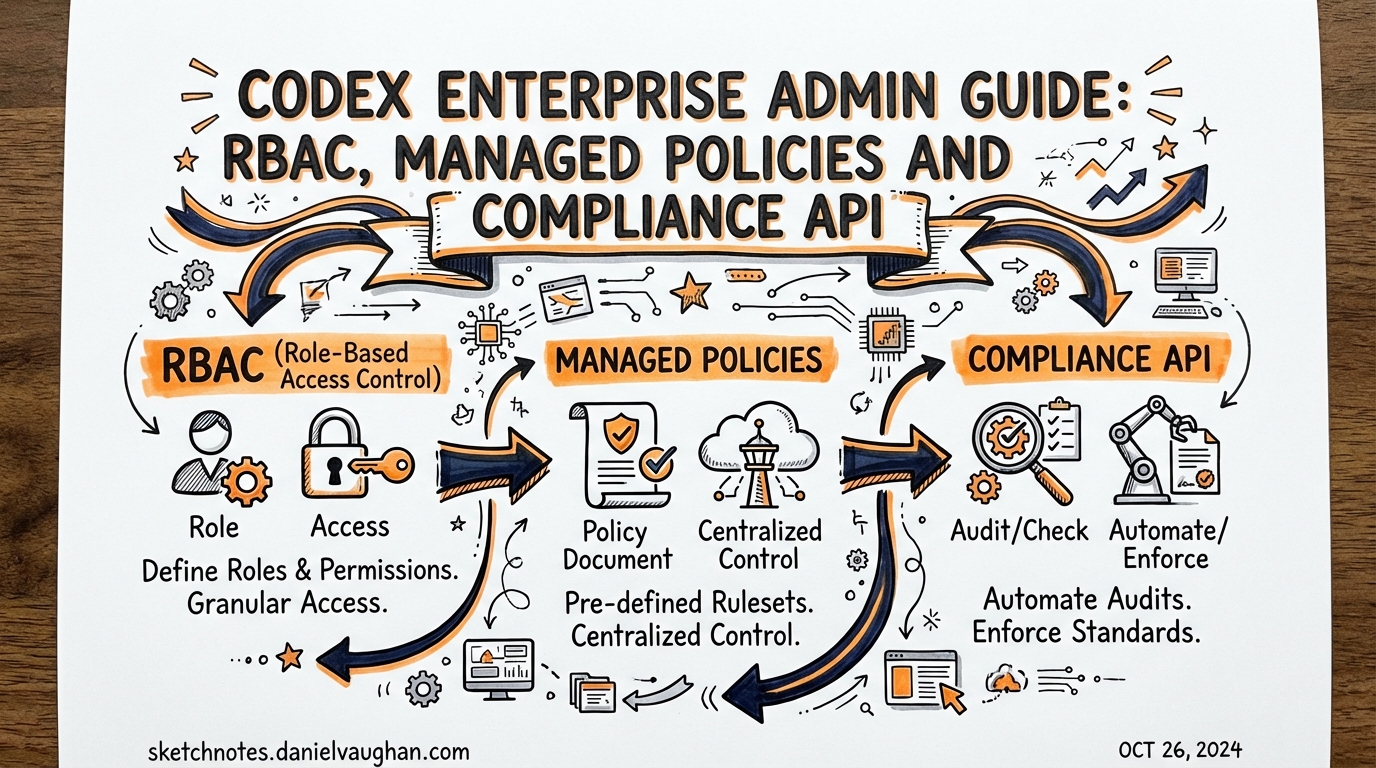
Sources: developers.openai.com/codex/enterprise/admin-setup · developers.openai.com/codex/enterprise/governance · March 2026
Who This Is For
This guide is for platform engineers and IT leads rolling out Codex CLI to teams of 10+. It covers the three levers enterprise admins have:
- RBAC — who can access what
- Managed policies (
requirements.toml) — what Codex can do - Compliance API — what gets audited
Three Admin Roles
Codex ships with three distinct admin role types, each with different scope:
| Role | Primary function |
|---|---|
| Workspace Owner | Full admin: RBAC, billing, workspace config |
| Codex Admin | Codex-specific: policy management, cloud environments, analytics |
| Security/Compliance Admin | Read-only access to Compliance API and audit logs |
Best practice: Create a dedicated Codex Admins group in your identity provider and sync it via SCIM. Grant only members of this group the Codex Admin role. Avoid granting Codex administration to broad workspace Owner groups — it creates audit noise.
Enable the Codex Admin role:
Workspace settings → Permissions & roles → Allow members to administer Codex.
RBAC Setup
RBAC controls who can use Codex local, Codex cloud, or both — and with what permissions.
Key Principles
- Permissions resolve to most permissive when a user inherits multiple roles
- Groups can be synced from your IdP via SCIM — no manual membership maintenance
- The same permissions govern both API access and Dashboard UI
Recommended Group Structure
Identity Provider
├── codex-admins          → Codex Admin role (manage policies, environments, analytics)
├── codex-cloud-users     → Codex Cloud access (run background tasks)
├── codex-local-users     → Codex Local access (CLI + IDE)
├── codex-restricted      → Restricted policy (regulated team — compliance only)
└── everyone-else         → Baseline policy (default fallback)
Access Control Settings
From Workspace settings → Permissions & roles:
- Allow Codex local — toggle who can run the CLI
- Allow Codex cloud — toggle who can submit background cloud tasks
- Allow Code Review — toggle Codex PR review integration
Enterprise tip: Start with codex-local-users containing a pilot group. Expand in waves. Use analytics dashboard to track adoption before broadening access.
Managed Policies (requirements.toml)
Cloud-managed requirements.toml policies are the mechanism for enforcing Codex behaviour across teams without distributing device-level config files.
When a developer authenticates Codex CLI with their ChatGPT account, the managed policy for their user group is downloaded and applied automatically. The local config files cannot override managed policy values.
Policy Design Pattern
Structure policies as profiles, not overrides. A common enterprise setup:
| Policy | Applied to | Purpose |
|---|---|---|
baseline |
All users (default fallback) | Sensible defaults for general use |
engineering |
Engineering teams | Broader sandbox access, full approval policies |
restricted |
Finance, Legal, etc. | Tighter constraints for regulated teams |
admin |
DevOps/Platform | Full access for environment operators |
Each policy is a complete profile — there’s no field inheritance between group rules. If a field isn’t specified, it falls back to Codex defaults. The first matching rule for a user applies; ordering matters.
requirements.toml Format
# Baseline policy — sensible defaults
allowed_web_search_modes = ["disabled", "cached"]
allowed_sandbox_modes = ["workspace-write"]
allowed_approval_policies = ["on-request", "auto-edit"]

# Block outbound network except for allow-listed hosts
[network]
allowed_hosts = ["api.github.com", "registry.npmjs.org"]

# Command-level rules
[rules]
prefix_rules = [
  # Require approval for all git push commands
  { pattern = [{ token = "git" }, { token = "push" }], decision = "prompt" },
  # Block curl to external IPs
  { pattern = [{ token = "curl" }], decision = "deny" }
]
Deployment via Codex Policies Page
Codex Admins access policy management from: Workspace settings → Codex → Policies.
- Author the
requirements.tomlcontent in the editor - Assign the policy to one or more user groups
- Set the group rule order (first match wins)
- Designate a fallback policy for users with no explicit group match
- Publish — takes effect at next Codex session start
Testing before rollout: Create a pilot group, assign the new policy, add yourself, test in CLI. The CLI logs which managed policy was applied at session start.
Windows App GA
The Codex app for Windows reached GA on March 4, 2026. Enterprise implications:
- Managed policies apply equally to Windows and macOS app sessions
- Windows users authenticate via ChatGPT — same RBAC controls apply
SSL_CERT_FILEand Codex-specific env vars (shipped in v0.116.0) support corporate TLS inspection proxies on Windows- Note: Hooks are disabled on Windows as of March 2026
Compliance API
The Compliance API exports Codex activity records for security and regulatory workflows. It is not a real-time stream — it provides time-windowed JSONL log files suitable for batch ingestion.
What It Captures
Each event includes:
- User identity and workspace
- Timestamp and session ID
- Prompt text (redactable via policy)
- Model used, token counts
- Tool approval decisions
- Tool execution results
Retention: Audit logs are retained for up to 30 days.
When to Use It
| Use case | Mechanism |
|---|---|
| Security investigation | Compliance API — export by user/time range |
| Regulatory audit trail | Compliance API → SIEM ingestion |
| GDPR/eDiscovery | Compliance API → legal hold workflow |
| Daily usage monitoring | Analytics Dashboard (self-serve) |
| Automated reporting | Analytics API |
OpenTelemetry (OTel) Integration
For real-time observability rather than batch log exports, Codex supports opt-in OpenTelemetry integration. Enable in config.toml:
[telemetry]
enabled = true
otlp_endpoint = "https://otel-collector.internal:4317"
OTel emits structured spans for: conversations, API requests, stream activity, tool approvals, and tool results. User prompts are redacted by default — set redact_prompts = false to capture full text (requires explicit opt-in and compliance review).
Three-Layer Governance Model
The recommended enterprise governance structure:
Layer 1: Self-serve visibility
└── Analytics Dashboard → adoption metrics, usage by team, PR review stats

Layer 2: Automated reporting
└── Analytics API → daily time-series metrics, per-user breakdowns,
                    pipeline into data warehouse, weekly reporting

Layer 3: Audit and investigation
└── Compliance API → immutable JSONL log exports, SIEM ingestion,
                     eDiscovery integration, incident investigation
Assign owners at each layer with defined review cadences:
- Analytics Dashboard: engineering leads (weekly)
- Analytics API: platform team (automated)
- Compliance API: security/legal (on-demand + quarterly audit)
Custom CA Certificate Support (v0.116.0)
Corporate environments with TLS inspection proxies need certificate configuration before Codex CLI will function:
# Option 1: Standard SSL env var
export SSL_CERT_FILE=/etc/ssl/corp-ca-bundle.pem

# Option 2: Codex-specific env var (takes precedence)
export CODEX_SSL_CERT_FILE=/etc/ssl/corp-ca-bundle.pem
Both HTTPS and WebSocket connections (app-server) respect these settings. This unblocks Codex deployment in regulated environments where all egress traffic passes through a TLS proxy.
Request Permissions Runtime Control (v0.116.0)
By default, a running Codex session can request elevated permissions mid-task (e.g., request network access to complete a task it started in offline mode). Enterprise lockdown pattern — disable this:
[features]
request_permissions = false
With this set, any in-session permission request is automatically rejected. All permissions must be set at session start via policy or config.
Rollout Checklist
Before enterprise-wide deployment:
- Create
Codex Adminsgroup in IdP, sync via SCIM - Author baseline
requirements.tomlpolicy - Test managed policy on pilot group (5–10 users) for one sprint
- Configure
SSL_CERT_FILEfor TLS proxy environments - Set
request_permissions = falsefor restricted teams - Enable Compliance API ingestion into SIEM
- Assign Analytics Dashboard and Compliance API owners
- Document escalation path for policy exceptions
See Also
- articles/2026-03-26-codex-cli-enterprise-deployment.md — config.toml distribution, AGENTS.override.md, project_doc_fallback
- articles/2026-03-27-security-hardening-codex-cli.md — secrets scanning, audit hooks, regulated environment patterns
- notes/enterprise-deployment.md — extended research notes