Using Claude Code and Codex Together: The Multi-Tool Strategy
Using Claude Code and Codex Together: The Multi-Tool Strategy
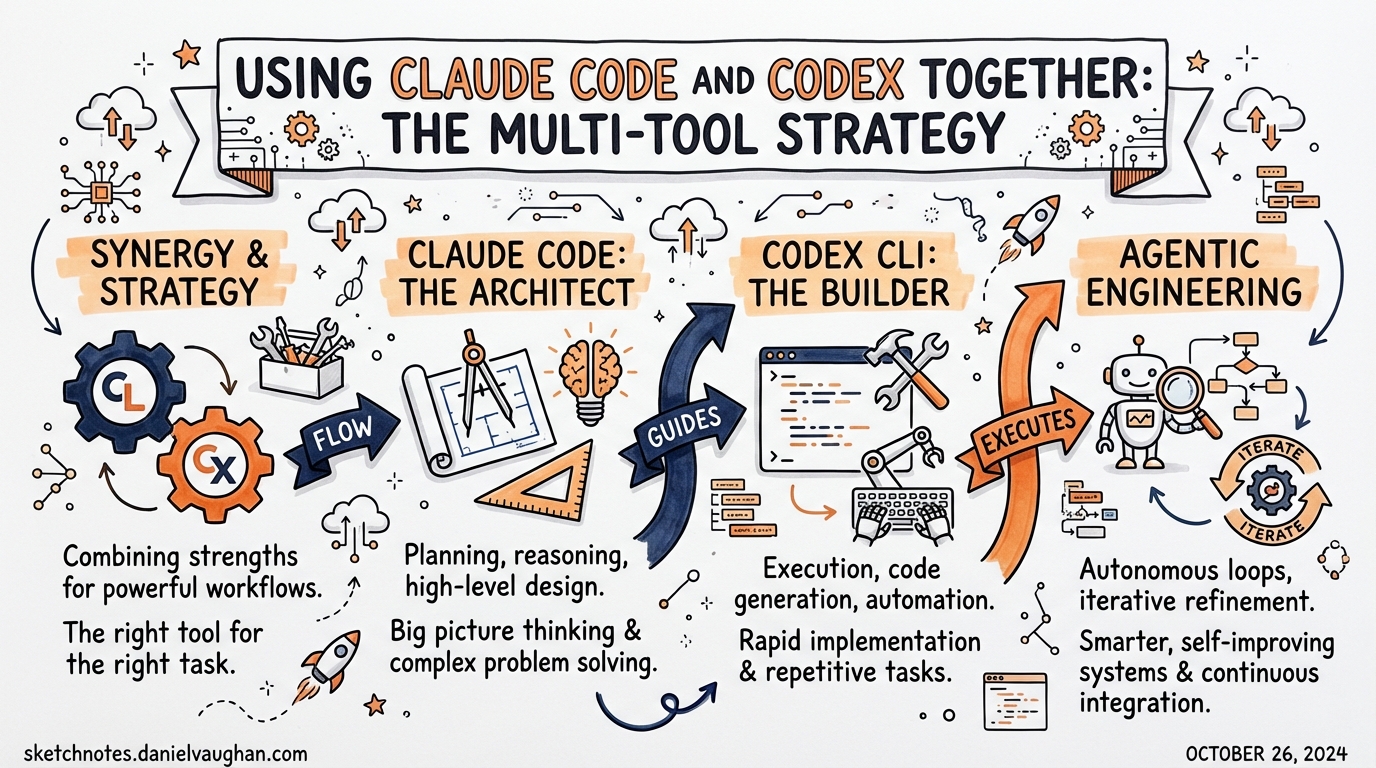
A developer spent hours debugging a dark-mode theming bug with Claude Code. It pattern-matched to the symptom, declared the fix done, then rationalised when shown a screenshot proving otherwise. The same bug, handed to Codex CLI with a clear description, was solved in 20 minutes: Playwright tests written, failures read, root cause traced through logs, fix applied, tests green. Neither tool failed. Each was used for the wrong task shape.
Analysis of more than 500 Reddit comments across r/codex, r/ClaudeCode and r/ChatGPTCoding confirms the emerging consensus: running both tools together outperforms loyalty to either alone.1 This article covers personality differences, benchmark data, handoff patterns and the shared conventions that make a dual-tool workflow practical. Updated May 2026 with GPT-5.5 benchmarks, Codex CLI v0.135.0 changes and the current model lineup.
The core difference: explorer versus executor
The most useful mental model: Claude Code is an explorer; Codex is an executor.
Claude Code as explorer
Claude Code maintains a continuous, deep conversation. It reasons about ambiguity, considers multiple approaches and sits with uncertainty for a turn before committing to a direction. It suits tasks where the right action is not obvious before you start, whether that is an architecture discussion, a debugging session with an unknown root cause, idea generation or a complex diff review.
Ask Claude Code to describe a codebase and expect an architecture overview, the technical stack, key design decisions and a suggestion for what to explore next. It treats every request as a collaboration, often asking clarifying questions before executing.
This exploratory nature has a concrete upside: Claude Code sometimes fixes adjacent problems without being asked. Updating a dropdown component, it may also update buttons sharing the same styling, ‘so they’ll be similar’. It sees intent, not instructions. During ideation, systemic change propagation or adjacent-problem discovery, that is exactly the right behaviour.
The failure mode: Claude Code can lose the thread in long sessions. Deep into a theming substrate issue, it may pattern-match a change to the symptom described and declare the problem solved prematurely. Showing it a screenshot proving otherwise can produce rationalisation rather than re-investigation.
Codex as executor
Codex CLI is optimised for throughput on well-specified tasks. Given a clear instruction (‘add unit tests to every function in src/auth/’), it executes reliably, in parallel if needed, with strong sandboxing and deterministic tool use. It suits tasks where the desired outcome is clear and needs doing correctly across many files or branches simultaneously.
Ask Codex to describe a codebase and expect three precise sentences: the right folders, the key entry points, done. After a ten-minute build task, Codex returns a short paragraph covering what it built, what it tested and suggested next steps.
Codex sticks to the task precisely. Asked to fix a bug, it fixes exactly that bug, runs tests, checks lint, notices orphaned constants, notes downstream impact areas, returns a short summary and stops. It will not change adjacent code unless asked. What it does, it does completely, and it almost never forgets a constraint stated at the beginning of the session.
Neither tool is universally better. The common mistake is picking one and using it for everything.
Codex personality modes
Codex has explicit personality modes: Pragmatic (default) and Friendly. This is not cosmetic. Community reports confirm that Pragmatic mode introduces more errors, including failed dependency installs, broken UI elements and inconsistent command handling. Switching to Friendly mode for implementation tasks resolves many of these issues in practice.
Claude Code does not have named personality modes, but its default behaviour is exploratory-collaborative.
Community benchmarks and data
Blind tests and published benchmarks paint a nuanced picture. Neither tool dominates across the board.
Head-to-head results
| Benchmark | Claude Code | Codex | Winner |
|---|---|---|---|
| Blind tests (36 trials)1 | 67 per cent | 33 per cent | Claude Code |
| SWE-bench Pro2 | 55.4 per cent | 56.8 per cent | Codex (narrow) |
| Terminal-Bench 2.03 | 65.4 per cent | 82.7 per cent (GPT-5.5) | Codex |
Claude Code wins on general code quality in blind comparisons. Codex dominates terminal-native tasks such as DevOps, scripts and CLI tooling, and GPT-5.5, the newest frontier model released in May 2026, extended this lead to 82.7 per cent on Terminal-Bench 2.0, up from 77.3 per cent with GPT-5.3-Codex. On SWE-bench Pro, the standard agentic coding benchmark, the two are essentially tied.
Token efficiency
A real-world Composio test (Figma cloning task) showed significant differences in resource consumption:4
| Tool | Tokens used |
|---|---|
| Claude Code | 6,232,242 |
| Codex | 1,499,455 |
Codex uses two to three times fewer tokens for comparable results, which has direct cost implications at scale.
Usage limits and cost
The same $20/month buys very different daily experiences:
| Plan | Daily usability | Effective cost for heavy use |
|---|---|---|
| Claude Code Pro ($20)5 | Hits limits within hours | Requires $100 Max tier = $1,200/yr |
| Codex Plus ($20) | Runs all day | Stays at $20/month |
Average Claude Code API spend runs at roughly $6/day for serious development work.6 Running both subscriptions at $40/month combined often proves more cost-effective than a $100/month Claude Code Max subscription alone.
Context window
| Tool | Context window |
|---|---|
| Codex (GPT-5.5 / GPT-5.4)7 | 1M tokens (GPT-5.4/5.5; default 272K for older models) |
| Claude Code (Opus 4.6)8 | 1M tokens (GA for Max, Team and Enterprise) |
Both tools now support one-million-token context windows, which matters for large monorepos requiring reasoning across many files in a single pass.
Security and sandboxing
| Tool | Approach |
|---|---|
| Codex | OS kernel-level (Seatbelt, Landlock, seccomp)9, coarse-grained |
| Claude Code | Application-layer with 24 programmable hook events10, fine-grained |
When to use each
Reach for Claude Code when
- Starting a feature without a full design
- Understanding an unfamiliar codebase (exploration into reasoning)
- The task requires architectural judgement (‘should we use X or Y?’)
- Debugging something with an unclear cause
- Iterating on UI design or copy
- Producing a detailed plan before executing
- Propagating a systemic change, such as renaming a concept everywhere it appears
- Running an architectural audit (‘what’s wrong here?’)
Reach for Codex CLI when
- The task is well-specified and repeatable
- Running multiple sub-tasks in parallel (different files, branches, services)
- Operating in a CI pipeline or automation context
- The task is tedious but mechanical (rename all usages of X, upgrade all dependencies, add docstrings)
- Deterministic, auditable execution with hooks and sandbox constraints is required
- Fixing a specific, well-defined bug end to end
- Writing a complete feature with tests from a spec
- Backend rigour: API contracts, migration scripts, validation
- Parallel sprint workloads (lower interruption rate)
Use both together when
- Claude Code produces a plan, then Codex CLI executes it
- Claude Code explores and identifies a set of changes, then Codex runs them in parallel worktrees
- Codex hits a blocker it cannot reason past, so you hand off to Claude Code for diagnosis
The reviewing shift
Both tools push development work towards ‘reviewer’ rather than ‘writer’, but the flavour of reviewing differs.
With Claude Code, you review creative output: did it understand the intent? Did it over-extend? Is the ancillary work it did useful?
With Codex, you review disciplined execution: did it miss anything not explicitly stated? Is the scope right?
Developers whose style is exploratory, thinking in systems and trusting agents to find adjacent issues, tend to find Claude Code closer to their mental model. Those whose style is rigorous, writing specs before code and expecting agents not to improvise, tend to prefer Codex. The most effective practitioners use both and know which to reach for when.
Handoff patterns
Pattern 1: plan in Claude, execute in Codex
The most common pattern. Claude Code reasons better about ‘what should be done’, so use it to produce a detailed task breakdown. Paste that breakdown into a Codex prompt and let Codex execute.
[Claude Code session]
"I need to refactor the payment module to support multiple currencies.
 Analyse the current implementation and give me a step-by-step plan
 with specific file changes."

→ Claude produces eight concrete steps

[Codex CLI, new session]
"Execute the following refactoring plan: [paste Claude's output]"
Claude’s structured output format maps cleanly to Codex’s execution loop. Codex handles numbered steps and verifies each against tests.
Pattern 2: parallel execution via worktrees
When Claude has identified a set of independent changes, dispatch them to parallel Codex sessions in separate worktrees. Claude Code’s dispatch_agent tool, or opening multiple terminal tabs, enables this.
# Create three worktrees for parallel Codex sessions
git worktree add ../feature-auth main
git worktree add ../feature-payments main
git worktree add ../feature-notifications main

# In each worktree, kick off a Codex session
cd ../feature-auth && codex "Implement the auth module changes from PLAN.md §1"
cd ../feature-payments && codex "Implement the payments changes from PLAN.md §2"
cd ../feature-notifications && codex "Implement the notifications changes from PLAN.md §3"
Each Codex session is isolated. Claude Code reviews the PRs once complete.
Pattern 3: Codex execution, then Claude Code review
For automated code changes (CI, scheduled tasks, overnight batch work), Codex runs unattended and produces a PR. Claude Code then does a deep review, reasoning about architecture rather than syntax.
# Codex runs overnight with a named permission profile
codex exec --profile full-auto "Upgrade all Python deps, fix any breaking tests"

# Next morning: Claude Code reviews the diff
# Claude Code has better context for architectural implications
# of dependency upgrades than Codex does in exec mode
Note: The
--full-autoflag was deprecated in v0.128.0. Codex now uses named permission profiles via--profile. Define profiles in~/.codex/config.tomlunder[permission_profiles]and activate them withcodex --profile <name>.
Pattern 4: MCP bridge
For tighter integration, run Codex CLI as an MCP server and connect Claude Code as a client:
# In Claude Code's settings.json MCP config
{
  "mcpServers": {
    "codex": {
      "command": "codex",
      "args": ["mcp-server"],
      "cwd": "/path/to/project"
    }
  }
}
Claude Code can then call codex() and codex-reply() tools directly from its session, delegating execution sub-tasks to Codex without leaving the Claude Code session. The inverse also works: Codex can connect to a Claude Code MCP server.
Shared conventions that make this work
When using both tools on the same project, shared conventions reduce friction.
Use a unified project documentation file
Both tools read different files by default (CLAUDE.md for Claude Code, AGENTS.md for Codex). Keep a single canonical file and symlink or reference it:
# Option A: symlink
ln -s AGENTS.md CLAUDE.md

# Option B: include from both
# AGENTS.md imports: @./PROJECT.md
# CLAUDE.md also reads PROJECT.md
Put shared context (architecture, conventions, testing commands) in PROJECT.md and tool-specific configuration in each tool’s own file.
Define the handoff protocol in AGENTS.md
Document explicitly which tasks go to which tool. This helps both agents self-select appropriately when context is ambiguous:
# Task Routing

- Exploratory/design tasks → use Claude Code (open new CC session)
- Execution/implementation tasks → use Codex CLI
- If unsure: start with /plan in Codex; if more reasoning needed, switch to Claude Code
Structured planning outputs
When Claude Code produces plans for Codex to execute, use a consistent format:
## Implementation Plan

### Step 1: [filename] — [action]
**Files to change:** src/auth.ts, src/types.ts
**What to do:** [precise instruction]
**Verify:** Run `npm test auth` — should pass

### Step 2: ...
Codex handles numbered steps, file lists and verification commands reliably. Prose-heavy plans with embedded reasoning are less suited to Codex execution.
Tool selection heuristic
A decision rule that works well in practice:
Is the task fully specified?
  YES → Does it need to run in parallel or in CI?
    YES → Codex CLI
    NO  → Either (Codex slightly preferred for determinism)
  NO  → Does it need exploration or architectural reasoning?
    YES → Claude Code
    NO  → Start with /plan in Codex; escalate to Claude Code if blocked
What does not transfer between tools
Some things work in one tool but not the other. Assuming parity leads to confusion.
| Feature | Claude Code | Codex CLI |
|---|---|---|
| Long exploratory conversations | Strong | Works but not the design centre |
| Parallel worktree execution | Via dispatch_agent | Native |
| AGENTS.md / CLAUDE.md | CLAUDE.md | AGENTS.md |
| Skills (SKILL.md) | Limited | First-class |
| Subagents (TOML) | No | Native |
| Hooks (SessionStart, PreToolUse, etc.) | No | Native |
| MCP server mode | Yes | Yes |
Code review (/review) |
Strong | Via workflow |
| Reasoning about diffs/PRs | Strong | Good |
| CI/non-interactive mode | Possible | codex exec |
Including GitHub Copilot
For teams already using Copilot in VS Code or JetBrains, the three-tool stack (Copilot + Claude Code + Codex) can be coherent:
- Copilot: inline completions, small in-editor changes, quick autocomplete
- Claude Code: session-length exploration, reasoning, PR reviews
- Codex: multi-file execution, parallel work, automation
No single tool covers all cases. Copilot will not do what Codex does across 50 files. Codex will not do what Claude Code does when the problem is ambiguous. Switch tools when friction appears, because friction usually means you are using the wrong tool for the task shape.
Practical starting point
For those new to the multi-tool approach:
- Start with what you have. Use Codex for mechanical tasks, Claude Code for reasoning. Get comfortable with the boundary.
- Add the symlink.
ln -s AGENTS.md CLAUDE.mdor use a sharedPROJECT.md. Remove the ‘which file does this agent read?’ friction immediately. - Try one handoff. Next time a complex feature comes up, use Claude Code to write the plan, then paste it into Codex. See how far Codex gets with a good spec.
- Add MCP when ready. Once handoffs are comfortable, wire up the MCP bridge for tighter integration.
Citations
Sources: Codex CLI docs, Claude Code docs, transcripts: GuTQDXKwdJQ, 3CSi8QAoN-s, 97FYys-kj58, h-RT03B14SM, 4qIRAtw4Ktg. Community data: 500+ Reddit comments across r/codex, r/ClaudeCode, r/ChatGPTCoding. See also: Claude Code to Codex Bidirectional MCP for the MCP integration deep-dive.
-
Claude Code vs Codex 2026 — What 500+ Reddit Developers Really Think — Reports 67 per cent Claude Code win rate across 36 blind trials, sourced from Quantum Jump Club analysis of 500+ Reddit comments ↩ ↩2
-
Codex vs Claude Code (2026): Benchmarks, Agent Teams & Limits Compared — MorphLLM — SWE-bench Pro: Codex 56.8 per cent vs Claude Code 55.4 per cent (with custom scaffolding) ↩
-
Minutes After Claude Opus 4.6 Created A New High Of 65.8% On Terminal Bench 2.0, GPT-5.3-Codex Beat It With 77.3% — OfficeChai — GPT-5.3-Codex 77.3 per cent and Claude Opus 4.6 65.4 per cent on Terminal-Bench 2.0; GPT-5.5 subsequently raised the Codex score to 82.7 per cent ↩
-
Claude Code vs. OpenAI Codex — Composio — Figma cloning token counts: Claude Code 6,232,242 vs Codex 1,499,455 ↩
-
Claude Code Pricing in 2026: Every Plan Explained — SSD Nodes — Pro plan $20/month confirmed; Max plan has two tiers: $100/month (5x Pro) and $200/month (20x Pro) ↩
-
Claude Code Pricing: Every Plan, API Cost, and Way to Save Money — Spark Agents — Roughly $6/day average API spend cited; 90 per cent of users stay under $12/day ↩
-
Introducing GPT-5.4 — OpenAI — GPT-5.4 supports 1M context window as experimental/opt-in; default is 272K tokens ↩
-
1M context is now generally available for Opus 4.6 and Sonnet 4.6 — Anthropic — Claude Opus 4.6 context window is 1M tokens, GA for Max, Team and Enterprise ↩
-
Security — Codex — OpenAI Developers — Seatbelt (macOS), Landlock + seccomp (Linux) OS kernel-level sandboxing ↩
-
Hooks reference — Claude Code Docs — Official docs list 24 hook events ↩