Inside the Codex Agent Loop: How Your Agent Actually Works
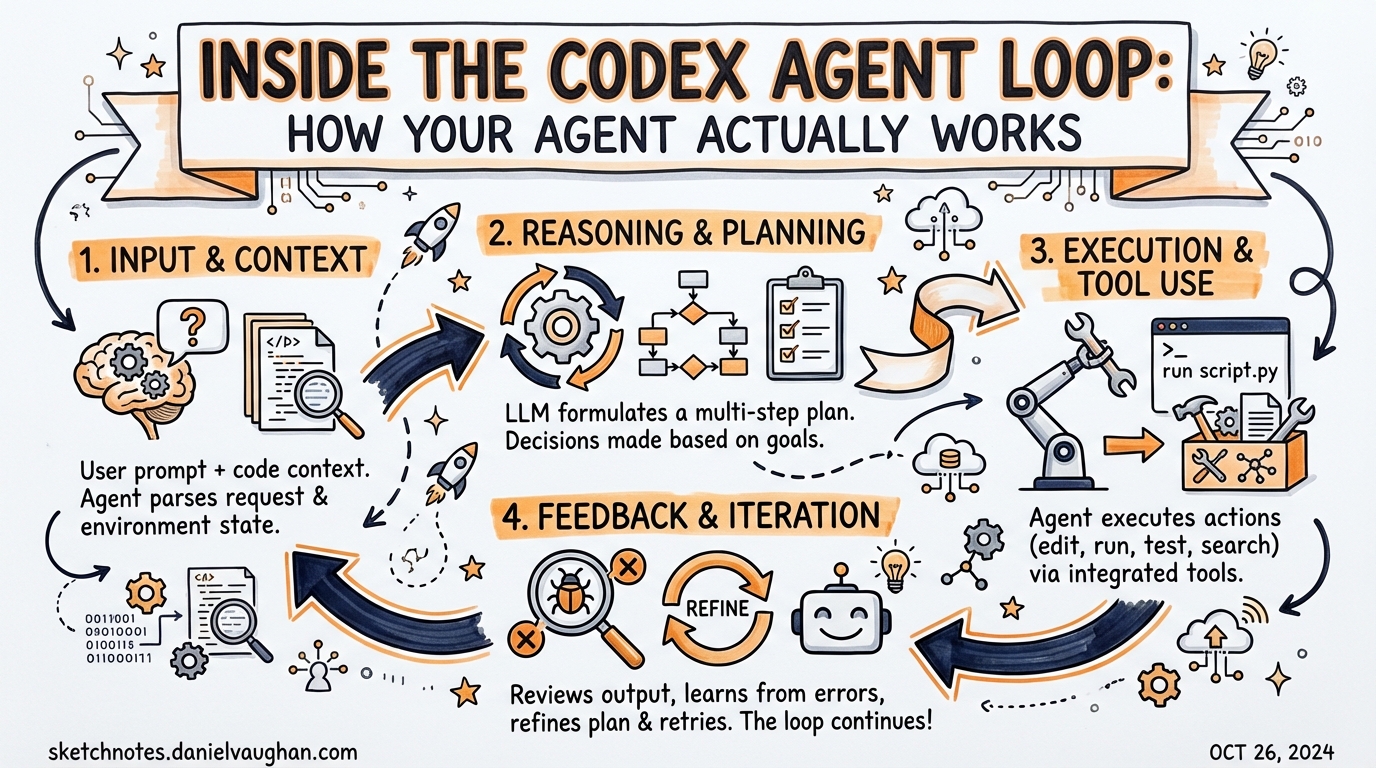
Based on Michael Bolin’s “Unrolling the Codex Agent Loop” series (January 2026). Source: https://openai.com/index/unrolling-the-codex-agent-loop/
Most people use Codex CLI without thinking about what’s happening inside. That’s fine — until it isn’t. When sessions run long, costs spike unexpectedly, or context windows exhaust, understanding the agent loop goes from interesting to essential.
Michael Bolin, Codex’s lead engineer, published a rare technical deep-dive into the agent loop in January 2026. It’s the best public documentation of Codex internals that exists. This article extracts the practical implications for people building agentic workflows.
The Loop in One Diagram
┌─────────────────────────────────────────────────────────────┐
│                        AGENT LOOP                           │
│                                                             │
│  User input                                                 │
│       ↓                                                     │
│  Build prompt                                               │
│  (system prompt + history + tool schemas + user message)    │
│       ↓                                                     │
│  Inference (tokenise → sample → stream output tokens)       │
│       ↓                                                     │
│  Parse response                                             │
│  ┌─────────────────┐         ┌──────────────────────────┐  │
│  │ Tool call found? │──yes──→│ Execute tool, add result  │  │
│  └─────────────────┘         │ to history, loop again    │  │
│          │ no                └──────────────────────────┘  │
│          ↓                                                  │
│  Assistant message → return control to user                 │
└─────────────────────────────────────────────────────────────┘
A “turn” runs this loop as many times as necessary. A single user message might trigger 50 tool calls before the final assistant message appears.
Tokenisation: What Really Happens at Inference
Before the model can do anything, your text becomes numbers.
- The entire prompt is converted to input tokens — integers indexing the model’s vocabulary
- These tokens are sent to the Responses API
- The model samples output tokens one at a time
- Output tokens are decoded back to text and streamed to the TUI
Why this matters: The model processes every input token before it can produce any output token. A verbose AGENTS.md file, a large file read, or a lengthy tool call result all add latency to every subsequent inference call in the session.
Streaming output in the TUI isn’t a UX flourish — it’s exposing the token-by-token sampling process directly.
The Quadratic Growth Problem
This is the insight most advanced users miss.
Every time you send a new message, the entire conversation history is bundled into the prompt:
Turn 1:  [system] + [user msg 1]                            → ~2k tokens
Turn 5:  [system] + 4 turns + tool calls                    → ~15k tokens
Turn 20: [system] + 19 turns + dozens of tool calls         → ~80k tokens
Turn 50: [system] + 49 turns + hundreds of tool calls       → potentially millions
The amount of data sent to the API over the lifetime of a session is quadratic in the number of turns. Doubling the session length roughly quadruples the total tokens sent — and the total cost.
This is by design. The model needs conversation history to reason coherently. But it means:
- Long sessions are disproportionately expensive
- Sessions doing heavy file editing (lots of
apply_patchtool calls) exhaust context faster than sessions doing light work - A single session should do one focused task, not everything
Built-in mitigations
/compact — summarises the current conversation to a shorter representation, freeing context headroom. Use when a session has been running long and is showing signs of slowing down.
Sub-agent delegation — spawning a subagent starts a fresh context. The orchestrator session stays small while workers accumulate context independently. This is the correct architecture for long complex tasks.
codex fork --last — branches the session from a clean intermediate state. Start a fork before a risky or expensive phase rather than continuing from a bloated main thread.
Tool Calls: The Real Output
When people think about what Codex “outputs”, they think about the text response. Bolin makes an important clarification:
“Because the agent can execute tool calls that modify the local environment, its ‘output’ is not limited to the assistant message. In many cases, the primary output of a software agent is the code it writes or edits on your machine.”
The assistant message at the end of a turn is a termination signal, not the deliverable. The deliverable is the accumulated effect of tool calls on your filesystem, test results, and PR state.
Practical design implication: You don’t need verbose assistant messages. What you need are reliable tool calls. Design your AGENTS.md to guide Codex toward correct tool use rather than correct prose output.
Prompt Caching: Why Long Sessions Are Cheaper Than They Look
Codex CLI uses prefix caching on the Responses API. The first time a particular prompt prefix is sent, OpenAI computes and caches the model’s key-value state for that prefix. Subsequent turns that share the same prefix skip re-computation for the cached portion.
What gets cached (high hit rate):
- System prompt (same content every turn in the same session)
- The bulk of conversation history (the part that doesn’t change between turns)
What doesn’t cache:
- The latest user message (always new)
- The most recent tool call result (always new)
Net effect: Cached prefix tokens are significantly cheaper than uncached tokens. The quadratic growth in total tokens sent doesn’t translate to quadratic cost growth — the per-turn marginal cost grows more slowly thanks to caching.
Design tip: Keep your AGENTS.md stable during a session. Changing it mid-session invalidates the system prompt cache, which is usually the largest cached prefix.
The Responses API: Why It Replaced Chat Completions
Codex migrated from the Chat Completions API to the Responses API in v0.113.0 (early March 2026). Bolin explains why:
- 40–80% better cache utilisation — the Responses API was designed for the access patterns of agentic loops
- 3% SWE-bench improvement — better caching means more compute available for reasoning within the same budget
- Multi-turn tool use design — Chat Completions was a GPT-3.5-era format not suited to modern agent patterns
- Parallel tool calls — multiple tool calls can be evaluated and returned in a single model response
For most users this is invisible. But if you’re using the TypeScript SDK or app-server to build custom integrations, knowing the underlying API matters.
App Server: The Parallelism Layer
For anything beyond a single CLI session, the App Server is the coordination primitive.
The App Server exposes Codex as a JSON-RPC 2.0 server over JSONL/stdio (local) or WebSocket (remote). It’s the protocol used by VS Code, Xcode, JetBrains, and the Codex Desktop app to orchestrate multiple agents in parallel.
What it enables:
- Multiple Codex sessions behind one orchestrator
- Path-based agent addressing (
/root/agent_a,/root/agent_b) for multi-agent v2 routing - Filesystem RPCs for the orchestrator to read/write files without going through the agent
- Remote WebSocket connections with bearer-token auth
If you’re building an agentic pod with Orchestrator/Planner/Implementer/Reviewer roles, you’re building on the App Server. The TOML-based subagent approach in CLI mode is the simpler interface; the App Server is for when you need programmatic orchestration.
Smart Approvals: Removing the Human Bottleneck
Introduced in v0.115.0, Smart Approvals route review requests through a guardian subagent rather than interrupting the human.
Main agent → potentially risky action
                ↓
           Guardian subagent
           (applies policy rules)
                ↓
       approve / deny / escalate
                ↓
         Main agent continues
For full-auto unattended runs, this is the difference between a workflow that runs to completion and one that parks waiting for human input. The guardian subagent enforces rules from your AGENTS.md or config.toml without requiring interactive approval.
Key properties (v0.117.0):
- Parallel approvals — multiple tool calls evaluated simultaneously
- Permissions persist across turns — granted once, honoured for the session
- Spawned subagents inherit sandbox and network rules from the parent
What This Means for Your Workflow
| Principle | Practice |
|---|---|
| Context is the constraint | One session, one task. Use subagents for multi-phase work |
| Tool calls accumulate fast | Prefer apply_patch over shell cat+edit round-trips |
| Caching rewards stable prompts | Lock AGENTS.md before starting a long session |
| Parallelism needs App Server | For agentic pods, don’t fight the CLI — use the protocol |
full-auto needs guardians |
Configure Smart Approvals for unattended runs |
| Fork early, fork often | Branch before risky phases rather than rolling back |
Where to Go Deeper
- Michael Bolin’s full series: https://openai.com/index/unrolling-the-codex-agent-loop/
- App Server internals: https://openai.com/index/unlocking-the-codex-harness/
- codex-rs on GitHub: https://github.com/openai/codex/tree/main/codex-rs
- Community discussion: https://community.openai.com/t/fyi-unrolling-the-codex-agent-loop-a-blog-entry-by-michael-bolin/1372420
Published: 2026-03-28 · Daniel Vaughan · Primary source: Michael Bolin, OpenAI (January 2026)