Codex App-Server Remote Deployment: WebSocket Transport, Bearer Auth and Health Checks
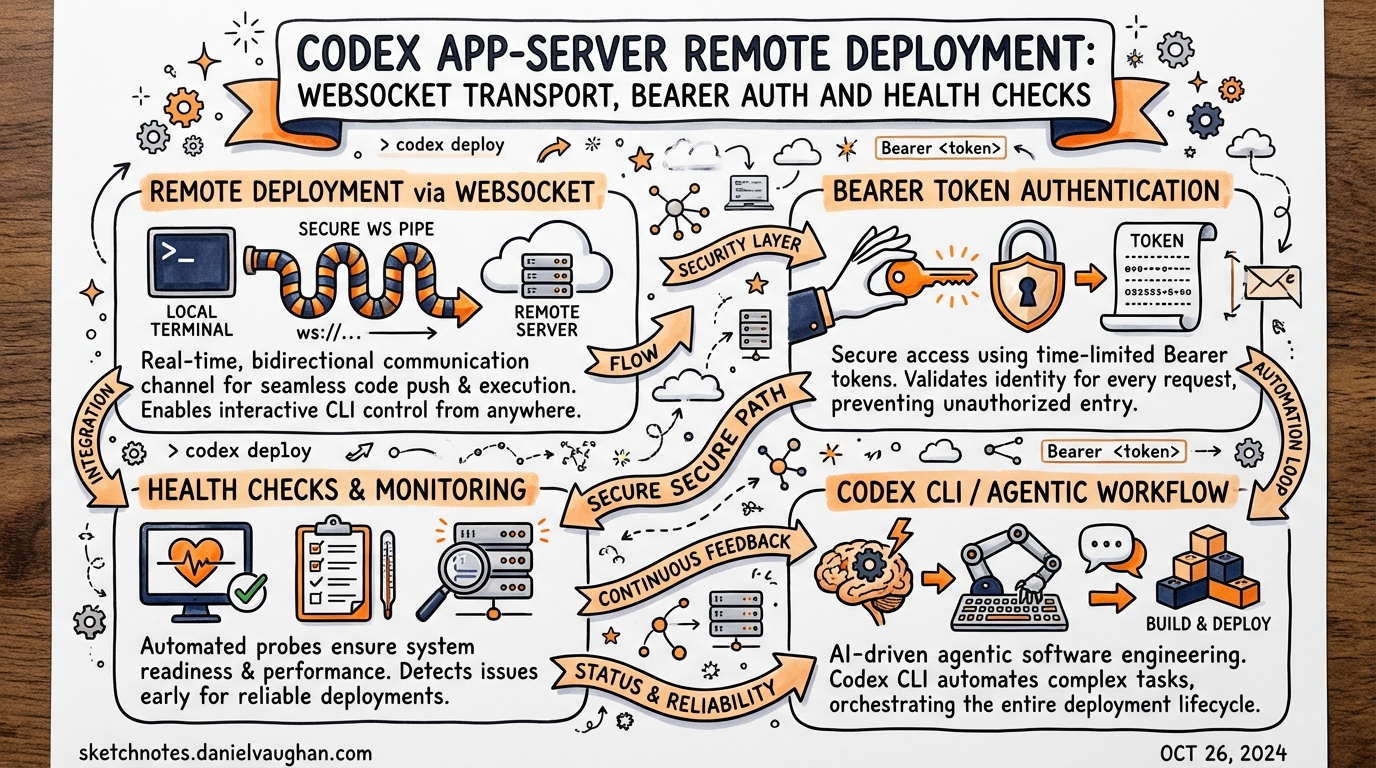
Published: 2026-03-28 · Sources: Codex app-server README, OpenAI Developer Docs, InfoQ — all verified current as of v0.117.0 (March 2026)
The Codex app-server is the JSON-RPC layer that powers every Codex surface — the desktop app, the VS Code extension, Xcode 26.3, and the web runtime all speak the same protocol.1 Most teams run it locally over stdio, but v0.117.0 introduced a WebSocket transport that enables a genuinely different deployment topology: a single long-lived Codex process running on a remote host, shared across multiple clients or embedded in a container.
This article covers what you need to know to deploy the app-server beyond your laptop — including transport flags, bearer-token authentication, health probe configuration, backpressure handling, and the security gotchas that will bite you if you skip the README.
Why a Remote App-Server?
The canonical use case is Dev Containers.2 Teams working in per-branch containers (one container per worktree) want the VS Code Codex extension to connect to an app-server instance running inside the container rather than on the host. That means exposing the app-server on a port the extension can reach via the container’s network.
Other scenarios include:
- Team shared server — a single, authenticated Codex instance on a beefy remote machine with faster I/O and local access to a large codebase.
- CI/CD pipeline agent — a containerised app-server that CI job runners connect to via WebSocket rather than spawning a fresh process per job.
- Custom browser tooling — a lightweight browser client (HTML + JavaScript) that drives Codex via the WebSocket JSON-RPC API without bundling the native binary.
Transport Options
The app-server accepts a --listen flag that selects the transport layer.3
# Default: JSONL over stdio (the only supported-for-production mode)
codex app-server --listen stdio://

# Experimental: WebSocket on a specific address
codex app-server --listen ws://127.0.0.1:3000

# Experimental: WebSocket on all interfaces (requires explicit auth — see below)
codex app-server --listen ws://0.0.0.0:3000
⚠️ WebSocket transport is currently experimental and unsupported. OpenAI explicitly advises against relying on it for production workloads.4 That said, it is the only path to remote deployment, so teams evaluating it should be aware of the current limitations.
Remote clients connect with the --remote flag:
codex --remote ws://your-host:3000
This instructs the local TUI to act as a thin client, delegating all agent execution to the remote server. The remote app-server must already be running and accepting connections.
Bearer Token Authentication
Non-loopback WebSocket listeners allow unauthenticated connections by default during the current rollout.5 If you are exposing the app-server on any address other than 127.0.0.1, you must configure auth explicitly. There are two supported modes.
Capability Token (simpler)
A pre-shared opaque token stored in a file. Clients include it as a standard Authorization: Bearer <token> header during the WebSocket handshake.
codex app-server \
  --listen ws://0.0.0.0:3000 \
  --ws-auth capability-token \
  --ws-token-file /etc/codex/ws-token
Generate a secure token with:
openssl rand -hex 32 > /etc/codex/ws-token
chmod 600 /etc/codex/ws-token
HMAC-Signed JWT/JWS Bearer Token (recommended for multi-client)
For environments with multiple clients or where you need to scope tokens by issuer and audience, use signed bearer tokens. The server validates the JWT signature using a shared secret.
codex app-server \
  --listen ws://0.0.0.0:3000 \
  --ws-auth signed-bearer-token \
  --ws-shared-secret-file /etc/codex/jwt-secret \
  --ws-issuer https://ci.your-org.com \
  --ws-audience codex-remote \
  --ws-max-clock-skew-seconds 30
Authentication is enforced before the JSON-RPC initialize handshake. A client that connects without a valid credential will be rejected at the WebSocket upgrade stage, never reaching the RPC layer.6
Health Probes
WebSocket deployments expose two HTTP health probes on the same port as the WebSocket listener.7
| Endpoint | Returns | Notes |
|---|---|---|
GET /readyz |
200 OK |
Indicates the server is accepting connections |
GET /healthz |
200 OK |
Returns 200 when no Origin header is present; returns 403 Forbidden when an Origin header is present |
The Origin restriction on /healthz is a deliberate CSRF mitigation — it prevents browser-context requests from probing the health endpoint. Use your load balancer or container orchestrator’s health check without an Origin header.
Kubernetes liveness/readiness probe example:
livenessProbe:
  httpGet:
    path: /healthz
    port: 3000
  initialDelaySeconds: 5
  periodSeconds: 10
readinessProbe:
  httpGet:
    path: /readyz
    port: 3000
  initialDelaySeconds: 3
  periodSeconds: 5
Deployment Patterns
The OpenAI architecture blog describes three deployment topologies.8 Understanding them clarifies where the remote WebSocket mode fits.
flowchart TD
    subgraph Local["Local Embedding (Supported)"]
        VS[VS Code Extension] -->|stdio JSONL| AS1[App-Server Binary]
        Desktop[Desktop App] -->|stdio JSONL| AS2[App-Server Binary]
    end
    subgraph SSH["SSH Port-Forward (Loopback WS)"]
        Client[Remote Client] -->|SSH tunnel| LB[127.0.0.1:3000]
        LB --> AS3[App-Server Binary]
    end
    subgraph Remote["Remote WebSocket (Experimental)"]
        C1[Client A] -->|wss:// + JWT| AS4[App-Server\non Remote Host]
        C2[Client B] -->|wss:// + JWT| AS4
        C3[CI Runner] -->|wss:// + JWT| AS4
    end
Pattern 1 — Local embedding is the default and only production-supported mode. The client binary bundles the app-server and spawns it as a child process over stdio.
Pattern 2 — SSH port-forward is the pragmatic middle ground. Run the app-server on the remote host listening on ws://127.0.0.1:3000, then use SSH to forward that loopback port to your local machine. Loopback listeners need no auth and avoid WebSocket security exposure entirely.
# On remote host
codex app-server --listen ws://127.0.0.1:3000

# On local machine — forward remote port 3000 to local 3000
ssh -L 3000:127.0.0.1:3000 user@remote-host

# Connect local TUI to the forwarded port
codex --remote ws://127.0.0.1:3000
Pattern 3 — Remote WebSocket allows multiple concurrent clients and removes the SSH dependency. This is the dev-container scenario and CI shared-agent pattern. Use capability-token auth for simple setups; signed-bearer-token for multi-tenant or multi-team environments.
Structured Logging
The app-server emits logs to stderr. Two environment variables control output format:
# Verbosity: error | warn | info | debug | trace
RUST_LOG=info codex app-server --listen ws://0.0.0.0:3000

# Structured JSON logs for log aggregation pipelines
LOG_FORMAT=json RUST_LOG=info codex app-server --listen ws://0.0.0.0:3000
With LOG_FORMAT=json, every log line is a JSON object with timestamp, level, target, and message fields — ready to ship to Elasticsearch, Loki, or any structured log pipeline.9
Backpressure and Retry
The server uses bounded internal queues between transport ingress, request processing, and outbound writes. When the ingress queue is saturated, new requests are rejected immediately with a standard JSON-RPC error:
{
  "jsonrpc": "2.0",
  "id": null,
  "error": {
    "code": -32001,
    "message": "Server overloaded; retry later."
  }
}
Clients must treat -32001 as retryable with exponential backoff and jitter.10 A naive client that hammers the server on overload will worsen the situation. A reasonable retry strategy:
async function sendWithRetry(rpc: JsonRpcClient, req: Request, maxAttempts = 5) {
  for (let attempt = 0; attempt < maxAttempts; attempt++) {
    try {
      return await rpc.send(req);
    } catch (err) {
      if (err.code === -32001 && attempt < maxAttempts - 1) {
        const delay = Math.min(100 * 2 ** attempt + Math.random() * 50, 10_000);
        await sleep(delay);
        continue;
      }
      throw err;
    }
  }
}
The experimentalApi Capability Gate
Several app-server features — including filesystem RPCs (fs/read, fs/write, fs/watch) and some multi-agent operations — are gated behind an experimentalApi capability.11 Opt in during the initialize handshake:
{
  "jsonrpc": "2.0",
  "method": "initialize",
  "id": 1,
  "params": {
    "clientInfo": {
      "name": "my-ci-runner",
      "title": "CI Integration",
      "version": "1.0.0"
    },
    "capabilities": {
      "experimentalApi": true
    }
  }
}
Without experimentalApi: true, calls to gated methods return an error explaining the capability requirement. The clientInfo.name field also matters for enterprise deployments: it appears in OpenAI’s Compliance Logs Platform, so integrations should use a meaningful, stable identifier.12
Security Checklist
Before exposing the app-server on a non-loopback address:
- Set
--ws-auth capability-tokenor--ws-auth signed-bearer-token— no exceptions for non-loopback - Restrict network access to known client IP ranges at the firewall layer (defence in depth)
- Use
wss://(TLS) in production; the--listenflag acceptswss://with a certificate and key - Set
RUST_LOGandLOG_FORMAT=jsonand ship logs to a SIEM - Configure Kubernetes health probes without
Originheaders - Review
configRequirements/readto confirm sandbox and approval policies are enforced at the server level
Current Limitations
WebSocket is experimental. OpenAI has not committed to API stability for the WebSocket transport. Breaking changes may ship in minor versions. Treat it as a preview.
No built-in rate limiting per client. The bounded-queue backpressure is global, not per-connection. A single misbehaving client can saturate the server for all others.
Single-process concurrency model. One app-server process handles one active turn at a time. For parallel multi-client scenarios, consider running multiple app-server instances behind a simple load balancer or proxy.
First-turn WebSocket prewarm stall (fixed in v0.117.0). Earlier versions could stall on the first turn/start while WebSocket connections warmed up. The fix added a timeout with clean fallback.13
Citations
-
OpenAI, “App Server — Codex,” OpenAI Developers, https://developers.openai.com/codex/app-server ↩
-
GitHub Issue #13410, “Configurable App Server WebSocket port/endpoint to connect from VS Code to a Codex instance running inside a Dev Container,” https://github.com/openai/codex/issues/13410 ↩
-
OpenAI, “Command line options — Codex CLI,” OpenAI Developers, https://developers.openai.com/codex/cli/reference ↩
-
OpenAI,
codex-rs/app-server/README.md, GitHub, https://github.com/openai/codex/blob/main/codex-rs/app-server/README.md ↩ -
Ibid. — “Non-loopback WebSocket listeners currently allow unauthenticated connections by default during rollout.” ↩
-
Ibid. — “Auth is enforced before JSON-RPC
initialize.” ↩ -
OpenAI, Codex v0.117.0 release notes — “WebSocket app-server deployments now expose
GET /readyzandGET /healthzon the same listener,” https://github.com/openai/codex/releases ↩ -
InfoQ, “OpenAI Publishes Codex App Server Architecture for Unifying AI Agent Surfaces,” February 2026, https://www.infoq.com/news/2026/02/opanai-codex-app-server/ ↩
-
OpenAI,
codex-rs/app-server/README.md— “SetLOG_FORMAT=jsonto emit structured tracing logs to stderr.” ↩ -
Ibid. — “Clients should retry with an exponentially increasing delay and jitter.” ↩
-
OpenAI, “App Server — Codex,” OpenAI Developers — “Features behind
experimentalApicapability require explicit opt-in.” ↩ -
Ibid. — “
clientInfo.nameidentifies the integration for OpenAI’s Compliance Logs Platform.” ↩ -
OpenAI, Codex v0.117.0 release notes — “A first-turn stall where WebSocket prewarm could delay turn/start was fixed — startup now times out and falls back cleanly,” https://github.com/openai/codex/releases ↩