Codex Sub-Agent Path Addressing: The Multi-Agent v2 Architecture
Codex Sub-Agent Path Addressing: The Multi-Agent v2 Architecture
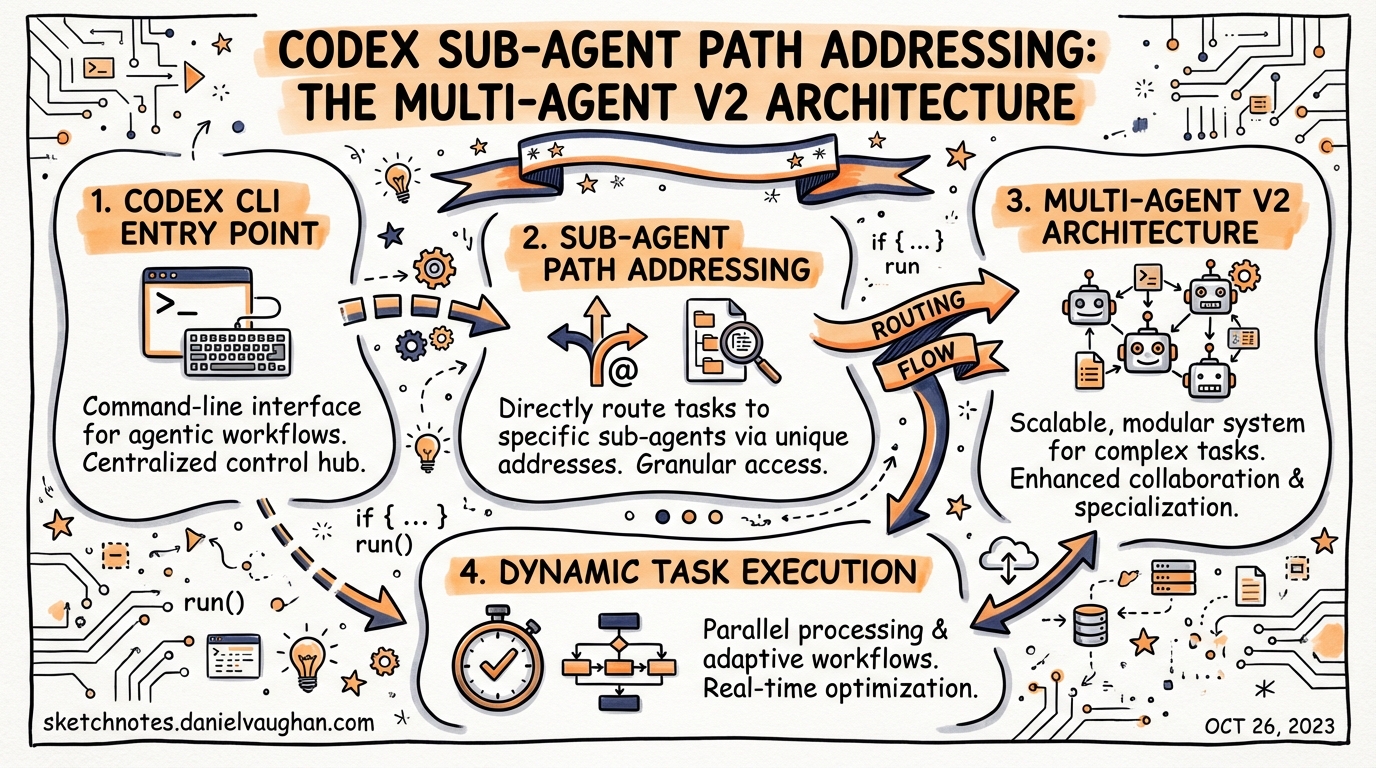
Codex v0.117.0 replaced the original UUID-based sub-agent identification scheme with a hierarchical, path-like addressing system.1 The change is more than a cosmetic rename — it underpins a structured inter-agent messaging protocol, a formal agent-listing mechanism, and a team configuration layer that together constitute what the maintainers call “multi-agent v2”. This article unpacks the architecture, walks through configuration, and shows where the new primitives change real orchestration patterns.
The Problem With UUIDs
Before v0.117.0, spawned sub-agents were identified by raw call-IDs — opaque UUID strings that leaked into TUI output, approval overlays, and log messages. When you ran three parallel workers the TUI showed something like:
[3fa2b7c1-…] worker: checking auth module
[9e4d0012-…] worker: checking payment module
[c7a1ff83-…] worker: checking admin routes
No context about which worker was doing what, no stable handle you could target with a follow-up message, and no ergonomic way to route input to a specific running agent. The result was that complex orchestration patterns — reviewer pipelines, parallel explorers, sequential gated chains — were hard to reason about at runtime.2
Path-Based Addresses
The v0.117.0 path system assigns every agent session a deterministic address rooted at /root.1 The root session itself occupies /root. Direct spawns become /root/agent_a, /root/agent_b, and so on, with deeper nesting following the same convention:
/root
├── /root/explorer
├── /root/reviewer
│   └── /root/reviewer/security_auditor
└── /root/docs_researcher
Each segment corresponds to the agent’s name field from its TOML definition, not a random identifier. Because the address is derived from configuration, it is stable across resume cycles and predictable when writing orchestration logic.
The PR that introduced this was #15313 (“feat: change multi-agent to use path-like system instead of uuids”).1 Agent listing (#15621) was added shortly after to let the orchestrator enumerate all currently active paths at runtime, which is the foundation for dynamic fan-out patterns where the parent adapts its strategy based on which children are still alive.
Structured Inter-Agent Messaging
Alongside addressing, PR #15515 introduced a structured messaging protocol between agents.1 Rather than plain text flowing through send_input, agents can now post typed messages with a source address, destination address, and a message-class discriminator.
In the TUI, this surfaces as prefixed, coloured handles:
◉ @reviewer [spawned]
◉ @reviewer [progress] Checked 12/20 files — 2 critical findings
◉ @security_auditor [spawned] by /root/reviewer
◉ @security_auditor [result] 1 critical: missing input sanitisation in auth handler
The [spawned], [progress], and [result] labels are message classes in the underlying protocol.2 This structure enables the orchestrator to act on machine-readable payloads rather than parsing free text. The report_agent_job_result tool — already present in v1 for spawn_agents_on_csv — is now used by single-agent spawns as well when a structured result is expected.
Directory Structure and Configuration
Custom agents are defined as TOML files. There are two scopes:
| Scope | Location |
|---|---|
| Personal (user-level) | ~/.codex/agents/ |
| Project-scoped | .codex/agents/ (repo root) |
For the new team features, agents are grouped into subdirectories:2
~/.codex/agents/
├── _builtin/             # built-in defaults (default, worker, explorer)
└── backend-review/
    ├── team.toml
    ├── lead_reviewer/
    │   ├── config.toml
    │   └── system_prompt.md
    ├── validator/
    │   ├── config.toml
    │   └── system_prompt.md
    └── security_auditor/
        ├── config.toml
        └── system_prompt.md
team.toml
The team.toml file declares the team’s identity, its membership, and its launch policy:
[team]
name         = "backend-review"
description  = "Full backend review pipeline"
tui_color    = "blue"
orchestrator = "lead_reviewer"
members      = ["lead_reviewer", "validator", "security_auditor"]

# Other teams this team's orchestrator is allowed to address
can_address_teams = ["devops", "frontend-review"]

[launch]
trigger = "manual"   # manual | on_task | always
The orchestrator field names the member that receives the initial prompt when the team is invoked. All other members start idle and are spawned by the orchestrator as needed.2
Per-Agent config.toml
Individual agent configs mirror the fields available in the root config.toml, with agent-scoped overrides:
[agent]
name      = "validator"
tui_color = "cyan"

[prompt]
file = "system_prompt.md"   # relative to this config.toml

[invocation]
trigger     = "manual"
watch_paths = ["src/**/*.ts", "package.json"]

[tools]
shell       = true
apply_patch = false

[[tools.mcp]]
name    = "github-mcp"
command = "npx"
args    = ["-y", "@modelcontextprotocol/server-github"]

[permissions]
network    = false
fs_read    = true
fs_write   = false
allow_paths = ["./reports/"]
Key fields for v2 orchestration:
tui_color— gives the agent a distinct colour in TUI output, matching the@handlebadgewatch_paths— triggers the agent automatically when matching files change (⚠️ confirm stability of this field in your installed version)[permissions]— per-agent filesystem and network scoping, narrower than the parent session’s sandbox
Cross-Team Addressing and @mention Syntax
With teams in play, the @mention syntax extends to cover both individual agents and entire teams:2
| Syntax | Destination |
|---|---|
@validator |
Direct message to the validator agent |
@backend-review |
Routes to backend-review team’s orchestrator |
@backend-review/security_auditor |
Directly addresses a named member of that team |
The /agent command in the TUI now shows the agent picker grouped by team, with collapsible team sections and a team-level badge. Nicknames configured via nickname_candidates are shown in the picker when multiple instances of the same agent type are running simultaneously.3
Launching a Team
codex --team backend-review "Review PR #142 for correctness and security"
This starts the lead_reviewer orchestrator with the given prompt. The orchestrator then spawns validator and security_auditor sub-agents via spawn_agent, waits on their structured results, and synthesises a final review.3
For one-off non-interactive runs:
codex exec --team backend-review --profile ci "Review PR #142"
Architecture Flow
The following diagram shows how path addressing maps onto a two-level team with a gated result handoff:
flowchart TD
    A["User prompt\n→ codex --team backend-review"] --> B["/root\n(lead_reviewer orchestrator)"]
    B --> C["/root/validator\n(spawn_agent)"]
    B --> D["/root/security_auditor\n(spawn_agent)"]
    C -->|"report_agent_job_result\n[result] 0 correctness issues"| E["Team Inbox"]
    D -->|"report_agent_job_result\n[result] 1 critical finding"| E
    E --> F["Orchestrator resumes\n(wait_agent)"]
    F --> G["Synthesised review\nposted to /root"]
    G --> H["User sees final output"]
Async Orchestration and Idle State
A key change in v2 is that orchestrators can dispatch work and then suspend, rather than blocking. The orchestrator spawns its children, calls wait_agent (or wait_agent with a timeout), then enters an idle state that consumes no context tokens while the sub-agents run.1 When a sub-agent calls report_agent_job_result, the team inbox is updated and the orchestrator resumes.
This avoids the context-window pressure that plagued v1 orchestrators, which had to stay “active” throughout the duration of all child tasks. Paired with the new agent-listing operation (#15621), an orchestrator can query which children are still running and conditionally spawn new agents or escalate based on partial results.1
Global [agents] Config Keys
The root ~/.codex/config.toml [agents] section controls limits that apply across all sessions:3
[agents]
# Maximum concurrently open agent threads. Default: 6
max_threads = 6

# Maximum nested spawn depth. Root = depth 0. Default: 1
max_depth = 2

# Per-worker timeout for spawn_agents_on_csv jobs, in seconds. Default: 1800
job_max_runtime_seconds = 900

[agents.reviewer]
description   = "Find correctness, security, and test risks"
config_file   = "./agents/reviewer.toml"
nickname_candidates = ["Athena", "Ada", "Iris"]
Note that max_depth = 1 (the default) allows one level of sub-agents below root. To use nested sub-agents (e.g., an orchestrator that spawns an orchestrator), increase this value deliberately — deeper nesting compounds context and approval complexity.
Practical Patterns
Pattern 1: Named Specialist Pipeline
Rather than spawning anonymous worker agents, define named specialists in .codex/agents/. The path-based addresses let you target follow-up messages precisely:
# .codex/agents/pr-review/team.toml
[team]
name         = "pr-review"
orchestrator = "triage"
members      = ["triage", "correctness", "security", "docs"]
The triage agent reads the PR diff, decides which specialists are needed, and spawns only the relevant sub-agents — skipping docs entirely for a backend-only change.
Pattern 2: Progressive Depth
Set max_depth = 2 and allow the security agent to spawn a dependency_auditor when it detects third-party library changes. The path becomes /root/security/dependency_auditor, addressable directly from the TUI if manual steering is needed.
Pattern 3: Async Fan-Out With Reconciliation
The spawn_agents_on_csv tool remains the best choice for homogeneous parallel work (e.g., analysing 50 services with the same prompt). For heterogeneous pipelines — different agents, different prompts, different tool surfaces — the named team pattern with spawn_agent + wait_agent gives finer control and legible path addresses.
What Hasn’t Changed
- TOML-first configuration: all v1 TOML keys (
model,model_reasoning_effort,sandbox_mode,mcp_servers,skills.config) work unchanged inside per-agent configs - Sandbox inheritance: spawned agents inherit the parent session’s live runtime overrides, including
/approvalschanges and--yoloflags3 spawn_agents_on_csv: unchanged API; path addressing is an additional layer, not a replacement- Approval overlays: source agent is now shown by
@namerather than UUID, but the approval flow is otherwise identical
Citations
-
OpenAI Codex Changelog v0.117.0 — Sub-agent path addressing, structured messaging, agent listing. developers.openai.com/codex/changelog ↩ ↩2 ↩3 ↩4 ↩5 ↩6
-
GitHub Issue #12047 — Multi-agent TUI overhaul: named agents, per-agent config, async orchestration & @mention messaging. github.com/openai/codex/issues/12047 ↩ ↩2 ↩3 ↩4 ↩5
-
Official Codex Subagents documentation — TOML schema, config keys, nickname_candidates, sandbox inheritance. developers.openai.com/codex/subagents ↩ ↩2 ↩3 ↩4