Codex CLI for Vue and Nuxt Teams: Composition API, Pinia, Vitest, and Agent-Driven Component Workflows
Codex CLI for Vue and Nuxt Teams: Composition API, Pinia, Vitest, and Agent-Driven Component Workflows
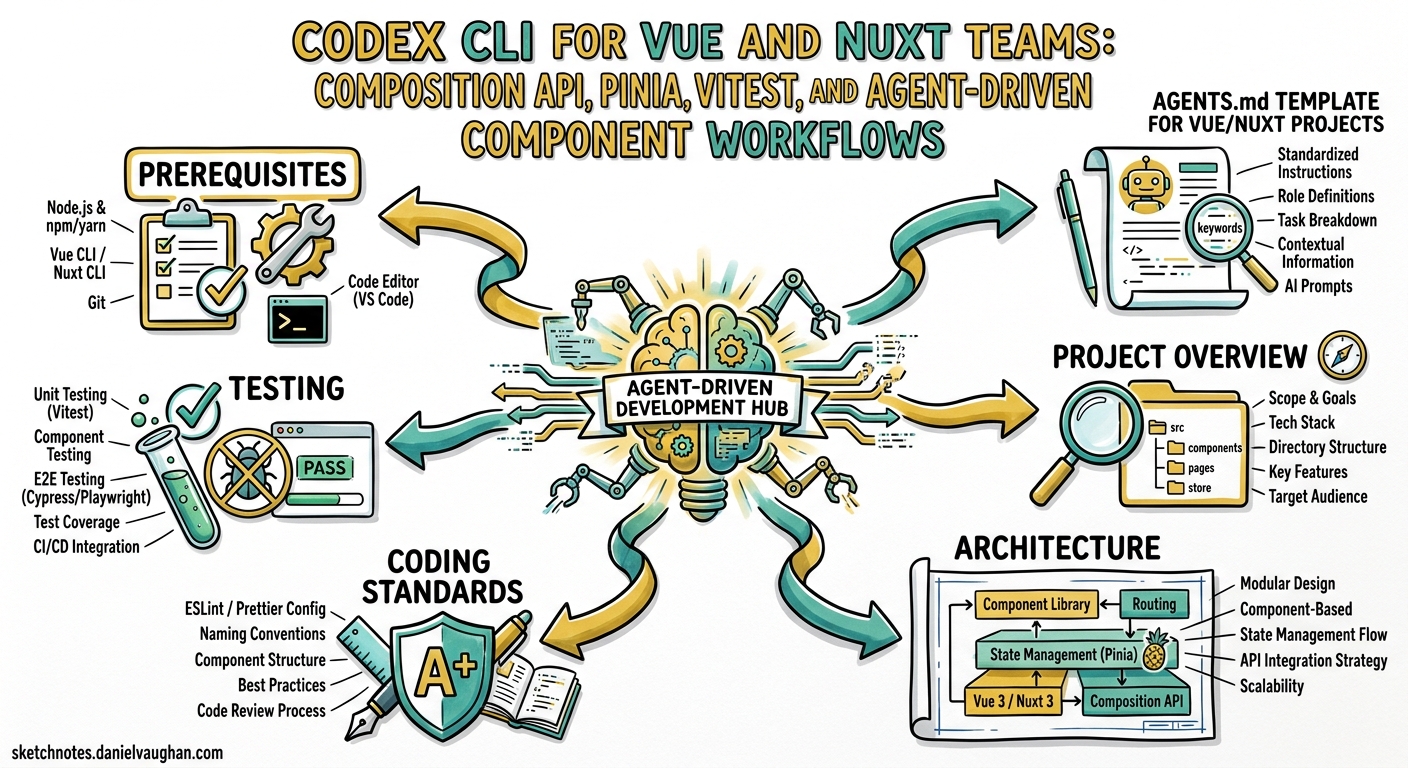
Vue 3.6 and Nuxt 4.4 represent the current state of the art for the Vue ecosystem 12. Combined with Codex CLI v0.125, Vue teams now have a mature agent-assisted development pipeline covering component scaffolding, Pinia store generation, Vitest testing, and Nuxt MCP integration. This guide provides the AGENTS.md templates, config.toml settings, and workflow recipes needed to make Codex CLI a productive member of your Vue team.
Prerequisites
This article assumes you are running:
- Codex CLI v0.125+ 3
- Vue 3.6.x with the Composition API
- Nuxt 4.4.x (or standalone Vue + Vite 8)
- Pinia 3.x for state management
- Vitest 3.x with
@vue/test-utilsfor testing - Node.js 22 LTS
AGENTS.md Template for Vue/Nuxt Projects
The most impactful configuration for any Codex CLI project is a well-structured AGENTS.md 4. Place this at your repository root:
# AGENTS.md

## Project Overview
This is a Vue 3.6 / Nuxt 4.4 application using the Composition API
exclusively. TypeScript is mandatory for all new code.

## Architecture
- Components live in `components/` with PascalCase filenames
- Composables in `composables/` prefixed with `use` (e.g. `useAuth.ts`)
- Pinia stores in `stores/` with `defineStore` and setup syntax
- Server routes in `server/api/` following Nitro conventions
- Pages in `pages/` using file-based routing

## Coding Standards
- Use `<script setup lang="ts">` for all Single File Components
- Prefer `ref()` and `computed()` over Options API
- Never use `this` — Composition API only
- Use `defineProps<T>()` and `defineEmits<T>()` with TypeScript generics
- Extract shared logic into composables, not mixins
- Use `toRefs()` when destructuring reactive objects from composables

## Testing
- All components require co-located `*.test.ts` files
- Use `mount()` from `@vue/test-utils` for integration tests
- Use `shallowMount()` for isolated unit tests
- Use `createTestingPinia()` from `@pinia/testing` for store mocking
- Target 80%+ coverage on stores and composables
- Test user-visible behaviour, not internal state

## Review Guidelines
- Flag any Options API usage as P0
- Flag any `any` type as P1
- Flag missing test files for new components as P1
- Flag direct Pinia store mutations outside actions as P2
For monorepos, place additional scoped AGENTS.md files in each package directory. Codex merges them in directory order, with the closest file taking precedence 5.
config.toml Configuration
Configure Codex for Vue development by setting sandbox permissions and model preferences in ~/.codex/config.toml or a project-level .codex/config.toml:
model = "gpt-5.3-codex"

[sandbox]
# Vitest and Nuxt dev server need network for HMR
permissions = ["disk-full-read-write", "network-localhost"]

[env]
# Ensure Vitest runs in non-interactive mode
CI = "true"
# Nuxt telemetry off to avoid prompts in sandbox
NUXT_TELEMETRY_DISABLED = "1"
For teams using profiles, define a dedicated Vue development profile:
[profiles.vue]
model = "gpt-5.3-codex"
reasoning = "medium"

[profiles.vue-review]
model = "gpt-5.5"
reasoning = "high"
Switch at runtime with codex --profile vue or codex --profile vue-review for code review tasks 6.
Installing Nuxt Skills and MCP Server
The Nuxt ecosystem provides two complementary AI integration points: skills files and an MCP server.
Skills Installation
The nuxt-skills package provides 18 skill modules covering Vue, Nuxt, Pinia, Vitest, VueUse, Reka UI, and more 7:
npx skills add onmax/nuxt-skills
The CLI auto-detects Codex and copies skill files to .codex/skills/. Skills activate automatically when the agent encounters relevant file types — .vue files trigger the Vue skill, server/api/ routes trigger the Nuxt skill.
Nuxt MCP Server
The official Nuxt MCP server provides live documentation access via HTTP transport 8:
# .codex/config.toml
[mcp_servers.nuxt]
transport = "http"
url = "https://nuxt.com/mcp"
This gives Codex access to Nuxt 4.x documentation, blog posts, and deployment guides without consuming context window tokens on static docs.
For Nuxt UI projects, add the component library MCP server as well 9:
[mcp_servers.nuxt-ui]
transport = "http"
url = "https://ui.nuxt.com/mcp"
Component Generation Workflow
A productive pattern for generating Vue components follows a three-phase flow:
flowchart TD
    A[Describe component requirements] --> B[Codex scaffolds SFC with script setup]
    B --> C[Codex generates co-located test file]
    C --> D[Run vitest --run on new test]
    D --> E{Tests pass?}
    E -->|Yes| F[Codex generates Storybook story]
    E -->|No| G[Codex reads failure output]
    G --> H[Codex fixes component or test]
    H --> D
Example Prompt
Create a UserCard.vue component in components/ that:
- Accepts props: user (object with name, email, avatarUrl), compact (boolean, default false)
- Emits click event with user id
- Uses Nuxt Image for the avatar
- Has compact and expanded visual states
- Include a UserCard.test.ts with mount tests covering both states and the click emission
Codex generates the SFC using <script setup lang="ts">, defines typed props with defineProps<>(), and creates the test file using mount() and createTestingPinia() if the component touches any store.
Pinia Store Patterns
Codex works best with Pinia’s setup syntax stores because they align with the Composition API patterns the model is trained on 10:
// stores/useCartStore.ts
import { defineStore } from 'pinia'
import { ref, computed } from 'vue'

export const useCartStore = defineStore('cart', () => {
  const items = ref<CartItem[]>([])

  const total = computed(() =>
    items.value.reduce((sum, item) => sum + item.price * item.quantity, 0)
  )

  function addItem(product: Product) {
    const existing = items.value.find(i => i.productId === product.id)
    if (existing) {
      existing.quantity++
    } else {
      items.value.push({ productId: product.id, price: product.price, quantity: 1 })
    }
  }

  function removeItem(productId: string) {
    items.value = items.value.filter(i => i.productId !== productId)
  }

  return { items, total, addItem, removeItem }
})
Testing Pinia Stores
The @pinia/testing package provides createTestingPinia() for injecting initial state and stubbing actions 11:
// stores/useCartStore.test.ts
import { describe, it, expect } from 'vitest'
import { setActivePinia } from 'pinia'
import { createTestingPinia } from '@pinia/testing'
import { useCartStore } from './useCartStore'

describe('useCartStore', () => {
  it('calculates total from items', () => {
    setActivePinia(createTestingPinia({
      initialState: {
        cart: {
          items: [
            { productId: '1', price: 10, quantity: 2 },
            { productId: '2', price: 5, quantity: 3 },
          ],
        },
      },
    }))
    const store = useCartStore()
    expect(store.total).toBe(35)
  })
})
When asking Codex to generate store tests, include the directive: “Use createTestingPinia with initialState injection. Test computed getters and action side-effects separately.”
Composable Extraction Workflow
One of Codex’s strongest patterns for Vue development is extracting composables from complex components. Prompt:
Extract the data-fetching and pagination logic from pages/users.vue into
a composables/useUserList.ts composable. The composable should return
{ users, loading, error, page, nextPage, prevPage }. Update the page
component to use the new composable and add a useUserList.test.ts file.
Codex identifies the reactive state, watchers, and lifecycle hooks in the component, moves them to a standalone function, and rewires the component to call the composable — maintaining the same runtime behaviour.
Nuxt-Specific Patterns
Server Route Generation
For Nuxt server routes, Codex generates Nitro-compatible handlers:
Create a server/api/products/[id].get.ts route that:
- Validates the id parameter with zod
- Fetches from the products table using Drizzle ORM
- Returns 404 with a typed error if not found
- Add a matching server/api/products/[id].get.test.ts using $fetch
Auto-Import Awareness
Nuxt 4’s auto-import system means ref, computed, useRoute, and other Vue/Nuxt APIs are available without explicit imports 12. Your AGENTS.md should note this:
## Nuxt Auto-Imports
Do NOT add explicit imports for Vue reactivity APIs (ref, computed, watch,
etc.) or Nuxt composables (useRoute, useFetch, navigateTo, etc.) in
components and pages. These are auto-imported by Nuxt. Only add explicit
imports in non-Nuxt files like standalone composables and test files.
Hooks for Quality Gates
Codex CLI hooks can enforce Vue-specific quality gates. Add a post_tool_use hook in your config to lint generated components:
[[hooks.post_tool_use]]
event = "file_write"
pattern = "**/*.vue"
command = "npx eslint --fix $FILE && npx vue-tsc --noEmit"
This runs ESLint with eslint-plugin-vue and type-checks with vue-tsc after every file write, catching template compilation errors and style violations before they enter the conversation 13.
Model Selection for Vue Tasks
Different tasks benefit from different models:
| Task | Recommended Model | Reasoning Effort |
|---|---|---|
| Component scaffolding | gpt-5.3-codex |
medium |
| Composable extraction | gpt-5.3-codex |
medium |
| Complex refactoring | gpt-5.5 |
high |
| Code review | gpt-5.5 |
high |
| Test generation | gpt-5.3-codex |
medium |
| Nuxt config/migration | gpt-5.3-codex |
high |
Use /fast in the TUI to switch to codex-spark for quick scaffolding tasks, and /model gpt-5.5 when tackling complex Nuxt migration work 14.
Putting It All Together: Feature Development Recipe
A complete feature development workflow for a Vue/Nuxt team:
sequenceDiagram
    participant Dev as Developer
    participant Codex as Codex CLI
    participant Vitest as Vitest Runner
    participant Nuxt as Nuxt Dev Server

    Dev->>Codex: Describe feature requirements
    Codex->>Codex: Load AGENTS.md + Nuxt skills
    Codex->>Codex: Query Nuxt MCP for relevant docs
    Codex->>Codex: Generate composable + types
    Codex->>Codex: Generate Pinia store (if needed)
    Codex->>Codex: Generate page/component SFCs
    Codex->>Codex: Generate co-located test files
    Codex->>Vitest: Run vitest --run
    Vitest-->>Codex: Test results
    alt Tests fail
        Codex->>Codex: Fix and re-run
    end
    Codex-->>Dev: Feature complete with tests passing
    Dev->>Nuxt: Manual verification in browser
Common Pitfalls
Reactivity loss: Codex occasionally destructures reactive objects without toRefs(). Your AGENTS.md rule about toRefs() catches this in review.
Options API regression: Without explicit guidance, models sometimes fall back to export default { data() {...} }. The P0 review guideline prevents this from merging.
Over-importing auto-imports: Codex may add import { ref } from 'vue' in Nuxt page files where it is unnecessary. The auto-import note in AGENTS.md addresses this.
Snapshot testing: Codex defaults to snapshot tests if not guided otherwise. The AGENTS.md testing section steers it towards behavioural assertions.
Conclusion
The Vue/Nuxt ecosystem’s embrace of AI tooling — from the official Nuxt MCP server to the community nuxt-skills package — makes it one of the best-integrated frontend frameworks for Codex CLI workflows. A well-structured AGENTS.md, the right skills and MCP servers, and clear testing directives turn Codex into a reliable pair programmer that understands Composition API idioms, Pinia patterns, and Nuxt conventions.
Citations
-
Vue.js 3.6 — “Vue, Nuxt & Vite Status in 2026: Risks, Priorities & Architecture.” FiveJars, 2026. https://fivejars.com/insights/vue-nuxt-vite-status-for-2026-risks-priorities-architecture-updates/ ↩
-
Nuxt 4.4 release — “Releases.” GitHub, nuxt/nuxt, 2026. https://github.com/nuxt/nuxt/releases ↩
-
Codex CLI v0.125 release — “Releases.” GitHub, openai/codex, April 2026. https://github.com/openai/codex/releases ↩
-
AGENTS.md documentation — “Customization.” OpenAI Developers, Codex, 2026. https://developers.openai.com/codex/concepts/customization ↩
-
AGENTS.md merge order — “Best practices.” OpenAI Developers, Codex, 2026. https://developers.openai.com/codex/learn/best-practices ↩
-
Configuration profiles — “Advanced Configuration.” OpenAI Developers, Codex, 2026. https://developers.openai.com/codex/config-advanced ↩
-
nuxt-skills — onmax/nuxt-skills. GitHub, 2026. https://github.com/onmax/nuxt-skills ↩
-
Nuxt MCP Server — “Working with AI: Nuxt MCP Server v4.” Nuxt Documentation, 2026. https://nuxt.com/docs/4.x/guide/ai/mcp ↩
-
Nuxt UI MCP Server — “MCP Server.” Nuxt UI Documentation, 2026. https://ui.nuxt.com/docs/getting-started/ai/mcp ↩
-
Pinia setup stores — “Dealing with Composables.” Pinia Documentation, 2026. https://pinia.vuejs.org/cookbook/composables.html ↩
-
@pinia/testing — “Testing stores.” Pinia Documentation, 2026. https://pinia.vuejs.org/cookbook/testing.html ↩
-
Nuxt auto-imports — “Vue.js Development.” Nuxt 4 Documentation, 2026. https://nuxt.com/docs/4.x/guide/concepts/vuejs-development ↩
-
Codex CLI hooks — “Features.” OpenAI Developers, Codex CLI, 2026. https://developers.openai.com/codex/cli/features ↩
-
Codex CLI model selection — “Models.” OpenAI Developers, Codex, 2026. https://developers.openai.com/codex/models ↩