Codex CLI Plugin Marketplace: Remote Installation, Workspace Sharing, and Bundled Hooks
Codex CLI Plugin Marketplace: Remote Installation, Workspace Sharing, and Bundled Hooks
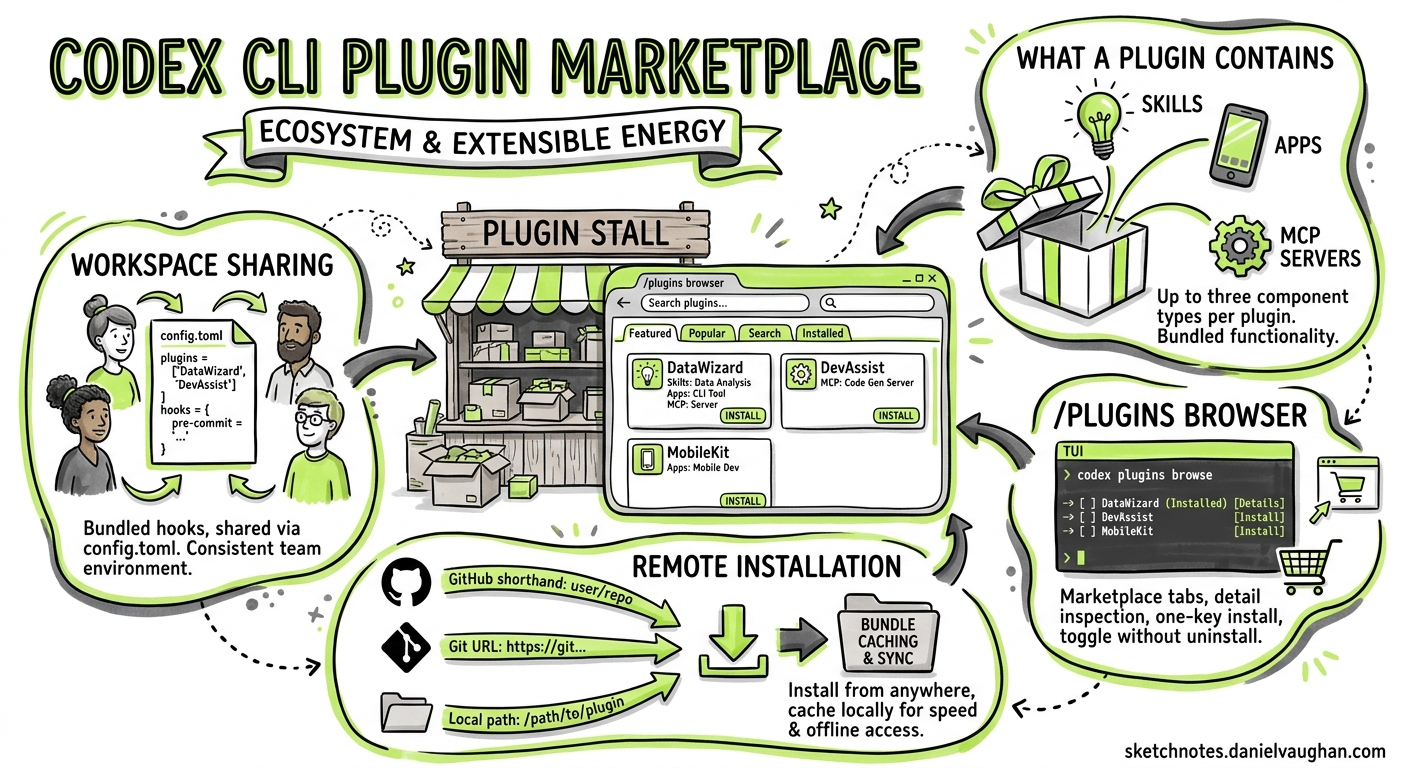
Codex CLI v0.129 shipped comprehensive plugin management, turning the /plugins command into a full marketplace browser. This article covers how plugin marketplace browsing, remote installation, plugin-bundled hooks, and workspace sharing work in practice.
What a Plugin Contains
A Codex plugin bundles up to three component types:
- Skills — reusable instruction sets for specific workflows (e.g. “review Rails migrations”, “generate API docs”)
- Apps — connections to external services (Gmail, Slack, Google Drive) enabling read/write operations
- MCP servers — Model Context Protocol services providing tool access to external systems
Plugins are the primary distribution mechanism for extending Codex beyond its built-in capabilities.
The /plugins Browser
Running /plugins in the TUI opens a searchable directory organised by marketplace source. The browser supports:
- Marketplace tabs — switch between configured marketplaces to filter available plugins
- Detail inspection — open any plugin to view its description, component list, and version
- One-key install — install or uninstall marketplace entries directly from the browser
- Toggle without uninstall — press Space on an installed plugin to enable/disable it, preserving configuration
This replaces the previous workflow of manually editing config.toml to add plugin entries.
Remote Installation and Bundle Caching
Plugins can now be installed from remote sources:
- GitHub shorthand —
owner/repoformat for public GitHub-hosted plugins - Git URL — full HTTPS or SSH clone URLs for private repositories
- Local path — a directory on disk for development or air-gapped environments
Once installed, plugin bundles are cached locally. Remote bundle sync keeps cached copies up to date, and remote uninstall cleanly removes both the local cache and the configuration entry.
Marketplace Management
Marketplaces themselves are configurable:
# Install a marketplace from GitHub
[marketplaces.community]
source = "codex-plugins/community-marketplace"
The CLI supports marketplace removal, upgrades, and source filtering. Admin-managed marketplaces can mark plugins as disabled, preventing installation by team members — useful for enterprise governance.
Plugin-Bundled Hooks
Plugins can now ship their own lifecycle hooks, extending the hook system introduced in v0.128. A plugin-bundled hook fires at the same lifecycle points as user-defined hooks (PreToolUse, PostToolUse, PreCompact, PostCompact) but is scoped to the plugin’s context.
This means a security plugin can bundle a PreToolUse hook that blocks dangerous shell commands without the user needing to write custom hook scripts. The hook enablement state is tracked per-plugin, so toggling a plugin on/off also toggles its bundled hooks.
Workspace Sharing
Plugins now support workspace-level sharing:
- Share access controls — define which team members can see and use a shared plugin
- Local share path tracking — the system tracks where shared plugins are stored on disk
- Source filtering — filter plugins by origin (marketplace, shared, local)
This enables teams to maintain a curated set of plugins at the project level, checked into the repository or distributed via a shared marketplace.
External Agent Config Import
The v0.129 plugin system also supports importing configuration from external agents. If a team uses both Codex CLI and another agent (Claude Code, Cursor), plugin configuration can be imported to reduce duplication.
Practical Patterns
Enterprise Plugin Governance
# Lock marketplace to approved sources only
[admin]
plugin_marketplaces = ["internal/approved-plugins"]
allow_external_marketplaces = false
CI/CD Plugin Registration
# Install plugins non-interactively for CI
codex plugin install security/code-scanner --non-interactive
codex plugin install internal/deploy-guard --non-interactive
Plugin + Hook Composition
A deployment plugin might bundle:
- A skill for deployment checklists
- An MCP server connecting to the deployment platform
- A PreToolUse hook blocking production deployments without approval
Limitations
- Plugin authentication for external apps may require ChatGPT sign-in during first use
- Uninstalling a plugin removes the bundle but leaves connected apps intact until manually removed
- Plugin-bundled hooks cannot override user-defined hooks at the same lifecycle point — both execute, with user hooks taking precedence on conflicts
- The marketplace browser requires an active internet connection; cached plugins work offline
Key Takeaway
The plugin marketplace transforms Codex CLI from a tool you configure manually into one you extend through curated, shareable bundles. For enterprise teams, the combination of admin-controlled marketplaces, plugin-bundled hooks, and workspace sharing creates a governed extension model that scales across projects.
Sources: OpenAI Plugins docs, Codex Changelog, GitHub Releases. Published 2026-05-08.