Codex CLI v0.125: Permission Profile Persistence, App-Server Unix Sockets, and Rollout Tracing
Codex CLI v0.125: Permission Profile Persistence, App-Server Unix Sockets, and Rollout Tracing
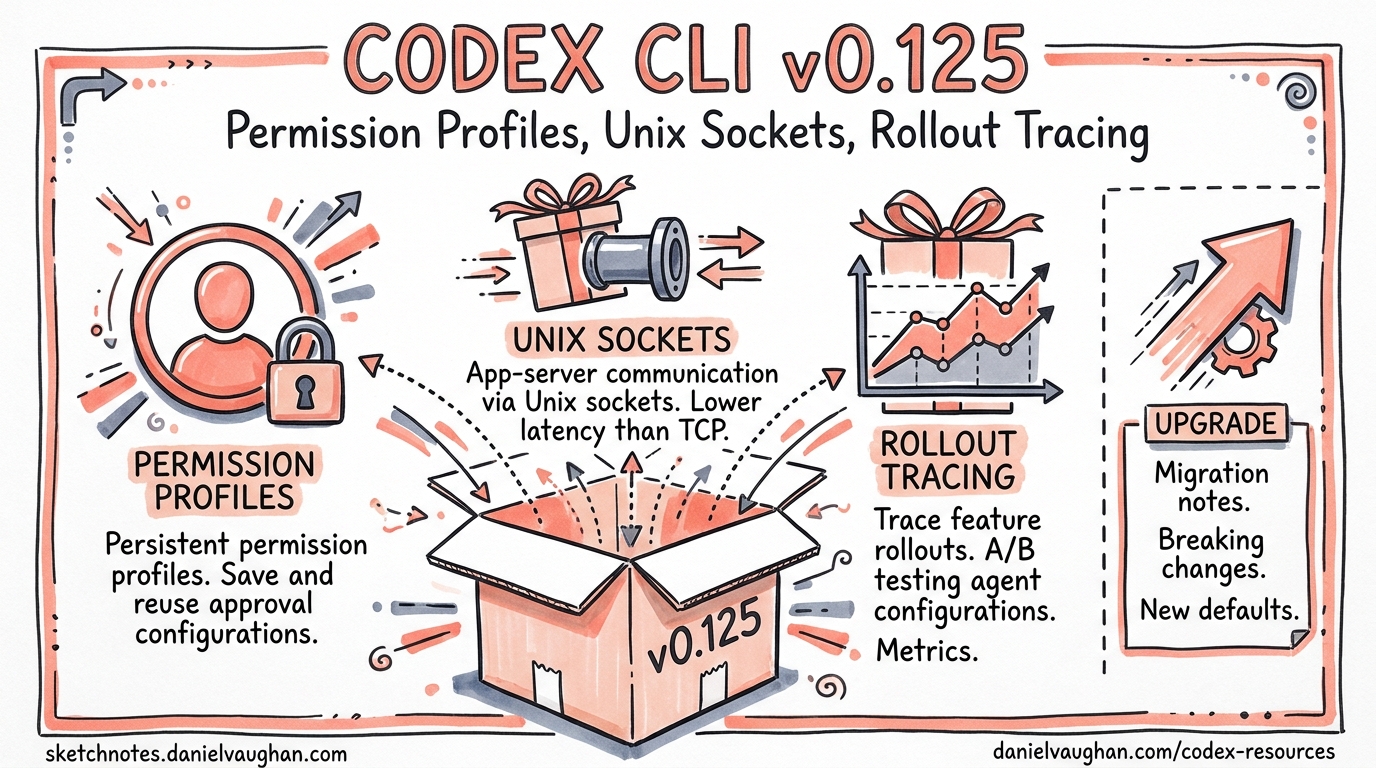
Version 0.125.0, released on 24 April 2026, ships 22 features, 14 improvements, and 24 bug fixes across 69 total changes1. Three themes dominate: permission profiles that finally survive every context boundary, an app-server that behaves like a proper platform service, and rollout tracing that makes multi-agent debugging tractable. This article unpacks each theme with configuration examples and practical guidance for teams adopting them.
Permission Profile Persistence: The Round-Trip Problem Solved
The Problem Before v0.125
Prior to this release, permission profiles were session-scoped artefacts. You could define a named profile in config.toml, launch with codex -p safe, and enjoy your carefully crafted filesystem and network restrictions — until you did anything that crossed a context boundary. Forking a thread, escalating shell permissions mid-session, handing control to an MCP tool server, or connecting via the app-server API all risked silently dropping your profile back to defaults2.
For enterprise teams running managed configurations via requirements.toml, this was more than an inconvenience — it was a governance gap. A profile that fails to persist is a policy that fails to enforce.
What Changed
Permission profiles now round-trip across five context boundaries1:
- TUI sessions — profile survives
/clear, session resume, and fork operations - User turns — each new turn inherits the thread’s active profile rather than re-evaluating defaults
- MCP sandbox state — when an MCP tool server triggers a sandboxed execution, the calling thread’s profile propagates into the child sandbox
- Shell escalation — granting temporary elevated permissions (e.g. network access for a single
npm install) no longer corrupts the base profile on return - App-server APIs — remote clients starting or resuming threads via JSON-RPC inherit the profile specified at
thread/startand retain it acrossthread/resumeandthread/fork
Configuration in Practice
A team-standard permission profile typically lives in ~/.codex/config.toml:
default_permissions = "team-standard"

[permissions.team-standard.filesystem]
":project_roots" = { "." = "write", "**/*.env" = "none", "**/.secrets" = "none" }
glob_scan_max_depth = 4

[permissions.team-standard.network]
enabled = true
mode = "limited"
domains = [
  { pattern = "registry.npmjs.org", allow = true },
  { pattern = "pypi.org", allow = true },
  { pattern = "*.internal.corp", allow = true },
  { pattern = "*", allow = false }
]
Before v0.125, this profile would silently degrade when the agent forked a conversation or when an MCP server spawned a sub-process. Now, the profile object serialises into the thread state and deserialises faithfully at every boundary crossing2.
Enterprise Governance Implications
For organisations using managed requirements.toml to enforce minimum security baselines3, profile persistence closes a significant audit gap. The enforcement chain now looks like this:
flowchart TD
    A[requirements.toml<br/>Enterprise Policy] --> B[config.toml<br/>Team Profile]
    B --> C[TUI Session]
    C --> D[Thread Fork]
    C --> E[MCP Sandbox]
    C --> F[Shell Escalation]
    C --> G[App-Server API]
    D --> H[Profile Preserved ✓]
    E --> H
    F --> H
    G --> H
The codex exec --profile flag also benefits — headless CI runs that specify a profile now retain those constraints when resuming a session with codex exec resume1.
App-Server Platform Evolution
Unix Socket Transport
The app-server has supported WebSocket transport since v0.1194, but WebSocket carries overhead that local integrations don’t need: HTTP upgrade handshakes, frame masking, and TLS when you’re communicating between processes on the same machine.
v0.125 adds Unix domain socket transport via a well-known path:
$CODEX_HOME/app-server-control/app-server-control.sock
This is the same pattern used by Docker’s daemon socket (/var/run/docker.sock) and the SSH agent ($SSH_AUTH_SOCK). Unix sockets offer lower latency, kernel-enforced file permission security, and no network stack involvement5.
For IDE extensions and local orchestrators, the upgrade path is straightforward: point your JSON-RPC client at the socket path instead of a ws:// URL. The protocol remains identical — JSON-RPC 2.0, one message per line.
Sticky Environments
The new environments field on thread/start and thread/resume enables sticky execution environments — named runtime contexts that persist across turns within a thread1:
{
  "method": "thread/start",
  "params": {
    "model": "gpt-5.5",
    "environments": [
      { "id": "backend", "cwd": "/workspace/api" },
      { "id": "frontend", "cwd": "/workspace/web" }
    ]
  }
}
Once set, subsequent turns inherit these environments automatically. You can override per-turn by passing explicit environments in turn/start, or pass [] to disable them temporarily5.
This matters for polyglot monorepo workflows where a single thread might need to operate in different service directories. Rather than re-specifying the working directory on every turn, the environment sticks.
Pagination-Friendly Resume and Fork
Large threads with hundreds of turns previously loaded the entire history on resume, creating memory pressure and slow startup times. v0.125 introduces pagination support1:
thread/resumeacceptsexcludeTurns: trueto open a thread without loading its full turn historythread/turns/listpaginates turn history separately, letting clients fetch only what they needthread/forksupportsephemeral: truefor in-memory-only copies that never touch disk5
For dashboard and monitoring applications built on the app-server, this is transformative — you can display thread lists and metadata without deserialising every turn in every thread.
Architecture Overview
The v0.125 app-server now supports three transport modes with different security profiles:
flowchart LR
    subgraph Transports
        S[stdio<br/>Default]
        U[Unix Socket<br/>Local IPC]
        W[WebSocket<br/>Remote/Experimental]
    end

    subgraph Auth
        N[None<br/>stdio only]
        C[Capability Token<br/>File-based]
        B[Bearer Token<br/>HMAC JWT]
    end

    S --> N
    U --> C
    W --> C
    W --> B

    subgraph Primitives
        T[Thread]
        Tu[Turn]
        I[Item]
    end

    N --> T
    C --> T
    B --> T
    T --> Tu --> I
Rollout Tracing and the Debug Reducer
Why Rollout Tracing Matters
As Codex CLI sessions grow more complex — subagent delegation, MCP tool chains, multi-agent orchestration via the Agents SDK6 — understanding what happened during a session becomes non-trivial. A single user request might spawn three subagents, each invoking different MCP servers, each running sandboxed commands.
v0.125 introduces rollout tracing that records four relationship types1:
| Relationship | What It Captures |
|---|---|
| Tool | Which tool calls triggered which subprocesses |
| Code-mode | Transitions between planning, execution, and review phases |
| Session | Parent-child relationships between forked/resumed threads |
| Multi-agent | Delegation chains across subagents and MCP servers |
The Debug Reducer Command
Raw rollout traces can be verbose — a complex session might generate thousands of trace events. The new debug reducer command compresses these into a human-readable summary1:
codex debug trace-reduce --session <SESSION_ID>
The reducer collapses sequential tool calls, aggregates timing data, and highlights anomalies such as:
- Tools that timed out or returned errors
- Subagents that exceeded their token budget
- MCP servers that failed to respond within the configured timeout
- Permission escalations that were granted or denied
Practical Debugging Workflow
When a multi-agent session produces unexpected results, the debugging workflow becomes:
sequenceDiagram
    participant Dev as Developer
    participant CLI as Codex CLI
    participant Trace as Rollout Trace

    Dev->>CLI: codex exec resume --last
    CLI->>Trace: Load session trace
    Dev->>CLI: codex debug trace-reduce --session <ID>
    CLI->>Dev: Compressed trace summary
    Dev->>Dev: Identify failing subagent/tool
    Dev->>CLI: RUST_LOG=codex_core=debug codex exec resume <ID>
    CLI->>Dev: Detailed logs for specific component
This complements the existing RUST_LOG environment variable debugging7 and OpenTelemetry integration8 by providing a session-scoped, relationship-aware view that neither raw logs nor distributed traces offer on their own.
Combining with OTEL
Rollout traces and OTEL traces serve different purposes. OTEL traces are span-based and designed for production monitoring dashboards — latency percentiles, error rates, cost attribution8. Rollout traces are event-based and designed for post-hoc debugging of individual sessions.
The two compose well:
[otel]
environment = "staging"
exporter = { otlp-http = {
  endpoint = "https://otel.internal.corp/v1/logs",
  protocol = "binary"
}}
log_user_prompt = false
Use OTEL to detect that a session went wrong (e.g. a spike in codex.tool_decision error events). Use rollout tracing to understand why it went wrong (e.g. a subagent’s MCP server returned a schema validation error that cascaded into three retry loops).
Additional v0.125 Highlights
Reasoning Token Reporting in codex exec
The codex exec --json flag now includes reasoning token counts in its output events1. This is critical for cost management — reasoning tokens on models like o3 and o4-mini are billed at output rates, and without visibility into their volume, cost estimates are unreliable9.
codex exec --json "refactor the auth module" 2>/dev/null | \
  jq 'select(.type == "turn.completed") | .usage.reasoning_tokens'
Provider-Owned Model Discovery
Model providers now manage their own model discovery, with AWS/Bedrock account state exposed to app clients1. This means the model picker in IDE extensions and custom app-server clients automatically reflects which models your Bedrock account has access to, without manual models.json configuration.
Bug Fixes Worth Noting
Two fixes deserve special attention:
- App-server trust persistence: Previously, explicitly marking a project as untrusted was overridden by auto-trust logic on next connection. v0.125 respects the explicit untrust decision1.
- Exec-server output buffering: The exec-server could drop the final output buffer after a process exited. For CI pipelines parsing structured output, this meant silently truncated results1.
Upgrade Path
Update via npm:
npm update -g @openai/codex
codex --version  # Should show 0.125.0
The release is backward-compatible with existing config.toml files. Permission profiles defined in earlier versions will automatically benefit from round-trip persistence without configuration changes.
For teams using the app-server API, review the refreshed schemas — the thread, marketplace, sticky environment, and permission-profile API surfaces have new fields that existing clients should handle gracefully (unknown fields are ignored by default in JSON-RPC)1.
Citations
-
OpenAI, “Codex CLI v0.125.0 Release Notes,” GitHub Releases, 24 April 2026. https://github.com/openai/codex/releases/tag/rust-v0.125.0 ↩ ↩2 ↩3 ↩4 ↩5 ↩6 ↩7 ↩8 ↩9 ↩10 ↩11 ↩12
-
OpenAI, “Agent Approvals & Security,” Codex Developer Documentation, 2026. https://developers.openai.com/codex/agent-approvals-security ↩ ↩2
-
OpenAI, “Configuration Reference,” Codex Developer Documentation, 2026. https://developers.openai.com/codex/config-reference ↩
-
OpenAI, “App Server README,” GitHub, 2026. https://github.com/openai/codex/blob/main/codex-rs/app-server/README.md ↩
-
OpenAI, “Changelog,” Codex Developer Documentation, April 2026. https://developers.openai.com/codex/changelog ↩ ↩2 ↩3
-
OpenAI, “Multi-Agent Workflows with the Agents SDK,” Codex Developer Documentation, 2026. https://developers.openai.com/codex/cli/features ↩
-
Mintlify, “Tracing & Verbose Logging — Codex CLI,” 2026. https://mintlify.wiki/openai/codex/advanced/tracing ↩
-
OpenAI, “Security — Codex,” Codex Developer Documentation, 2026. https://developers.openai.com/codex/security ↩ ↩2
-
OpenAI, “Models — Codex,” Codex Developer Documentation, 2026. https://developers.openai.com/codex/models ↩