SDD Tooling for Codex CLI: spec-kit, cc-sdd, and codex-spec Compared
SDD Tooling for Codex CLI: spec-kit, cc-sdd, and codex-spec Compared
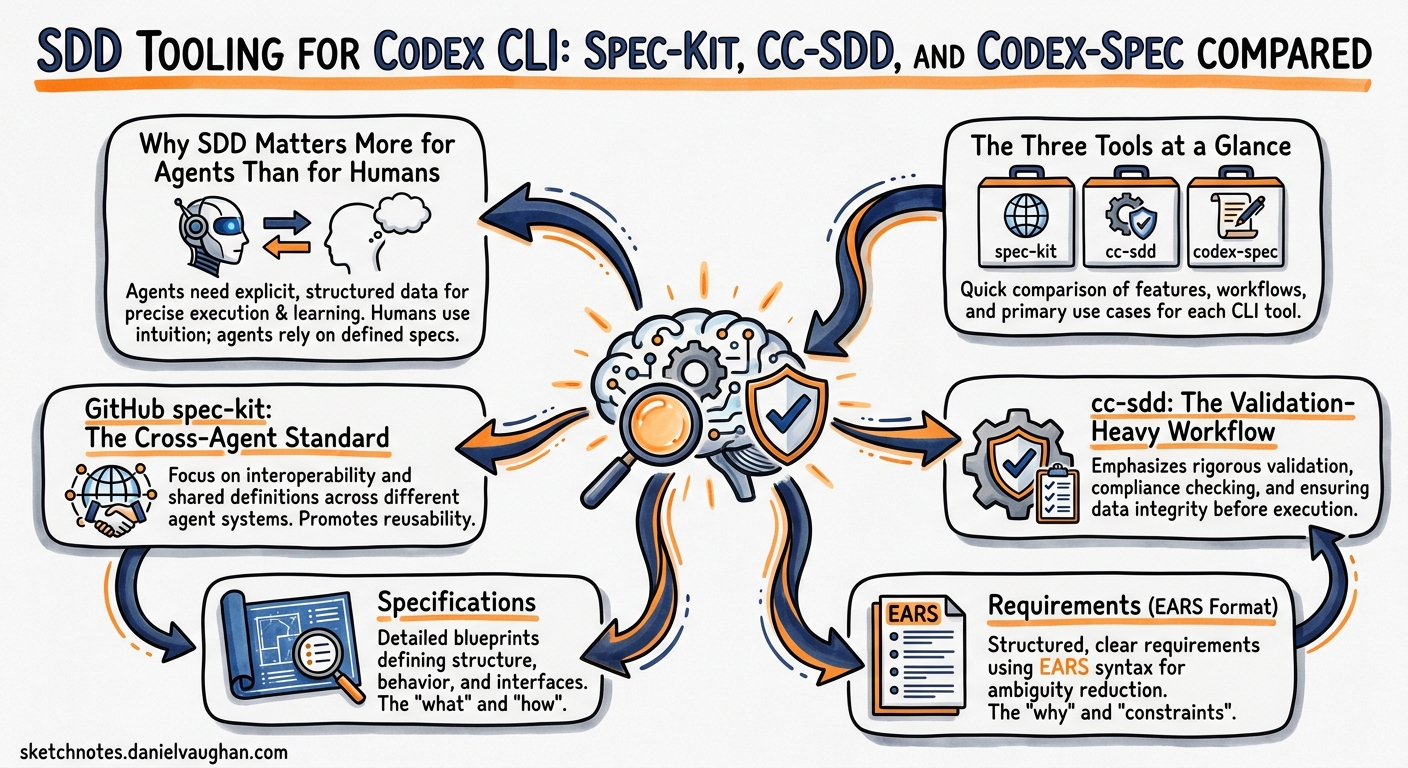
Spec-Driven Development (SDD) has gone from academic curiosity to mainstream practice in under six months. GitHub’s spec-kit crossed 80,000 stars by April 20261, cc-sdd added Codex CLI support in its v2 release2, and codex-spec remains the most Codex-native option for teams already embedded in the OpenAI ecosystem3. Martin Fowler’s October 2025 analysis identified three maturity tiers — spec-first, spec-anchored, and spec-as-source — and warned that the tooling had not yet caught up with the ambition4. Seven months later, it has.
This article evaluates the three dominant SDD tools through the lens of a Codex CLI practitioner: how each integrates, what artefacts it produces, where it excels, and where it creates friction.
Why SDD Matters More for Agents Than for Humans
A human developer who receives a vague ticket still carries implicit context from sprint planning, codebase familiarity, and organisational norms. A coding agent starts each session with only what you explicitly provide5. Specification files resolve the decision space before the first line of code is written, turning ambiguous intent into a verifiable contract between human and machine.
The OpenAI best practices documentation puts it directly: include goal, context, constraints, and completion criteria in every prompt6. SDD tools automate this discipline, ensuring that every agent session begins with structured context rather than improvised prose.
flowchart LR
    A[Vague Intent] --> B{SDD Tool}
    B --> C[constitution.md]
    B --> D[spec.md / requirements.md]
    B --> E[plan.md]
    B --> F[tasks.md]
    F --> G[Codex CLI Agent Loop]
    G --> H[Implementation + Tests]
    H --> I[Validation Against Spec]
    I -->|Gap Found| D
    I -->|Complete| J[Merge]
The Three Tools at a Glance
| Dimension | spec-kit | cc-sdd | codex-spec |
|---|---|---|---|
| Maintainer | GitHub (official) | gotalab (community) | shenli (community) |
| Stars (Apr 2026) | ~80K1 | ~12K2 | ~8K3 |
| Agents supported | 25+ (Copilot, Claude, Codex, Gemini, etc.)1 | 8 (Claude Code, Codex, Cursor, Gemini CLI, etc.)2 | 1 (Codex-native, OpenAI API fallback)3 |
| Codex integration | Skills mode ($speckit-*)7 |
Slash commands (/kiro:*)2 |
Standalone CLI (codex-spec <cmd>)3 |
| Phases | 5 (Constitution → Specify → Plan → Tasks → Implement)1 | 7 (Steering → Init → Requirements → Design → Tasks → Implement → Validate)2 | 8 (Setup → Context → Spec → Requirements → Plan → Execute → Track → Maintain)3 |
| Spec format | Markdown with acceptance criteria1 | EARS-format requirements (When/If/Then/Where)2 | Structured markdown with dependencies3 |
| Validation | Manual review1 | Built-in gap, design, and implementation validators2 | Progress tracking per task3 |
| Installation | uv tool install specify-cli1 |
Git clone + agent config2 | npm install -g codex-spec3 |
GitHub spec-kit: The Cross-Agent Standard
spec-kit is the broadest SDD tool — designed to work with every major coding agent, not just Codex CLI1. Its philosophy is agent-agnostic: the same specification artefacts feed Copilot, Claude Code, Gemini CLI, or Codex CLI without modification.
Setting Up spec-kit with Codex CLI
# Install the specify CLI
uv tool install specify-cli \
  --from git+https://github.com/github/spec-kit.git@v2.1.0

# Initialise a project with Codex CLI skills integration
specify init my-project \
  --here \
  --integration codex \
  --integration-options="--skills"
This creates a .specify/ directory, a constitution.md at the project root, and installs Codex skills into .agents/skills/7. Unlike Claude Code or Copilot (which use /speckit.* slash commands), Codex CLI exposes spec-kit through skills using the $speckit-* naming convention7.
The Five-Phase Workflow
sequenceDiagram
    participant Dev as Developer
    participant SK as spec-kit
    participant Codex as Codex CLI

    Dev->>SK: $speckit-constitution (once per project)
    SK-->>Dev: constitution.md with governance principles

    Dev->>SK: $speckit-specify
    SK-->>Dev: spec.md with requirements + acceptance criteria

    Dev->>SK: $speckit-plan
    SK-->>Dev: plan.md with architecture + stack decisions

    Dev->>SK: $speckit-tasks
    SK-->>Dev: tasks.md with sequenced work items

    Dev->>Codex: $speckit-implement
    Codex->>Codex: Reads spec.md, plan.md, tasks.md
    Codex-->>Dev: Implementation + tests
The constitution phase is unique to spec-kit — it establishes project-level governance principles (coding standards, testing requirements, security policies) that persist across all features1. This maps naturally to Codex CLI’s AGENTS.md, and teams often cross-reference the two:
<!-- In AGENTS.md -->
## Specifications
All features MUST have a spec-kit specification before implementation.
See `constitution.md` for project governance principles.
Run `$speckit-specify` before starting any new feature.
Where spec-kit Excels
- Cross-agent portability: Specifications created for Codex CLI work identically with Claude Code or Gemini CLI1
- Governance layer: The constitution phase provides organisational guardrails that survive team member turnover
- Ecosystem: Over 100 community extensions and presets1
Where spec-kit Creates Friction
- Codex skills syntax: The
$speckit-*convention is less ergonomic than slash commands — autocomplete does not trigger, and developers must remember the exact skill name7 - No built-in validation: Unlike cc-sdd, spec-kit does not provide gap analysis or design validation phases; teams must add their own review gates
- Python dependency: The
specifyCLI requiresuvorpip, adding a runtime dependency to projects that may not otherwise use Python
cc-sdd: The Validation-Heavy Workflow
cc-sdd, from gotalab, takes a different approach: it treats SDD as a rigorous engineering process with built-in validation at every phase2. Where spec-kit trusts the developer to review artefacts, cc-sdd provides explicit validation commands that verify requirements against code, design against requirements, and implementation against design.
Setting Up cc-sdd with Codex CLI
# Clone and install
git clone https://github.com/gotalab/cc-sdd.git
cd cc-sdd

# Install with Codex CLI integration (commands mode)
./install.sh --agent codex --mode commands --lang en
cc-sdd installs slash commands directly into the Codex CLI command surface, using the /kiro:* namespace2. This provides better discoverability than spec-kit’s skills approach — typing /kiro: in the TUI reveals all available commands.
The Seven-Phase Workflow with Validation Gates
flowchart TD
    A["/kiro:steering"] --> B["/kiro:spec-init"]
    B --> C["/kiro:spec-requirements"]
    C --> D{"/kiro:validate-gap"}
    D -->|Gaps Found| C
    D -->|Clean| E["/kiro:spec-design"]
    E --> F{"/kiro:validate-design"}
    F -->|Issues| E
    F -->|Approved| G["/kiro:spec-tasks"]
    G --> H["/kiro:spec-impl"]
    H --> I{"/kiro:validate-impl"}
    I -->|Incomplete| H
    I -->|Complete| J[Feature Done]
The EARS-format requirements (Easy Approach to Requirements Syntax) produce testable statements that the validation phases can verify programmatically2:
## Requirements (EARS Format)

- **When** a user submits a payment, **the system shall** validate the card
  details against the payment gateway within 3 seconds.
- **If** the gateway returns a transient error, **the system shall** retry
  up to 3 times with exponential backoff.
- **Where** the transaction amount exceeds £10,000, **the system shall**
  require additional identity verification.
The Steering Phase
cc-sdd’s /kiro:steering command analyses the existing codebase and generates a project memory file containing architecture patterns, tech stack details, and product context2. This is analogous to running codex init to scaffold AGENTS.md, but produces a richer, more structured output. Teams using both typically let cc-sdd steering inform the AGENTS.md rather than duplicating effort.
Where cc-sdd Excels
- Built-in validation: The three validation commands (
validate-gap,validate-design,validate-impl) catch drift between phases before implementation begins2 - Parallel task waves: Tasks are organised into P0, P1, P2 waves for parallel-safe execution — a natural fit for Codex CLI’s subagent capabilities2
- Slash command integration: The
/kiro:*commands are more discoverable in the TUI than spec-kit’s skills approach
Where cc-sdd Creates Friction
- Claude-first design: Command templates were originally built for Claude Code, and while Codex CLI support is stable, some agent-specific nuances (e.g., tool calling conventions) may not be fully optimised2
- 17 skills per install: The framework loads a substantial number of skills, which can contribute to MCP schema bloat in sessions with many other tools configured8
- No constitution equivalent: cc-sdd lacks spec-kit’s project-level governance layer, relying instead on the steering file for cross-feature consistency
codex-spec: The Codex-Native Pipeline
codex-spec is purpose-built for the OpenAI ecosystem3. It uses the OpenAI API directly for generation and planning, and optionally calls Codex CLI for implementation. Where spec-kit and cc-sdd are agent-agnostic frameworks that happen to support Codex, codex-spec is a Codex-specific tool that happens to work without the CLI installed.
Setting Up codex-spec
# Install globally
npm install -g codex-spec

# Set API key
export OPENAI_API_KEY=sk-...

# Initialise project context
codex-spec context-setup --force
This creates a .codex-specs/ directory with three context layers3:
.codex-specs/
├── context/
│   ├── product.md      # Product vision, user personas, business rules
│   ├── tech.md         # Stack, architecture, constraints
│   └── structure.md    # Auto-generated codebase map
└── features/
    └── 2026-04-27-auth-refresh/
        ├── specification.md
        ├── requirements.md
        ├── plan.md
        └── tasks.json
The Eight-Stage Workflow
# 1. Create a feature specification
codex-spec create auth-token-refresh

# 2. Generate detailed requirements
codex-spec requirements

# 3. Create implementation plan with task extraction
codex-spec plan

# 4. List tasks with status
codex-spec tasks

# 5. Execute a specific task (injects full context into Codex CLI)
codex-spec execute task-001

# 6. Track progress
codex-spec status

# 7. Update context after implementation
codex-spec context-update --auto
The context-update --auto command uses git diff to synchronise the project context files with actual code changes3, solving the documentation drift problem that plagues manual SDD workflows.
Where codex-spec Excels
- Automatic context synchronisation: The
context-updatecommand keeps specifications aligned with code changes using git history3 - Task-level execution: Each task carries its full dependency context, enabling precise agent sessions without re-explaining prior work
- No agent-specific configuration: Works via the OpenAI API regardless of which Codex surface you use (CLI, IDE extension, or cloud)
Where codex-spec Creates Friction
- Node.js dependency: Requires Node.js 16+, which may conflict with project toolchains3
- Single-agent lock-in: Unlike spec-kit and cc-sdd, specifications are not portable to Claude Code or Gemini CLI
- Smaller community: At ~8K stars, the ecosystem of extensions and presets is considerably smaller than spec-kit’s3
Choosing the Right Tool
flowchart TD
    A{Primary Concern?} --> B[Cross-agent portability]
    A --> C[Validation rigour]
    A --> D[Codex-native integration]

    B --> E["spec-kit<br/>Works with 25+ agents<br/>Constitution governance<br/>$speckit-* skills"]
    C --> F["cc-sdd<br/>Built-in validators<br/>EARS requirements<br/>/kiro:* slash commands"]
    D --> G["codex-spec<br/>OpenAI API native<br/>Auto context sync<br/>npm CLI"]
| Scenario | Recommended Tool | Rationale |
|---|---|---|
| Multi-tool team (Codex + Claude Code) | spec-kit | Specifications port across agents without modification1 |
| Regulated environment needing audit trail | cc-sdd | Validation gates create verifiable quality checkpoints2 |
| Solo developer, Codex-only workflow | codex-spec | Lightest setup, deepest Codex integration3 |
| Large organisation, governance-first | spec-kit | Constitution layer + 100+ community presets1 |
| Complex feature, parallel implementation | cc-sdd | P0/P1/P2 task waves map to subagent delegation2 |
Combining SDD Tools with Codex CLI Primitives
Whichever tool you choose, it should complement — not replace — Codex CLI’s native planning capabilities. The recommended layering:
- AGENTS.md for durable, cross-session project context6
- SDD tool for per-feature specification, planning, and task decomposition
- Plan mode (
/plan) for within-session reasoning before implementation6 - Hooks for automated quality enforcement (PostToolUse for test execution, PreToolUse for policy checks)9
# config.toml — combining spec-kit with hooks
[hooks.post_tool_use]
# After any file write, verify spec compliance
command = "bash -c 'if [ -f spec.md ]; then echo \"Verify against spec.md acceptance criteria\"; fi'"

[hooks.pre_tool_use]
# Before implementation, ensure spec exists
command = "bash -c 'if [ ! -f spec.md ] && [ ! -f .codex-specs/features/*/specification.md ]; then echo \"WARNING: No specification found. Run SDD workflow first.\"; fi'"
The Martin Fowler Warning
Fowler’s analysis identified a critical risk: SDD tools can reproduce the failures of Model-Driven Development by combining “inflexibility and non-determinism”4. His three concerns remain valid:
- Workflow mismatch: Not every task needs a full specification pipeline. A one-line bug fix should not require a constitution review4.
- Review burden: SDD tools generate substantial markdown that must be reviewed. Unreviewed specifications are worse than no specifications — they create false confidence4.
- False control: Despite detailed specs, agents may still ignore instructions or over-interpret them4.
The practical mitigation: use SDD selectively. Reserve full specification workflows for features with multiple acceptance criteria, cross-cutting concerns, or team-boundary implications. For focused tasks, Codex CLI’s native plan mode is sufficient. ⚠️ No current SDD tool automatically determines when a full specification is warranted versus when lightweight planning suffices.
Citations
-
GitHub spec-kit repository — github/spec-kit — Open-source SDD toolkit, 80K+ stars, 25+ agent integrations (accessed April 2026) ↩ ↩2 ↩3 ↩4 ↩5 ↩6 ↩7 ↩8 ↩9 ↩10 ↩11 ↩12 ↩13
-
cc-sdd repository — gotalab/cc-sdd — SDD harness with validation commands, EARS requirements, multi-agent support (accessed April 2026) ↩ ↩2 ↩3 ↩4 ↩5 ↩6 ↩7 ↩8 ↩9 ↩10 ↩11 ↩12 ↩13 ↩14 ↩15 ↩16 ↩17
-
codex-spec repository — shenli/codex-spec — Codex-native SDD pipeline with automatic context synchronisation (accessed April 2026) ↩ ↩2 ↩3 ↩4 ↩5 ↩6 ↩7 ↩8 ↩9 ↩10 ↩11 ↩12 ↩13 ↩14 ↩15
-
Martin Fowler, “Understanding Spec-Driven-Development: Kiro, spec-kit, and Tessl” — Analysis of SDD tool maturity tiers and risks (October 2025) ↩ ↩2 ↩3 ↩4 ↩5
-
OpenAI, “Best practices — Codex” — Official guidance on context, planning, and AGENTS.md (accessed April 2026) ↩
-
OpenAI, “Best practices — Codex: AGENTS.md for Reusable Guidance” — Documentation on AGENTS.md structure and plan mode usage (accessed April 2026) ↩ ↩2 ↩3
-
spec-kit Codex CLI integration — specify init documentation — Skills-based integration details for Codex CLI
$speckit-*commands (accessed April 2026) ↩ ↩2 ↩3 ↩4 -
Daniel Vaughan, “MCP Schema Bloat: The System Prompt Tax on Tool Definition Performance” — Analysis of tool definition overhead in agent sessions (April 2026) ↩
-
OpenAI, “Hooks — Codex CLI” — PostToolUse and PreToolUse hook configuration for quality enforcement (accessed April 2026) ↩