Agent-Aware Terminals for Codex CLI: Choosing the Right Terminal Emulator in the AI Coding Era
Agent-Aware Terminals for Codex CLI: Choosing the Right Terminal Emulator in the AI Coding Era
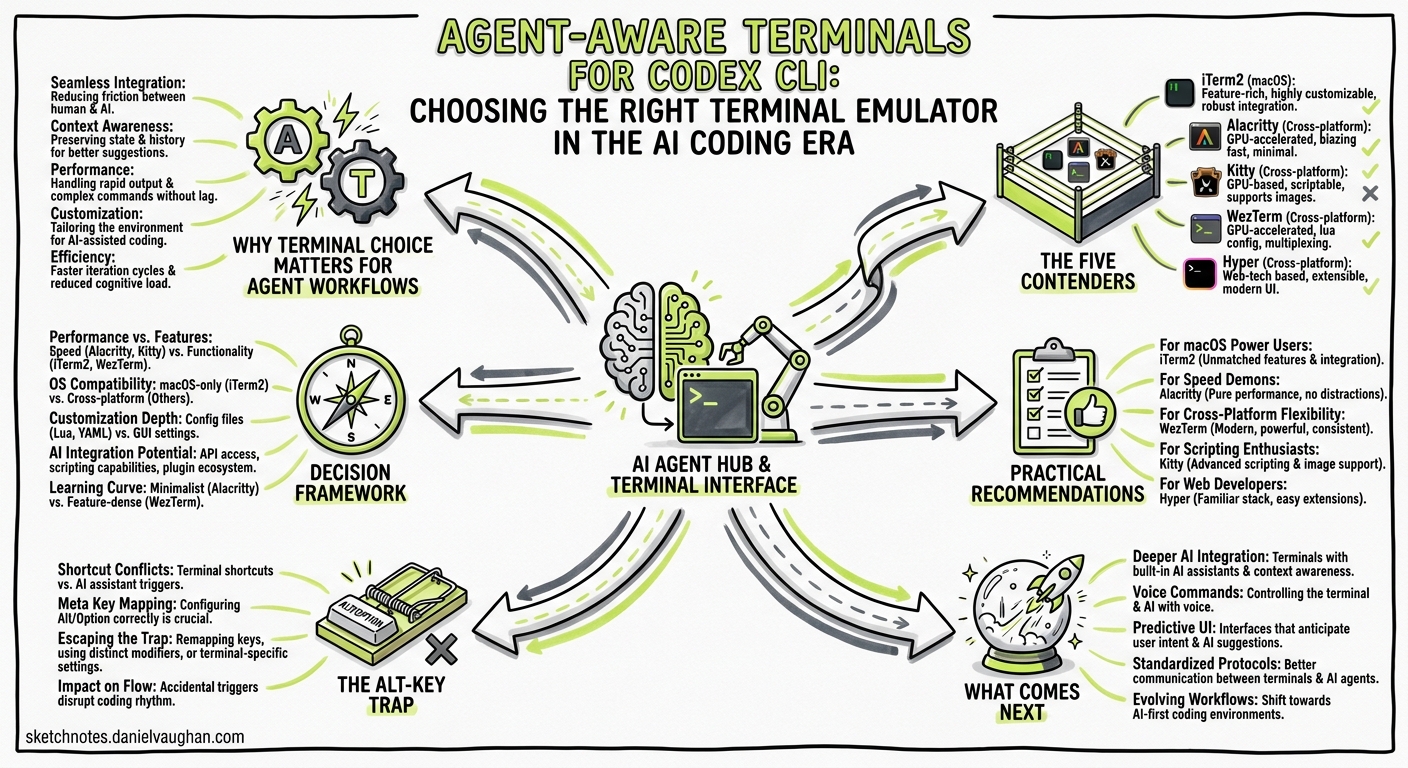
Codex CLI runs in a terminal. That much is obvious. What is less obvious — and increasingly consequential — is that your choice of terminal emulator now materially affects your agent workflow. In 2026, the terminal landscape has bifurcated: traditional emulators optimise for rendering speed and standards compliance, while a new generation of agent-aware terminals adds first-class support for notifications, parallel agent orchestration, and session metadata12. This article maps the landscape, compares the options, and offers a decision framework for Codex CLI practitioners.
Why Terminal Choice Matters for Agent Workflows
When you run a single Codex CLI session interactively, most terminals work fine. The pain surfaces when you scale:
- Parallel agents across git worktrees require separate panes with independent state
- Long-running
codex exectasks need notifications when they complete or stall - TUI reasoning controls (
Alt+,/Alt+.) require the terminal to pass Alt-key combinations correctly3 - Streaming output from GPT-5.5 at high token rates demands efficient rendering to avoid visual stutter
- Image inputs (
codex -i screenshot.png) and image generation output may require graphics protocol support
The terminal is no longer a passive viewport — it is an integration layer between you and your agents.
The Five Contenders
Ghostty: The Speed Baseline
Ghostty 1.3 renders text faster than any competitor on macOS — benchmarked at roughly four times the throughput of iTerm2 and Kitty during sustained output1. For Codex CLI, this translates to stutter-free streaming when GPT-5.5 generates large refactors or when codex exec --json emits dense JSONL event streams.
Strengths for Codex CLI:
- Native platform integration on macOS and Linux
- Correct handling of Alt-key sequences, so
Alt+,andAlt+.reasoning controls work out of the box - Split panes and tabs without tmux
- GPU-accelerated rendering keeps up with Codex Spark’s 1,000+ tokens per second4
Limitations:
- No built-in agent awareness — no notification hooks, no session metadata sidebar
- No Windows support
- No built-in multiplexer orchestration API
# ~/.config/ghostty/config — recommended for Codex CLI
font-size = 14
window-padding-x = 8
window-padding-y = 8
macos-option-as-alt = true  # critical for Alt+,/Alt+. reasoning controls
Warp: The Agentic Development Environment
Warp 2.0 rebranded from “terminal” to “Agentic Development Environment” and provides the most comprehensive first-party Codex CLI integration of any terminal56. Warp treats each agent session as a first-class entity with metadata, notifications, and lifecycle management.
Key Codex CLI features:
- Vertical tabs with per-tab git branch, worktree path, and PR status6
- Tab Configs — reusable
.tomltemplates that define directory, startup commands, and layout. Create one per project and launch a fully configured Codex session with a single click7 - Unified notifications — accent-coloured dots on panes with unread agent activity, plus system notifications when agents need input5
- Code review integration — send inline comments from Warp’s review tool directly to active Codex sessions5
- Rich context attachment — attach files and code snippets from Warp to a running Codex session5
- Worktree-based Tab Configs — create a new config from the
+menu, select a repo, and Warp generates the worktree and saves the config for reuse7
Limitations:
- macOS and Linux only (Windows in beta)
- Proprietary — the rendering engine is not open source
- Reported IME compatibility issues with CJK input methods1
- Warp’s own AI features (the Oz agent system) can overlap with Codex CLI, creating confusion about which agent is acting
# Example Warp Tab Config: codex-backend.toml
[tab]
title = "Backend Agent"
directory = "~/projects/backend"

[[tab.panes]]
command = "codex --model gpt-5.5"

[[tab.panes]]
command = "git log --oneline -10"
direction = "down"
cmux: The Agent-First Terminal
cmux is purpose-built for running multiple AI coding agents in parallel28. Built on Ghostty’s libghostty rendering engine, it combines GPU-accelerated terminal emulation with a Unix socket API that agents can call to control the UI programmatically.
Architecture:
graph LR
    A[Codex CLI] -->|shell commands| B[cmux CLI]
    B -->|Unix socket IPC| C[cmux GUI]
    C --> D[Vertical Tabs]
    C --> E[Split Panes]
    C --> F[Embedded Browser]
    C --> G[Sidebar Metadata]
    A -->|hooks| H[cmux notify]
    H --> I[System Notifications]
What sets it apart:
- CLI-driven orchestration — agents can spawn new panes (
cmux new-split right), send keystrokes to other panes (cmux send --surface surface:7 "codex exec ..."), and read screen output (cmux read-screen)8 - Sidebar metadata — each tab displays git branch, linked PR status, working directory, listening ports, and the latest notification text2
- Visual attention signals — when an agent is waiting for input, its pane gets a blue ring and the tab lights up in the sidebar2
- Embedded WebKit browser — agents can open browser panes, take DOM snapshots, and interact with web pages without leaving the terminal8
- Claude-teams integration —
cmux claude-teamsspawns Claude Code teammate mode with native splits and notifications2
For Codex CLI specifically, you can wire Codex hooks into cmux’s notification system:
# In config.toml — notify via cmux when a codex exec task completes
[hooks.post_tool_use]
command = "cmux notify --title 'Codex Complete' --body 'Task finished in ${CODEX_SESSION_ID}'"
Limitations:
- macOS only (a Windows port exists as a community fork)9
- Open source but young — 15.5k GitHub stars but active development means breaking changes2
- Sandbox conflict: Codex CLI’s sandbox may block access to the cmux Unix socket at
/tmp/cmux.sockunlessnetwork_accessis enabled or the socket path is explicitly allowed8
Kitty: The Power User’s Choice
Kitty has long been the go-to terminal for developers who want speed, configurability, and graphics protocol support. Its Kitty graphics protocol enables inline image display, which matters for Codex CLI’s image generation output10.
Strengths:
- Kitty graphics protocol for inline image rendering
- Extensive keyboard shortcut customisation — remap Alt-key sequences freely
- Built-in multiplexer with layouts and sessions
- Cross-platform (macOS, Linux)
Limitations:
- No agent-specific features — no notification hooks, no session metadata
- Configuration is via
kitty.conf, not TOML — a minor friction point for those already deep in Codex’s TOML ecosystem - Slower than Ghostty on sustained output benchmarks1
WezTerm: The Protocol Polyglot
WezTerm supports the broadest range of graphics protocols — Kitty, Sixel, and iTerm2 — making it the safest choice if your workflow produces visual output from multiple tools1. It is written in Rust and configured via Lua, which appeals to developers who want programmatic terminal control.
Strengths:
- Supports every major graphics protocol
- Lua-based configuration enables scripting complex layouts
- Built-in multiplexer with domains and workspaces
- Cross-platform including Windows
Limitations:
- No agent-aware features
- Lua configuration has a steeper learning curve than TOML
- Rendering speed trails Ghostty and Alacritty
Decision Framework
flowchart TD
    A[How many parallel<br/>Codex sessions?] -->|1-2| B[Do you need<br/>agent notifications?]
    A -->|3+| C[Do you want<br/>agent orchestration?]

    B -->|No| D[Ghostty]
    B -->|Yes| E[Warp]

    C -->|CLI-driven<br/>orchestration| F[cmux]
    C -->|GUI-driven<br/>management| E

    D --> G{Image output<br/>needed?}
    G -->|Yes| H[Kitty or WezTerm]
    G -->|No| D
| Criterion | Ghostty | Warp | cmux | Kitty | WezTerm |
|---|---|---|---|---|---|
| Rendering speed | ★★★★★ | ★★★★☆ | ★★★★★ | ★★★★☆ | ★★★☆☆ |
| Agent notifications | ✗ | ★★★★★ | ★★★★★ | ✗ | ✗ |
| Multi-agent orchestration | ✗ | ★★★★☆ | ★★★★★ | ✗ | ✗ |
| Alt-key passthrough | ★★★★★ | ★★★★☆ | ★★★★★ | ★★★★★ | ★★★★☆ |
| Graphics protocols | ✗ | ✗ | ✗ | ★★★★★ | ★★★★★ |
| Windows support | ✗ | Beta | ✗ | ✗ | ★★★★★ |
| Open source | ★★★★★ | ✗ | ★★★★★ | ★★★★★ | ★★★★★ |
| Codex CLI integration | Generic | First-class | Hook-based | Generic | Generic |
Practical Recommendations
Solo developer, single project: Ghostty. Fast, correct, zero overhead. Set macos-option-as-alt = true and forget about it.
Multi-project parallel agents: Warp. The Tab Config system means you launch a fully configured Codex workspace — directory, model, worktree — with one click. The notification system prevents context-switching to check on idle agents.
Agent-to-agent orchestration: cmux. If your workflow involves a primary Codex agent spawning subagents, monitoring their output, and coordinating results, cmux’s Unix socket API is the only terminal that supports this natively.
Cross-platform teams with Windows developers: WezTerm. It is the only option that works consistently across macOS, Linux, and Windows with graphics protocol support.
Vim/Neovim users already on tmux: Stay on tmux + Ghostty (or Kitty). The existing terminal-native stack article11 covers this integration thoroughly. Switching to an agent-aware terminal adds features but also adds a layer you may not need.
The Alt-Key Trap
One configuration pitfall deserves special mention. Codex CLI v0.124 introduced Alt+, and Alt+. as TUI reasoning controls3. On macOS, the Option key does not emit Alt by default — it produces special characters (e.g., ≤ and ≥). If your reasoning controls produce Unicode characters instead of adjusting reasoning effort, check your terminal’s Option-as-Alt setting:
| Terminal | Setting |
|---|---|
| Ghostty | macos-option-as-alt = true |
| Kitty | macos_option_as_alt = yes |
| iTerm2 | Profiles → Keys → Left/Right Option → Esc+ |
| Warp | Settings → Keyboard → Left Option key → Meta |
| WezTerm | keys = { { key = "," , mods = "ALT", action = wezterm.action.SendKey { key = ",", mods = "ALT" } } } |
What Comes Next
The terminal emulator market is consolidating around agent awareness. Warp’s “Agentic Development Environment” branding signals where the industry is headed. cmux demonstrates that even a young project can accumulate 15.5k GitHub stars by solving the multi-agent pain point2. Traditional terminals like Ghostty and Kitty will likely add notification hooks and session metadata within the next two release cycles — or risk losing their developer audience to purpose-built alternatives.
For Codex CLI users, the practical advice is straightforward: if you run one agent, pick the fastest terminal. If you run many, pick one that knows they exist.
Citations
-
Termdock. “Ghostty vs Warp 2.0 vs WezTerm: Best Terminal for AI CLI in 2026.” https://www.termdock.com/en/blog/best-terminal-emulator-ai-cli-2026 ↩ ↩2 ↩3 ↩4 ↩5
-
cmux. “The terminal built for multitasking.” https://cmux.com/ ↩ ↩2 ↩3 ↩4 ↩5 ↩6 ↩7
-
OpenAI. “Codex Changelog — v0.124.0.” https://developers.openai.com/codex/changelog ↩ ↩2
-
OpenAI. “Introducing GPT-5.3-Codex-Spark.” https://openai.com/index/introducing-gpt-5-3-codex-spark/ ↩
-
Warp. “The best terminal for Codex.” https://www.warp.dev/agents/codex ↩ ↩2 ↩3 ↩4
-
Warp. “Universal Agent Support: level up any coding agent with Warp.” https://www.warp.dev/blog/universal-agent-support-level-up-coding-agent-warp ↩ ↩2
-
Warp. “Tab Configs.” https://docs.warp.dev/terminal/windows/tab-configs ↩ ↩2
-
Better Stack Community. “cmux: Native macOS Terminal for AI Coding Agents.” https://betterstack.com/community/guides/ai/cmux-terminal/ ↩ ↩2 ↩3 ↩4
-
GitHub. “bse-ai/cmux-windows.” https://github.com/bse-ai/cmux-windows ↩
-
Kitty. “The Kitty Graphics Protocol.” https://sw.kovidgoyal.net/kitty/graphics-protocol/ ↩
-
Vaughan, D. “Terminal-Native Codex CLI Workflows: Neovim, tmux, and the Multiplexer-Driven Development Stack.” Codex Blog, 27 April 2026. ↩