Configurable TUI Keymaps in Codex CLI: Custom Keyboard Shortcuts for Every Context
Configurable TUI Keymaps in Codex CLI: Custom Keyboard Shortcuts for Every Context
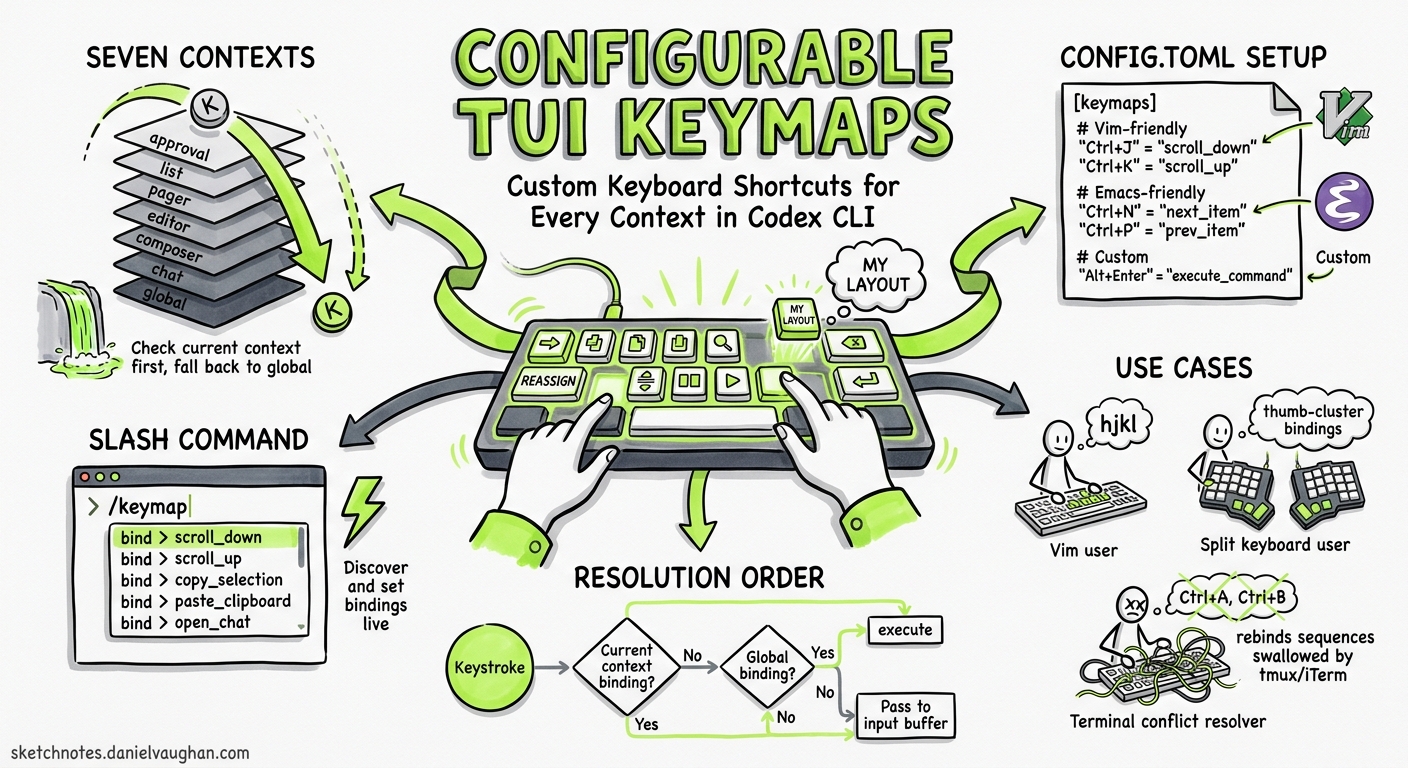
Codex CLI 0.128.0 shipped configurable TUI keymaps on 30 April 2026, closing one of the longest-running feature requests in the repository12. Before this release, every keyboard shortcut was hard-coded — frustrating for Vim users whose muscle memory clashes with Emacs-style defaults, developers on non-standard keyboards (Corne, Planck), and anyone whose terminal emulator swallows specific key sequences3. The new system lets you remap, layer, and unbind every TUI action through config.toml or the interactive /keymap slash command.
How the Keymap System Works
Keymaps are organised into contexts — logical zones of the TUI that each define a set of bindable actions. When Codex receives a keystroke, it resolves the binding by checking the current context first, then falling back to global4.
flowchart TD
    K[Keystroke received] --> C{Current context<br/>has binding?}
    C -->|Yes| A[Execute context action]
    C -->|No| G{Global context<br/>has binding?}
    G -->|Yes| A2[Execute global action]
    G -->|No| I[Pass to input buffer]
Supported Contexts
Codex CLI 0.128.0 exposes seven binding contexts4:
| Context | Where it applies |
|---|---|
global |
Everywhere — fallback for all other contexts |
chat |
The conversation transcript pane |
composer |
The prompt input area at the bottom of the TUI |
editor |
The external-editor overlay (Ctrl+G by default) |
pager |
Scrollable output views (diffs, long responses) |
list |
Selection lists (model picker, file fuzzy-finder) |
approval |
The tool-approval prompt shown before commands run |
Context-specific bindings always override global when the relevant pane has focus.
Configuring Keymaps in config.toml
Bindings live under the tui.keymap table in your user-level (~/.codex/config.toml) or project-level (.codex/config.toml) configuration56.
Syntax
[tui.keymap.global]
open_transcript = "ctrl-t"

[tui.keymap.composer]
submit = ["enter", "ctrl-m"]
insert_newline = "shift-enter"

[tui.keymap.approval]
accept = ["enter", "y"]
reject = ["escape", "n"]
Key names use normalised strings: ctrl-a, shift-enter, page-down, alt-j, f54. An action can be bound to a single key (string) or multiple keys (array of strings).
Unbinding an Action
To disable an action entirely within a context, assign an empty array4:
[tui.keymap.composer]
# Prevent accidental submission on plain Enter
submit = []
This is particularly useful when a default binding conflicts with your terminal emulator. Several users reported that Alt+Enter was being swallowed by WSL terminals, making it impossible to insert newlines in the composer7.
The /keymap Slash Command
If you prefer not to edit TOML by hand, the /keymap slash command provides an interactive configuration flow8:
- Type
/keymapin the composer - Select the context (global, composer, etc.)
- Choose the action to rebind
- Enter the new key combination or clear the existing binding
Changes apply immediately to the running session and persist to the tui.keymap section of your config.toml8. This makes /keymap the fastest way to experiment with bindings before committing to a configuration.
Practical Recipes
Recipe 1: Vim-Friendly Composer
Vim users have long requested modal editing in the composer9. Whilst full Vim mode remains a separate feature request, you can reduce friction by rebinding the most common actions:
[tui.keymap.composer]
submit = "ctrl-enter"
insert_newline = ["enter", "o"]

[tui.keymap.chat]
scroll_up = "k"
scroll_down = "j"
page_up = "ctrl-u"
page_down = "ctrl-d"

[tui.keymap.list]
select_up = "k"
select_down = "j"
confirm = "enter"
cancel = "escape"
Recipe 2: One-Handed Approval
When reviewing a batch of tool calls, having single-key approve/reject saves repetitive reaching:
[tui.keymap.approval]
accept = ["enter", "y", "space"]
reject = ["escape", "n", "backspace"]
Recipe 3: Ergonomic Split Keyboard
Corne and Planck users often lack dedicated function keys and find Ctrl+G awkward on a 40% layout:
[tui.keymap.global]
open_editor = "alt-e"
copy_output = "alt-c"
clear_screen = "alt-l"

[tui.keymap.composer]
history_search = "alt-r"
submit = ["enter", "alt-s"]
Scope Layering: User vs Project
Keymap configuration follows the same layering rules as all other config.toml settings6. Project-scoped bindings in .codex/config.toml override user-level bindings in ~/.codex/config.toml. This is useful for team conventions:
flowchart LR
    U["~/.codex/config.toml<br/>(user defaults)"] --> P[".codex/config.toml<br/>(project overrides)"] --> C["CLI -c flag<br/>(session override)"]
    style U fill:#e8f4fd,stroke:#1a73e8
    style P fill:#fef7e0,stroke:#f9ab00
    style C fill:#fce8e6,stroke:#ea4335
You can also override a binding for a single session using the -c flag5:
codex -c 'tui.keymap.composer.submit = "ctrl-enter"'
Related TUI Customisations
CLI 0.128.0 bundled keymaps alongside two other TUI personalisation features that round out the interface customisation story.
/statusline — Footer Items
The /statusline command lets you toggle and reorder the items shown in the TUI footer bar (model name, context window usage, git branch, token count, session identifier). Changes persist to tui.status_line in config.toml8.
# Show only model and token count in the footer
tui.status_line = ["model", "tokens"]
/title — Terminal Window Title
The /title command configures which fields appear in your terminal tab/window title — handy when running multiple Codex sessions in tmux or iTerm2 tabs. Defaults to ["spinner", "project"]; set to null to disable title updates entirely4.
tui.terminal_title = ["project", "model", "branch"]
Default Bindings Reference
For reference, these are the out-of-the-box bindings that ship with Codex CLI 0.128.0210:
| Context | Action | Default Binding |
|---|---|---|
| global | copy_output |
ctrl-o |
| global | clear_screen |
ctrl-l |
| global | open_editor |
ctrl-g |
| global | exit |
ctrl-c, ctrl-d |
| composer | submit |
enter |
| composer | insert_newline |
ctrl-j, ctrl-m, shift-enter |
| composer | history_search |
ctrl-r |
| composer | history_up |
up |
| composer | history_down |
down |
| composer | edit_previous |
escape escape |
| chat | steer |
enter |
| chat | queue_followup |
tab |
| approval | accept |
enter |
| approval | reject |
escape |
⚠️ The complete action list is not exhaustively documented in the official configuration reference at time of writing; the table above is reconstructed from the features documentation, changelog, and community reports2310.
When Not to Customise
A word of caution: keymaps are session-portable — they round-trip across TUI sessions, app-server connections, and MCP sandbox state2. If you share project-scoped configurations with a team, exotic bindings in .codex/config.toml will affect every developer who clones the repository. Consider keeping project-level keymap overrides minimal and documenting any non-standard bindings in your AGENTS.md.
Conclusion
Configurable keymaps transform Codex CLI from a one-size-fits-all terminal into an interface that adapts to your keyboard, your muscle memory, and your workflow. Combined with /statusline and /title, the 0.128.0 release makes the TUI genuinely personal — without sacrificing the ability to share sensible project defaults through scoped configuration.
Citations
-
Regression: Alt+Enter no longer inserts newline in VS Code WSL terminal — Issue #20501, openai/codex ↩ ↩2
-
Configuration Reference — Codex, OpenAI Developers ↩ ↩2 ↩3 ↩4 ↩5
-
Regression: Alt+Enter no longer inserts newline in VS Code WSL terminal — Issue #20501, openai/codex ↩
-
TUI composer: native Vim modal keymap (opt-in, composer-only) — Issue #12508, openai/codex ↩