Codex CLI State of Play — May 2026
Codex CLI State of Play — May 2026
Date: 2026-05-08
Current Status
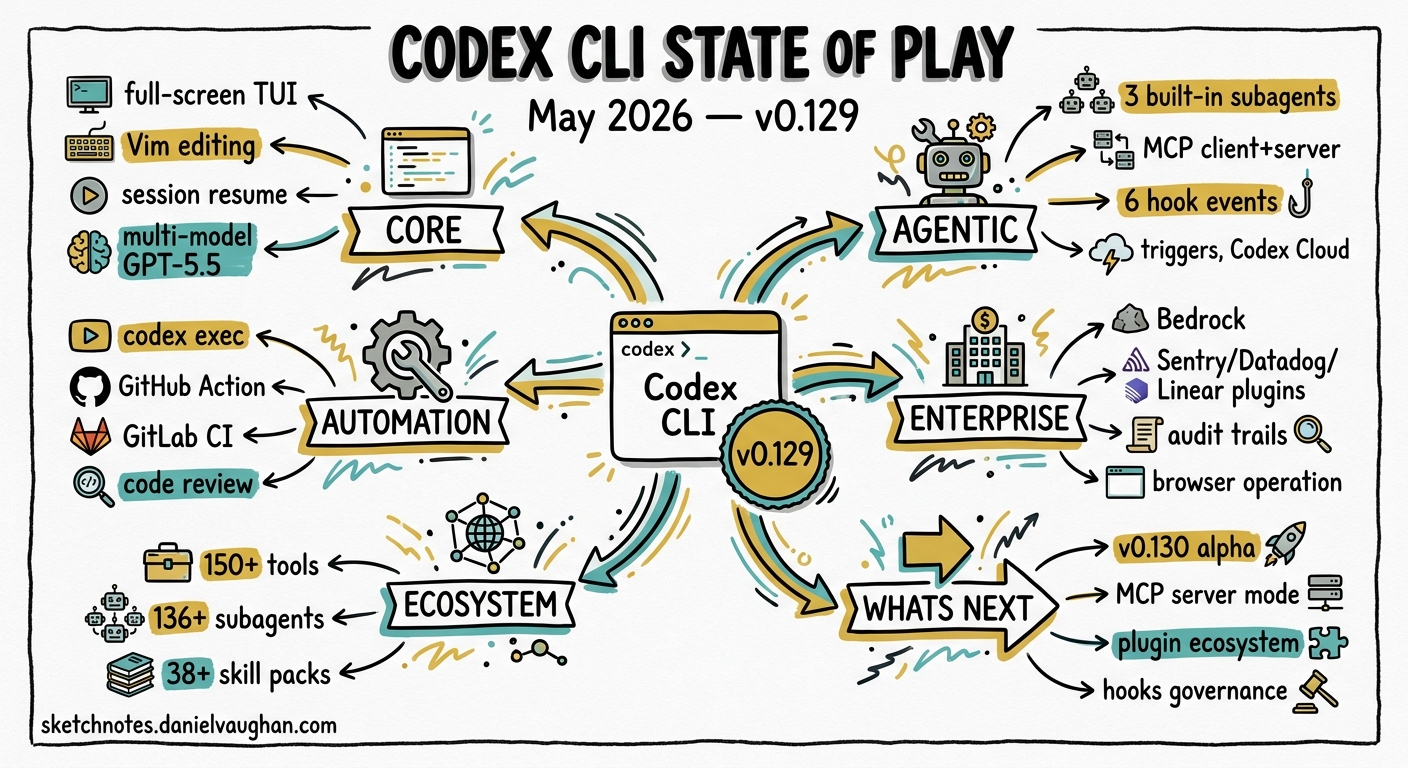
Codex CLI is at v0.129.0 (stable, 7 May 2026) with v0.130.0-alpha.5 in pre-release. The tool has matured from a simple terminal coding assistant into a full agentic development platform.
Key Capabilities (as of v0.129)
Core
- Full-screen TUI with modal Vim editing
- Session resume/fork with raw scrollback mode
- Remote TUI via WebSocket
- Multi-model support: GPT-5.5, GPT-5.4, GPT-5.3-Codex
- Image input (PNG/JPEG) and generation via gpt-image-2
Agentic
- Subagents: 3 built-in (default, worker, explorer) + custom TOML definitions
- MCP integration: client and server modes
- Hooks: 6 lifecycle events, regex matchers, concurrent execution
- Triggers: event-driven GitHub automation (March 2026)
- Codex Cloud: terminal-based task management
Automation
codex execfor non-interactive pipeline use- Official GitHub Action (
openai/codex-action) - GitLab CI/CD integration for code quality
- Automatic code review with risk-level assessment
Enterprise
- Amazon Bedrock model provider support
- Plugin ecosystem: Sentry, Datadog, Linear, Notion, Jira
- Audit trails and compliance features
- Computer use (macOS app interaction)
- Browser operation for local dev servers
Ecosystem Size
- 150+ tools in awesome-codex-cli
- 136+ subagents via VoltAgent
- 38+ skill packs
- Growing plugin directory
What to Watch
- v0.130.0 — currently in alpha, likely imminent
- Codex as MCP server — enables Agents SDK orchestration of full delivery pipelines
- Plugin ecosystem — first-party integrations expanding rapidly
- Hooks maturation —
/hooksTUI browser landed in v0.129; expect more governance tooling
Relevance to Agentic Pod
Codex CLI’s subagent model, MCP server mode, and Agents SDK integration make it a strong candidate for:
- Multi-agent coding pipelines (PM → Designer → Dev → Test)
- CI/CD automation with autonomous fix proposals
- Enterprise workflow automation via hooks and triggers
- Cross-agent orchestration (mco supports Codex + Claude Code + Gemini CLI)