v0.124 Hooks Migration Guide: From hooks.json to Inline config.toml
v0.124 Hooks Migration Guide: From hooks.json to Inline config.toml
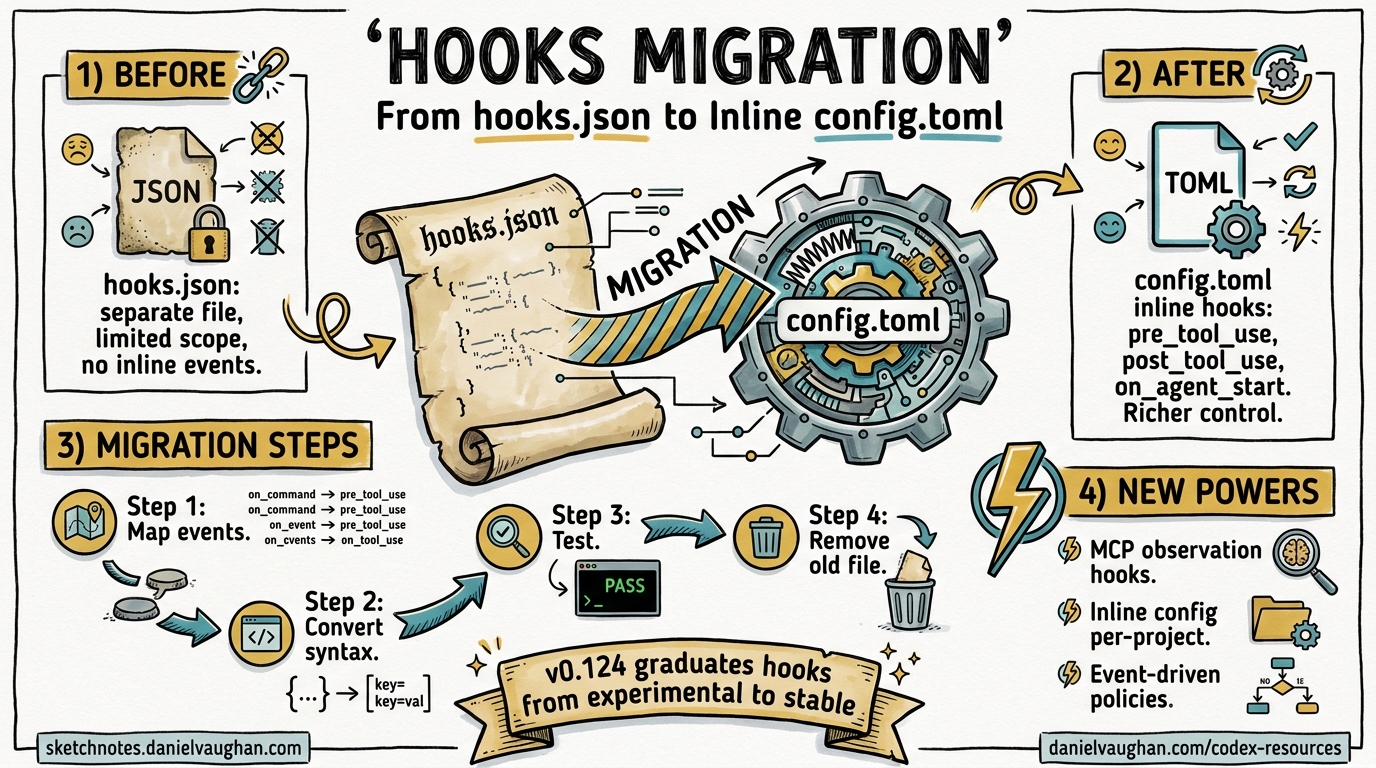
Codex CLI v0.124.0, released on 23 April 2026, marks hooks as stable and introduces inline hook definitions directly inside config.toml and requirements.toml 1. If you have been running hooks via standalone hooks.json files since the experimental phase, this guide walks you through migrating to the new inline format, explains the hook discovery order, and covers the enterprise-managed hooks workflow via requirements.toml.
What Changed in v0.124
Three PRs landed together to graduate hooks from experimental to stable 12:
| PR | Change |
|---|---|
| #18893 | Inline hooks support in config.toml and requirements.toml |
| #19012 | Mark codex_hooks feature flag as stable |
| #18385 | MCP tool observation support in hooks |
| #18888 | PostToolUse emission for long-running Bash via write_stdin |
| #18391 | apply_patch interception in PreToolUse/PostToolUse |
The headline change: you no longer need a separate hooks.json file. The same schema embeds natively as TOML tables inside config.toml 3. Existing hooks.json files continue to work unchanged — this is a purely additive migration 2.
Before: hooks.json
A typical project-level hooks.json at <repo>/.codex/hooks.json:
{
  "hooks": {
    "PreToolUse": [
      {
        "matcher": "Bash",
        "hooks": [
          {
            "type": "command",
            "command": "/usr/bin/python3 \".codex/hooks/pre_tool_use_policy.py\"",
            "timeout": 30,
            "statusMessage": "Checking Bash command"
          }
        ]
      }
    ],
    "PostToolUse": [
      {
        "matcher": "mcp__filesystem__.*",
        "hooks": [
          {
            "type": "command",
            "command": "/usr/bin/python3 \".codex/hooks/audit_fs_writes.py\"",
            "timeout": 10,
            "statusMessage": "Auditing filesystem writes"
          }
        ]
      }
    ]
  }
}
This required the experimental feature flag in config.toml:
[features]
codex_hooks = true
After: Inline config.toml
The identical configuration expressed as inline TOML in <repo>/.codex/config.toml:
# No feature flag needed — hooks are stable in v0.124+

[[hooks.PreToolUse]]
matcher = "^Bash$"

[[hooks.PreToolUse.hooks]]
type = "command"
command = 'python3 "/absolute/path/to/pre_tool_use_policy.py"'
timeout = 30
statusMessage = "Checking Bash command"

[[hooks.PostToolUse]]
matcher = "mcp__filesystem__.*"

[[hooks.PostToolUse.hooks]]
type = "command"
command = 'python3 "/absolute/path/to/audit_fs_writes.py"'
timeout = 10
statusMessage = "Auditing filesystem writes"
Key differences:
- No feature flag required. The
codex_hooksfeature defaults to stable and enabled in v0.124+ 4. - TOML array-of-tables syntax. Each event group uses
[[hooks.EventName]]and each command within it uses[[hooks.EventName.hooks]]3. - Absolute paths recommended. Commands run with the session
cwdas working directory, so relative paths could be hijacked by workspace scripts 2.
Step-by-Step Migration
1. Identify Your Hook Layers
Codex discovers hooks at multiple configuration layers 5:
flowchart TD
A["requirements.toml<br/>(admin-enforced)"] --> M["Merged Hook Set"]
B["~/.codex/hooks.json<br/>or ~/.codex/config.toml"] --> M
C["<repo>/.codex/hooks.json<br/>or <repo>/.codex/config.toml"] --> M
M --> R["Runtime Hook Registry"]
style A fill:#f9d71c,stroke:#333
style M fill:#4CAF50,color:#fff,stroke:#333
style R fill:#2196F3,color:#fff,stroke:#333
Higher-precedence layers do not replace lower-precedence hooks — they merge additively 5. Audit each layer to understand what hooks are currently active.
2. Convert JSON to TOML
The mapping is mechanical. For each event array in your hooks.json:
| JSON | TOML |
|---|---|
"hooks": { "PreToolUse": [ { ... } ] } |
[[hooks.PreToolUse]] |
"matcher": "Bash" |
matcher = "^Bash$" |
"hooks": [ { "type": "command", ... } ] |
[[hooks.PreToolUse.hooks]] with fields below |
"command": "..." |
command = '...' |
"timeout": 30 |
timeout = 30 |
"statusMessage": "..." |
statusMessage = "..." |
Note that matchers use regex patterns — if your JSON matcher was a plain string like "Bash", consider anchoring it to "^Bash$" in TOML for precision 3.
3. Remove the Feature Flag
Delete the experimental feature toggle from your config.toml if present:
# Remove this — no longer needed
# [features]
# codex_hooks = true
The feature is stable and on by default 4. Keeping it won’t break anything, but it’s dead configuration.
4. Delete hooks.json
Once your inline TOML hooks are working, remove the hooks.json file. If both coexist at the same layer, Codex loads both but emits a startup warning 3.
5. Test Your Migration
Verify hooks fire correctly:
# Run Codex with verbose logging to see hook execution
codex --log-level debug "echo hello"
Watch for hook registration messages and any warnings about duplicate definitions at the same layer.
Hook Events Reference
v0.124 supports six lifecycle events 3:
sequenceDiagram
    participant U as User
    participant C as Codex Agent
    participant H as Hook Registry
    participant T as Tool (Bash/Patch/MCP)

    U->>C: Submit prompt
    C->>H: UserPromptSubmit
    H-->>C: continue / stop
    C->>H: PreToolUse (matcher)
    H-->>C: allow / deny
    C->>T: Execute tool
    T-->>C: Result
    C->>H: PostToolUse (matcher)
    H-->>C: systemMessage / stop
    C->>H: Stop
    H-->>C: continue (new prompt) / stop
| Event | When It Fires | Can Block? | Filters By |
|---|---|---|---|
SessionStart |
Session begins or resumes | Yes | Start source |
UserPromptSubmit |
User submits a prompt | Yes | — |
PreToolUse |
Before tool execution | Yes (deny) | Tool name regex |
PermissionRequest |
When approval is needed | Yes (deny) | Tool name regex |
PostToolUse |
After tool completes | Yes (stop) | Tool name regex |
Stop |
Agent turn ends | Can continue | — |
Newly Observable in v0.124
- MCP tools: Hooks can now match MCP tool names using patterns like
mcp__server__tool_name6. - apply_patch: File edits via the
EditandWritetool aliases are interceptable with^apply_patch$7. - Long-running Bash:
PostToolUsefires whenexec_commandcompletes viawrite_stdin, not just when the initial Bash call returns 8.
Enterprise Managed Hooks via requirements.toml
For organisations deploying Codex at scale, v0.124 enables hook policy enforcement through requirements.toml 29:
# /etc/codex/requirements.toml (admin-enforced)

[hooks]
managed_dir = "/opt/company/codex-hooks"

[[hooks.PreToolUse]]
matcher = "^Bash$"

[[hooks.PreToolUse.hooks]]
type = "command"
command = "/opt/company/codex-hooks/security_scan.py"
timeout = 60
statusMessage = "Running security policy check"
Key points for enterprise deployment:
managed_dirspecifies where hook scripts live — use absolute paths 9.- Scripts are deployed separately via MDM or device-management tooling;
requirements.tomlonly declares which hooks to run 2. - Requirements-managed hooks load first in the discovery chain, before any user or project hooks 2.
- Users cannot override managed hooks — they merge additively 5.
On Windows, use the windows_managed_dir key:
[hooks]
managed_dir = "/opt/company/codex-hooks"
windows_managed_dir = 'C:\Company\codex-hooks'
Hook Input and Output Contract
Every hook receives JSON on stdin with common fields 3:
{
  "session_id": "sess_abc123",
  "transcript_path": "/home/user/.codex/sessions/sess_abc123.jsonl",
  "cwd": "/home/user/project",
  "hook_event_name": "PreToolUse",
  "model": "o4-mini",
  "turn_id": "turn_xyz"
}
Event-specific input fields are appended (e.g., tool_name and tool_input for PreToolUse).
The response contract supports:
| Field | Type | Effect |
|---|---|---|
continue |
boolean | false stops the session |
stopReason |
string | Displayed when stopping |
systemMessage |
string | Injected as system context |
suppressOutput |
boolean | Hides tool output from the agent |
For PreToolUse, return a permissionDecision of "deny" with a permissionDecisionReason to block execution. Exit code 0 with no output means success; exit code 2 writes the blocking reason to stderr 3.
Common Migration Pitfalls
- Duplicate definitions. Having both
hooks.jsonand[hooks]in the same config layer triggers a warning. Choose one per layer 3. - Relative paths. Hook commands run with
cwdset to the workspace. Use absolute paths — especially for managed enterprise hooks 2. - Unanchored matchers. A matcher of
Bashalso matchesBashDebugif such a tool existed. Use^Bash$for exact matching 3. - Timeout defaults. The default timeout is 600 seconds. For fast policy checks, set an explicit lower timeout to avoid blocking the agent 3.
Summary
v0.124 makes hooks a first-class, stable feature of Codex CLI. The migration from hooks.json to inline config.toml is additive and non-breaking — but consolidating to a single format per layer removes startup warnings and simplifies maintenance. For enterprise teams, requirements.toml now provides an enforceable hook policy channel that integrates with existing device management workflows.
Citations
-
Codex CLI Changelog — v0.124.0, OpenAI Developers, April 2026. ↩ ↩2
-
PR #18893 — codex: support hooks in config.toml and requirements.toml, OpenAI/codex, April 2026. ↩ ↩2 ↩3 ↩4 ↩5 ↩6 ↩7
-
Hooks — Codex CLI Documentation, OpenAI Developers. ↩ ↩2 ↩3 ↩4 ↩5 ↩6 ↩7 ↩8 ↩9 ↩10
-
Configuration Reference — Codex CLI Documentation, OpenAI Developers. ↩ ↩2
-
Advanced Configuration — Codex CLI Documentation, OpenAI Developers. ↩ ↩2 ↩3
-
PR #18385 — Support MCP tools in hooks, OpenAI/codex, April 2026. ↩
-
PR #18391 — apply_patch interception in hooks, OpenAI/codex, April 2026. ↩
-
PR #18888 — hooks: emit Bash PostToolUse when exec_command completes via write_stdin, OpenAI/codex, April 2026. ↩
-
Managed Configuration — Codex CLI Enterprise Documentation, OpenAI Developers. ↩ ↩2