Codex CLI with Azure OpenAI and Microsoft Foundry: Enterprise Agent Deployment on Azure Infrastructure
Codex CLI with Azure OpenAI and Microsoft Foundry: Enterprise Agent Deployment on Azure Infrastructure
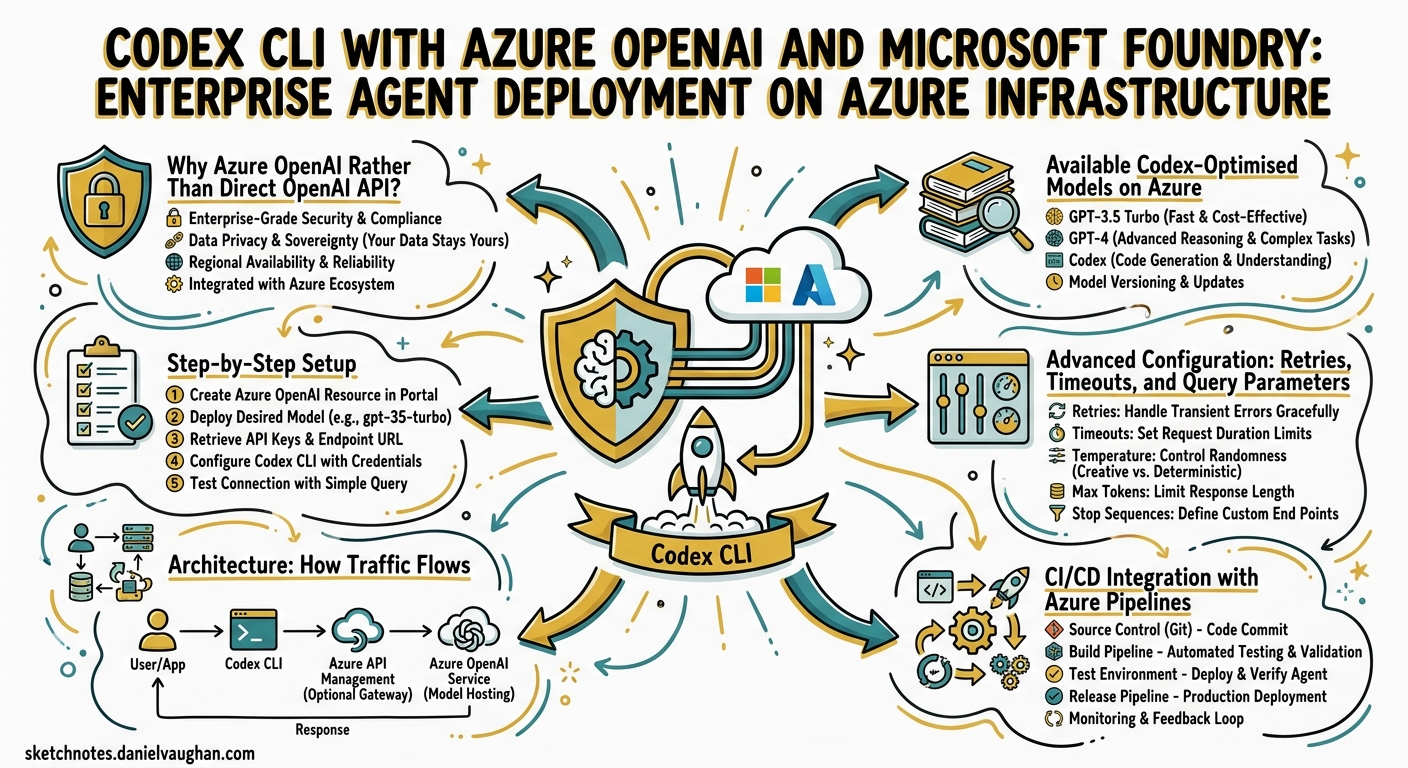
Codex CLI’s first-party GitHub integration makes it trivially easy to start coding with agents — but many enterprise engineering teams run on Azure infrastructure with strict data-residency, networking, and compliance requirements. Running Codex CLI through Azure OpenAI in Microsoft Foundry keeps every token inside your Azure tenancy, routes traffic through private endpoints, and bills through your existing Enterprise Agreement1. This article walks through the full setup: model deployment, TOML configuration, CI/CD integration, and the operational trade-offs you need to understand before rolling this out to a team.
Why Azure OpenAI Rather Than Direct OpenAI API?
The core value proposition is compliance boundary preservation. When you point Codex CLI at an Azure OpenAI resource, your prompts and completions never leave the Azure region you deployed into1. You gain:
- Private networking — VNet injection and Private Link keep traffic off the public internet1.
- Role-Based Access Control — Azure RBAC governs who can call the deployment, replacing bare API keys with Entra ID service principals (once Entra ID support ships for Codex — currently not available)2.
- Predictable cost management — Provisioned Throughput Units (PTUs) let you reserve capacity and cap spend, avoiding surprise token bills during multi-agent runs1.
- Audit logging — Azure Diagnostic Settings stream every API call to Log Analytics, meeting SOC 2 and ISO 27001 evidence requirements3.
The trade-off is model availability lag: new models typically reach the direct OpenAI API days or weeks before Azure OpenAI deployments catch up.
Available Codex-Optimised Models on Azure
As of late April 2026, Microsoft Foundry offers the following reasoning models suitable for Codex CLI2:
| Model | Strength | Notes |
|---|---|---|
gpt-5.3-codex |
Latest agentic coding, front-end generation | Updated April 20264 |
gpt-5.2-codex |
Stable general-purpose coding | Wide regional availability |
gpt-5.1-codex-max |
Extended context, long-horizon tasks | Higher PTU requirement |
gpt-5.1-codex |
Balanced cost/performance | Good default for teams |
gpt-5.1-codex-mini |
Fast, cost-efficient subagent work | Ideal for review/lint loops |
gpt-5-codex |
Original Codex-family flagship | Most mature, broadest region support5 |
gpt-5-mini |
Lightweight general model | Budget CI tasks |
Note: GPT-5.5 is currently available only when authenticated via ChatGPT (subscription-based), not through API-key authentication against Azure OpenAI deployments6. If your workflows depend on GPT-5.5 specifically, you will need to use direct OpenAI access until Azure Foundry adds support. ⚠️ This may change — check the Azure model catalog for the latest availability.
Step-by-Step Setup
1. Deploy a Model in Foundry
Navigate to Microsoft Foundry, create or select a project, then deploy a reasoning model from the catalogue2:
# Alternatively, deploy via Azure CLI
az cognitiveservices account deployment create \
  --name my-openai-resource \
  --resource-group my-rg \
  --deployment-name gpt-5-codex \
  --model-name gpt-5-codex \
  --model-version "2026-04-01" \
  --sku-capacity 10 \
  --sku-name "Standard"
Copy the endpoint URL and API key from the deployment’s overview pane.
2. Install Codex CLI
# macOS
brew install --cask codex
codex --version

# Linux / WSL2
npm install -g @openai/codex
codex --version
Requirements: macOS 12+, Ubuntu 20.04+, Debian 10+, or Windows 11 via WSL2. Minimum 4 GB RAM (8 GB recommended). Git 2.23+ is optional but recommended for PR helpers2.
3. Configure config.toml
Create or edit ~/.codex/config.toml:
model = "gpt-5-codex"               # Must match your Azure deployment name
model_provider = "azure"
model_reasoning_effort = "medium"    # low | medium | high | xhigh

[model_providers.azure]
name = "Azure OpenAI"
base_url = "https://YOUR_RESOURCE_NAME.openai.azure.com/openai/v1"
env_key = "AZURE_OPENAI_API_KEY"
wire_api = "responses"
Then export the key:
export AZURE_OPENAI_API_KEY # set this to your Azure deployment key
Critical:
env_keymust reference an environment variable name, not the key itself. Embedding secrets directly inconfig.tomlwill fail silently2.
4. Verify the Connection
codex "List the files in this directory and describe the project structure"
If you see a 401 Unauthorized, double-check that your environment variable is exported in the current shell. If you see 404 Not Found, verify the /v1 suffix in your base_url2.
Advanced Configuration: Retries, Timeouts, and Query Parameters
For production deployments behind corporate proxies or with high-latency private endpoints, tune the retry and timeout settings:
[model_providers.azure]
name = "Azure OpenAI"
base_url = "https://YOUR_RESOURCE_NAME.openai.azure.com/openai/v1"
env_key = "AZURE_OPENAI_API_KEY"
wire_api = "responses"
request_max_retries = 4              # retry on transient 5xx errors
stream_max_retries = 10              # streaming reconnection attempts
stream_idle_timeout_ms = 300000      # 5 minutes before dropping idle stream
If your Azure resource still requires explicit API versioning (pre-v1 endpoints), add query parameters:
query_params = { api-version = "2025-04-01-preview" }
The v1 Responses API path (/openai/v1) no longer requires api-version, but older deployments may still need it27.
Architecture: How Traffic Flows
sequenceDiagram
    participant Dev as Developer Terminal
    participant CLI as Codex CLI
    participant PE as Azure Private Endpoint
    participant AOAI as Azure OpenAI Resource
    participant LA as Log Analytics

    Dev->>CLI: codex "refactor auth module"
    CLI->>PE: HTTPS POST /openai/v1/responses
    PE->>AOAI: Route via VNet
    AOAI->>AOAI: gpt-5-codex inference
    AOAI-->>PE: Streamed response
    PE-->>CLI: Token stream
    CLI-->>Dev: Rendered TUI output
    AOAI->>LA: Diagnostic log (async)
When Private Link is enabled, the base_url resolves to a private IP within your VNet. No traffic traverses the public internet, satisfying data-residency requirements for regulated industries13.
CI/CD Integration with Azure Pipelines
While Codex CLI ships a first-party GitHub Action (openai/codex-action@v1)8, Azure Pipelines integration requires a manual task definition. The pattern is straightforward:
Azure Pipelines YAML
# azure-pipelines.yml
trigger:
  branches:
    include:
      - main

pool:
  vmImage: 'ubuntu-latest'

steps:
  - task: NodeTool@0
    inputs:
      versionSpec: '20.x'

  - script: npm install -g @openai/codex
    displayName: 'Install Codex CLI'

  - script: |
      codex -p azure exec --full-auto \
        "Review the last commit for security issues and suggest fixes"
    displayName: 'Run Codex security review'
    env:
      AZURE_OPENAI_API_KEY: $(AZURE-OPENAI-API-KEY)
Store AZURE_OPENAI_API_KEY as a pipeline secret variable or link it from Azure Key Vault9.
GitHub Actions with Azure Backend
If your code is on GitHub but inference must stay on Azure, use the standard codex-action with your Azure provider config:
jobs:
  codex-review:
    runs-on: ubuntu-latest
    steps:
      - uses: actions/checkout@v4
      - name: Run Codex on Azure OpenAI
        run: |
          npm install -g @openai/codex
          AZURE_OPENAI_API_KEY="${{secrets.AZURE_OPENAI_KEY}}"
          export AZURE_OPENAI_API_KEY
          codex -p azure exec --full-auto \
            "update CHANGELOG for next release"
The -p azure flag selects the Azure provider profile directly from the command line2.
VS Code Extension with Azure
The OpenAI Codex extension reads your config.toml automatically2. One quirk to note on WSL2: the extension may look for the API key environment variable on the Windows host rather than within the WSL session. Set the variable in both environments:
# In WSL
export AZURE_OPENAI_API_KEY   # same key as above

# On Windows (PowerShell)
[System.Environment]::SetEnvironmentVariable(
  "AZURE_OPENAI_API_KEY", "<paste-key-here>", "User"
)
Then launch VS Code from the WSL terminal with code . to ensure the variable is inherited2.
Multi-Model Configuration for Cost Optimisation
Enterprise teams rarely use a single model for everything. Configure multiple Azure deployments and switch between them per task:
model = "gpt-5-codex"
model_provider = "azure"

[model_providers.azure]
name = "Azure OpenAI - Primary"
base_url = "https://myresource.openai.azure.com/openai/v1"
env_key = "AZURE_OPENAI_API_KEY"
wire_api = "responses"

[model_providers.azure-mini]
name = "Azure OpenAI - Mini"
base_url = "https://myresource.openai.azure.com/openai/v1"
env_key = "AZURE_OPENAI_API_KEY"
wire_api = "responses"
Then switch at the command line:
# Primary model for complex refactoring
codex -p azure -m gpt-5-codex "refactor the auth module to use OIDC"

# Mini model for quick review tasks
codex -p azure-mini -m gpt-5.1-codex-mini "/review"
This pattern lets teams use gpt-5.1-codex-mini for subagent delegation, linting, and review loops whilst reserving gpt-5-codex or gpt-5.3-codex for complex implementation tasks — cutting token costs by 60-70% on routine operations10.
Decision Framework: When to Use Azure OpenAI vs Direct API
flowchart TD
    A[Need Codex CLI?] --> B{Data residency<br/>requirement?}
    B -->|Yes| C{Azure EA<br/>or MACC?}
    C -->|Yes| D[Azure OpenAI via Foundry]
    C -->|No| E[Direct OpenAI API<br/>with data residency region]
    B -->|No| F{Need GPT-5.5?}
    F -->|Yes| G[Direct OpenAI API<br/>subscription auth]
    F -->|No| H{Need PTU<br/>capacity reservation?}
    H -->|Yes| D
    H -->|No| I[Direct OpenAI API<br/>simpler setup]
Known Limitations
- Entra ID not yet supported — Codex CLI currently requires API key authentication against Azure OpenAI. Managed identity and Entra ID token-based auth are not available yet2. ⚠️ Track the feature request for updates.
- GPT-5.5 unavailable on Azure — As of late April 2026, GPT-5.5 requires ChatGPT subscription authentication, not API-key auth6.
- No native Azure Repos integration — Codex Cloud’s first-class git integration currently supports GitHub only. For Azure Repos, use Codex CLI locally or in Azure Pipelines11.
- Model availability lag — New model versions typically appear on the direct OpenAI API before Azure Foundry deployments.
Troubleshooting Quick Reference
| Symptom | Fix |
|---|---|
401 Unauthorized |
Verify AZURE_OPENAI_API_KEY is exported; confirm key has deployment access2 |
404 Not Found |
Check base_url includes /v1 suffix and correct resource name2 |
| CLI ignores Azure settings | Ensure model_provider = "azure" is set at top level of config.toml2 |
| WSL + VS Code key not found | Set the env var on both the Windows host and WSL2 |
| Streaming timeouts | Increase stream_idle_timeout_ms for high-latency private endpoints7 |
Citations
-
Microsoft, “Codex with Azure OpenAI in Microsoft Foundry Models”, Microsoft Learn, updated 14 April 2026. https://learn.microsoft.com/en-us/azure/foundry/openai/how-to/codex ↩ ↩2 ↩3 ↩4 ↩5
-
Microsoft, “Codex with Azure OpenAI in Microsoft Foundry Models — Setup and Configuration”, Microsoft Learn, updated 14 April 2026. https://learn.microsoft.com/en-us/azure/foundry/openai/how-to/codex ↩ ↩2 ↩3 ↩4 ↩5 ↩6 ↩7 ↩8 ↩9 ↩10 ↩11 ↩12 ↩13 ↩14 ↩15
-
Microsoft, “Azure OpenAI Service diagnostic logging”, Microsoft Learn. https://learn.microsoft.com/en-us/azure/ai-services/openai/how-to/monitoring ↩ ↩2
-
OpenAI, “Introducing GPT-5.3-Codex”, OpenAI Blog, February 2026. https://openai.com/index/introducing-gpt-5-3-codex/ ↩
-
Azure AI, “gpt-5-codex — Azure AI Model Catalog”. https://ai.azure.com/catalog/models/gpt-5-codex ↩
-
OpenAI, “Codex Changelog — GPT-5.5 Availability”, OpenAI Developers, April 2026. https://developers.openai.com/codex/changelog ↩ ↩2
-
OpenAI, “Advanced Configuration — Codex CLI”, OpenAI Developers. https://developers.openai.com/codex/config-advanced ↩ ↩2
-
OpenAI, “GitHub Action — Codex”, OpenAI Developers. https://developers.openai.com/codex/github-action ↩
-
Microsoft, “Use secrets and variables in Azure Pipelines”, Microsoft Learn. https://learn.microsoft.com/en-us/azure/devops/pipelines/process/variables ↩
-
OpenAI, “Codex CLI Models — Pricing and Capabilities”, OpenAI Developers. https://developers.openai.com/codex/models ↩
-
GitHub Issue #10665, “Feature Request: Native Azure DevOps (Azure Repos) Integration for Codex”, openai/codex. https://github.com/openai/codex/issues/10665 ↩