Codex CLI Shell Environment Policy: Controlling What Your Agent's Subprocesses Can See
Codex CLI Shell Environment Policy: Controlling What Your Agent’s Subprocesses Can See
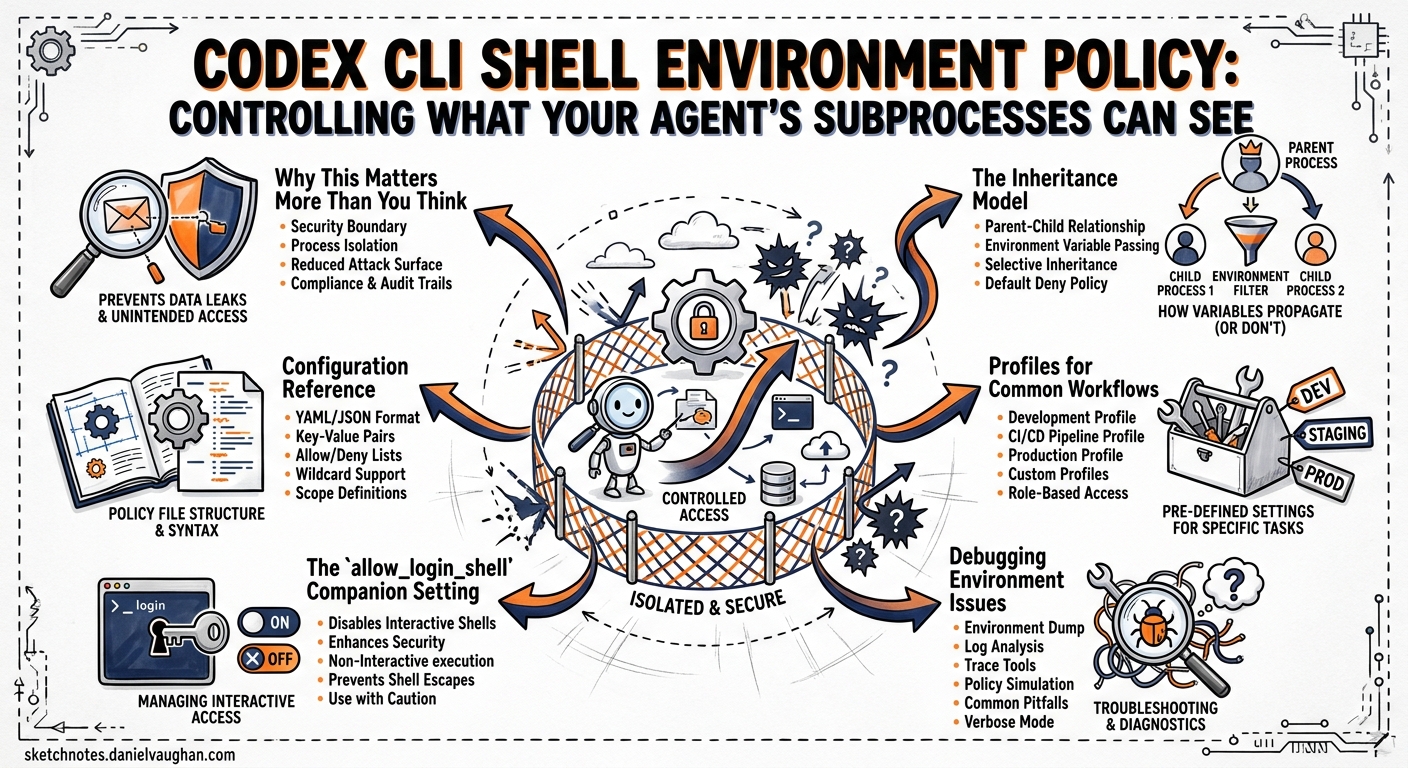
Every command Codex CLI executes — npm test, git push, python manage.py migrate — runs as a subprocess that inherits environment variables from your shell. Those variables routinely contain API keys, cloud credentials, database connection strings, and session tokens. Without deliberate control, every tool invocation the model proposes becomes a potential exfiltration vector. The shell_environment_policy configuration block exists to close that gap, and most developers leave it at the default without understanding what that default actually does.
This article is a practitioner’s reference for the shell_environment_policy section of config.toml, covering the inheritance model, the automatic secret filter, layered filtering, enterprise enforcement, and battle-tested profiles for common workflows.
Why This Matters More Than You Think
In December 2025, researchers at Check Point disclosed CVE-2025-61260: a .env file inside a cloned repository could redirect CODEX_HOME to an attacker-controlled path, loading a rogue configuration that executed arbitrary commands 1. The fix landed in v0.23.0, but the broader lesson remains: environment variables are an attack surface, and any subprocess the agent spawns can read them.
A separate vulnerability disclosed in March 2026 showed that GitHub tokens stored in environment variables could be harvested through crafted MCP server configurations 2. The shell_environment_policy is one of Codex CLI’s primary defences against this entire class of attack.
The Inheritance Model
The shell_environment_policy table controls which environment variables reach subprocesses. It evaluates in a strict pipeline:
flowchart LR
    A[Parent Shell Env] --> B{inherit mode}
    B -->|all| C[Full env]
    B -->|core| D[Minimal set]
    B -->|none| E[Empty env]
    C --> F{Default excludes}
    D --> F
    E --> F
    F -->|ignore_default_excludes = false| G[Strip KEY/SECRET/TOKEN]
    F -->|ignore_default_excludes = true| H[Keep all]
    G --> I{exclude patterns}
    H --> I
    I --> J{include_only whitelist}
    J --> K{set overrides}
    K --> L[Final subprocess env]
The Three Inheritance Modes
| Mode | Behaviour | Use case |
|---|---|---|
all |
Starts with every variable from the parent shell | Development machines where convenience matters |
core |
Starts with a minimal set: PATH, HOME, USER, SHELL, TERM, LANG, LC_* |
CI runners and shared environments |
none |
Starts with an empty environment | Maximum isolation; air-gapped or regulated contexts |
The default is inherit = "all" 3, which surprises many developers who assume the sandbox strips everything.
The Default Excludes Trap
Even with inherit = "all", Codex applies an automatic filter that strips any variable whose name contains KEY, SECRET, or TOKEN (case-insensitive) 3. This is controlled by ignore_default_excludes, which defaults to false.
This creates a common gotcha documented in GitHub issue #3064 4: tools that depend on variables like SENTRY_API_TOKEN or GITHUB_TOKEN fail silently because the default filter removes them before any user-defined rules execute. The symptom is an opaque “authentication failed” error from the tool, with no indication that Codex stripped the credential.
Configuration Reference
The full shell_environment_policy block in config.toml:
[shell_environment_policy]
# Baseline: "all" (default) | "core" | "none"
inherit = "core"

# Disable the built-in KEY/SECRET/TOKEN filter. Default: false
ignore_default_excludes = false

# Case-insensitive glob patterns to remove after default filtering
exclude = ["AWS_*", "AZURE_*", "GCP_*", "DOCKER_*"]

# Whitelist — if non-empty, only matching vars survive
include_only = ["PATH", "HOME", "LANG", "NODE_ENV", "RAILS_ENV"]

# Explicit key/value pairs injected into every subprocess (always win)
set = { CI = "true", NODE_ENV = "test" }

# Experimental: source the user's shell profile before execution
experimental_use_profile = false
Evaluation Order
- Inherit — load the baseline set
- Default excludes — strip
*KEY*,*SECRET*,*TOKEN*(unlessignore_default_excludes = true) - exclude — remove variables matching any glob pattern
- include_only — if non-empty, discard everything not matching the whitelist
- set — inject explicit overrides (these always win, even over
include_only)
Patterns use case-insensitive glob syntax: * matches any sequence, ? matches a single character, [A-Z] matches character ranges 3.
Profiles for Common Workflows
Profile 1: Secure Default for Daily Development
For general development where you need build tools and language runtimes to work, but want to keep cloud credentials out of agent-spawned subprocesses:
[shell_environment_policy]
inherit = "all"
ignore_default_excludes = false
exclude = [
  "AWS_*", "AZURE_*", "GCP_*", "GOOGLE_*",
  "DOCKER_*", "NPM_TOKEN", "PYPI_*",
  "*PASSWORD*", "*CREDENTIAL*",
]
This preserves the default KEY/SECRET/TOKEN filter, then adds explicit exclusions for cloud provider variables and package registry tokens.
Profile 2: Locked-Down CI Runner
For codex exec in a GitHub Actions or GitLab CI pipeline where the environment is ephemeral and you want maximum control:
[shell_environment_policy]
inherit = "none"
set = { PATH = "/usr/local/bin:/usr/bin:/bin", HOME = "/tmp/codex-home", CI = "true" }
Starting from none means no credentials leak even if the CI runner has injected secrets into the environment. You explicitly provide only what the build needs 5.
Profile 3: Selective Credential Pass-Through
When a specific tool genuinely needs an API token — for instance, running Sentry error triage via an MCP server:
[shell_environment_policy]
inherit = "core"
ignore_default_excludes = true
include_only = [
  "PATH", "HOME", "LANG", "SHELL",
  "SENTRY_AUTH_TOKEN", "SENTRY_ORG", "SENTRY_PROJECT",
]
Setting ignore_default_excludes = true prevents the automatic filter from stripping SENTRY_AUTH_TOKEN. The include_only whitelist then ensures only the listed variables reach the subprocess — nothing else from the parent shell 4.
Profile 4: Enterprise Managed Deployment
For organisations using requirements.toml to enforce policy across all developer machines:
# /etc/codex/requirements.toml (Unix) or
# %ProgramData%\OpenAI\Codex\requirements.toml (Windows)

allowed_sandbox_modes = ["read-only", "workspace-write"]

[permissions.filesystem]
deny_read = [
  "~/.ssh",
  "~/.aws/credentials",
  "~/.config/gcloud",
  ".env",
  ".env.*",
]
Combined with a managed_config.toml that sets the environment policy:
# /etc/codex/managed_config.toml

[shell_environment_policy]
inherit = "core"
ignore_default_excludes = false
exclude = ["*SECRET*", "*CREDENTIAL*", "*PASSWORD*"]
Managed requirements take precedence over user configuration and cannot be overridden locally 6. This layering — requirements.toml for hard constraints, managed_config.toml for defaults — maps to the same split that macOS MDM profiles support via com.openai.codex preference keys 6.
flowchart TB
    subgraph Precedence["Configuration Precedence (top wins)"]
        A["Cloud-managed requirements<br/>(ChatGPT Business/Enterprise)"]
        B["macOS MDM preferences<br/>(com.openai.codex)"]
        C["System requirements.toml<br/>(/etc/codex/)"]
        D["managed_config.toml<br/>(admin defaults)"]
        E["User config.toml<br/>(~/.codex/)"]
        F["Project config.toml<br/>(.codex/)"]
        G["CLI --config overrides"]
    end
    A --> B --> C --> D --> E --> F --> G
The allow_login_shell Companion Setting
A related boolean, allow_login_shell, controls whether shell-based tools can use login-shell semantics (sourcing ~/.bash_profile, ~/.zprofile, etc.) 3. When disabled, login-shell requests are rejected and the subprocess falls back to a non-login shell. This matters because login profiles often export credentials, and an agent requesting a login shell could inadvertently pull in secrets you excluded from the environment policy.
The recommendation for production workloads: keep allow_login_shell = false and use set to inject any variables the build genuinely needs.
Debugging Environment Issues
When a tool fails with an authentication or “command not found” error, the most likely cause is environment stripping. To diagnose:
# Check what Codex actually passes to subprocesses
codex --approval-mode on-request -c 'shell_environment_policy.inherit="all"' \
  "Run: env | sort"
Compare the output against your shell’s env | sort. The diff reveals what the policy filtered.
For codex exec in CI, the --json flag (added in v0.125) now reports reasoning-token usage 7, but you can also wrap the invocation to capture the subprocess environment:
codex exec "Run: env | grep -i sentry" 2>/dev/null
If the variable is missing, check your config.toml layering by running:
codex --show-resolved-config 2>&1 | grep -A 10 shell_environment
Common Pitfalls
| Pitfall | Symptom | Fix |
|---|---|---|
| Default excludes strip a needed token | Silent auth failure in tool | Set ignore_default_excludes = true and use include_only to whitelist |
inherit = "all" leaks cloud creds |
Credentials visible in subprocess | Switch to inherit = "core" with explicit set |
include_only is empty |
Treated as “no filter” (all pass) | Always populate include_only when using it |
set values visible to model |
Model can echo $MY_VAR |
Acceptable — the model can already see tool output; the risk is exfiltration, which the sandbox’s network policy mitigates |
experimental_use_profile = true sources secrets |
Login profile exports tokens | Keep false; use set instead |
| MDM policy overrides local config | Developer’s custom policy ignored | Check MDM profile with defaults read com.openai.codex on macOS |
Defence in Depth
shell_environment_policy is one layer in a multi-layer defence. Combine it with:
deny_readfilesystem policies to block agent access to credential files like~/.aws/credentialsand~/.ssh/8- Sandbox network policy (
network_access = false) to prevent exfiltration even if a credential does reach a subprocess 3 - PreToolUse hooks to scan proposed commands for patterns that would dump environment variables or read credential files 9
- Managed requirements to enforce these policies organisation-wide and prevent local overrides 6
No single control is sufficient. The environment policy stops credentials entering the subprocess; the network policy stops them leaving; the hooks policy stops the model asking for them in the first place.
Citations
-
Check Point Research, “OpenAI Codex CLI Vulnerability: Command Injection (CVE-2025-61260),” December 2025. https://research.checkpoint.com/2025/openai-codex-cli-command-injection-vulnerability/ ↩
-
The Hacker News, “OpenAI Patches ChatGPT Data Exfiltration Flaw and Codex GitHub Token Vulnerability,” March 2026. https://thehackernews.com/2026/03/openai-patches-chatgpt-data.html ↩
-
OpenAI, “Advanced Configuration — Codex,” April 2026. https://developers.openai.com/codex/config-advanced ↩ ↩2 ↩3 ↩4 ↩5
-
GitHub, “Configuration for inherited environment variables — Issue #3064,” openai/codex, 2026. https://github.com/openai/codex/issues/3064 ↩ ↩2
-
OpenAI, “Non-interactive mode — Codex,” April 2026. https://developers.openai.com/codex/noninteractive ↩
-
OpenAI, “Managed configuration — Codex,” April 2026. https://developers.openai.com/codex/enterprise/managed-configuration ↩ ↩2 ↩3
-
OpenAI, “Codex Changelog — v0.125.0,” 24 April 2026. https://developers.openai.com/codex/changelog ↩
-
OpenAI, “Configuration Reference — Codex,” April 2026. https://developers.openai.com/codex/config-reference ↩
-
OpenAI, “Hooks — Codex CLI,” April 2026. https://developers.openai.com/codex/cli/hooks ↩