Codex CLI Smart Approvals: How Adaptive Command Policies and Prefix Rules Eliminate Approval Fatigue
Codex CLI Smart Approvals: How Adaptive Command Policies and Prefix Rules Eliminate Approval Fatigue
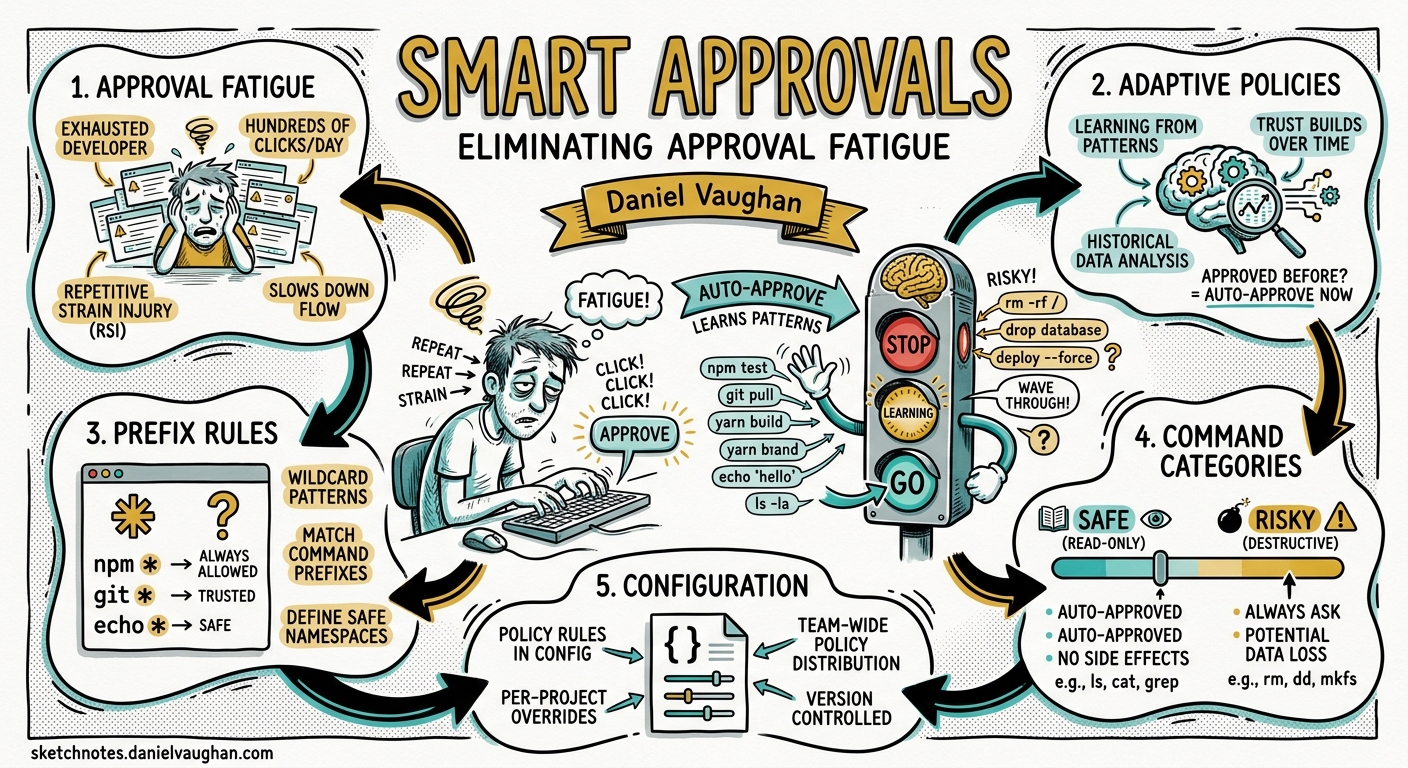
Every developer who has used Codex CLI in on-request mode knows the rhythm: approve git status, approve git diff, approve npm test, approve git status again. The agent works through a task, and you spend half your time pressing “y”. The smart approvals system, enabled by default since v0.120 and refined through v0.128, changes this dynamic fundamentally. Instead of treating every command as a fresh trust decision, Codex CLI learns from your approval patterns, proposes execution policy rules, and — when configured — delegates routine approval decisions to an automated reviewer agent12.
This article explains how the three layers of the approval system interact: the base approval_policy, the Starlark-based execution policy rules, and the guardian auto-reviewer. It covers the TUI flow for accepting and amending rules, practical configuration patterns for solo developers and teams, and the enterprise governance controls that let administrators enforce approval boundaries without breaking developer flow.
The Approval Problem
Codex CLI’s two-axis security model combines a sandbox (what the agent can do technically) with an approval policy (when the agent must ask before acting)3. The sandbox restricts filesystem and network access at the OS level. The approval policy is a workflow control — it determines whether Codex pauses for human confirmation before executing a shell command, writing outside the workspace, or making a network request.
The default pairing — workspace-write sandbox with on-request approval — is sensible for interactive work. File edits inside the project apply automatically; commands and network operations prompt for consent. The problem is granularity. on-request treats git log --oneline identically to rm -rf /. Every shell invocation triggers a pause.
The blunt alternative, approval_policy = "never", removes all prompts but also removes all guardrails. For automation in CI this is appropriate. For interactive development, it trades one problem (fatigue) for another (unreviewed mutations)4.
Smart approvals introduce the missing middle ground.
How Smart Approvals Work
Smart approvals are a feature-flagged capability controlled by the smart_approvals feature flag5. When enabled — which is the default since v0.120 — the TUI approval prompt gains an additional option beyond the traditional “accept” and “decline”: accept with rule amendment.
When Codex CLI proposes an escalation (a command that the current policy requires approval for), the smart approvals engine analyses the command’s prefix and offers to create a prefix_rule() entry in your execution policy. If you accept the amendment, Codex writes the rule to ~/.codex/rules/default.rules, and future invocations of that command pattern skip the approval prompt entirely6.
flowchart TD
    A[Agent proposes command] --> B{Matches existing rule?}
    B -->|Yes: allow| C[Execute without prompt]
    B -->|Yes: forbidden| D[Block automatically]
    B -->|Yes: prompt| E[Show approval prompt]
    B -->|No match| F{Smart approvals enabled?}
    F -->|Yes| G[Show prompt with rule proposal]
    F -->|No| E
    G -->|Accept + amend| H[Write prefix_rule to default.rules]
    G -->|Accept once| C
    G -->|Decline| I[Skip command]
    H --> C
The key distinction is that smart approvals do not automatically learn. They propose, and you decide. Every rule amendment is an explicit human decision, reviewed in the TUI before it takes effect1.
The Execution Policy Rules System
Execution policy rules are the persistence layer behind smart approvals. They live in .rules files under rules/ directories adjacent to active configuration layers6:
- User layer:
~/.codex/rules/default.rules - Project layer:
<repo>/.codex/rules/custom.rules - Enterprise layer:
/etc/codex/requirements.toml(or via MDM/cloud-managed config)
The prefix_rule() Function
Rules files use Starlark, a Python-like language originally developed for Bazel that is designed for safe, deterministic execution without filesystem side effects7. The core construct is prefix_rule():
# ~/.codex/rules/default.rules

# Allow all read-only git commands
prefix_rule(
    pattern = ["git", ["status", "diff", "log", "branch", "show", "remote"]],
    decision = "allow",
    justification = "Read-only Git operations are safe in any context",
    match = ["git status", "git diff HEAD~3", "git log --oneline -20"],
    not_match = ["git push", "git reset --hard"]
)

# Require approval for destructive git operations
prefix_rule(
    pattern = ["git", ["push", "reset", "rebase", "force-push"]],
    decision = "prompt",
    justification = "Destructive Git operations need human review"
)

# Block rm -rf unconditionally
prefix_rule(
    pattern = ["rm", "-rf"],
    decision = "forbidden",
    justification = "Recursive force-delete is never appropriate in agent context"
)
The pattern parameter uses ordered prefix matching. Each element is either a literal string or a list of alternatives at that argument position. The decision parameter accepts three values6:
| Decision | Behaviour |
|---|---|
allow |
Execute without prompting (default) |
prompt |
Request user confirmation every time |
forbidden |
Block automatically — the agent cannot override |
When multiple rules match the same command, Codex applies the most restrictive decision: forbidden > prompt > allow6.
Built-In Test Assertions
The match and not_match parameters are not documentation — they are compile-time assertions. Codex evaluates them when loading the rules file. If a match example does not match the rule’s pattern, or a not_match example does match, the rules file fails to load and Codex reports the error at startup8:
# Verify rules without starting a session
codex execpolicy check --pretty \
    --rules ~/.codex/rules/default.rules \
    -- git status
This returns JSON showing the matching rule, the matched prefix tokens, and the effective decision. For teams, this command belongs in CI — lint your rules files the same way you lint your code9.
Shell Splitting and Conservative Blocking
Codex’s rule engine understands shell pipelines. A command like git add . && npm test is split at safe operators (&&, ||, ;, |), and each component is evaluated independently against the rules6. However, commands containing advanced shell features — variable expansion, redirection, control flow, or wildcards — are treated as single opaque invocations and matched against the full command string. This conservative approach prevents dangerous commands from hiding behind shell complexity7.
The Guardian Auto-Reviewer
For teams that want to reduce approval prompts further without writing rules for every command pattern, Codex offers the guardian auto-reviewer. This is a separate model call — a reviewer agent that evaluates approval requests against a risk framework before they reach the human210.
Enable it with:
# ~/.codex/config.toml
approval_policy = "on-request"
approvals_reviewer = "auto_review"
When configured, eligible approval requests pass through the guardian before appearing in the TUI. The reviewer produces a structured assessment with a risk level (low, medium, high, critical) and a rationale. Critical-risk actions are always denied. High-risk actions require explicit user authorisation. Low-risk actions may be auto-approved310.
The reviewer checks for:
- Data exfiltration — commands that pipe sensitive files to external endpoints
- Credential probing — attempts to read
.env, SSH keys, or cloud credential stores - Persistent security weakening — modifications to firewall rules, SSH configs, or permission models
- Destructive operations —
rm -rf,DROP TABLE, orgit reset --hardon protected branches
Timeouts, parse failures, and review errors fail closed — if the reviewer cannot reach a decision, the request escalates to the human3.
flowchart LR
    A[Approval request] --> B{auto_review enabled?}
    B -->|No| C[Show to user]
    B -->|Yes| D[Guardian reviews]
    D --> E{Risk level?}
    E -->|Critical| F[Auto-deny]
    E -->|High| C
    E -->|Low/Medium| G{Passes policy?}
    G -->|Yes| H[Auto-approve]
    G -->|No| C
Cost Implications
The guardian adds extra model calls to every approval event. For interactive sessions with frequent command execution, this can add measurable token overhead. The cost is justified when:
- The developer would otherwise switch to
approval_policy = "never"to avoid fatigue - The team needs audit trails for every approval decision
- Enterprise policy requires a second reviewer for all agent-initiated commands
For cost-sensitive workflows, combine specific prefix_rule() entries for known-safe commands with auto_review as a fallback for everything else. The rules fire first, and only commands that hit prompt reach the guardian11.
Granular Approval Policies
Since v0.126, the approval_policy parameter supports a granular mode that gives fine-grained control over which categories of approval prompt are interactive versus auto-rejected3:
approval_policy = { granular = {
    sandbox_approval = true,        # Sandbox escalation prompts
    rules = true,                   # Execpolicy 'prompt' rules
    mcp_elicitations = true,        # MCP tool side-effect prompts
    request_permissions = false,    # Auto-reject permission requests
    skill_approval = false          # Auto-reject skill scripts
}}
This allows teams to keep security-critical categories interactive while silencing noise from lower-risk categories. Setting rules = true ensures that execution policy prompt decisions still surface to the user (or to the guardian), whilst skill_approval = false auto-rejects skill script approval requests that would otherwise interrupt flow3.
Practical Configuration Patterns
Solo Developer: Progressive Trust
Start with the default on-request policy and let smart approvals propose rules as you work. After a week, inspect ~/.codex/rules/default.rules — it will contain the rules Codex proposed and you accepted. Review them, tighten any that are too broad, and commit the file to your dotfiles repository:
# Review your accumulated rules
codex execpolicy check --pretty \
    --rules ~/.codex/rules/default.rules \
    -- npm run build

# Test against edge cases
codex execpolicy check --pretty \
    --rules ~/.codex/rules/default.rules \
    -- npm run deploy:production
Team: Shared Project Rules
Commit a curated .codex/rules/team.rules to the repository. Project-local rules load only when the project .codex/ layer is trusted6:
# .codex/rules/team.rules

# Our standard dev workflow
prefix_rule(
    pattern = ["npm", ["test", "run", "ci"]],
    decision = "allow",
    justification = "Standard dev scripts are safe"
)

prefix_rule(
    pattern = ["docker", ["build", "compose"]],
    decision = "allow",
    justification = "Containerised builds are isolated"
)

# Never deploy from agent context
prefix_rule(
    pattern = ["npm", "run", ["deploy", "publish"]],
    decision = "forbidden",
    justification = "Deployments require human-initiated CI"
)
Enterprise: Enforced Policy via requirements.toml
Administrators can enforce restrictive rules via requirements.toml that users cannot override. Requirements rules can only prompt or forbidden — never allow — ensuring the admin layer can only tighten policy, never loosen it1213:
# /etc/codex/requirements.toml

# Force approval for all network-touching commands
[[rules]]
pattern = ["curl"]
decision = "prompt"
justification = "All HTTP requests require approval per security policy"

[[rules]]
pattern = ["wget"]
decision = "forbidden"
justification = "wget is not permitted in agent context"
The enforcement precedence follows: cloud-managed requirements > MDM requirements > system requirements.toml > project rules > user rules12.
Debugging Approval Behaviour
When a command is unexpectedly blocked or approved, the codex execpolicy check command is the diagnostic tool:
# Check with all active rule layers
codex execpolicy check --pretty \
    --rules ~/.codex/rules/default.rules \
    --rules .codex/rules/team.rules \
    -- docker run --rm myimage

# Output shows:
# - Which rules matched
# - The effective decision (most restrictive wins)
# - The resolved program path
For host-executable resolution (where /usr/bin/git falls back to basename git), add --resolve-host-executables:
codex execpolicy check --pretty \
    --rules ~/.codex/rules/default.rules \
    --resolve-host-executables \
    -- /usr/local/bin/node script.js
Common debugging scenarios:
- Rule not matching: Check that the pattern uses the correct argument position.
["npm", "test"]matchesnpm testbut notnpm run test. - Unexpected block: Multiple rules may match. The
forbiddendecision from one rule overridesallowfrom another. - Rules not loading: Starlark syntax errors or failed
match/not_matchassertions prevent the entire file from loading. Checkcodexstartup output for error messages8.
The Full Approval Stack
Understanding how all three layers interact is critical for getting the right balance between security and flow:
flowchart TD
    subgraph "Layer 1: Base Policy"
        A[approval_policy] --> B{on-request / untrusted / never}
    end
    subgraph "Layer 2: Execution Policy Rules"
        C[prefix_rule entries] --> D{allow / prompt / forbidden}
    end
    subgraph "Layer 3: Reviewer"
        E[approvals_reviewer] --> F{user / auto_review}
    end

    B -->|"Command needs approval"| C
    D -->|"allow"| G[Execute]
    D -->|"forbidden"| H[Block]
    D -->|"prompt"| F
    F -->|"user"| I[TUI prompt]
    F -->|"auto_review"| J[Guardian evaluates]
    J -->|"approved"| G
    J -->|"denied/timeout"| I
Layer 1 determines whether a command even enters the approval flow. Layer 2 provides command-specific overrides. Layer 3 decides who makes the final call when Layer 2 says prompt13.
What Is Still Experimental
The rules system is marked as experimental and may change6. Known limitations as of v0.128:
- No wildcard patterns: You cannot write
prefix_rule(pattern = ["git", "*"])to match any git subcommand. You must enumerate alternatives explicitly ⚠️ - No regular expressions: Pattern elements are literal strings only ⚠️
general_rule()not yet shipped: GitHub issue #15214 tracks a more expressive rule type that would support arbitrary predicates. As of May 2026, this remains under development14- Session-scoped accept: Accepting a command for the current session (without writing a rule) does not persist across sessions
Recommendations
- Start with smart approvals on (the default). Let Codex propose rules and accept them when the prefix is safe.
- Review
default.rulesweekly. Trim rules that are too broad. Addnot_matchassertions for edge cases. - Commit team rules to the repo. Use
.codex/rules/team.rulesfor project-specific allowlists. - Use
codex execpolicy checkin CI. Validate that your rules produce the expected decisions for a known set of commands. - Enable
auto_reviewfor teams with compliance requirements. The guardian adds cost but provides audit trails and risk-based escalation. - Never use
approval_policy = "never"in interactive sessions. Use rules and auto-review to reduce fatigue instead.
Citations
-
[Rules — Codex OpenAI Developers](https://developers.openai.com/codex/rules) -
Add Smart Approvals guardian review — openai/codex PR #13860 ↩ ↩2
-
[Agent approvals & security — Codex OpenAI Developers](https://developers.openai.com/codex/agent-approvals-security) -
Codex CLI: Disable Approval with –ask-for-approval never — SmartScope ↩
-
Codex CLI Feature Flags and TUI Tuning — codex.danielvaughan.com ↩
-
[Rules — Codex OpenAI Developers](https://developers.openai.com/codex/rules) -
codex/codex-rs/execpolicy/README.md — openai/codex on GitHub ↩ ↩2
-
[Configuration Reference — Codex OpenAI Developers](https://developers.openai.com/codex/config-reference) -
[Pricing — Codex OpenAI Developers](https://developers.openai.com/codex/pricing) -
[Managed configuration — Codex OpenAI Developers](https://developers.openai.com/codex/enterprise/managed-configuration) -
[Admin Setup — Codex OpenAI Developers](https://developers.openai.com/codex/enterprise/admin-setup) -
Allow user to create rules with improved Starlark support — Issue #15214 — openai/codex ↩