codex update: Self-Updating the CLI Without Remembering Your Package Manager
codex update: Self-Updating the CLI Without Remembering Your Package Manager
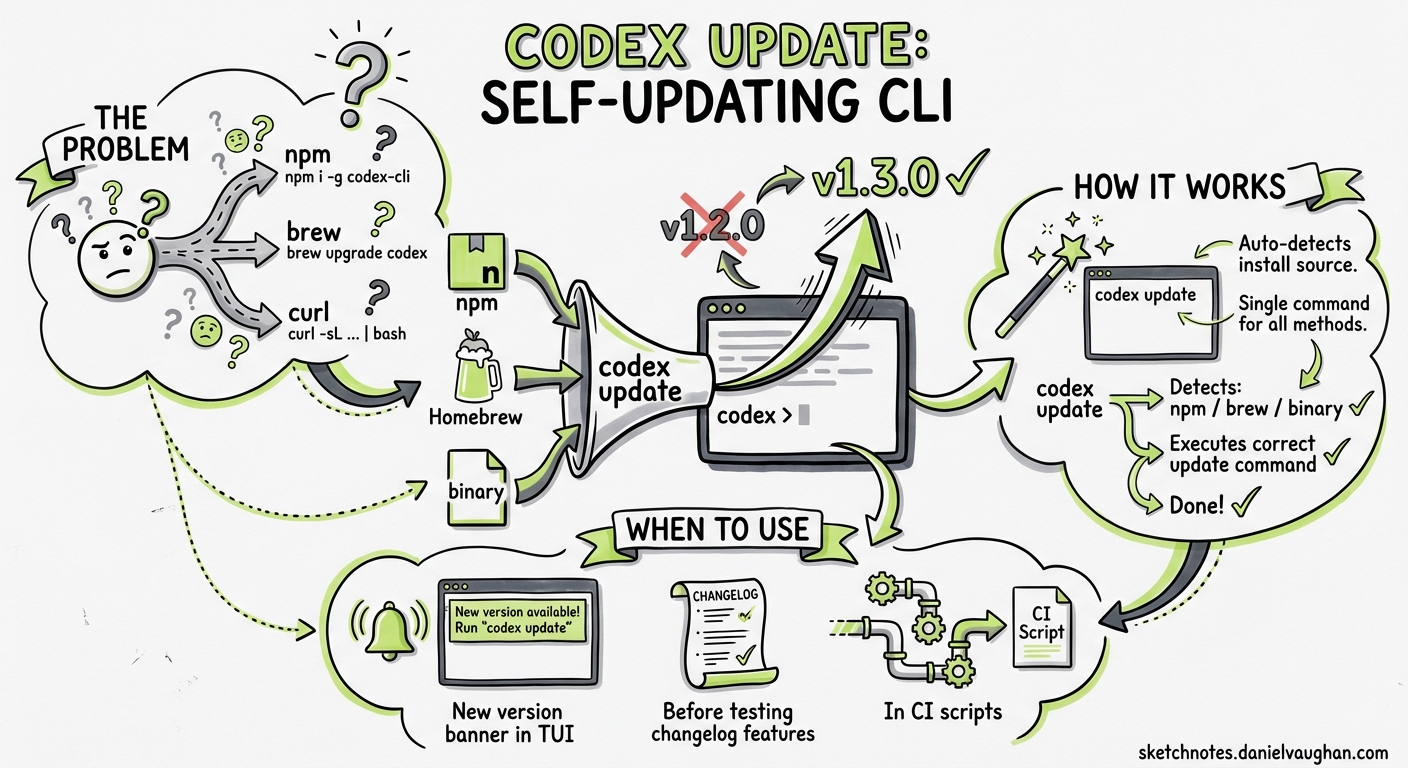
Codex CLI now ships a built-in codex update command that detects the installation method and applies updates automatically. No more remembering whether you installed via npm, Homebrew, or standalone binary.
The Problem
Before codex update, upgrading depended entirely on how you installed:
# npm
npm install -g @openai/codex@latest

# Homebrew
brew upgrade openai-codex

# Standalone binary
curl -sL ... | sh
This was a frequent source of confusion, especially for teams where different developers used different installation methods. GitHub issues #9274 and #11169 tracked the feature request.
How It Works
# Check current vs latest version
codex update --check

# Update to latest
codex update
The command auto-detects the install source (npm, Homebrew, standalone binary) and runs the appropriate upgrade command. If the installed release supports self-update, the process is seamless.
When to Use It
- After seeing the “new version available” banner in the TUI status line
- Before testing features from the changelog
- In CI scripts where you want the latest stable release
Limitations
- Requires the installed release to support self-update (older versions may not)
- On systems with restricted package manager permissions, you may still need
sudoor equivalent - The command updates to the latest stable release; to pin a specific version, use the package manager directly
Key Takeaway
codex update is a small quality-of-life improvement, but it removes a real friction point. For teams standardising on Codex CLI, it means “run codex update” is the only instruction needed, regardless of how each developer originally installed it.
Sources: Codex Changelog, Issue #9274, Issue #11169. Published 2026-05-08.