GPT-5.5-Cyber and Codex CLI: Trusted Access, Defensive Workflows, and the Security-Permissive Model Tier
GPT-5.5-Cyber and Codex CLI: Trusted Access, Defensive Workflows, and the Security-Permissive Model Tier
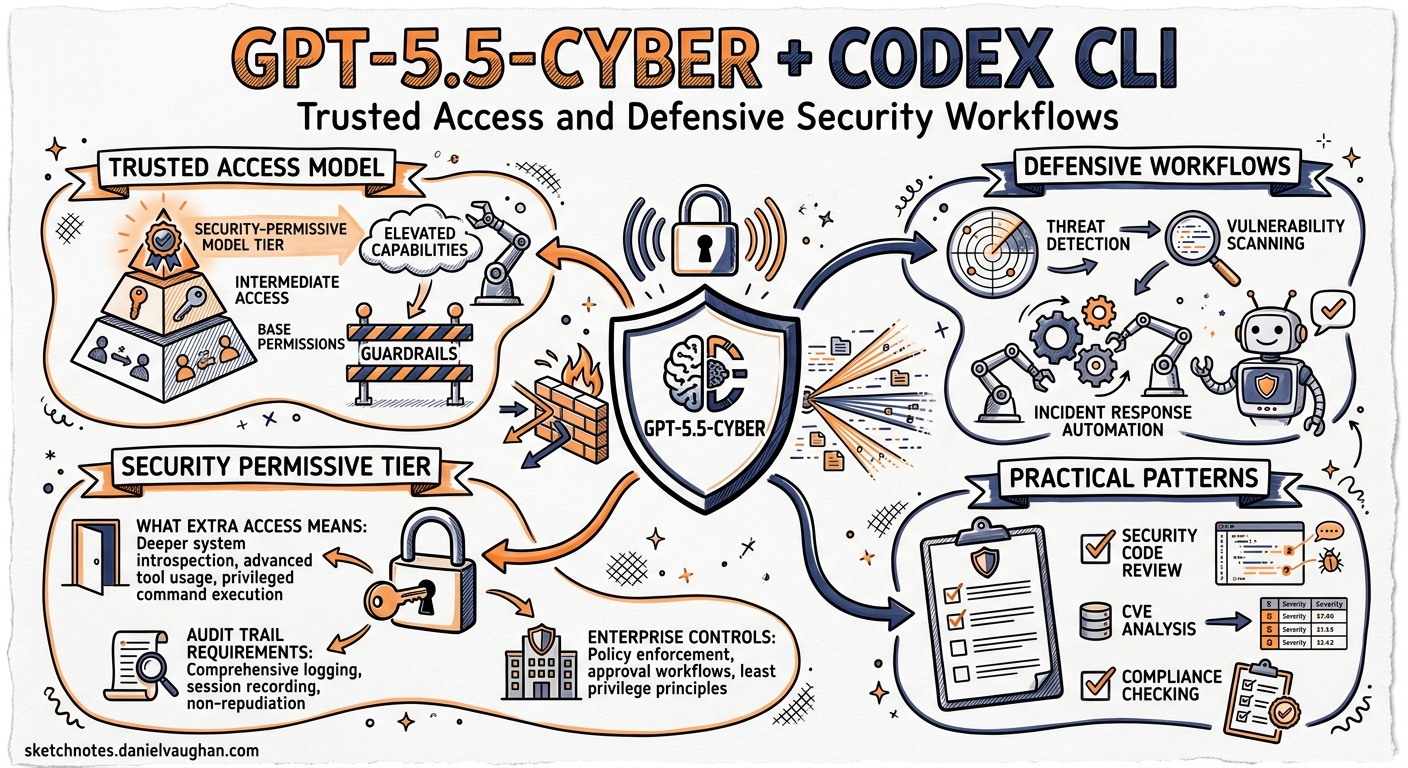
On 7 May 2026, OpenAI announced GPT-5.5-Cyber — a variant of its frontier model with deliberately reduced guardrails for vetted cyber defenders 1. The model ships alongside an expanded Trusted Access for Cyber programme that adds identity-verified tiers, mandatory Advanced Account Security from 1 June 2026, and a Codex Security plugin that brings vulnerability workflows into the CLI 2. This article explains how the model fits into Codex CLI, what it unlocks for security teams, and how to configure it without tripping over the cyber-safety classifier.
What GPT-5.5-Cyber Actually Is
GPT-5.5-Cyber is not a capability uplift. OpenAI is explicit: “The initial preview of cyber-permissive models like GPT-5.5-Cyber is not intended to significantly increase cyber capability beyond GPT-5.5 — it’s primarily trained to be more permissive on security-related tasks” 3. In practice, that means fewer classifier-triggered refusals when you ask it to write exploit proof-of-concepts, analyse malware samples, reverse-engineer stripped binaries, or draft detection rules from attack telemetry.
The standard GPT-5.5 model already sits at the frontier of cyber capability. The UK AI Safety Institute evaluated it at a 71.4% average pass rate on expert-level capture-the-flag exercises — outperforming Mythos Preview (68.6%), GPT-5.4 (52.4%), and Opus 4.7 (48.6%) 4. It completed a 32-step simulated corporate attack chain in 2 of 10 attempts, with an estimated human completion time of roughly 20 hours 4. GPT-5.5-Cyber takes that same engine and lowers the refusal boundary for authorised defensive work.
What Remains Blocked
Even with the most permissive tier, GPT-5.5-Cyber still refuses requests that could contribute to real-world harm — credential theft tooling, functional malware intended for deployment, and social-engineering kits are explicitly excluded 1. The model is positioned for defensive operations: vulnerability triage, patch validation, detection engineering, malware analysis, and authorised red-teaming 3.
The Trusted Access for Cyber Programme
Access to GPT-5.5-Cyber runs through OpenAI’s three-tier identity framework 2:
graph TD
    A["All Codex Users"] -->|Standard GPT-5.5| B["Tier 0: Default Access"]
    B -->|Verify at chatgpt.com/cyber| C["Tier 1: Individual Trusted Access"]
    C -->|Organisation request via OpenAI rep| D["Tier 2: Enterprise Trusted Access"]
    D -->|Invite-only approval| E["Tier 3: Security Researcher Programme"]

    B --- F["Standard refusal boundaries"]
    C --- G["Lower refusals for<br/>defensive workflows"]
    D --- H["Team-wide lower refusals<br/>+ GPT-5.5 with Trusted Access"]
    E --- I["GPT-5.5-Cyber<br/>most permissive tier"]
| Tier | Access | Model | Verification |
|---|---|---|---|
| 0 — Default | All Codex users | GPT-5.5 (standard) | None |
| 1 — Individual | Verified defenders | GPT-5.5 with Trusted Access | Identity at chatgpt.com/cyber |
| 2 — Enterprise | Organisation-wide | GPT-5.5 with Trusted Access | OpenAI representative request |
| 3 — Researcher | Approved security researchers | GPT-5.5-Cyber | Invite-only programme |
Deadline: From 1 June 2026, individual members accessing the most cyber-capable models must enable Advanced Account Security — multi-factor authentication with hardware key support 5.
Configuring Codex CLI for Defensive Workflows
Model Selection
Once your account has Trusted Access, specify the model in ~/.codex/config.toml or the project-level .codex/config.toml:
# Default model for security work
model = "gpt-5.5"

# Named profile for security-intensive sessions
[profiles.security]
model = "gpt-5.5"
model_reasoning_effort = "high"
If your account is approved for Tier 3, GPT-5.5-Cyber becomes available through the same model selector. The model name routes through your account’s verified permissions — there is no separate API key or endpoint 3.
Launch a security-focused session:
codex -p security "Analyse the authentication bypass in src/auth/oauth.rs"
Sandbox Configuration for Security Tools
Security workflows often need network access for package vulnerability databases, CVE feeds, and SAST tool downloads. Configure a permission profile that grants controlled network access while keeping file writes sandboxed:
[profiles.security]
model = "gpt-5.5"
model_reasoning_effort = "high"

[permissions.security.filesystem]
allow = [":project_roots"]

[permissions.security.network.domains]
"nvd.nist.gov" = "allow"
"cve.org" = "allow"
"osv.dev" = "allow"
"github.com" = "allow"
AGENTS.md for Security Teams
Place security-specific instructions in your repository’s AGENTS.md:
# Security Review Conventions

## Vulnerability Triage
- Always check NVD and OSV databases before classifying severity
- Use CVSS v4.0 scoring; include the vector string in findings
- Distinguish between theoretical and exploitable vulnerabilities
- Validate findings by writing a minimal proof-of-concept test

## Patch Validation
- Every proposed fix must include a regression test
- Run the existing test suite after applying patches
- Document the attack vector, root cause, and fix rationale

## Detection Engineering
- Write Sigma rules for detectable attack patterns
- Include MITRE ATT&CK technique IDs in rule metadata
- Test rules against at least one synthetic log sample
Five Defensive Workflows in Codex CLI
1. Vulnerability Triage from SAST Output
Feed static analysis results into Codex for intelligent triage. Most SAST tools produce noise — Codex can assess exploitability in context:
semgrep --config auto --json src/ | \
  codex exec "Triage these SAST findings. For each, assess exploitability \
  given the codebase context, classify as Critical/High/Medium/Low/False-Positive, \
  and propose a fix for anything Critical or High." \
  --sandbox workspace-write \
  -p security
2. Patch Validation
After a vulnerability is fixed, verify the patch actually closes the attack vector:
codex exec "The commit at HEAD fixes CVE-2026-41892 (SQL injection in \
  src/api/users.rs). Write a proof-of-concept test that demonstrates the \
  vulnerability is no longer exploitable, then run it." \
  --sandbox workspace-write \
  -p security
3. Detection Rule Engineering
Generate detection rules from threat intelligence:
codex exec "Read the incident report at docs/incidents/2026-05-03-lateral-movement.md. \
  Write Sigma detection rules covering the TTPs described. Include MITRE ATT&CK \
  technique IDs. Output to detections/sigma/." \
  --sandbox workspace-write \
  -p security
4. Dependency Vulnerability Assessment
Combine Codex with supply-chain tools to assess exploitability of dependency vulnerabilities:
osv-scanner --json . | \
  codex exec "Review these dependency vulnerabilities. For each, determine whether \
  our code actually calls the affected function path. Classify as Exploitable, \
  Potentially Exploitable, or Not Reachable. Output a markdown report." \
  --sandbox workspace-write \
  -p security \
  -o reports/dependency-assessment.md
5. Malware Analysis and Reverse Engineering
For Tier 3 users with GPT-5.5-Cyber, the model’s reduced refusal boundary enables deeper analysis workflows:
codex exec "Analyse the suspicious binary at samples/unknown.elf. \
  Identify packing, extract strings, map system calls, and classify \
  behaviour against MITRE ATT&CK. Do not execute the binary — \
  static analysis only." \
  --sandbox workspace-write \
  -p security
Codex Security Plugin
The Codex Security plugin — released alongside the Trusted Access expansion — brings OpenAI’s cloud-based vulnerability scanner into CLI and app sessions 6. It operates through three stages:
graph LR
    A["Threat Model<br/>Generation"] --> B["Vulnerability<br/>Discovery & Validation"]
    B --> C["Patch<br/>Proposal"]
    C --> D["Human<br/>Review"]

    A -.- E["Analyses repo structure,<br/>trust boundaries, exposure points"]
    B -.- F["Explores attack paths,<br/>validates in sandboxed environment"]
    C -.- G["Generates concrete fix<br/>with regression test"]
The plugin builds a codebase-specific threat model that captures what the system does, what it trusts, and where it is most exposed 6. Over the last 30 days of its research preview, Codex Security scanned more than 1.2 million commits, identifying 792 critical and 10,561 high-severity findings 7. Its false-positive rate has dropped by more than 50% since initial rollout, with one repository seeing an 84% reduction in noise 7.
The plugin connects directly to GitHub repositories. After enabling a repository, it scans commit history, validates potential vulnerabilities in an isolated environment, and surfaces proposed fixes for human review. Critically, it learns from feedback — when you adjust finding criticality, it refines the threat model for subsequent scans 6.
The Cyber-Safety Classifier: Avoiding False Positives
Standard Codex sessions route through a cyber-safety classifier. When it detects patterns that resemble offensive security activity, requests are rerouted from GPT-5.3-Codex to the less capable GPT-5.2 model 8. The symptoms are unmistakable: slower responses and a banner reading “Your conversations have multiple flags for possible cybersecurity risk. Responses may take longer.”
For security professionals, false positives are a daily friction. The Trusted Access programme exists precisely to address this — verified accounts receive lower classifier sensitivity. If you are still hitting false positives after verification:
- Use
/feedbackin the CLI to report the rerouting event - Check that your account verification is current at
chatgpt.com/cyber - Consider requesting Enterprise Trusted Access for team-wide coverage
- Structure prompts to explicitly state defensive intent (“For our authorised penetration test of internal application X…”)
GPT-5.5-Cyber vs GPT-5.5 with Trusted Access: Which Do You Need?
Most security teams should start with GPT-5.5 with Trusted Access (Tier 1 or 2). It covers the vast majority of defensive workflows — vulnerability triage, secure code review, detection engineering, and patch validation — with reduced refusal rates 3.
GPT-5.5-Cyber (Tier 3) is for teams that routinely need:
- Authorised red-teaming and penetration testing with realistic exploit proof-of-concepts
- Binary reverse engineering of packed or obfuscated samples
- Malware analysis requiring detailed behavioural classification
- Advanced cryptographic analysis
The capability difference is in permissiveness, not intelligence. Both models share the same underlying weights; GPT-5.5-Cyber simply has a lower refusal threshold for dual-use security content 3.
Practical Considerations
Cost: GPT-5.5-Cyber uses the same pricing as GPT-5.5. Security workflows tend to be reasoning-heavy, so set model_reasoning_effort = "high" or "xhigh" in your security profile and budget accordingly.
Audit trail: Codex CLI logs every tool call and agent action. For compliance-sensitive security work, enable OpenTelemetry export to capture full session traces:
[profiles.security]
model = "gpt-5.5"
model_reasoning_effort = "high"

[otel]
logs_endpoint = "https://otel-collector.internal:4318/v1/logs"
traces_endpoint = "https://otel-collector.internal:4318/v1/traces"
Team governance: Enterprise teams can enforce security-profile defaults through requirements.toml, ensuring all security engineers use approved model configurations and sandbox settings 9.
June deadline: Ensure all team members accessing Trusted Access models enable Advanced Account Security before 1 June 2026 5. Accounts without hardware MFA will lose access to cyber-permissive tiers.
What Comes Next
OpenAI has signalled that the Trusted Access programme will expand further — more granular access tiers, programmatic verification for CI/CD pipelines, and tighter integration between Codex Security and the CLI’s hook system for automated security gates 2. The trajectory is clear: security workflows are becoming first-class citizens in the Codex ecosystem, not an afterthought bolted onto a general-purpose coding agent.
For security teams already using Codex CLI, the immediate action is straightforward: verify your team at chatgpt.com/cyber, configure a security profile in config.toml, and set a calendar reminder for the 1 June Advanced Account Security deadline.
Citations
-
OpenAI, “Scaling Trusted Access for Cyber with GPT-5.5 and GPT-5.5-Cyber,” 7 May 2026. https://openai.com/index/gpt-5-5-with-trusted-access-for-cyber/ ↩ ↩2
-
OpenAI, “Trusted access for the next era of cyber defense,” 2026. https://openai.com/index/scaling-trusted-access-for-cyber-defense/ ↩ ↩2 ↩3
-
Help Net Security, “OpenAI tunes GPT-5.5-Cyber for more permissive security workflows,” 8 May 2026. https://www.helpnetsecurity.com/2026/05/08/openai-gpt-5-5-cyber-model/ ↩ ↩2 ↩3 ↩4 ↩5
-
UK AI Safety Institute, “Our evaluation of OpenAI’s GPT-5.5 cyber capabilities,” May 2026. https://www.aisi.gov.uk/blog/our-evaluation-of-openais-gpt-5-5-cyber-capabilities ↩ ↩2
-
OpenAI, “Introducing Advanced Account Security,” 2026. https://openai.com/index/advanced-account-security/ ↩ ↩2
-
OpenAI, “Codex Security: now in research preview,” March 2026. https://openai.com/index/codex-security-now-in-research-preview/ ↩ ↩2 ↩3
-
The Hacker News, “OpenAI Codex Security Scanned 1.2 Million Commits and Found 10,561 High-Severity Issues,” March 2026. https://thehackernews.com/2026/03/openai-codex-security-scanned-12.html ↩ ↩2
-
OpenAI Developers, “Cyber Safety — Codex,” 2026. https://developers.openai.com/codex/concepts/cyber-safety ↩
-
OpenAI Developers, “Configuration Reference — Codex,” 2026. https://developers.openai.com/codex/config-reference ↩