How Developers Actually Configure Agentic Coding Tools: What 2,926 Repositories Reveal About the Codex CLI Adoption Gap
How Developers Actually Configure Agentic Coding Tools: What 2,926 Repositories Reveal About the Codex CLI Adoption Gap
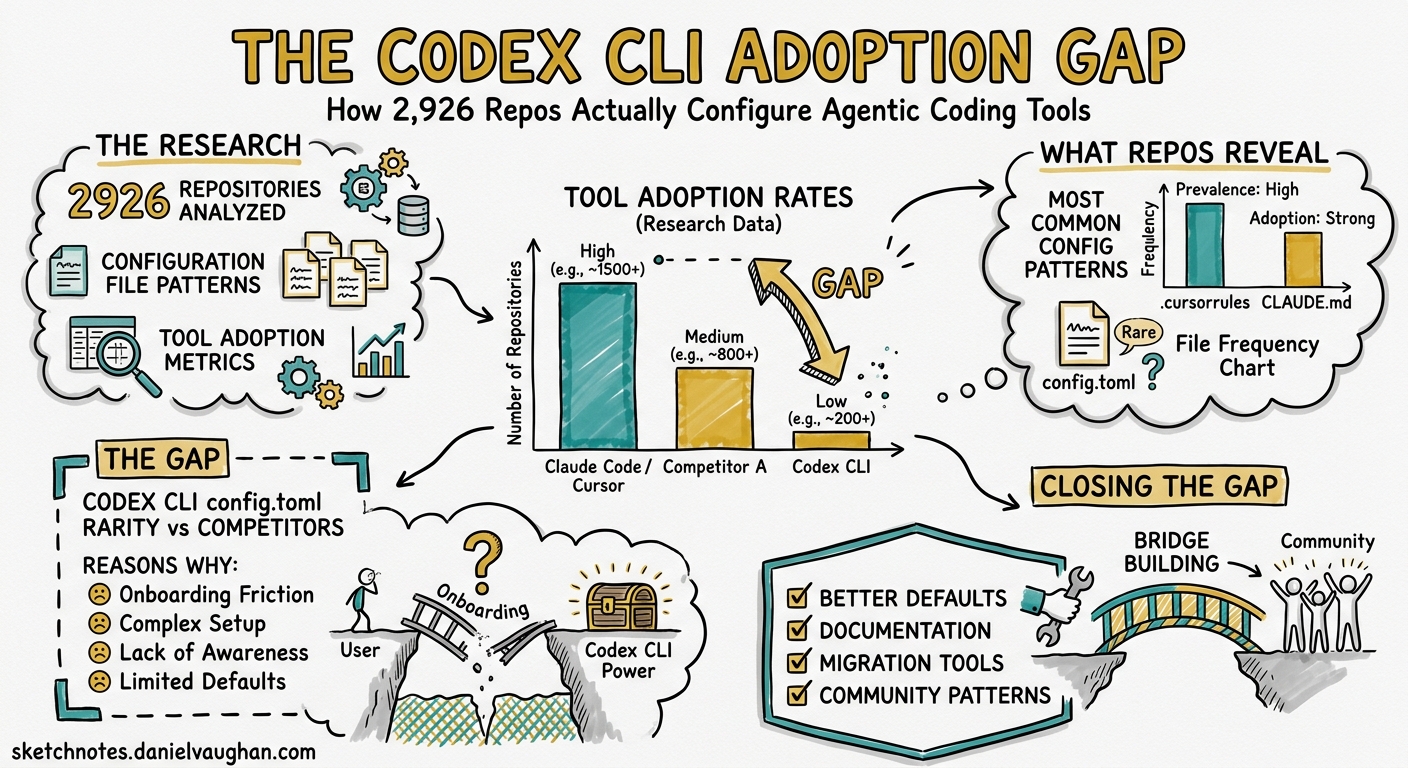
A new empirical study of nearly three thousand GitHub repositories has quantified something most Codex CLI practitioners have sensed intuitively: the gap between what agentic coding tools can do and what developers actually configure them to do is enormous. The paper — Configuring Agentic AI Coding Tools: An Exploratory Study by Galster, Mohsenimofidi, Lulla, Abubakar, Treude, and Baltes (arXiv:2602.14690) 1 — is the first large-scale empirical baseline for agentic tool configuration practices, and it contains lessons every Codex CLI user should absorb.
The Study at a Glance
The researchers identified eight distinct configuration mechanisms across five agentic coding tools — Claude Code, GitHub Copilot, Cursor, Gemini CLI, and Codex CLI — then analysed 2,926 GitHub repositories that met “engineered software” criteria 1. Their classification relied on GPT-5.2-based repository categorisation and heuristic detection of configuration artefacts.
The eight mechanisms form a spectrum from static context to executable automation:
graph LR
    A[Context Files] --> B[Rules]
    B --> C[Settings]
    C --> D[Commands]
    D --> E[Skills]
    E --> F[Hooks]
    F --> G[Subagents]
    G --> H[MCP Servers]
    style A fill:#2d6a4f,color:#fff
    style B fill:#40916c,color:#fff
    style C fill:#52b788,color:#fff
    style D fill:#74c69d,color:#000
    style E fill:#95d5b2,color:#000
    style F fill:#b7e4c7,color:#000
    style G fill:#d8f3dc,color:#000
    style H fill:#edf6f0,color:#000
No single tool implements all eight. Codex CLI supports Context Files (AGENTS.md), Skills, Subagents, Settings (config.toml), Hooks, and MCP Servers — six of eight — placing it amongst the most configurable options 1.
Three Headline Findings
1. Context Files Dominate Everything Else
Ninety per cent of the studied repositories contained at least one context file 1. The breakdown across file types reveals something striking:
| Context File | Instances | Repository Adoption |
|---|---|---|
| CLAUDE.md | 1,661 (34.2%) | 45.4% |
| AGENTS.md | 1,572 (32.3%) | 40.6% |
| copilot-instructions.md | 1,344 (27.7%) | 35.1% |
| GEMINI.md | 159 (3.3%) | — |
| .cursorrules | 73 (1.5%) | — |
AGENTS.md has emerged as the de facto interoperable standard. The most common cross-file reference pattern is CLAUDE.md → AGENTS.md, appearing in 311 repository pairs 1. This confirms what the OpenAI documentation recommends: treat AGENTS.md as your shared baseline and let tool-specific files extend it 2.
2. Advanced Mechanisms Are Severely Underused
Here is where the adoption gap becomes stark. Across all 2,926 repositories:
- Skills: 601 total across just 158 repositories (5.4%), with a median of 2 per adopting repository 1
- Subagents: 452 total across 131 repositories (4.5%), median 2 per repository 1
- Hooks, Commands, Settings, MCP: Each appearing in fewer than 20% of repositories 1
Of the skills that do exist, 83.3% include no additional resources beyond the SKILL.md file 1. Only 5.7% include a scripts/ directory with executable code, and a mere 8% include a references/ directory 1. The researchers concluded that “configuration is presently used more as documentation than as automation” 1.
3. Distinct Tool-Specific Cultures Are Forming
Claude Code users employ the broadest range of configuration mechanisms 1. Cursor repositories lean heavily on rules. Copilot repositories rarely extend beyond context files. Codex CLI repositories, despite the tool’s deep configurability, show limited advanced adoption 1.
This is not a reflection of Codex CLI’s capabilities — it is a reflection of where most practitioners stop on the configuration maturity curve.
The Codex CLI Configuration Maturity Model
Based on the research findings and current Codex CLI capabilities 3 4, practitioners typically fall into one of four levels:
graph TB
    L1["Level 1: Context Files Only<br/>AGENTS.md with project conventions<br/>(~90% of repositories)"]
    L2["Level 2: Context + Settings<br/>config.toml with profiles, model selection<br/>(~20% of repositories)"]
    L3["Level 3: Active Automation<br/>Hooks, Skills, MCP servers<br/>(~5% of repositories)"]
    L4["Level 4: Full Orchestration<br/>Subagents, plugins, CI integration<br/>(<5% of repositories)"]
    L1 --> L2
    L2 --> L3
    L3 --> L4
    style L1 fill:#d4edda,color:#000
    style L2 fill:#fff3cd,color:#000
    style L3 fill:#d1ecf1,color:#000
    style L4 fill:#cce5ff,color:#000
The research suggests most teams plateau at Level 1. The remainder of this article shows how to move deliberately through each level with Codex CLI.
Level 1 → 2: From AGENTS.md to Configured Profiles
If your repository contains only an AGENTS.md file, you are leaving significant value on the table. A config.toml with named profiles immediately enables model routing, cost control, and workflow-specific behaviour 3:
# ~/.codex/config.toml
model = "gpt-5.5"
approval_policy = "unless-allow-listed"

[profiles.fast]
model = "codex-spark"
reasoning.effort = "low"

[profiles.deep]
model = "gpt-5.5"
reasoning.effort = "high"

[profiles.ci]
model = "gpt-5.4-mini"
approval_policy = "full-auto-with-permissions"
Switch profiles at launch with codex --profile ci or mid-session with /profile fast 3. The research found that fewer than 20% of repositories define any settings beyond defaults 1 — meaning the vast majority of Codex users are running on stock configuration.
Level 2 → 3: Skills and Hooks as Executable Knowledge
The finding that 83.3% of skills contain no executable resources 1 reveals a missed opportunity. Codex CLI’s skill system supports a progressive disclosure model: the agent sees only names and descriptions until it decides to invoke a skill, keeping context overhead to roughly 2% of the window 4.
A well-structured skill for, say, database migration safety:
.agents/skills/
└── safe-migration/
    ├── SKILL.md
    ├── scripts/
    │   └── validate-migration.sh
    └── references/
        └── migration-checklist.md
# SKILL.md
---
name: safe-migration
description: >
  Use when generating or reviewing database migration files.
  Validates backward compatibility, rollback safety, and data
  preservation. Do NOT use for seed data or test fixtures.
---

## Steps
1. Read references/migration-checklist.md for project conventions
2. Generate migration with reversible operations only
3. Run scripts/validate-migration.sh against the migration file
4. Verify rollback path exists for every schema change
Hooks add lifecycle automation. A PostToolUse hook that runs a linter after every file edit costs nothing to set up and catches issues before they compound 5:
{
  "hooks": [
    {
      "event": "PostToolUse",
      "tools": ["write", "edit"],
      "command": "eslint --fix ${FILE_PATH} 2>/dev/null || true"
    }
  ]
}
Level 3 → 4: Subagents and MCP as Force Multipliers
The research found just 131 repositories (4.5%) defining subagents 1. For Codex CLI, custom agent definitions in config.toml enable parallel workstreams with role-specific models and instructions 6:
[agents.reviewer]
description = "Code review specialist — focuses on correctness, security, and style"
model = "gpt-5.5"

[agents.test-writer]
description = "Test generation agent — writes integration and unit tests"
model = "gpt-5.4-mini"
MCP servers extend the agent’s tool surface to external systems. The Codex CLI supports both stdio and HTTP transports 3:
[mcp_servers.sentry]
command = "npx"
args = ["-y", "@sentry/mcp-server"]
env = { SENTRY_AUTH_TOKEN = "..." }
The combination of subagents and MCP servers transforms Codex from a single-threaded assistant into an orchestrated development environment — but the research shows fewer than one in twenty repositories have reached this level 1.
Why the Gap Exists
The researchers identify three contributing factors 1:
- Recency: Most agentic tool configuration mechanisms shipped in late 2025 or early 2026. The ecosystem is still learning.
- Documentation lag: Advanced features are documented but lack worked examples showing the compound benefit of combining mechanisms.
- Perceived complexity: Developers who are productive with Context Files alone have little immediate motivation to invest in hooks or subagents.
There is a fourth factor the paper does not address: the configuration payoff is non-linear. A well-configured config.toml saves minutes per session. Adding skills and hooks saves minutes per task. Adding subagents and MCP servers saves hours per project. The compounding effect is invisible at Level 1.
The AGENTS.md Interoperability Play
One finding deserves special attention: AGENTS.md receives 368 incoming cross-references from other files — more than any other artefact 1. The most common pattern is CLAUDE.md referencing AGENTS.md (311 instances).
For multi-tool teams, this suggests a clear strategy:
- Maintain AGENTS.md as the canonical source of project conventions
- Use tool-specific files (CLAUDE.md, copilot-instructions.md) only for tool-specific overrides
- Structure AGENTS.md hierarchically — root for organisation standards, subdirectories for module-specific guidance 2
repo/
├── AGENTS.md                    # Organisation conventions
├── src/
│   └── AGENTS.md                # Module-specific guidance
├── .claude/
│   └── CLAUDE.md                # Claude-specific overrides
└── .codex/
    └── config.toml              # Codex-specific settings
Language-Specific Adoption Patterns
The research reveals that TypeScript repositories lead agentic tool adoption at 31.5%, followed by Python (18.7%) and Go (18.2%) 1. CLAUDE.md dominates across most languages, but copilot-instructions.md leads in Java, C#, and C++ repositories 1.
For Codex CLI practitioners working in Java or enterprise stacks, this signals an opportunity: the configuration patterns that work in TypeScript and Python repositories are directly transferable, but fewer teams in enterprise language ecosystems have invested in them.
Practical Takeaways
-
Audit your configuration level. Most teams are at Level 1. Moving to Level 2 (profiles + settings) takes thirty minutes and immediately improves model routing and cost management.
-
Write executable skills, not just documentation. The 83.3% of skills with no resources 1 represent instructions that could be enhanced with validation scripts and reference materials.
-
Start with one hook. A single
PostToolUselinter hook demonstrates the pattern and makes the case for further investment. -
Use AGENTS.md as your interoperable baseline. Even if your team uses multiple tools, AGENTS.md is the convergence point 1.
-
Measure the gap. Run
/debug-configin Codex CLI to see what configuration is active. Compare against the eight mechanisms. Identify what you are leaving unused 3.
Study Limitations
The research analyses GitHub repositories only — enterprise and proprietary configurations are not captured 1. The snapshot was taken in February 2026, and the tool landscape has evolved since (v0.129 and v0.130 added compaction hooks, the /hooks browser, and plugin workspace sharing 7). Artefact presence indicates adoption but not active usage.
Despite these caveats, the data establishes a clear baseline: the agentic tool configuration ecosystem is overwhelmingly dominated by static context files, and the gap between available capabilities and actual usage represents a significant competitive advantage for teams willing to invest in deeper configuration.
Citations
-
Galster, M., Mohsenimofidi, S., Lulla, J.L., Abubakar, M.A., Treude, C., & Baltes, S. (2026). “Configuring Agentic AI Coding Tools: An Exploratory Study.” arXiv:2602.14690. https://arxiv.org/abs/2602.14690 ↩ ↩2 ↩3 ↩4 ↩5 ↩6 ↩7 ↩8 ↩9 ↩10 ↩11 ↩12 ↩13 ↩14 ↩15 ↩16 ↩17 ↩18 ↩19 ↩20 ↩21 ↩22 ↩23 ↩24
-
OpenAI. “Custom instructions with AGENTS.md.” OpenAI Developers. https://developers.openai.com/codex/guides/agents-md ↩ ↩2
-
OpenAI. “Configuration Reference – Codex.” OpenAI Developers. https://developers.openai.com/codex/config-reference ↩ ↩2 ↩3 ↩4 ↩5
-
OpenAI. “Agent Skills – Codex.” OpenAI Developers. https://developers.openai.com/codex/skills ↩ ↩2
-
OpenAI. “Hooks – Codex.” OpenAI Developers. https://developers.openai.com/codex/hooks ↩
-
OpenAI. “Advanced Configuration – Codex.” OpenAI Developers. https://developers.openai.com/codex/config-advanced ↩
-
OpenAI. “Changelog – Codex.” OpenAI Developers. https://developers.openai.com/codex/changelog ↩